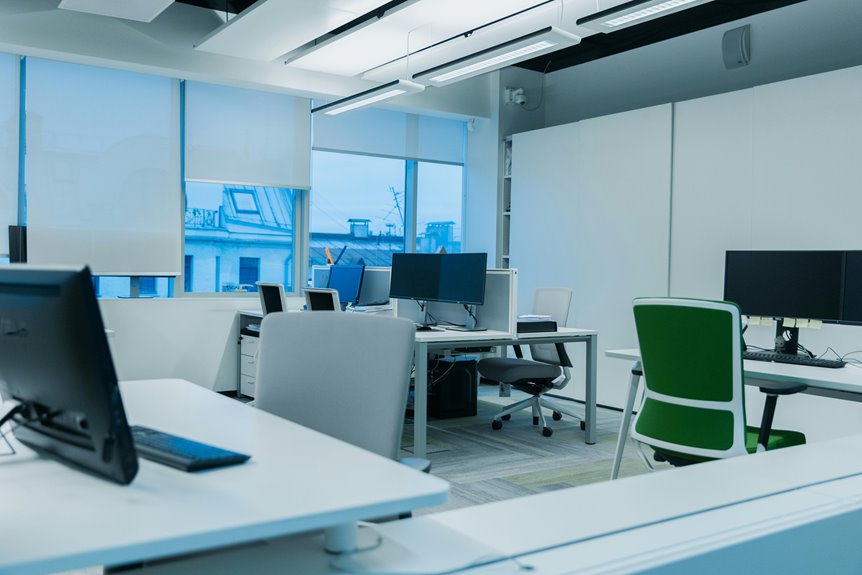
If you often find yourself working late at night or in dimly lit spaces, a backlit keyboard might be a practical solution. These keyboards not only enhance visibility but also help reduce eye strain. Plus, with customizable lighting options, you can tailor your workspace to fit your style. But before you make a purchase, consider whether the benefits truly justify the cost. What factors should you weigh when deciding?
Key Takeaways
- Backlit keyboards enhance visibility in low-light conditions, reducing eye strain and improving comfort during late-night work sessions.
- Customizable lighting options allow users to personalize their typing experience, matching mood or workspace aesthetics.
- Improved key visibility can boost typing speed and accuracy, making it easier to locate keys in dim environments.
- The soft glow of backlit keys creates a cozy atmosphere, promoting productivity during extended use.
- Considering the potential productivity gains, backlit keyboards can be a worthwhile investment for frequent home office users.
Understanding Backlit Keyboards: Features and Benefits
When you work late into the night or in dimly lit spaces, backlit keyboards can be a game-changer. These keyboards illuminate each key, making it easier to see what you're typing without straining your eyes.
You'll appreciate the customizable lighting options, allowing you to choose colors and brightness levels that suit your mood and environment. Many models also feature adjustable backlighting, so you can enhance visibility based on your needs.
Plus, the tactile feedback of backlit keys can improve your typing accuracy, especially when the lights are low.
Investing in a backlit keyboard not only adds a modern touch to your workspace but also boosts your productivity by ensuring you can work comfortably at any hour.
Enhancing Visibility and Comfort in Low-Light Conditions
Backlit keyboards not only light up your workspace but also significantly enhance visibility and comfort in low-light conditions.
When you're working late or in dimly lit rooms, the illuminated keys help you see what you're typing without straining your eyes. This can reduce discomfort and fatigue, allowing you to focus on your tasks longer. You won't have to squint or guess where each key is, which can lead to errors and frustration.
Moreover, the soft glow creates a more inviting atmosphere, making your home office feel cozy and conducive to productivity. With a backlit keyboard, you can effortlessly switch between tasks, ensuring you stay efficient even when the lights are low.
It's a simple upgrade that makes a big difference.
Customization Options: Choosing the Right Backlight Settings
How can you personalize your typing experience with backlit keyboards? You've got plenty of customization options to enhance your workflow.
First, adjust the brightness levels to suit your environment—dimmer settings can reduce eye strain, while brighter ones help in complete darkness.
Next, consider the color options; many keyboards let you choose from a spectrum of hues. Select a color that complements your mood or workspace.
You can also customize key lighting effects, like breathing modes or static colors for specific keys. This not only adds flair but can also help you identify frequently used keys quickly.
With these settings, you can create a typing environment that's both functional and visually appealing.
Evaluating the Impact on Typing Speed and Accuracy
While many users appreciate the aesthetic appeal of backlit keyboards, their impact on typing speed and accuracy is worth evaluating. You might find that the illumination helps you locate keys more easily in low-light conditions, leading to improved efficiency.
However, some users notice that the brightness can be distracting, potentially affecting focus and accuracy.
Consider these aspects:
- Visibility: A well-lit keyboard can enhance your ability to see the keys, especially during long hours of work.
- Distraction Level: If the light is too bright or flickering, it may hinder your concentration.
- Personal Preference: Everyone has different comfort levels with backlighting, so it's essential to test what works best for you.
Cost vs. Value: Are Backlit Keyboards Worth the Investment?
Investing in a backlit keyboard often raises the question of whether the benefits justify the cost. While standard keyboards can get the job done, the enhanced visibility of backlit options can significantly improve your typing experience, especially in low-light settings.
If you frequently work late or in dim environments, the ability to see your keys clearly might save you time and reduce strain.
However, consider your budget and how often you work in those conditions. If you type primarily during the day, a backlit keyboard mightn't be worth the extra expense.
Weigh the potential productivity gains against the price. Ultimately, if better visibility helps you work more efficiently, the investment could pay off in the long run.
Frequently Asked Questions
Do Backlit Keyboards Consume More Battery Power Than Regular Keyboards?
Yes, backlit keyboards do consume more battery power than regular keyboards. The lighting requires energy, which can drain your device's battery faster, especially if you use it frequently or at high brightness settings.
Can Backlit Keyboards Be Used With Gaming Consoles?
Yes, you can use backlit keyboards with gaming consoles like Xbox and PlayStation. Just ensure they're compatible via USB or Bluetooth. You'll enjoy enhanced visibility during late-night gaming sessions without straining your eyes.
Are There Ergonomic Benefits to Using Backlit Keyboards?
Backlit keyboards can enhance your typing experience by allowing you to see the keys in low light, which reduces strain on your eyes. This can lead to better posture and less discomfort during long typing sessions.
What Materials Are Commonly Used in Backlit Keyboards?
Backlit keyboards typically use materials like plastic for the casing, silicone for key switches, and LED lights for illumination. These components combine to create a durable, functional design that enhances your typing experience in low-light conditions.
How Do Backlit Keyboards Perform in Bright Environments?
Backlit keyboards can struggle in bright environments. You might find the illumination less effective, making it harder to see the keys. Adjusting the brightness or positioning your screen can help improve visibility and typing experience.