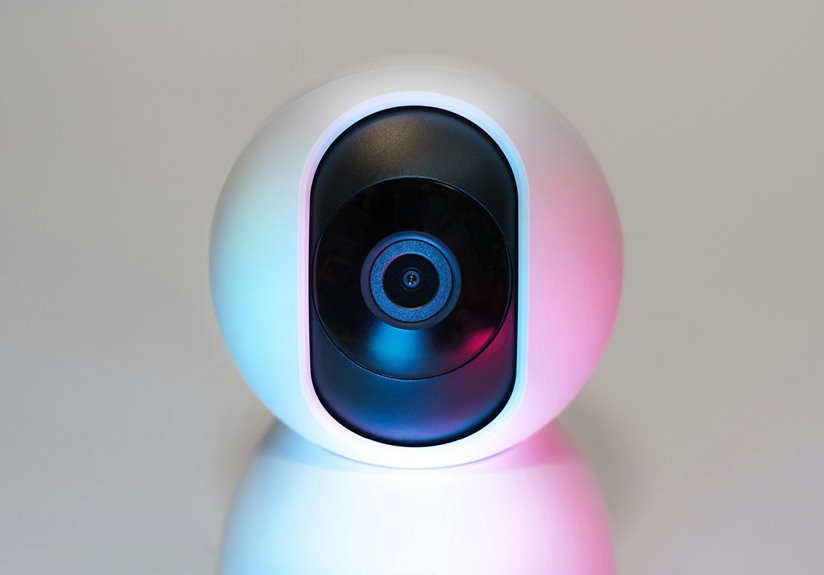
External USB webcams generally offer better security features than integrated ones. They often include built-in privacy shutters, strong encryption, and more robust software protections, such as user authentication. In contrast, integrated webcams may lack these additional security measures, leaving them more vulnerable to unauthorized access. By choosing an external webcam, you’re likely to enhance your privacy and security. Want to discover even more effective strategies for webcam safety?
Key Takeaways
- External USB webcams often include built-in privacy shutters, enhancing security compared to integrated models that may lack robust privacy features.
- Many external webcams offer secure encryption and advanced software with user authentication, providing better protection against unauthorized access.
- Integrated webcams may have limited access controls, increasing vulnerability to hacking and unauthorized use.
- Regular firmware updates are typically more common with external USB webcams, reducing the risk of security holes.
- Overall, external USB webcams generally provide more security features and options compared to integrated webcams.
Overview of Webcam Types
When it comes to webcams, you’ll find a variety of types designed for different uses and settings.
External USB webcams are popular for their versatility, offering higher resolutions and better audio quality than many integrated options. They’re ideal for streaming, video conferencing, and content creation.
On the other hand, integrated webcams are built into laptops and monitors, providing convenience without extra hardware. While they’re suitable for casual use, they often lack the advanced features of external models.
Specialty webcams, like those designed for professional broadcasting, further enhance video quality and include features like adjustable lenses.
Understanding these differences helps you choose the right webcam for your needs, whether you’re working, gaming, or connecting with friends.
Security Features of Integrated Webcams
When it comes to integrated webcams, security features can make a big difference in your privacy.
Many models come with built-in privacy shutters that allow you to block the camera when it’s not in use.
Additionally, limited access controls help prevent unauthorized users from accessing your webcam, giving you more peace of mind.
Built-in Privacy Shutters
Privacy is a top concern for many users in today’s digital world, and built-in privacy shutters on integrated webcams offer a practical solution. These shutters let you physically block the camera lens when not in use, giving you peace of mind that no one can spy on you. Unlike external USB webcams, which may lack this feature, integrated webcams often come equipped with this additional layer of security.
| Feature | Integrated Webcam | External Webcam |
|---|---|---|
| Built-in Privacy Shutter | Yes | No |
| Ease of Use | Simple | Requires manual handling |
| Always Available | Yes | Depends on connection |
With these shutters, you can feel more secure in your online interactions.
Limited Access Controls
While integrated webcams offer convenience, they often come with limited access controls that can compromise your security.
With these built-in cameras, you mightn’t have the same options to manage permissions as you’d with external USB webcams. For instance, you often can’t easily disable the webcam without turning off the entire device or using software, leaving you vulnerable to unauthorized access.
Additionally, the default settings may not prioritize your privacy, allowing apps to access the camera without your explicit consent. This lack of control can result in unwanted surveillance, making it vital for you to be aware of your integrated webcam’s limitations.
Ultimately, understanding these risks helps you take proactive steps to secure your privacy.
Security Features of External USB Webcams
As you integrate external USB webcams into your setup, it’s essential to take into account their security features to protect your privacy.
Many external webcams come equipped with built-in privacy shutters or lens covers, allowing you to easily block the camera when it’s not in use. Look for models that offer secure encryption to guarantee your video feed is transmitted safely.
Consider webcams with privacy shutters and secure encryption to protect your video feed when not in use.
Some webcams also provide robust software that includes user authentication and access controls, giving you greater control over who can view your stream.
Additionally, certain brands offer regular firmware updates, enhancing security against potential threats.
Common Vulnerabilities in Webcams
When using external USB webcams, you should be aware of common vulnerabilities that can put your security at risk.
Hardware hacking risks, software exploitation methods, and privacy breach concerns can all compromise your safety.
Understanding these issues is essential for protecting your personal information and maintaining control over your devices.
Hardware Hacking Risks
Although many people rely on external USB webcams for convenience and enhanced communication, these devices can expose you to significant hardware hacking risks.
Hackers can exploit vulnerabilities in the hardware, allowing them to gain unauthorized access to your camera. If your webcam has weak physical security, a determined attacker could physically tamper with it or even replace it with a malicious device.
Additionally, many webcams lack robust encryption, making it easier for hackers to intercept data transmitted over unsecured networks. It’s essential to be aware of these risks, as even seemingly innocuous models can have hidden flaws.
Regularly inspect your devices, use security covers, and stay informed about any recalls or vulnerabilities in the webcams you use.
Software Exploitation Methods
While hardware vulnerabilities pose significant risks, software exploitation methods are equally concerning for external USB webcams. Cybercriminals can take advantage of various software flaws to gain unauthorized access or control.
Here are some common vulnerabilities you should be aware of:
- Outdated Firmware: Manufacturers often release patches to fix security holes. Ignoring these updates can leave your webcam exposed.
- Weak Passwords: Default or easily guessable passwords make it easy for hackers to gain access.
- Malicious Software: Malware can exploit webcam software, allowing attackers to hijack the camera.
- Insecure Connections: Using unsecured networks can expose your webcam to unauthorized users.
Privacy Breach Concerns
As you rely on external USB webcams for video calls and streaming, it’s essential to recognize the privacy breach concerns that come with them. These devices can be vulnerable to hacking and unauthorized access, putting your personal information at risk. Below is a summary of common vulnerabilities you should be aware of:
| Vulnerability | Description |
|---|---|
| Malware Attacks | Malicious software can take control of your webcam. |
| Unsecured Connections | Poor encryption can expose video feeds to hackers. |
| Outdated Firmware | Failing to update can leave your webcam open to exploits. |
| Lack of Indicator Lights | Some models don’t show when they’re active, increasing risk. |
Being informed helps you take necessary precautions to safeguard your privacy.
User Control and Privacy Measures
When you use an external USB webcam, it’s essential to take control of your privacy to guarantee a secure experience.
You can implement several measures to enhance your security:
- Cover the lens when not in use to prevent unauthorized access.
- Adjust privacy settings in your video software to limit who can connect.
- Regularly update software and drivers to patch any vulnerabilities.
- Be cautious with third-party apps, ensuring they’re from reputable sources.
Recommendations for Webcam Security
To guarantee your webcam remains secure, it’s essential to implement a few key recommendations.
First, always cover your webcam when not in use. A simple sticker or webcam cover can prevent unwanted access.
Always cover your webcam when it’s not in use to prevent unwanted access. A simple cover can make a big difference.
Second, verify your software and drivers are up to date; this helps protect against vulnerabilities.
Third, use strong, unique passwords for your accounts and enable two-factor authentication wherever possible.
Fourth, be cautious about the apps you install and the permissions they request; only grant access to necessary features.
Finally, consider using a firewall and antivirus software to add extra layers of protection.
By following these steps, you can greatly reduce the risks associated with both external and integrated webcams.
Stay proactive about your security!
Final Thoughts on Webcam Safety
While implementing strong security measures can greatly enhance your webcam safety, staying vigilant is just as important. You should always be aware of potential threats and take proactive steps to protect your privacy.
Here are some key practices to keep in mind:
- Regularly update your webcam software and drivers.
- Use a physical cover when your webcam’s not in use.
- Enable two-factor authentication on any accounts linked to your webcam.
- Monitor for suspicious activity or unauthorized access attempts.
Frequently Asked Questions
Can External USB Webcams Be Hacked More Easily Than Integrated Ones?
External USB webcams can be vulnerable, especially if you don’t keep their software updated. Hackers might exploit outdated firmware or insecure connections, so you need to stay vigilant and guarantee your devices are secure.
Do External Webcams Require Additional Software for Enhanced Security?
Yes, external webcams often require additional software for enhanced security. You should install trusted security programs to protect your device, and regularly update both the software and firmware to guarantee maximum protection against potential threats.
Are There Specific Brands Known for Better Webcam Security?
Did you know that over 70% of hacking incidents involve unsecured webcams? When choosing a brand, look for companies like Logitech or Razer, known for their robust security features, ensuring your privacy stays protected.
How Can I Physically Protect My External USB Webcam?
To physically protect your external USB webcam, use a privacy cover when it’s not in use. Additionally, position it away from windows and secure it with a strong cable lock to deter theft and tampering.
Do Integrated Webcams Have Built-In Privacy Features?
Imagine a vintage camera with a shutter; integrated webcams often include physical privacy features like lens covers. These built-in options give you peace of mind, helping you feel more secure when not in use.