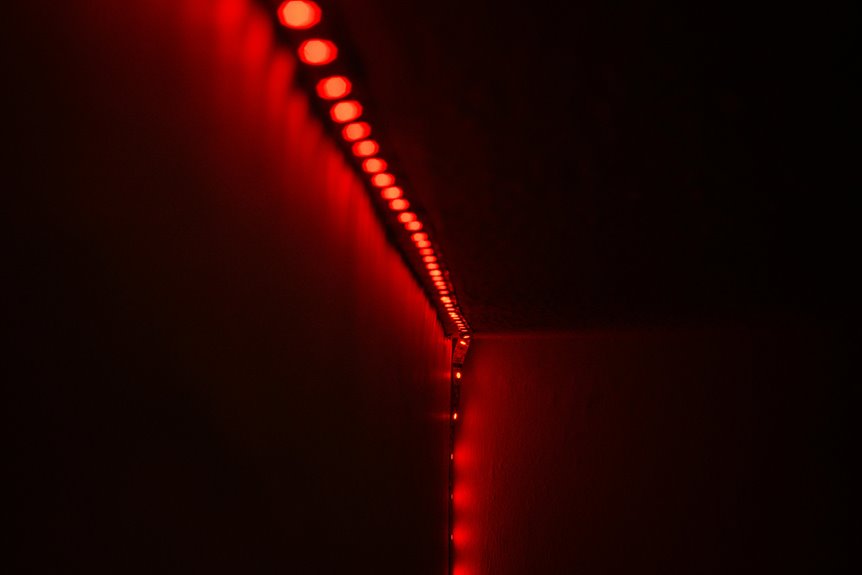
LED strips are a great option for your permanent webcam lighting setup. They’re flexible, energy-efficient, and provide even illumination, which helps you look your best on camera. With customizable colors and adjustable brightness, you can create the perfect lighting atmosphere. Keep in mind that proper placement is key to avoid shadows or glare. Plus, with a little maintenance, you’ll enjoy their long lifespan. There’s more to think about for achieving ideal lighting, so keep exploring!
Key Takeaways
- LED strips provide consistent and adjustable lighting, ideal for achieving optimal webcam video quality.
- They are energy-efficient and have a long lifespan, reducing replacement frequency and electricity costs.
- Flexible installation options make it easy to customize lighting setups for any space or angle.
- Dimmable features and adjustable color temperatures allow fine-tuning to match the environment and personal preference.
- Regular maintenance, such as dusting and checking connections, ensures continued performance and brightness.
Understanding Webcam Lighting Basics
When you set up your webcam, understanding the basics of lighting can make all the difference in your video quality.
Start by identifying your light sources. Natural light is great, but it can be inconsistent. Position yourself facing a window for even illumination.
If you’re indoors, consider using soft, diffused light to reduce harsh shadows. Avoid overhead lighting, as it can create unflattering shadows on your face. Instead, try to have light at eye level.
Experiment with the distance of your light sources; too close can wash you out, while too far can leave you dim.
Remember to monitor your background lighting as well, ensuring it doesn’t compete with your face for attention. Good lighting enhances your presence on camera.
Advantages of Using LED Strips
Although many lighting options exist, using LED strips for webcam lighting offers several advantages that can enhance your video quality.
First, LED strips are flexible and can be easily shaped or placed to suit your setup. You can position them to eliminate shadows and achieve even lighting.
Second, they’re energy-efficient, which means lower electricity bills.
Third, they come in various colors and brightness levels, allowing you to customize your lighting for different moods or settings.
Finally, LED strips have a long lifespan, reducing the need for frequent replacements.
- Flexible installation options
- Energy-efficient
- Customizable colors and brightness
- Long-lasting durability
Potential Drawbacks of LED Strips
While LED strips offer many benefits for webcam lighting, they also come with some potential drawbacks that you should consider.
One major issue is brightness control; some strips don’t provide the level of adjustability you might need for ideal lighting. In addition, the color temperature can sometimes be inconsistent, which could affect your video quality.
You might also find that cheap LED strips can have a short lifespan or flicker, leading to distractions during your streams.
Moreover, installation can be tricky—adhesive backing may not hold up well over time.
Finally, if you’re not careful with placement, LED strips can create unwanted shadows or glare that detract from your overall appearance on camera.
Choosing the Right Type of LED Strips
To achieve ideal lighting for your webcam, it’s crucial to choose the right type of LED strips that fit your needs.
Consider the following factors when selecting your strips:
- Color Temperature: Look for strips that offer adjustable color temperatures to match your environment.
- Brightness Levels: Choose options with dimmable features, allowing you to control the intensity of the light.
- Length and Flexibility: Opt for strips that can be easily cut or extended to fit your setup.
- Power Source: Decide between USB-powered or plug-in options based on your available outlets.
Placement Strategies for Optimal Lighting
When setting up your LED strips, consider the angle of the light to enhance your appearance on camera.
Experimenting with backlighting techniques can create depth and interest, while also being mindful of how wall reflections can impact the overall lighting.
Getting these placement strategies right will greatly improve your webcam experience.
Light Angle Considerations
How can you guarantee the best lighting for your webcam setup? It all comes down to the angle of your LED strips. Proper placement can make a significant difference in how you appear on camera.
Here are a few strategies to take into account:
- Position above eye level: This helps create a flattering soft light on your face.
- Angle towards your face: Directing the light at a slight downward angle reduces harsh shadows.
- Use multiple sources: Combining lights can enhance depth and dimension.
- Avoid direct light: Harsh, direct light can create glare; aim for diffused illumination instead.
Backlighting Techniques
Effective backlighting can transform your webcam setup by adding depth and visual interest. To achieve the best results, place your LED strips behind you, ensuring they’re out of the camera’s view. This creates a soft halo effect that separates you from the background, enhancing your presence on screen.
Experiment with height; positioning the lights higher can provide a more natural and flattering look. Also, consider the distance of the lights from the wall; this can affect the intensity of the glow.
If you have multiple LED strips, try placing them at different angles to create dynamic lighting. Remember, the goal is to achieve a balanced look that highlights you while creating an engaging atmosphere.
Wall Reflections Impact
While contemplating your LED strip placement, remember that wall reflections play an essential role in shaping your webcam lighting. Properly utilizing these reflections can enhance your overall setup, making your video quality much better.
Here are some strategies to ponder:
- Position strips near walls to bounce light effectively and soften shadows.
- Experiment with angles; slight adjustments can dramatically change the light’s impact.
- Choose lighter wall colors to maximize the reflective quality and brighten the space.
- Avoid direct light on the camera to prevent glare and guarantee even lighting on your face.
With these tips, you’ll create a more flattering and professional look for your webcam sessions.
Color Temperature and Its Impact
Understanding color temperature is essential for optimizing your webcam lighting, as it greatly affects how you appear on camera.
Ideally, you want to aim for a color temperature between 5000K and 6500K, which mimics natural daylight. This range provides a balanced, flattering light that enhances your features without making you look washed out.
If you lean toward warmer tones (below 5000K), your skin might appear too yellow, while cooler tones (above 6500K) can create a harsh, bluish effect.
Experimenting with different color temperatures using LED strips helps you find the perfect setting that complements your skin tone and the overall mood you’re aiming for.
Power Supply and Energy Efficiency
When choosing LED strips for webcam lighting, it’s crucial to take into account the power supply and energy efficiency to guarantee you’re making a smart investment.
LED strips are generally energy-efficient, consuming less power than traditional lighting options. However, you should pay attention to a few key factors:
- Voltage Requirements: Make sure your power supply matches the voltage of your LED strips.
- Wattage: Calculate the total wattage needed to avoid overloading your power supply.
- Dimming Capabilities: Look for strips compatible with dimmers for adjustable brightness.
- Heat Output: Choose strips that produce minimal heat, enhancing longevity and efficiency.
Comparing LED Strips to Other Lighting Options
Choosing LED strips for webcam lighting offers distinct advantages when compared to traditional lighting options like incandescent bulbs or fluorescent fixtures.
First, LED strips provide more flexibility in placement and configuration, allowing you to create a customized lighting setup that perfectly fits your space. Unlike bulky lamps, they’re easy to install and can be tucked away or mounted on surfaces without taking up much room.
Additionally, LED strips produce a more consistent light with less flicker, which is essential for maintaining video quality. They also have a lower heat output, keeping your setup comfortable during long streaming sessions.
Maintenance and Longevity of LED Strips
Although LED strips are known for their efficiency and versatility, proper maintenance is key to maximizing their lifespan and performance. Regular care can help you avoid premature burn-out and guarantee consistent lighting for your webcam setup.
Here are some maintenance tips to keep in mind:
- Dust regularly: Wipe the strips with a soft cloth to prevent dust build-up that can affect brightness.
- Check connections: Verify all connections are secure to avoid flickering or power issues.
- Avoid overloading: Don’t exceed the recommended wattage to prevent overheating and damage.
- Store properly: If you need to remove them, roll the strips gently to avoid kinks or breaks.
Tips for Enhancing Your Lighting Setup
Proper maintenance of your LED strips not only guarantees longevity but also sets the stage for a more effective lighting setup.
To enhance your webcam lighting, consider using a diffuser to soften harsh light. Position your strips at eye level for even illumination, preventing unflattering shadows. Experiment with color temperatures; warmer tones create a cozy vibe, while cooler tones offer a professional look.
Adjust the brightness based on your environment; dimmer settings work well in darker rooms. Don’t forget to clean your strips regularly to maintain brightness.
Finally, use additional light sources, like a lamp, to create depth and dimension in your frame. These simple tweaks can dramatically improve your overall appearance during video calls or recordings.
Frequently Asked Questions
Can LED Strips Cause Eye Strain During Long Webcam Sessions?
Imagine you’re streaming for hours, and those bright LED strips start to hurt your eyes. Yes, prolonged exposure to intense lighting can cause eye strain, so adjust brightness and take breaks to protect your vision.
Are LED Strips Safe to Use Around Pets?
LED strips are generally safe around pets, but you should guarantee they’re installed securely and out of reach. Always monitor your pets for any curiosity, as they might chew on cords or strips.
How Do LED Strips Perform in Different Room Sizes?
When illuminating your space, LED strips adapt beautifully to various room sizes. They create a warm ambiance, whether you’re in a cozy nook or a spacious area, ensuring you’re always basking in just the right light.
What Is the Lifespan of Typical LED Strip Lights?
Typical LED strip lights last around 25,000 to 50,000 hours, depending on usage and quality. You’ll find they outlast traditional bulbs considerably, making them a smart choice for long-term lighting solutions in various settings.
Can I Control LED Strips Remotely for Webcam Use?
You can control LED strips remotely using smart hubs or apps. This handy feature lets you adjust ambiance and brightness effortlessly, enhancing your webcam setup’s overall aesthetics and effectiveness for a polished presentation.