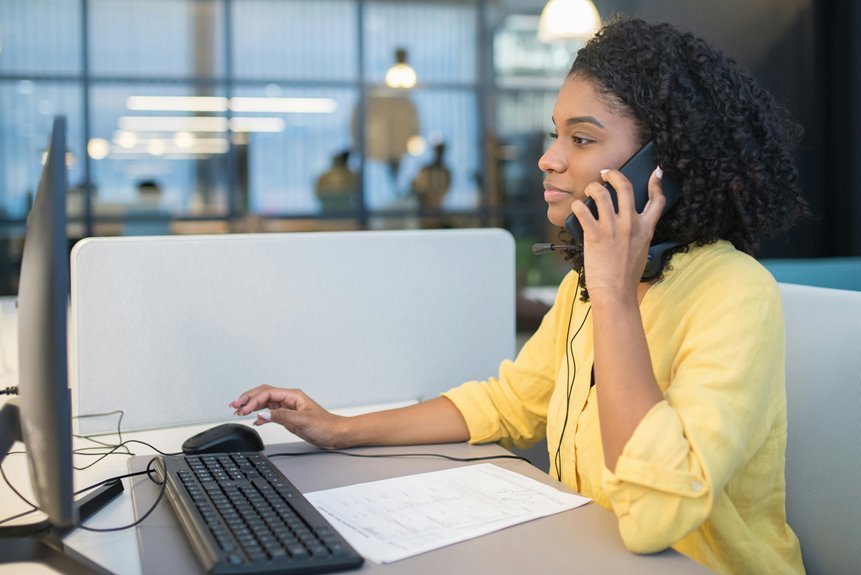
When it comes to conference calls, the right desk features can make a significant difference in your experience. You want a setup that promotes comfort, enhances communication, and keeps distractions at bay. From ergonomic designs to high-quality audio equipment, there's a lot to consider. Let's explore the essential elements that can transform your workspace into an efficient hub for virtual meetings. Are you ready to elevate your conference call game?
Key Takeaways
- Ergonomic design with height-adjustable desks and lumbar support chairs enhances comfort during long conference calls.
- High-quality audio equipment, such as USB microphones and noise-canceling headphones, ensures clear communication.
- Integrated video conferencing tools, including 1080p cameras and noise-canceling microphones, improve visibility and sound quality.
- Adequate lighting solutions, such as adjustable desk lamps and natural light exposure, enhance mood and productivity during calls.
- Organized desk space with cable management and personal touches reduces distractions and creates a professional environment.
Ergonomic Design for Comfort
When it comes to conference calls, comfort is key, and an ergonomic desk design can make all the difference.
You'll want to ensure your workspace supports your body, reducing fatigue during long discussions. Look for a desk that allows you to adjust the height, letting you alternate between sitting and standing as needed. A curved edge can provide more space for your arms, while a spacious surface keeps your essentials within reach.
Don't forget about your chair—opt for one that offers lumbar support to help maintain good posture.
With the right ergonomic setup, you'll feel more focused and engaged, enhancing your overall conference call experience. Prioritizing comfort can lead to better communication and productivity.
High-Quality Audio Equipment
To ensure smooth communication during conference calls, investing in high-quality audio equipment is essential. Clear sound makes it easier for everyone to hear and be heard, reducing misunderstandings. Consider adding a quality microphone and headphones to your setup. These tools can drastically improve your audio experience.
| Audio Equipment | Benefits |
|---|---|
| USB Microphone | Enhanced voice clarity |
| Noise-Canceling Headphones | Minimized background noise |
| Portable Speakerphone | Improved group communication |
| Audio Interface | Better sound control |
Integrated Video Conferencing Tools
When it comes to seamless video calls, integrated video conferencing tools are essential.
You'll want a built-in camera with high quality to ensure you're seen clearly, along with audio clarity features that make conversations crisp and engaging.
Plus, a user-friendly interface makes it easy for you to jump right into meetings without a hitch.
Built-in Camera Quality
A high-quality built-in camera can make all the difference during conference calls. You want your colleagues to see you clearly, and a sharp image helps convey professionalism.
Look for cameras with at least 1080p resolution, as this ensures you're not just a blurry figure on the screen. Additionally, features like automatic focus and low-light correction enhance your appearance, making it easier for others to engage with you.
A wide field of view is another feature to consider, allowing you to capture more of your workspace or any visuals you might want to share.
Audio Clarity Features
While a high-quality built-in camera enhances your visual presence, audio clarity plays an equally important role in conference calls. You want to ensure that your voice comes through clearly, so investing in a desk with integrated audio features can make a significant difference.
Look for noise-canceling microphones that filter out background sounds, allowing your team to focus on what you're saying. Additionally, high-quality speakers can help deliver crisp sound, ensuring you don't miss any important details.
Some desks even come with built-in voice enhancement technology that adjusts audio levels automatically. By prioritizing these audio clarity features, you create a more professional and engaging conference call experience, helping to facilitate better communication and collaboration with your colleagues.
User-Friendly Interface
To enhance your conference call experience, a user-friendly interface with integrated video conferencing tools is essential.
You'll want a platform that's intuitive, allowing you to navigate seamlessly between features without frustration. Look for tools that offer easy access to video controls, chat functions, and screen sharing all in one place.
When you can manage your calls effortlessly, you can focus on the conversation rather than fumbling with technology. Additionally, customizable layouts help you arrange video feeds and shared content to suit your preferences.
A responsive interface means fewer interruptions and smoother interactions, making your meetings more productive. Ultimately, a user-friendly design ensures that you can engage fully in your discussions without the hassle of complicated setups.
Adequate Lighting Solutions
Good lighting can make all the difference in your conference calls.
You should consider utilizing natural light whenever possible, but having an adjustable desk lamp on hand is essential for those darker days.
Together, these solutions can help you look your best on camera.
Natural Light Utilization
When you're setting up your workspace for conference calls, harnessing natural light can significantly enhance both your mood and productivity.
Here are four tips to maximize that sunlight:
- Position Your Desk Wisely: Place your desk near windows for optimal light exposure, but avoid glare on your screen.
- Use Sheer Curtains: They diffuse harsh sunlight while still allowing natural light to brighten your space.
- Keep Windows Clean: Clear windows let in more light, creating a more inviting work environment.
- Optimize Your Schedule: Plan calls during daylight hours when natural light is abundant, boosting your energy and focus.
Adjustable Desk Lamps
While natural light can elevate your workspace, adjustable desk lamps provide essential flexibility for those moments when sunlight isn't enough.
These lamps let you control brightness and direction, ensuring you stay well-lit during conference calls. You can position them to eliminate shadows or glare on your face, creating a professional appearance.
Opt for lamps with adjustable color temperatures to mimic daylight, helping you stay alert and focused. Many models have built-in features like USB charging ports, adding extra convenience.
Whether you prefer a sleek modern design or a classic look, there's an adjustable desk lamp that'll suit your style.
Make sure you've got one that meets your needs to enhance your virtual meetings and overall productivity.
Cable Management Systems
In today's remote work environment, a tidy workspace is essential for maintaining focus during conference calls, and effective cable management systems play a crucial role in achieving that.
By organizing your cables, you not only enhance your desk's appearance but also minimize distractions.
Here are four cable management solutions you should consider:
- Cable Clips: Keep cords in place and prevent tangling.
- Cable Sleeves: Bundle multiple cables together for a cleaner look.
- Cable Trays: Mount under your desk to hide and organize excess cables.
- Velcro Straps: Easily adjust and secure cables without damaging them.
Implementing these systems will help you create a more professional and distraction-free environment, ensuring you stay focused during your calls.
Adjustable Desk Height
An adjustable desk height can transform your conference call experience by promoting better posture and comfort. When you can change the height of your desk, you can easily switch between sitting and standing, which helps reduce fatigue.
This flexibility allows you to maintain an ergonomic position, keeping your back and neck aligned during long meetings.
Moreover, standing up can boost your energy levels and increase your focus, making you more engaged in discussions. You'll find it easier to express ideas and collaborate effectively when you feel comfortable.
Plus, an adjustable desk can accommodate your personal preferences, ensuring that your setup works for you. Investing in this feature not only enhances your productivity but also elevates your overall conference call experience.
Personalized Workspace Organization
Creating a personalized workspace organization can significantly enhance your conference call experience by ensuring that everything you need is within easy reach.
A well-organized desk helps you focus and reduces distractions. Here are four essential items to consider for your setup:
- Desk Organizer: Use a multi-compartment organizer to keep pens, notepads, and sticky notes in place.
- Cable Management: Secure loose cables with clips or sleeves to prevent tangling and clutter.
- Digital Tools: Utilize apps or software for note-taking and task management to streamline your workflow.
- Personal Touches: Add a few personal items, like a photo or a plant, to make your workspace feel inviting.
Frequently Asked Questions
What Desk Materials Are Best for Sound Absorption During Calls?
When considering desk materials for sound absorption, focus on options like cork, felt, or wood. These materials help minimize echo and improve audio quality, ensuring your calls are clearer and more professional.
How Can I Minimize Background Noise in My Workspace?
To minimize background noise in your workspace, you can use soft furnishings, close windows, and position your desk away from noisy areas. Consider noise-canceling headphones and sound-absorbing panels for a quieter environment while you work.
What Is the Ideal Desk Size for Video Conferencing?
The ideal desk size for video conferencing depends on your space and equipment. Generally, a desk that's at least 48 inches wide provides enough room for your laptop, monitor, and any necessary accessories without feeling cramped.
Can I Use My Laptop for High-Quality Video Calls?
Yes, you can use your laptop for high-quality video calls. Just ensure you have a good camera, stable internet connection, and proper lighting. With these, your video calls will look and sound great!
How Do I Maintain My Desk Equipment for Longevity?
To maintain your desk equipment for longevity, regularly clean surfaces, avoid overloading power outlets, and ensure proper ventilation. You should also periodically check for updates and replace worn-out components to keep everything running smoothly.