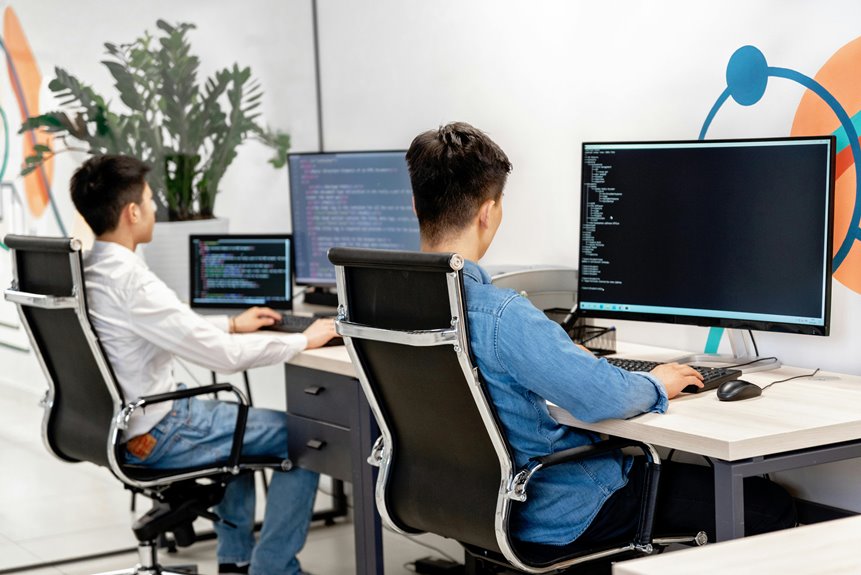
When setting up your ideal workspace as a programmer, it's crucial to consider features that enhance both comfort and productivity. An ergonomic design can make long coding sessions more manageable, while ample surface area allows for efficient multitasking. But there's more to think about, like effective cable management and integrated storage options. Let's explore how these elements can transform your workspace and boost your efficiency.
Key Takeaways
- An ergonomic design with adjustable height promotes comfort and reduces strain during long coding sessions.
- Ample surface area allows for multiple monitors, enhancing multitasking and workflow organization.
- Effective cable management solutions keep workspace tidy, reducing clutter and improving functionality.
- Integrated storage options help organize essentials, fostering a focused and efficient programming environment.
- Personalization and aesthetics create an inspiring workspace, boosting mood and creativity while coding.
Ergonomic Design for Comfort
When you spend hours coding away, an ergonomic design can make all the difference in your comfort and productivity. A well-designed desk encourages good posture, reducing strain on your back and neck.
Look for adjustable height options, allowing you to switch between sitting and standing easily. This flexibility not only helps alleviate discomfort but also boosts your energy levels.
Choosing a desk with rounded edges can prevent pressure on your forearms while you type, and having a surface that's at the right height prevents wrist strain.
Additionally, consider a chair that supports your lower back and fits snugly under your desk. These small adjustments can lead to significant improvements in your overall coding experience, making long hours feel more manageable.
Ample Surface Area for Multitasking
When you're juggling multiple tasks, having ample surface area on your desk is crucial.
It gives you the space for multiple monitors, so you can easily keep an eye on all your projects.
Plus, you'll have room for accessories like a keyboard, mouse, and notes, making your workflow seamless and efficient.
Space for Multiple Monitors
A desk with ample surface area is essential for programmers who rely on multiple monitors to enhance productivity. Having enough space lets you organize your workflow efficiently, keeping everything within arm's reach.
Here are three key benefits of a spacious desk setup:
- Improved Multitasking: You can easily view code, documentation, and debugging tools simultaneously, reducing the time spent switching between applications.
- Better Ergonomics: With sufficient room, you can position your monitors at an optimal height and distance, promoting better posture and reducing strain.
- Organized Workspace: A larger surface allows for a neat arrangement of monitors, making it easier to maintain focus without clutter distracting you.
Investing in a desk that accommodates multiple monitors can significantly enhance your programming experience.
Room for Accessories
Having enough space for multiple monitors isn't just about the screens themselves; it's also about accommodating the various accessories that can enhance your programming workflow.
You'll want room for a mechanical keyboard, a comfortable mouse, and perhaps even a graphic tablet. An expansive surface area allows you to keep essential tools within reach, reducing clutter and improving focus.
Don't forget about other accessories like notebooks, sticky notes, and a coffee cup holder. When your desk can comfortably fit these items, you'll find it easier to multitask.
The right desk setup promotes efficiency, letting you switch between tasks seamlessly. So, prioritize a desk with ample surface area to keep everything organized and accessible, making your programming experience more enjoyable and productive.
Cable Management Solutions
Effective cable management solutions can transform your workspace from chaotic to organized in no time.
By keeping your cables tidy, you not only enhance aesthetics but also improve functionality.
Here are three effective solutions you can implement:
- Cable Clips: Use adhesive cable clips to secure cables along the desk's edge, preventing tangles and keeping them easily accessible.
- Cable Sleeves: Invest in cable sleeves to bundle multiple cables together, creating a sleek look while protecting them from wear and tear.
- Cable Trays: Attach a cable tray under your desk to store excess cables out of sight, freeing up space and reducing clutter.
Adjustable Height Features
With your cables neatly organized, it's time to consider how your desk can adapt to your work style.
An adjustable height desk is a game changer for programmers like you. It allows you to switch between sitting and standing, promoting better posture and reducing fatigue during long coding sessions.
Being able to change heights easily encourages movement, which can boost your productivity and creativity. Whether you're deep in thought or taking a quick break, you can customize your workspace to fit your needs.
Look for desks with electric or manual adjustments, ensuring you find one that suits your preference. Investing in an adjustable height feature enhances your workspace, making it more comfortable and efficient for your programming tasks.
Integrated Storage Options
One of the top features to look for in a desk is integrated storage options that keep your workspace organized and clutter-free.
With effective storage, you can enhance your productivity and focus on coding. Here are three key integrated storage options to consider:
- Drawers: Built-in drawers help you store essentials like notebooks, pens, and charging cables, keeping them out of sight but within reach.
- Shelving: Adjustable shelves can accommodate books, manuals, and other resources, allowing you to customize your space as needed.
- Cable Management: Integrated cable trays or grommets keep cords organized and prevent tangling, creating a clean look that minimizes distractions.
Choosing a desk with these features will streamline your workflow and create a more efficient programming environment.
Monitor Mounting Solutions
When it comes to monitor mounting solutions, you'll want options that enhance your workspace.
Ergonomic positioning, space-saving designs, and adjustable height mechanisms can make a significant difference in your comfort and productivity.
Let's explore how these features can transform your coding environment.
Ergonomic Positioning Options
To maintain a healthy posture while programming, incorporating ergonomic monitor mounting solutions is essential. Proper positioning not only boosts comfort but also enhances productivity.
Here are three key options to consider:
- Adjustable Arms: These allow you to reposition your monitor at eye level, reducing neck strain.
- Wall-Mounted Brackets: Free up desk space while providing flexible height adjustments.
- Desk Stands: Elevate your monitor to the optimal height, ensuring your screen's top is at or slightly below eye level.
Space-Saving Designs
After ensuring your monitor is positioned ergonomically, it's time to think about how to optimize your workspace with space-saving designs. Monitor mounting solutions can significantly free up desk space and create a cleaner, more organized work environment. By using wall mounts or adjustable arms, you can elevate your monitor, allowing for better posture and reducing clutter.
Here's a quick overview of monitor mounting options:
| Type | Pros | Cons |
|---|---|---|
| Wall Mount | Saves desk space | Permanent installation |
| Desk Clamp | Easy to install | May not fit all desks |
| Adjustable Arm | Flexible positioning | Can be pricey |
| VESA Compatible | Standardized fittings | Requires VESA monitor |
| Dual Monitor Mount | Increased productivity | Takes up more wall space |
Consider these options to maximize your workspace!
Adjustable Height Mechanisms
While you're optimizing your workspace, adjustable height mechanisms for monitor mounting can make a significant difference in your comfort and productivity.
These solutions allow you to customize your screen's position, reducing neck strain and improving posture. Here are three key benefits:
- Ergonomics: You can position your monitor at eye level, promoting a healthier sitting posture.
- Flexibility: Easily switch between sitting and standing, keeping you more energized throughout the day.
- Space Efficiency: Create a cleaner workspace by freeing up desk space, allowing you to keep essential items within reach.
Investing in adjustable monitor mounts isn't just a trend; it's a crucial step toward enhancing your coding environment and overall well-being.
Make your workspace work for you!
Aesthetics and Personalization
How important is the look of your workspace? A clean, personalized desk can boost your mood and productivity.
When you surround yourself with items that inspire you, like artwork or plants, you create an environment that reflects your personality. Choose a color scheme that resonates with you, whether it's calming blues or vibrant reds.
Incorporate accessories that enhance your workflow, like a stylish desk lamp or a unique mouse pad.
Don't forget about organization; use aesthetically pleasing storage solutions to keep clutter at bay.
Frequently Asked Questions
What Materials Are Best for a Programmer's Desk?
When choosing materials for your desk, consider durable options like solid wood or high-quality laminate. They provide stability and a professional look. You'll appreciate surfaces that're easy to clean and resistant to wear from everyday use.
How Can I Customize My Desk for Coding?
You can customize your desk for coding by adding ergonomic accessories, organizing cables, and using a monitor stand. Consider personal touches like artwork or plants to create an inspiring environment that boosts your productivity and comfort.
What Is the Ideal Desk Shape for Programming?
The ideal desk shape for programming is often L-shaped or U-shaped. These designs give you ample space for multiple monitors, documents, and tools, helping you stay organized and increasing your productivity during long coding sessions.
Are There Any Specific Brands Recommended for Programmer Desks?
When choosing a desk, brands like Uplift, Fully, and Autonomous come highly recommended. They offer ergonomic designs and adjustable heights, ensuring comfort during long coding sessions. You'll find their features enhance your productivity significantly.
How Much Should I Budget for a Good Programmer Desk?
You should budget between $200 to $600 for a good desk. This range offers solid options that balance quality and features, ensuring you have a comfortable workspace to enhance your productivity and focus effectively.