
If you’re looking for the best laptop for travel and work, consider options like the Apple MacBook Air M2 for its lightweight design and fantastic battery life, or the Dell XPS 13 for a blend of performance and portability. The Lenovo ThinkPad X1 Carbon offers durability, while the HP Spectre X360 provides versatile functionality. Don’t forget the ASUS ZenBook 14 and Microsoft Surface Laptop 4, which are also excellent choices. There’s more to discover about these amazing laptops!
Key Takeaways
- Look for lightweight designs under 3 pounds to enhance portability during travel.
- Ensure at least 8-10 hours of battery life for uninterrupted productivity on the go.
- Select laptops with powerful processors and ample RAM for smooth multitasking and work efficiency.
- Prioritize multiple connectivity options like USB ports and HDMI for seamless device integration.
- Consider versatile models, such as 2-in-1 laptops, to adapt between work and personal use easily.
Key Features to Consider in a Travel Laptop

When choosing a travel laptop, you should focus on four key features to make certain it meets your needs.
First, prioritize portability. Look for a lightweight design that fits easily in your bag.
Next, consider battery life; a laptop that lasts at least 8–10 hours on a single charge is ideal for long trips.
Third, evaluate performance. You’ll want a device with a fast processor and sufficient RAM to handle your work tasks without lag.
Finally, check connectivity options. Multiple USB ports, HDMI, and Wi-Fi capabilities guarantee you can connect to various devices and networks.
Apple MacBook Air M2: The Ultimate Lightweight Powerhouse
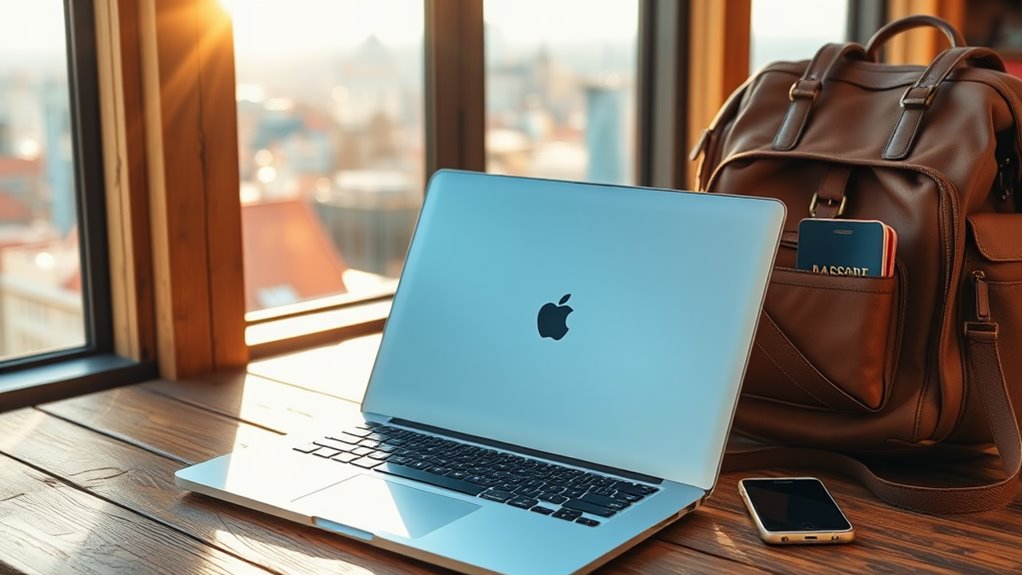
If you’re looking for a laptop that balances power and portability, the Apple MacBook Air M2 is hard to beat.
With its impressive performance capabilities, you can tackle demanding tasks without breaking a sweat.
Plus, its lightweight design makes it the perfect travel companion.
Impressive Performance Capabilities
Whether you’re tackling spreadsheets in a café or editing photos on the go, the Apple MacBook Air M2 delivers impressive performance capabilities that make it an ideal travel companion.
With its powerful M2 chip, you’ll experience lightning-fast processing speeds and seamless multitasking. Running demanding applications feels effortless, and you won’t notice any lags, even with multiple tabs open.
Its impressive graphics performance lets you edit videos or play games without sacrificing quality. Plus, the battery life guarantees you can work for hours without needing a charge, perfect for long flights or busy days.
Whether you’re a professional or a creative, this laptop’s capabilities will keep you productive and inspired wherever you are.
Exceptional Portability Features
The Apple MacBook Air M2 stands out for its exceptional portability, making it a perfect choice for travelers and professionals alike.
Weighing just 2.7 pounds and measuring only 0.61 inches thick, it easily fits in your bag without adding bulk.
Here are three reasons why this laptop excels in portability:
- Long Battery Life: With up to 18 hours of battery life, you can work or stream without worrying about finding an outlet.
- Sleek Design: Its aluminum chassis not only looks great but also enhances durability, perfect for on-the-go use.
- Fast Charging: The MacBook Air M2 features fast charging capabilities, ensuring you’re back to work in no time.
These features make it an unbeatable option for those constantly on the move.
Dell XPS 13: A Perfect Blend of Performance and Portability

When it comes to finding the ideal laptop for travel and work, the Dell XPS 13 stands out as a top contender. Its sleek design makes it easy to slip into your bag, while the stunning InfinityEdge display guarantees you’ll enjoy vibrant visuals wherever you are.
With powerful processors and ample RAM, this laptop handles multitasking effortlessly, allowing you to work on presentations, manage spreadsheets, or attend virtual meetings without a hitch. Plus, its long battery life means you won’t be scrambling for an outlet during those long flights or layovers.
Whether you’re in a café or at a co-working space, the Dell XPS 13 combines portability and performance, making it an ideal choice for remote professionals like you.
Lenovo ThinkPad X1 Carbon: Durability Meets Functionality
When you think of a laptop that combines durability and functionality, the Lenovo ThinkPad X1 Carbon stands out.
Its lightweight design makes it easy to carry, while robust security features keep your data safe on the go.
You’ll appreciate how it meets the demands of both travel and work effortlessly.
Lightweight and Portable Design
Weighing in at just 2.5 pounds, the Lenovo ThinkPad X1 Carbon proves that lightweight design doesn’t sacrifice durability or functionality.
This laptop is ideal for those constantly on the go, allowing you to work efficiently without the bulk. Its sleek design makes it easy to fit into any bag, while still offering robust performance.
Here are three reasons why the X1 Carbon stands out:
- Ultra-slim profile: You’ll hardly notice it in your backpack.
- Durable build: Made with carbon fiber and magnesium, it withstands daily wear and tear.
- Long battery life: It keeps you powered up during long flights or meetings, so you won’t miss a beat.
With the X1 Carbon, you get portability without compromise.
Robust Security Features
The Lenovo ThinkPad X1 Carbon not only excels in portability but also prioritizes your data security. With features like a fingerprint reader and IR camera for facial recognition, you’ll have peace of mind knowing your information is safe. Additionally, the Trusted Platform Module (TPM) encrypts your data, while the ThinkShutter camera cover provides extra privacy.
Here’s a quick overview of its security features:
| Feature | Description |
|---|---|
| Fingerprint Reader | Biometric login for secure access |
| IR Camera | Facial recognition for added security |
| TPM Security Chip | Hardware encryption for your data |
| ThinkShutter Camera Cover | Physical privacy for your webcam |
| Enhanced VPN Support | Secured connections on public networks |
With these robust features, you can work confidently anywhere.
HP Spectre X360: Versatile Design for On-The-Go Professionals
For on-the-go professionals seeking a blend of style and functionality, the HP Spectre X360 stands out with its versatile 2-in-1 design.
You can effortlessly switch between laptop and tablet modes, making it perfect for presentations or casual browsing. Its sleek aluminum chassis not only looks great but also guarantees durability during travels.
Here are three features that make the Spectre X360 an excellent choice for remote work:
- High-resolution display: Enjoy vibrant visuals and crisp text for all your tasks.
- Long battery life: Stay productive throughout your day without constantly searching for an outlet.
- Lightweight build: Easily carry it in your bag without adding extra weight.
With the HP Spectre X360, you’re equipped for success anywhere.
ASUS ZenBook 14: Compact and Powerful Performance
Traveling professionals need a laptop that balances compactness with powerful performance, and the ASUS ZenBook 14 delivers just that. Weighing just 2.6 pounds and measuring only 0.6 inches thick, this laptop is incredibly portable. But don’t let its size fool you; it’s equipped with the latest Intel processors, ensuring smooth multitasking.
| Feature | Specification |
|---|---|
| Display | 14-inch Full HD |
| Processor | Intel Core i7 |
| RAM | 16GB |
| Storage | 512GB SSD |
| Battery Life | Up to 12 hours |
With its sleek design and impressive specs, the ASUS ZenBook 14 is perfect for professionals on the go, making it a top choice for your travel and work needs.
Microsoft Surface Laptop 4: Sleek Design and Great Battery Life
Sleek and stylish, the Microsoft Surface Laptop 4 is designed with the modern professional in mind. Its lightweight build makes it easy to carry around, while its premium materials guarantee durability.
Sleek and portable, the Microsoft Surface Laptop 4 combines durability with a modern design for the professional on the go.
You’ll appreciate the exceptional battery life that keeps you productive throughout the day. Here are three standout features that make this laptop a top choice for travel and work:
- Stunning Display: The high-resolution touchscreen offers vibrant visuals, perfect for presentations or video calls.
- Comfortable Keyboard: The spacious keyboard provides a satisfying typing experience, enhancing your workflow.
- Versatile Connectivity: With USB-C and USB-A ports, you can easily connect to various devices and accessories.
With the Surface Laptop 4, you get a perfect blend of design and functionality.
Razer Blade Stealth 13: Gaming Performance in a Travel-Friendly Package
When you’re on the go but still want powerful gaming performance, the Razer Blade Stealth 13 delivers in a compact design.
With its lightweight chassis and sleek aesthetics, this laptop fits easily into your travel bag without compromising performance. You’ll enjoy a vibrant 13.3-inch display and impressive graphics thanks to its NVIDIA GeForce GTX 1650 Ti.
Whether you’re gaming or tackling work tasks, the Intel Core i7 processor guarantees smooth multitasking. Plus, the customizable RGB keyboard adds a touch of flair.
Battery life holds up well, letting you game or work longer between charges. If you need a versatile machine that combines portability with gaming prowess, the Razer Blade Stealth 13 is an excellent choice for your travels.
Frequently Asked Questions
What Is the Average Battery Life of Travel Laptops?
Most travel laptops offer an average battery life of 6 to 12 hours, depending on usage and settings. You’ll want to evaluate your work habits to find one that meets your needs effectively.
Are Travel Laptops Suitable for Gaming?
Travel laptops can handle light gaming, but they often lack the power for demanding titles. If you want to game on the go, consider a device with a dedicated graphics card for better performance.
How Much Do Travel Laptops Typically Weigh?
Travel laptops typically weigh between 2 to 4 pounds. You’ll want something lightweight for easy portability, especially if you’re frequently moving around. Consider your needs, as heavier models might offer better performance but less convenience.
Can I Upgrade the RAM on These Laptops?
Yes, you can upgrade the RAM on many laptops, but it depends on the model. Check the manufacturer’s specifications and verify you have compatible RAM. Some laptops have soldered RAM, making upgrades impossible.
Are Travel Laptops Compatible With External Monitors?
Yes, most travel laptops are compatible with external monitors. You’ll just need the right ports or adapters. Once connected, you can easily expand your display for multitasking or presentations while on the go.