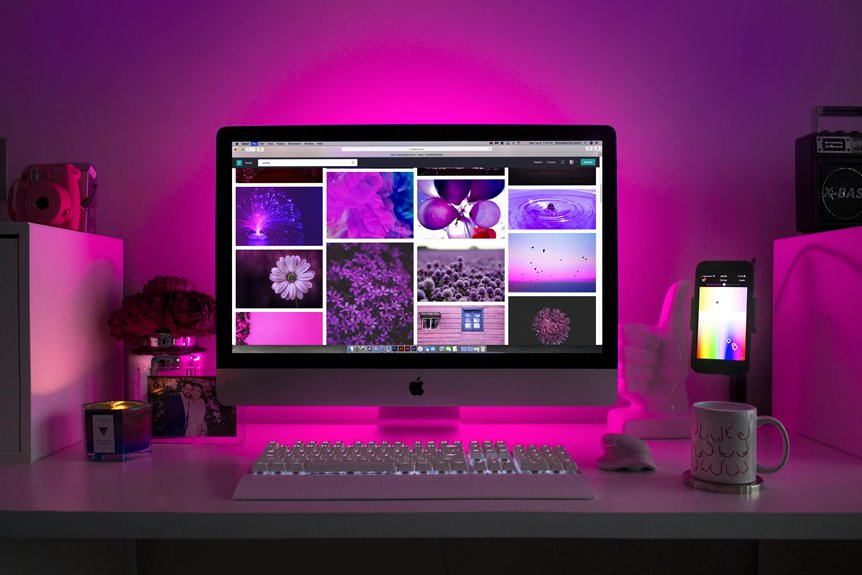
When it comes to telemedicine, having the right monitor setup can make a significant difference in your efficiency and patient interactions. You'll want to consider factors like monitor size, resolution, and ergonomic placement to create a space that promotes comfort and productivity. But what specific configurations work best for providers like you? Let's explore some optimal setups that can enhance your virtual consultations.
Key Takeaways
- Opt for a minimum 24-inch Full HD monitor with an IPS panel for better color accuracy and wider viewing angles.
- Utilize a dual monitor setup: one for video calls and another for accessing patient records, enhancing workflow efficiency.
- Position monitors at eye level to reduce neck strain and ensure ergonomic comfort during long telemedicine sessions.
- Invest in essential accessories like a high-quality webcam and reliable microphone to improve audio-visual communication quality.
- Implement cable management solutions to maintain a tidy workspace, promoting organization and reducing distractions during consultations.
Importance of an Optimal Monitor Setup for Telemedicine
When it comes to providing high-quality telemedicine services, having an optimal monitor setup is crucial. Your monitor acts as the gateway between you and your patients, so it's essential to ensure you're seeing every detail clearly.
A well-calibrated screen enhances your ability to read charts, examine images, and interact seamlessly with your patients, fostering trust and improving outcomes. If you're using subpar equipment, you risk miscommunication and dissatisfaction, which can jeopardize patient care.
Moreover, an ergonomic monitor setup can reduce eye strain and improve your comfort during long consultation hours. Ultimately, investing in a proper monitor setup not only elevates your practice but also ensures you're giving your patients the best care possible.
Recommended Monitor Specifications for Telehealth
To effectively engage with patients during telehealth consultations, you need monitors that meet specific criteria. Aim for at least a 24-inch display with Full HD (1920×1080) resolution to ensure clear visuals.
An IPS panel is essential for better color accuracy and wider viewing angles, which helps you observe details in patient scans or images. Look for monitors with a refresh rate of 60Hz or higher to maintain smooth video quality.
Additionally, consider models with built-in blue light filters to reduce eye strain during long sessions. Connectivity options like HDMI and USB-C are crucial for easy integration with your existing devices.
Lastly, adjustable stands allow you to set the monitor at a comfortable height, promoting better posture during consultations.
Best Dual Monitor Configurations for Enhanced Efficiency
Setting up a dual monitor configuration can significantly boost your efficiency during telemedicine consultations. With one monitor dedicated to video calls, you can maintain eye contact and engage with your patients more effectively.
The second monitor can be used for accessing patient records, notes, or diagnostic tools, allowing you to multitask seamlessly.
Consider a horizontal setup for a streamlined workflow, or opt for a vertical configuration to view long documents more easily. Ensure both monitors are at eye level to minimize strain.
Additionally, using matching monitors can create a uniform look, enhancing your professional environment. By investing in a solid dual monitor setup, you'll enhance your productivity and provide better care to your patients.
Ergonomic Considerations for Telemedicine Workspaces
Enhancing your dual monitor setup is just one part of creating an effective telemedicine workspace; ergonomic considerations play a vital role in your overall comfort and productivity.
To ensure you're working efficiently and without strain, focus on these key aspects:
- Monitor Height: Position your monitors at eye level to reduce neck strain. This allows you to maintain a neutral posture while you work.
- Chair Support: Invest in a chair with proper lumbar support. This helps to keep your spine aligned and prevents discomfort during long sessions.
- Desk Arrangement: Keep your desk clutter-free and organized. Ensure your keyboard and mouse are within easy reach to promote a relaxed arm position.
Essential Accessories for Telemedicine Monitor Setups
A well-equipped monitor setup can significantly enhance your telemedicine experience.
First, consider a high-quality webcam to provide clear video during consultations. You'll also need a reliable microphone to ensure your voice comes through crisp and clear.
A dual monitor setup can help you manage patient records and video calls simultaneously, improving efficiency. Don't forget about a good pair of speakers or headphones for better audio quality.
Cable management accessories, like clips and ties, can keep your workspace tidy and organized.
Lastly, a comfortable monitor stand or adjustable arm helps you position your screens at eye level, reducing strain during long hours.
With these essential accessories, you'll create a more effective and professional telemedicine environment.
Tips for Maintaining Effective Communication During Virtual Consultations
Having the right accessories can set the stage for effective virtual consultations, but strong communication skills are what truly make them successful.
To ensure your message is clear and engaging, keep these tips in mind:
- Maintain Eye Contact: Look at the camera while speaking to create a personal connection. This helps build trust and rapport with your patient.
- Use Simple Language: Avoid jargon or overly complex terms. Clear, straightforward explanations ensure your patient understands their condition and treatment options.
- Encourage Questions: Invite your patient to ask questions throughout the consultation. This promotes dialogue and helps address any concerns they might have.
Frequently Asked Questions
What Is the Ideal Screen Size for Telemedicine Monitors?
For telemedicine, you'll want a monitor size between 24 to 32 inches. This range ensures you can clearly view patient details and images without straining your eyes, enhancing your overall consultation experience.
How Can I Reduce Eye Strain While Using Monitors?
To reduce eye strain while using monitors, you should adjust your screen brightness, take regular breaks, maintain proper distance, ensure good lighting, and consider using blue light filters. Your eyes will thank you!
Are There Budget-Friendly Monitor Options for Telehealth Providers?
You can find budget-friendly monitors by exploring brands like Acer or AOC. Look for models with good resolution and eye-care features. Online reviews can help you choose a reliable option that suits your telehealth needs.
Can I Use a Laptop for Telemedicine Consultations Effectively?
Yes, you can use a laptop for telemedicine consultations effectively. Just ensure your laptop has a good camera, microphone, and stable internet connection. It'll help you provide a clear, professional experience for your patients.
How Do I Ensure Privacy During Virtual Consultations?
To ensure privacy during virtual consultations, use a secure platform, enable end-to-end encryption, and avoid public spaces. You should also remind patients to find a private location and use headphones for confidentiality.