As a freelance designer, integrating tools like Trello, InVision, Google Drive, Dropbox, and Zapier with Slack can transform your workflow. Trello helps you organize projects effortlessly, while InVision enhances design collaboration with real-time feedback. Google Drive and Dropbox simplify file sharing and asset management. Zapier automates workflows, saving you valuable time. Plus, adding Giphy can bring some fun to your communication. There's plenty more to explore that can elevate your design practice even further!
Key Takeaways
- Trello Integration: Organize projects by connecting Slack to Trello for task tracking and updates without leaving the chat interface.
- InVision Integration: Receive real-time feedback and collaborate on design projects directly within Slack, enhancing communication and minimizing email clutter.
- Google Drive Integration: Share and manage files seamlessly in Slack, allowing for collaborative editing and easy access to important documents.
- Dropbox Integration: Effortlessly share assets and gather feedback on designs, ensuring all project files are organized and accessible through Slack.
- Zapier Integration: Automate repetitive tasks, such as saving email attachments or setting reminders, to streamline workflow and improve productivity as a freelance designer.
Trello: Organize Your Projects Seamlessly
When you're juggling multiple design projects, Trello can be a game-changer for keeping everything organized. This intuitive tool lets you create boards, lists, and cards to visualize your workflow.
You can easily set deadlines, assign tasks, and add checklists to guarantee nothing slips through the cracks. By customizing your boards, you can prioritize tasks based on urgency or client needs, making it easier to stay on track.
Plus, Trello's drag-and-drop functionality allows you to adjust project stages effortlessly. You'll find that collaborating with clients or team members becomes smoother, as they can access boards and leave comments directly.
Integrating Trello with Slack can also enhance communication, helping you stay updated without losing focus on your design work.
InVision: Enhance Design Collaboration
As you plunge into the collaborative world of design, InVision stands out as a powerful tool that streamlines feedback and approval processes. With its intuitive interface, you can create interactive prototypes, allowing clients to visualize your designs better. This enhances communication and reduces misunderstandings.
Here's a glimpse of how InVision can boost your workflow:
| Feature | Benefit | Impact |
|---|---|---|
| Real-time feedback | Instant revisions | Faster project turnarounds |
| Prototyping | Interactive designs | Improved client engagement |
| Commenting system | Organized feedback | Clearer communication |
| Version control | Track design changes | Maintain design integrity |
| Collaborator access | Team collaboration | Enhanced creativity |
InVision makes it easy for you and your clients to stay aligned throughout the design process.
Google Drive: Simplify File Sharing and Storage
While managing multiple design projects, you need a reliable way to share and store files, and Google Drive offers just that.
With its seamless integration into Slack, you can easily keep your team in the loop and access your files anytime, anywhere.
Seamlessly integrate Google Drive with Slack to keep your team informed and access your files anytime, anywhere.
Here are some benefits of using Google Drive for your design work:
- Collaborative editing: Work simultaneously on design documents with clients and teammates.
- Version history: Track changes and revert back to previous versions if necessary.
- Organized folders: Keep your files structured and easy to find.
- Accessibility: Access your files from any device, ensuring you're never out of touch.
- Shareable links: Quickly send files to clients without cluttering your inbox.
Embrace Google Drive to streamline your workflow!
Dropbox: Effortless Asset Management
Managing design assets can become overwhelming, but using Dropbox makes it easier than ever.
With its seamless integration into Slack, you can instantly share files with clients and team members. Just drag and drop your assets into a designated folder, and they're automatically synced across all devices. You won't have to worry about version control, as Dropbox keeps track of changes and allows you to revert to previous versions if needed.
Plus, its user-friendly interface simplifies organization; you can create folders for different projects, ensuring everything's easy to find. The commenting feature lets you gather feedback directly on files, streamlining communication.
All in all, Dropbox is an essential tool for managing your design assets efficiently and effortlessly.
Zapier: Automate Your Workflows
After streamlining your asset management with Dropbox, it's time to take your productivity to the next level with Zapier. This powerful tool automates repetitive tasks, allowing you to focus on your design work instead of getting bogged down by manual processes.
Here's how you can benefit:
- Connect Slack with your project management tools.
- Automatically save email attachments to your design folders.
- Send reminders to clients about deadlines.
- Create new tasks in your to-do list with incoming Slack messages.
- Sync your calendar events with project milestones.
With Zapier handling these workflows, you can eliminate bottlenecks, improve communication, and ultimately deliver better results to your clients.
Embrace automation and watch your freelance business thrive!
Giphy: Add Fun to Your Communication
To keep your communication engaging, consider using Giphy to add a splash of fun to your Slack conversations. This integration allows you to easily share GIFs that can lighten the mood and express your personality.
Whether you're celebrating a win, brainstorming ideas, or simply sharing a laugh, a well-placed GIF can make your messages more memorable.
You can search for GIFs right within Slack, making it quick and easy to find the perfect reaction or response. Plus, it helps break the monotony of text-based communication, fostering a more relaxed atmosphere with your team or clients.
Frequently Asked Questions
How Do I Set up These Integrations With Slack?
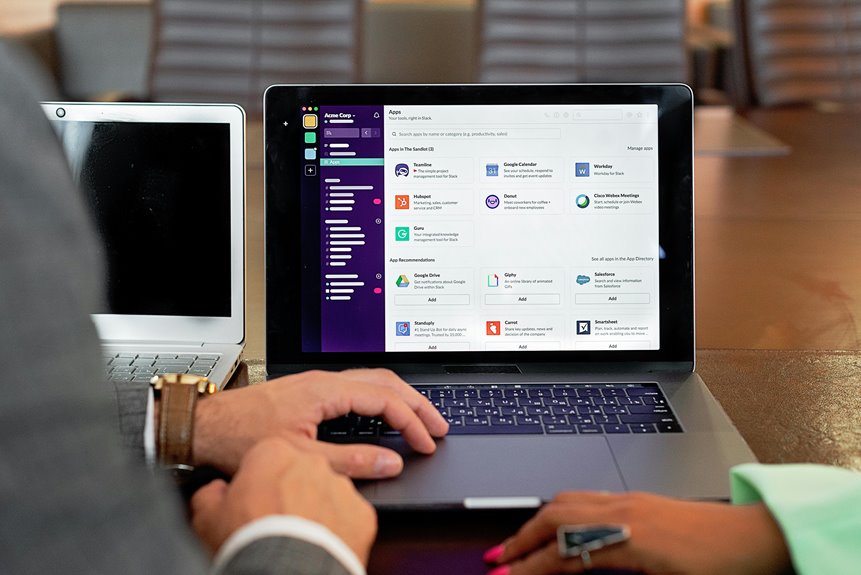
To set up integrations with Slack, you'll need to visit the Apps section, search for the specific integration you want, and follow the prompts to connect your accounts. It's quick and straightforward!
Are These Integrations Free to Use?
Many integrations you'll find for Slack offer free versions with limited features. You can explore each integration's pricing page to see what's available. Some may require a subscription for advanced functionalities you might need.
Can I Use These Tools on Mobile Devices?
Yes, you can use these tools on mobile devices. Most integrations are designed to work seamlessly across platforms, so you'll be able to stay connected and manage your tasks efficiently, even on the go.
What Are the Security Measures for These Integrations?
You should always check the security measures of integrations. Look for encryption, data compliance, and user authentication. Regular updates and audits are essential, too, ensuring that your data stays safe while you collaborate effectively.
How Do I Troubleshoot Integration Issues With Slack?
To troubleshoot integration issues with Slack, you'll want to check your app settings, verify permissions, restart the app, and consult the integration's documentation. If problems persist, consider reaching out to support for assistance.