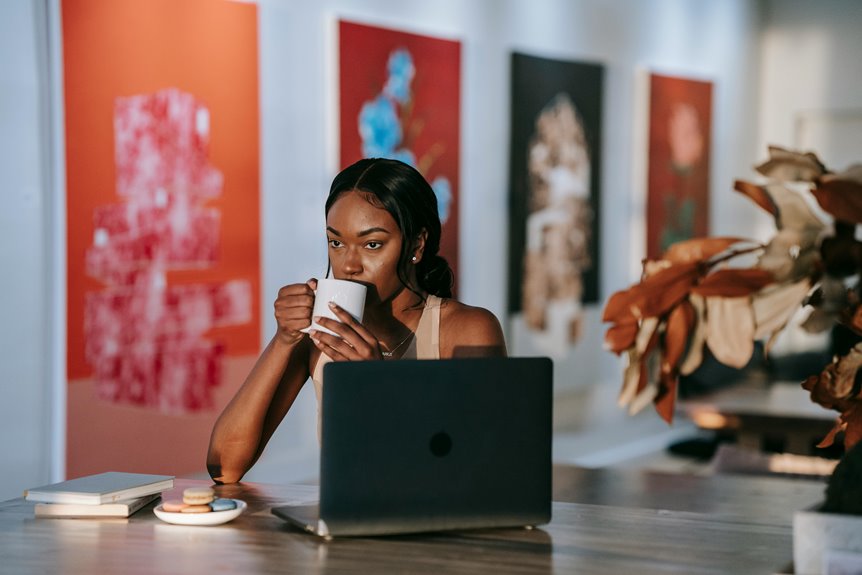
To boost your freelance credibility during Zoom calls, consider using a clean, minimalistic background that keeps distractions to a minimum. A tidy workspace or a plain wall works wonders. For a touch of creativity, bold colors or unique artwork can showcase your brand identity effectively. Nature-inspired settings, like serene forests or calming beaches, can enhance focus too. Explore how personalized touches can further elevate your presence and connect with your audience.
Key Takeaways
- Use a clean, uncluttered space with soft whites or pastels to maintain professionalism during Zoom calls.
- Position yourself in front of a plain wall or organized bookshelf to enhance focus and credibility.
- Incorporate personal touches like diplomas or artwork to spark conversation while keeping the background minimalistic.
- Consider nature-inspired settings, such as calming forest or beach backdrops, to create a relaxed and engaging atmosphere.
- Utilize virtual studios with customized environments to showcase personal style and reinforce brand recognition.
Home Office Setup: A Professional Touch
While you may think your expertise is the main factor in impressing clients, the right home office setup can greatly boost your professional image. A clean, organized workspace shows that you value professionalism and take your work seriously.
Invest in a good-quality desk and chair to guarantee comfort during long hours. Good lighting is essential too; natural light works wonders, but soft desk lamps can also enhance your space.
A quality desk and chair, paired with effective lighting, can transform your workspace into a comfortable and inviting environment.
Consider adding personal touches like framed diplomas or tasteful artwork, which can spark conversation and showcase your personality.
Finally, make sure your background is free from distractions—clutter can detract from your message. With a polished setup, you'll make a lasting impression and exude confidence during every video call.
Minimalistic Backgrounds: Keeping It Simple
When you want to convey professionalism during video calls, opting for a minimalistic background can make a significant difference. A clean, uncluttered space helps your audience focus on you, not distractions.
Simple colors like soft whites, grays, or pastels can create a calm atmosphere, enhancing your message. Avoid busy patterns or heavy decor that might pull attention away from your conversation.
Position yourself in front of a plain wall or a tidy bookshelf with a few select items. This subtlety suggests organization and professionalism, reinforcing your credibility.
Creative and Artistic Backdrops: Showcasing Your Brand
Minimalistic backgrounds certainly have their place, but showcasing your brand through creative and artistic backdrops can take your video presence to the next level. By choosing a backdrop that reflects your unique style, you reinforce your brand identity and engage your audience more effectively. Consider using bold colors, intriguing patterns, or even your artwork as backdrops.
Here's a quick guide to help you choose:
| Backdrop Type | Pros | Cons |
|---|---|---|
| Abstract Art | Unique, eye-catching | Can be distracting |
| Custom Graphics | Personalized branding | Requires design skills |
| Inspirational Quotes | Motivational, relatable | May clash with your style |
| Colorful Patterns | Fun, energetic | Can overwhelm your space |
| Professional Photos | Establishes credibility | May lack personal touch |
Choose wisely, and make a lasting impression!
Nature-Inspired Settings: Bringing the Outdoors In
If you want to create a calming atmosphere during your Zoom calls, nature-inspired backgrounds are a great choice.
Imagine the tranquility of a serene beach or the peacefulness of a forest retreat; these settings can enhance your professionalism.
Let's explore how these natural elements can elevate your freelance credibility.
Calming Forest Retreat
Imagine stepping into a serene forest retreat, where the calming sounds of nature envelop you, creating a perfect backdrop for your virtual meetings.
Picture tall trees swaying gently, sunlight filtering through the leaves, and a tranquil atmosphere that instantly puts everyone at ease. This setting not only enhances your credibility but also conveys a sense of peace and professionalism to clients and colleagues.
Using a forest backdrop can help you stand out in a sea of plain walls. It invites conversation and showcases your appreciation for nature.
Plus, it can reduce stress and promote focus, making your meetings more productive. Embrace this nature-inspired setting to create a warm, inviting environment that reflects your unique personality and work ethic.
Serene Beach Vibes
After embracing the calming vibes of a forest retreat, consider the invigorating atmosphere of a serene beach backdrop for your virtual meetings. A beach setting can spark creativity and promote a relaxed mindset, making you appear approachable and focused. Imagine the sound of waves and the gentle breeze as you engage with clients—it's an instant mood booster!
Here's a table to evoke those beachy feelings:
| Emotion | Visual Element |
|---|---|
| Calm | Soft waves lapping |
| Joy | Bright sun shining |
| Inspiration | Colorful sunsets |
| Freedom | Open sandy shores |
| Connection | Palm trees swaying |
Using a serene beach vibe not only enhances your credibility but also creates a welcoming atmosphere.
Virtual Studios: Customized Environments for Impact
When you're setting up your virtual studio, remember that a professional aesthetic can greatly enhance your credibility.
Customizing your environment not only showcases your style but also strengthens your personal brand.
Let's explore how the right background can make a lasting impact on your clients.
Professional Aesthetic Matters
As you engage with clients over Zoom, the virtual environment you present can greatly influence their perception of your professionalism. A well-designed background not only enhances your credibility but also sets the tone for the meeting.
Consider using a clean, organized space or a customized virtual studio that reflects your brand. Avoid cluttered or distracting backgrounds that can detract from your message. Soft lighting and neutral colors can help create an inviting atmosphere, making clients feel more comfortable.
Personal Branding Opportunities
Creating a personalized virtual studio can greatly boost your personal brand. It allows you to present a professional image that reflects your expertise and values.
By curating a customized environment, you make a memorable impression on clients and colleagues. Here are some ways to enhance your branding through your virtual studio:
- Choose an Engaging Background: Select colors and designs that align with your brand identity.
- Incorporate Personal Touches: Add elements like artwork or books that showcase your interests and expertise.
- Use Professional Lighting: Confirm your space is well-lit to convey clarity and confidence during calls.
- Maintain Consistency: Keep your virtual studio consistent across platforms to reinforce your brand recognition.
Transform your Zoom experience into an impactful branding opportunity!
Personalized Touches: Adding Your Unique Flair
While professional backgrounds are essential for making a good impression, adding personalized touches can truly set you apart in a sea of sameness.
Think about incorporating elements that reflect your personality and interests. A carefully chosen piece of art, a favorite book, or even a plant can create a warm and inviting atmosphere.
Consider using color schemes that resonate with your brand or featuring a logo subtly in the background. You can also showcase your achievements or projects in a way that feels authentic.
Frequently Asked Questions
How Do I Avoid Distractions in My Zoom Background?
To avoid distractions in your Zoom background, choose a simple, uncluttered space. Use solid colors or soft patterns, and guarantee good lighting. You can also use virtual backgrounds to keep the focus on you.
What Lighting Works Best for Virtual Meetings?
For virtual meetings, natural light's your best friend. Position yourself facing a window, but avoid direct sunlight. If that's not possible, use soft, diffused artificial lights to create a warm, inviting atmosphere without harsh shadows.
Can I Use a Virtual Background Without a Green Screen?
Yes, you can use a virtual background without a green screen. Just make sure your lighting's good and your surroundings are tidy. Zoom's technology will help differentiate you from the background for a clearer image.
How Often Should I Update My Zoom Background?
You should update your Zoom background regularly to keep things fresh and engaging. Aim for every few months or whenever your work environment changes. A new background can reflect your evolving style and professionalism.
Are There Any Copyright Issues With Using Artwork in Backgrounds?
Yes, there can be copyright issues when using artwork in backgrounds. Always guarantee you have permission or use royalty-free images. It's safer to create your own designs or select licensed artwork to avoid legal trouble.