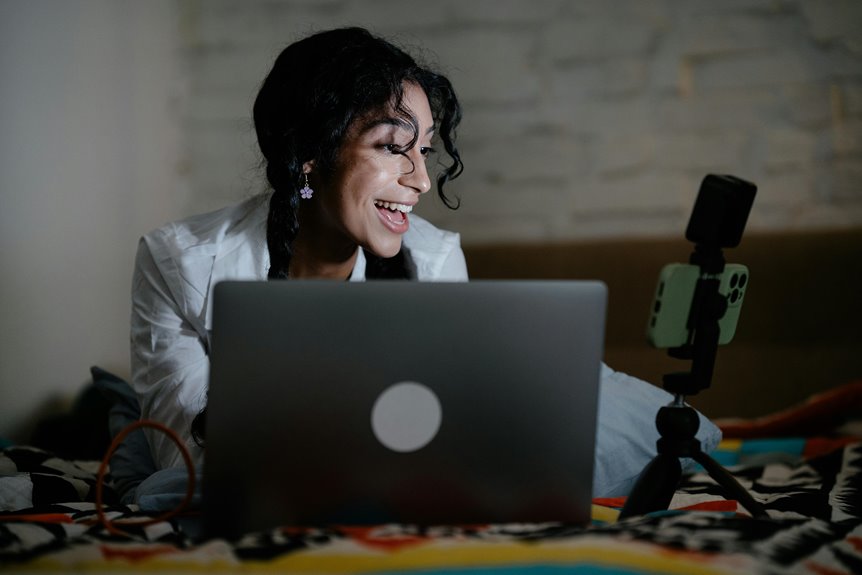
To optimize your desk setup for better video calls, pick a quiet spot with natural light and minimal distractions. Adjust your lighting to avoid glare and enhance visibility. Position your camera at eye level for engaging framing and invest in a quality microphone for clear audio. Declutter your background for a professional look, and personalize your space for comfort. With these tips, you’ll create an inviting atmosphere that boosts your communication skills. Explore more ways to enhance your setup!
Key Takeaways
- Choose a quiet, well-lit location for your desk to minimize distractions and enhance video quality.
- Position your camera at eye level and center your face for engaging interaction during calls.
- Invest in a quality microphone and headphones to ensure clear audio communication.
- Personalize your workspace with inspiring decor while keeping the background simple and decluttered.
- Utilize ergonomic furniture and maintain proper posture to enhance comfort and productivity during long video calls.
Choosing the Right Location for Your Workspace
Choosing the right location for your workspace can make a significant difference in your productivity and comfort.
Start by finding a spot that minimizes distractions, like noise or foot traffic. Ideally, you want a quiet area where you can focus.
Finding a quiet spot free from distractions is essential for maintaining focus and enhancing productivity.
If possible, position your desk near a window to take advantage of natural light, which can boost your mood and energy levels.
Make sure you have access to power outlets for your devices. Consider the temperature and ventilation as well; a comfortable environment helps you stay focused.
Finally, personalize your space with inspiring decor or plants that resonate with you. A well-chosen location not only enhances your workflow but also fosters a positive mindset throughout your workday.
Adjusting Lighting for Optimal Visibility
Lighting plays an essential role in your workspace, impacting both comfort and productivity.
You’ll want to maximize natural light while avoiding backlighting issues that can strain your eyes.
Consider adding adjustable desk lamps to create the perfect illumination for any task at hand.
Natural Light Utilization
While you mightn’t realize it, harnessing natural light can greatly enhance your workspace’s visibility and overall ambiance. Position your desk near a window to take advantage of daylight, which can make you look more vibrant and engaged during video calls.
Try to avoid direct sunlight hitting your screen, as it can create glare and distractions. Instead, use sheer curtains to diffuse the light, providing a soft glow without overwhelming brightness.
Additionally, consider the time of day; the golden hour can add a warm touch to your appearance. Remember, balanced lighting helps convey professionalism and clarity, so adjusting your workspace to optimize natural light will improve not just your visibility but your overall mood and productivity during calls.
Avoiding Backlighting Issues
To guarantee you’re seen clearly during video calls, it’s essential to avoid backlighting issues that can obscure your image. This commonly happens when a bright light source, like a window or lamp, is behind you.
Instead, position yourself facing the light source to illuminate your face. Natural light works wonders, so if you can, sit near a window. If that’s not possible, use soft, diffused lighting from in front of you.
Experiment with different angles and distances to find what works best. Remember, a well-lit face conveys professionalism and helps maintain engagement.
Adjustable Desk Lamps
A quality adjustable desk lamp can make a significant difference in your workspace. Proper lighting enhances visibility, reducing eye strain during video calls.
With adjustable brightness and angles, you can tailor the light to highlight your face without casting harsh shadows. Position the lamp behind your camera to guarantee even illumination, while avoiding glare on your screen.
Choose a lamp with a color temperature that mimics natural daylight for a more flattering appearance. Additionally, consider LED options for energy efficiency and longevity.
A well-lit environment not only improves your on-screen presence but also boosts your productivity. Investing in a versatile desk lamp is key to elevating your video call experience and maintaining a professional image.
Camera Positioning and Framing
When setting up your camera, aim for the ideal height to guarantee it captures you from eye level.
Centering your face in the frame not only enhances your presence but also creates a more engaging experience for your audience.
Don’t forget to take into account your background, as it should complement your message without being distracting.
Ideal Camera Height
How can you guarantee your camera is positioned at the ideal height for video calls or streaming? Start by ensuring your camera is at eye level. This creates a more engaging and natural interaction.
Here are some tips to achieve that:
- Use a tripod: It allows for adjustable height, ensuring your camera’s at the right level.
- Stack books: If you don’t have a tripod, stack a few books to raise your camera.
- Adjust your chair: Elevate your seating to match the camera’s height if needed.
- Test angles: Do a quick video call to check your framing and adjust as necessary.
Getting the camera height right helps you appear more professional and engaged during your calls.
Centering Your Face
Ever wonder why centering your face in the camera makes such a difference during video calls? When your face is centered, you’re more engaging and present, making it easier for others to connect with you.
Position the camera at eye level and guarantee your face occupies the central frame. This way, your viewers won’t feel distracted or disconnected.
Try to leave a little headroom above you, but keep your eyes about one-third down from the top of the frame. If you’re too far away, your expressions may be lost. On the other hand, if you’re too close, it can feel overwhelming.
Finding that sweet spot not only enhances your appearance but also boosts your confidence during calls.
Background Considerations
While your face takes center stage during video calls, the background plays an essential role in shaping the overall impression you make. A cluttered or distracting backdrop can undermine your professionalism.
Here are some tips to optimize your background:
- Choose a neutral color: Soft tones keep the focus on you.
- Declutter the space: Remove unnecessary items to avoid distractions.
- Add personal touches: A well-placed plant or artwork can enhance warmth and personality.
- Ensure good lighting: Natural light or soft lamps can improve visibility and create an inviting atmosphere.
Enhancing Audio Quality
Clear audio can transform your desk setup from functional to exceptional. To enhance your sound quality, consider investing in a good microphone and headphones. You’ll notice the difference in clarity during your video calls. Position your microphone closer to you and use pop filters to reduce unwanted noise.
Here’s a quick guide to help you choose the right audio equipment:
| Equipment Type | Recommended Brands | Key Features |
|---|---|---|
| Microphone | Blue, Rode | USB and XLR options |
| Headphones | Bose, Sony | Noise-canceling |
| Speakers | Audioengine, JBL | Clear sound quality |
Decluttering Your Background
A tidy background can elevate your professional image during video calls just as much as clear audio.
When you declutter your background, you create a more focused and engaging environment.
Here are some quick tips to help you achieve that:
- Remove distractions: Clear away any items that might pull attention away from you.
- Use simple decor: Choose neutral colors and minimalistic pieces to keep the focus on you.
- Organize your space: Arrange your desk and surrounding area to look intentional and neat.
- Ensure proper lighting: Natural light works best, but make sure your background isn’t too busy or dark.
Utilizing Technology to Your Advantage
To enhance your desk setup effectively, leverage technology that streamlines your workflow and boosts productivity.
Start by investing in a quality webcam and microphone to improve audio and visual clarity during calls. Utilize software tools like virtual backgrounds or filters to maintain a professional appearance.
Invest in a quality webcam and microphone for clear calls, and use virtual backgrounds to maintain professionalism.
Consider using a dual monitor setup; it can greatly improve multitasking by allowing you to have multiple applications open at once. Task management apps can help you stay organized and focused, while noise-canceling headphones can block distractions.
Don’t forget about lighting—smart bulbs can adjust brightness and color temperature to enhance your video quality.
Personalizing Your Setup for Comfort and Productivity
How can you create a workspace that truly reflects your personality while boosting your productivity? Start by incorporating elements that inspire you and make you feel comfortable.
Personalization isn’t just about aesthetics; it also enhances your focus and motivation. Here are a few ideas to streamline your setup:
- Choose a color scheme that energizes you; soft blues or vibrant yellows can work wonders.
- Add personal touches like photos, plants, or artwork that spark joy.
- Invest in ergonomic furniture to support your body during long hours.
- Organize your space with stylish storage solutions to keep clutter at bay.
Frequently Asked Questions
What Type of Chair Is Best for Long Video Calls?
For long video calls, you’ll want a chair that offers good lumbar support and comfort. Look for ergonomic designs with adjustable features to keep you relaxed and focused during those extended conversations.
How Can I Minimize Background Noise During Calls?
To minimize background noise during calls, you can close windows, use noise-cancelling headphones, and position yourself away from noisy areas. Consider soft furnishings to absorb sound, and mute your microphone when not speaking.
Should I Invest in a Separate Microphone?
Investing in a separate microphone can greatly enhance your audio quality. You’ll notice clearer sound and reduced background noise. If you frequently make calls or record, it’s definitely worth considering for a better experience.
What Are the Benefits of Using a Green Screen?
Using a green screen lets you customize your background, reducing distractions and enhancing professionalism. It also allows for creative visuals, making your calls more engaging. Plus, it can improve overall video quality considerably.
How Do I Maintain Eye Contact During Video Calls?
To maintain eye contact during video calls, position your camera at eye level and look into it while speaking. It helps create a more personal connection, making conversations feel engaging and genuine for everyone involved.