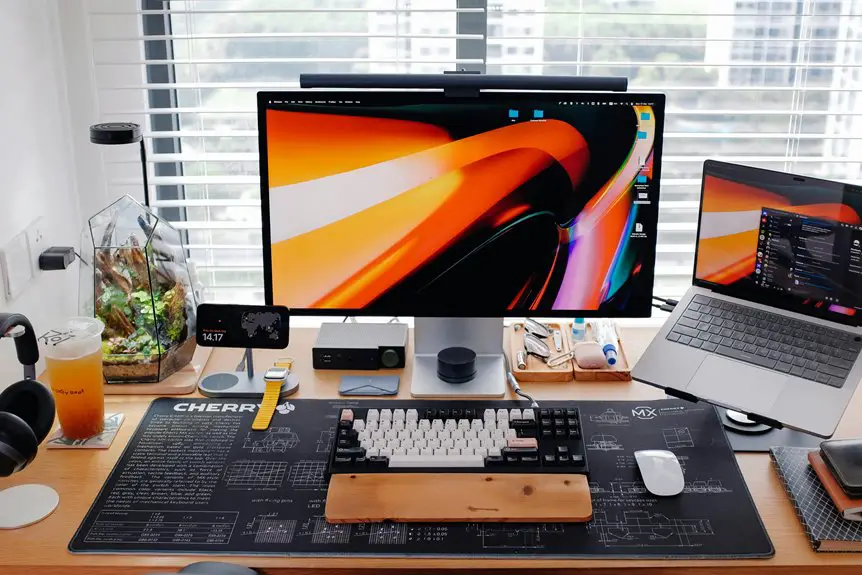
Yes, a trackball mouse can improve your productivity by allowing for precise control while keeping your hand stationary. This design reduces wrist strain and minimizes fatigue during long hours at your computer. With customizable buttons, you can streamline your workflow and perform tasks more efficiently. Although there's a slight learning curve, many users find the transition beneficial. Want to know more about the advantages and tips for switching? There's plenty more to uncover!
Key Takeaways
- Trackball mice provide precise navigation, enhancing accuracy in tasks like graphic design and data analysis, leading to improved workflow efficiency.
- The stationary design reduces wrist strain and fatigue, allowing for longer, more comfortable work sessions without discomfort.
- Customizable buttons on trackball mice streamline access to frequently used functions, boosting productivity through quicker task execution.
- With minimal arm movement required, trackball mice are ideal for small desk spaces, facilitating efficient navigation in limited work environments.
- Although there is a learning curve, consistent use can lead to improved muscle memory and faster task completion over time.
Understanding Trackball Mice
When you think about mouse alternatives, trackball mice often come to mind as unique options that can enhance your computing experience.
Unlike traditional mice, trackball mice feature a stationary base with a ball on top that you rotate to move the cursor. This design allows you to keep your hand in a more relaxed position, reducing wrist strain during prolonged use.
You can navigate more precisely without moving your entire arm, making them especially useful in tight workspaces. Trackballs come in various shapes and sizes, catering to different hand grips and preferences.
Whether you're gaming, designing, or just browsing, understanding how trackball mice function can help you decide if this innovative tool suits your needs.
Benefits of Using a Trackball Mouse
While many users may not realize it, a trackball mouse offers several advantages that can significantly enhance your productivity.
First, its stationary design allows you to keep your hand in a comfortable position, reducing strain during long hours of work. You'll find it easier to navigate with less arm movement, which can help minimize fatigue.
Additionally, trackball mice often provide customizable buttons, letting you tailor shortcuts to streamline your workflow. This means you can access frequently used functions quickly, saving valuable time.
The precision of a trackball can also improve your accuracy in tasks that require fine control, such as graphic design or data entry.
Comparing Trackball Mice to Traditional Mice
Trackball mice and traditional mice each have unique features that cater to different user needs.
With a trackball, you get precise control without moving your hand, making it ideal for limited desk space and reducing wrist strain. You can easily navigate large screens or complex applications with minimal effort.
On the other hand, traditional mice offer a familiar, straightforward design that many users prefer for everyday tasks. They provide quick, responsive movements, especially for gaming or fast-paced activities. Additionally, traditional mice are often more portable.
Ultimately, your choice depends on your specific tasks and comfort preferences. If you value ergonomic design and space-saving, a trackball might be the way to go; if you prioritize speed and familiarity, stick with a traditional mouse.
Potential Drawbacks of Trackball Mice
Although trackball mice offer several advantages, they do come with potential drawbacks that might affect your experience. For some users, adapting to a trackball can be challenging, leading to a learning curve. Additionally, if you're used to a traditional mouse, you might find the movement less precise initially. Cleaning the trackball is also essential; neglecting this can result in sluggish performance.
| Drawback | Description |
|---|---|
| Learning Curve | Adapting to a new movement style |
| Precision Issues | Initial lack of accuracy |
| Maintenance Required | Regular cleaning for optimal use |
| Ergonomic Concerns | May not suit all hand sizes |
Understanding these drawbacks can help you decide if a trackball mouse is right for you.
Tips for Transitioning to a Trackball Mouse
Transitioning to a trackball mouse can be easier if you take a few simple steps to ease the adjustment.
Start by positioning the trackball mouse at the same height and distance as your current mouse. This familiar setup can help reduce strain.
Practice using the trackball with your dominant hand, allowing your fingers to roll the ball naturally.
Give yourself time to adapt; it might feel awkward at first, but consistency is key.
Adjust the sensitivity settings to match your preferences, which can enhance your control.
Lastly, incorporate short practice sessions throughout your day to build muscle memory.
With patience and practice, you'll soon find yourself navigating smoothly and efficiently with your new trackball mouse.
Real-World Experiences and Feedback
When you switch to a trackball mouse, you might notice a bit of a learning curve as you adapt your hand movements.
Many users find that the ergonomic design helps reduce strain, making long hours at the computer more comfortable.
Over time, you'll likely see an increase in efficiency for your everyday tasks.
User Adaptation Period
As you start using a trackball mouse, you might notice an adjustment period that varies from person to person. This transition can feel awkward at first, but with persistence, you'll likely find it rewarding.
Here are some common experiences during this period:
- Initial Clumsiness: You may experience difficulty in precision, often overshooting your target.
- Learning Curve: It takes time to develop muscle memory for your thumb or fingers.
- Speed Variation: Your cursor speed might feel slower or faster than you're used to.
- Button Customization: Figuring out which buttons to customize can take some trial and error.
Stick with it, and soon enough, you'll likely feel more comfortable and productive with your new device.
Ergonomics and Comfort
Once you overcome the initial adjustment to a trackball mouse, many users find that it significantly enhances their comfort during extended use. The ergonomic design reduces wrist strain and encourages a more natural hand position, making long hours at your desk much more bearable.
Here's a quick comparison of feedback from users:
| Feature | User Feedback |
|---|---|
| Wrist Strain | Reduced significantly |
| Hand Position | More natural |
| Fatigue | Lower after long use |
| Learning Curve | Short, manageable |
| Overall Comfort | Great improvement |
Many have reported less discomfort, allowing for a more enjoyable working experience. If you're looking to enhance your comfort, a trackball mouse could be the solution you need.
Efficiency in Tasks
While many users initially hesitate to switch to a trackball mouse, they often find it boosts their efficiency in tasks once they acclimate.
You'll likely experience several benefits that enhance your workflow:
- Precision Control: A trackball allows for fine movements without needing to reposition your entire arm.
- Reduced Strain: You can navigate with minimal wrist movement, cutting down on fatigue during long sessions.
- Quick Navigation: Switching between applications and tabs becomes faster, thanks to customizable buttons.
- Desk Space Savings: Since it stays in one place, you'll have more room for other essentials.
Embracing a trackball mouse can transform your approach to daily tasks, leading to increased productivity and comfort.
Frequently Asked Questions
Are Trackball Mice Suitable for Gaming?
Trackball mice can be suitable for gaming, but it depends on your preferences. They offer precision and comfort, but some gamers prefer traditional mice for faster movements. Try one out to see what works for you.
How Do I Clean a Trackball Mouse?
To clean a trackball mouse, unplug it, remove the ball, and clean the ball and inner components with a soft cloth. Use isopropyl alcohol for stubborn grime, and reassemble everything once it's dry.
Can Trackball Mice Help With Wrist Pain?
Yes, trackball mice can help with wrist pain. They encourage a more natural hand position, reducing strain caused by traditional mice. You'll likely experience less discomfort, allowing you to work longer without aggravation.
What Brands Are Best for Trackball Mice?
When choosing a trackball mouse, consider brands like Logitech, Kensington, and Microsoft. Each offers unique features and ergonomic designs, so try them out to find the one that fits your needs and preferences best.
Are There Ergonomic Trackball Mouse Options Available?
Yes, there're several ergonomic trackball mouse options available. Brands like Logitech and Kensington offer models designed to reduce wrist strain, promote better posture, and enhance comfort during long hours of use, making them worth considering.