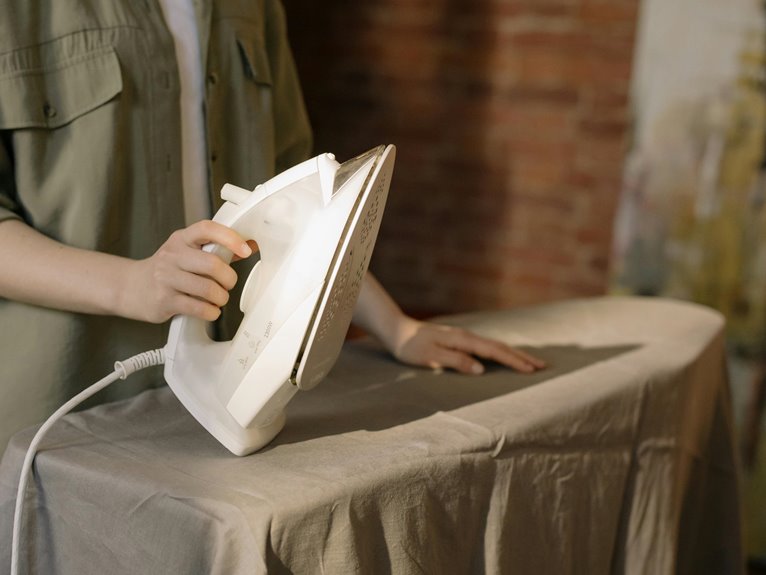
Ironing your cloth mousepad to make it smooth is risky and can do more harm than good. The heat can cause fabric fibers to warp and might damage the rubber base, leading to slipping. Instead of ironing, you can try placing a heavy book on the pad overnight or using a damp cloth to gently smooth it out. If you want to learn about better maintenance and alternatives, there are more methods to explore.
Key Takeaways
- Ironing a cloth mousepad can damage the fabric, leading to scorching or melting of fibers.
- Excessive heat may warp the rubber or foam base, compromising grip and stability.
- Manufacturers typically advise against ironing, which could void any product warranty.
- Alternative methods like placing a heavy book or using a damp cloth are safer for smoothing.
- Regular maintenance and cleaning are essential to prevent surface damage and maintain performance.
Understanding the Composition of Cloth Mousepads
When you pick up a cloth mousepad, you’re holding a blend of materials designed for comfort and precision.
Typically, these mousepads feature a soft fabric surface, often made from polyester or a similar synthetic fiber. This choice guarantees a smooth glide for your mouse while providing a comfortable feel under your wrist.
Beneath the fabric, a rubber or foam base adds stability, preventing any unwanted slipping during use. This combination allows for both accurate tracking and a cushioned experience.
Additionally, manufacturers may incorporate stitching around the edges to enhance durability and prevent fraying.
Understanding this composition helps you appreciate the functionality of your mousepad, guaranteeing it meets your needs for gaming or productivity.
The Effects of Heat on Mousepad Materials
When you apply heat to your cloth mousepad, the material composition plays a vital role in how it reacts.
Different fabrics and coatings can be sensitive to high temperatures, which means you need to take into account the risks of potential damage.
It’s important to know what your mousepad is made of to avoid ruining it during the ironing process.
Material Composition Impact
Heat can considerably affect the various materials used in mousepads, altering their performance and longevity.
If your mousepad is made of cloth, applying heat can cause the fibers to shrink or warp, leading to an uneven surface. This can negatively impact your mouse’s tracking accuracy.
For rubber or foam bases, excessive heat might cause them to lose their grip, making the mousepad slide around during use.
Additionally, synthetic materials may melt or become discolored when subjected to high temperatures.
Always check your mousepad’s material composition before attempting to iron it; knowing what your mousepad is made of will help you avoid damaging it and guarantee the best performance for your gaming or work setup.
Heat Sensitivity Considerations
While it might seem harmless to use an iron on a cloth mousepad, understanding the heat sensitivity of its materials is essential. Different mousepads respond uniquely to heat, and knowing their characteristics can save you from potential mishaps.
Here’s a quick look at common materials and their heat sensitivity:
| Material | Heat Sensitivity |
|---|---|
| Cotton | Moderate; can withstand low heat |
| Polyester | High; may warp or melt |
| Rubber | Low; can degrade with high heat |
| Neoprene | Moderate; can lose shape |
| Foam | Low; can melt under high heat |
Before you grab that iron, consider the material of your mousepad. You want a smooth surface without risking damage!
Potential Damage Risks
Ignoring the potential damage risks can lead to irreversible changes in your mousepad’s structure. When you apply heat, the fabric can warp, causing uneven surfaces that interfere with mouse tracking.
The adhesive used in mousepads might melt or lose its grip, leading to peeling or bubbling. You could also damage any printed designs or logos, making them fade or distort.
In addition, excessive heat may weaken the stitching, compromising the overall durability. Even if you think a low setting is safe, mousepads are often made from various materials, some of which are more heat-sensitive than you realize.
To avoid these issues, consider alternative methods for smoothing your mousepad without risking damage.
Risks of Ironing Your Mousepad
Although it might seem like a quick fix to smooth out wrinkles, ironing your mousepad can lead to several risks that you should be aware of.
First, the heat from the iron can damage the fabric, causing it to scorch or melt—especially if it has a rubber backing. This damage can ruin the mousepad’s functionality.
Additionally, excessive heat can warp the pad, making it uneven and uncomfortable to use. You also risk voiding any warranty; manufacturers typically advise against ironing.
Ultimately, you might accidentally burn yourself if the iron slips, leading to injuries.
In short, while you want a smooth surface, ironing isn’t worth these potential consequences. Consider safer alternatives instead.
Alternative Methods to Smooth Out Your Mousepad
If you’re looking for ways to smooth out your mousepad without the risks of ironing, there are several effective alternatives you can try.
First, place a heavy book or flat object on your mousepad overnight; this can help flatten out any wrinkles.
You can also use a damp cloth and gently press it over the surface, letting it air dry afterward.
Another option is to lightly mist the mousepad with water and then use a rolling pin to press out any bumps.
Finally, try using a mousepad with a thicker base, as these tend to be more resilient against warping.
These methods can help keep your mousepad smooth, enhancing your overall experience.
Cleaning Your Mousepad for Optimal Performance
To maintain peak performance, it’s essential to clean your mousepad regularly. Dust, dirt, and oils from your hands can accumulate, affecting your mouse’s tracking and responsiveness.
Regularly cleaning your mousepad is crucial for optimal performance, as accumulated dirt can hinder your mouse’s responsiveness.
Start by checking the manufacturer’s instructions, as some mousepads are machine washable while others require hand washing. For a quick clean, use a damp cloth with mild soap to wipe the surface. Make sure to rinse it thoroughly to remove any soap residue.
If your mousepad is heavily soiled, soak it in warm water and gently scrub with a soft brush. Always allow it to air dry completely before using it again.
Regular cleaning not only enhances performance but also prolongs the life of your mousepad.
When to Replace Your Mousepad
If you notice signs of wear on your mousepad, like frayed edges or faded designs, it might be time for a replacement.
A decline in performance, such as tracking issues or difficulty gliding, can also signal that your mousepad has seen better days.
Additionally, any surface damage can hinder your overall experience, making it essential to know when to make that switch.
Signs of Wear
Recognizing the signs of wear on your mousepad is essential for maintaining ideal performance and comfort. Over time, even the best mousepads show signs that it’s time for a replacement.
Keep an eye out for these indicators:
- Visible Damage: Look for frayed edges, holes, or tears that can disrupt your mouse’s glide.
- Staining or Discoloration: Accumulated dirt or stains can affect both aesthetics and hygiene, making it less pleasant to use.
- Warping or Bumps: A warped surface can lead to uneven tracking and discomfort during long sessions.
When you notice any of these signs, it’s time to contemplate investing in a new mousepad to guarantee your setup remains efficient and comfortable.
Performance Decline
Once you’ve identified visible signs of wear on your mousepad, it’s important to assess its performance.
If your cursor skips or doesn’t track smoothly, it might be time for a replacement. You may also notice that your mouse isn’t as responsive as it used to be, impacting your gaming or work efficiency.
When you find yourself adjusting your mouse repeatedly to get it to function properly, consider this a red flag. Additionally, if you experience increased hand fatigue or discomfort during use, your mousepad’s cushioning might be compromised.
Ultimately, if your mousepad no longer supports your activities effectively, it’s a clear signal that you should invest in a new one for peak performance.
Surface Damage
While minor scuffs and stains on your mousepad might seem insignificant, they can greatly impact your overall experience.
If you notice any of the following signs, it’s time to contemplate replacing your mousepad:
- Worn-out surface: If the texture feels smooth or slick, it can hinder mouse tracking.
- Fraying edges: Tattered edges can lead to further wear and tear, affecting durability.
- Persistent stains: Stains that won’t come out can distract you during use.
Ignoring these issues can lead to decreased performance and a frustrating experience.
A fresh mousepad not only enhances your setup but also guarantees that you get the most out of your gaming or work sessions.
Don’t hesitate to invest in a new one when needed!
Choosing the Right Mousepad for Your Needs
How do you know which mousepad is right for you? Start by considering your primary use.
If you’re a gamer, look for a mousepad with a smooth surface and anti-slip backing for precision. For office work, a larger pad can provide more space for movement, making your tasks easier.
Think about material too—fabric pads offer comfort, while hard surfaces deliver speed. If portability matters, choose a lightweight, foldable option.
You should also factor in your mouse type; some mice perform better on specific surfaces.
Finally, don’t forget about aesthetics. Pick a design that matches your style.
Tips for Maintaining a Smooth Mousepad
To keep your mousepad smooth and functioning at its best, regular maintenance is essential. By following a few simple tips, you can prolong its lifespan and guarantee peak performance.
Regular maintenance is key to a smooth mousepad, ensuring longevity and optimal performance.
- Clean it regularly: Use a damp cloth with mild detergent to wipe away dirt and grime. Avoid harsh chemicals that could damage the surface.
- Avoid direct sunlight: Keep your mousepad out of intense sunlight to prevent fading and warping, which can affect its texture.
- Store it properly: When not in use, lay it flat or roll it up gently to avoid creases and maintain its shape.
Implementing these practices will help you maintain a smooth mousepad, enhancing your overall computing experience.
User Experiences: Ironing vs. Other Methods
Maintaining a smooth mousepad often leads users to explore various methods, including ironing. Many users report that ironing their cloth mousepad can effectively eliminate wrinkles and restore a flat surface.
However, some experience mixed results, noting that excessive heat might damage the fabric or even affect the mouse sensor.
Alternatively, others prefer simpler methods like using heavy books or a flat weight to flatten their mousepads over time. Some users swear by humidifying the fabric slightly before pressing it under a heavy object, achieving a smooth finish without the risks associated with heat.
Ultimately, your choice may depend on your comfort level with each method and the specific material of your mousepad. Experimenting with these techniques can lead to a satisfying outcome.
Frequently Asked Questions
Can I Use a Steam Iron on My Cloth Mousepad?
When you consider using a steam iron on your cloth mousepad, remember the age-old wisdom: not all fabric responds well to heat. It’s better to check for manufacturer’s guidance before risking any damage.
Does Ironing Affect the Mousepad’s Grip or Surface Texture?
Ironing can change your mousepad’s grip and surface texture. It might make it smoother, but you risk damaging the material or reducing its effectiveness. Always check the manufacturer’s recommendations before using heat on your mousepad.
How Long Should I Iron My Cloth Mousepad for Best Results?
You’re wondering how long to iron your cloth mousepad, huh? You’ll want to keep it under 10 seconds per section. Too long, and you risk damaging the fabric, so stay vigilant for best results!
Is It Safe to Wash My Mousepad Before Ironing?
Yes, it’s safe to wash your mousepad before ironing. Just make sure it’s completely dry. Washing removes dirt and oils, ensuring better results when you iron it, giving you a smoother surface for your mouse.
Can I Use a Towel While Ironing My Mousepad?
You can definitely use a towel while ironing your mousepad. It’s like putting a cozy blanket on a cold floor—protecting your fabric while ensuring the heat works its magic. Just don’t forget to keep it damp!