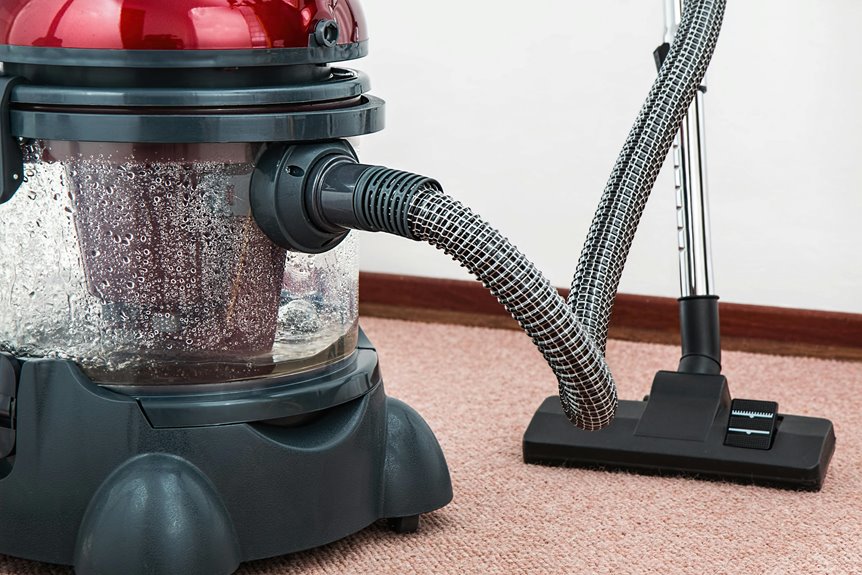
Yes, you can use a vacuum cleaner on your mousepad, but you need to be careful. Strong suction can damage the material, so it’s best to use a medium or low setting. Move the nozzle smoothly to avoid any wear and tear. You might want to try alternative cleaning methods, too. Keeping your mousepad in good shape is important, and there are plenty of tips on how to maintain it effectively.
Key Takeaways
- Yes, you can use a vacuum cleaner on your mousepad for efficient cleaning, but take care with the suction strength.
- Use medium or low suction settings to prevent damage to the mousepad material.
- Position the nozzle above the mousepad and move it in smooth, gentle motions.
- Avoid using attachments that may be too harsh or unsuitable for the mousepad surface.
- Regular vacuum cleaning can extend the mousepad’s lifespan and maintain its performance.
Understanding Different Mousepad Materials
When you’re choosing a mousepad, it’s essential to understand the different materials available, as each type can affect your gaming or work experience.
Cloth mousepads offer a smooth surface and are great for precision, making them ideal for gamers who rely on accuracy. On the other hand, plastic mousepads provide a slick surface that allows for faster movements, which some prefer for competitive gaming.
Cloth mousepads excel in precision, while plastic options cater to those seeking swift, competitive gameplay.
Hard mousepads, often made of metal or glass, deliver durability and consistency but may feel less comfortable. Finally, rubber mousepads offer a good grip, preventing slippage during intense sessions.
Assess your needs, preferences, and the type of tasks you’ll be doing to find the material that best enhances your performance.
The Pros of Using a Vacuum Cleaner
Choosing the right mousepad material can greatly enhance your gaming or work experience, but keeping it clean is just as important. Using a vacuum cleaner offers several advantages that can make maintaining your mousepad easier and more effective.
| Pros | Description | Benefit |
|---|---|---|
| Time-efficient | Quickly removes dust and debris | Saves you time |
| Deep cleaning | Reaches into textured surfaces | Enhances hygiene |
| Easy to use | Simply run the vacuum over the mousepad | User-friendly |
| Versatile attachments | Different heads for various surfaces | Customizable care |
| Prevents wear and tear | Regular cleaning prolongs mousepad lifespan | Cost-effective |
The Cons of Using a Vacuum Cleaner
While using a vacuum cleaner can be effective, it also comes with drawbacks that you should consider.
First, the strong suction might damage your mousepad, especially if it’s made of delicate materials like cloth or rubber. You risk pulling threads or even tearing it.
Strong suction from a vacuum can damage delicate mousepads, risking pulled threads and tears.
Additionally, vacuums can leave behind residue, dirt, or even dust particles that stick to the pad, which defeats the purpose of cleaning.
The noise can also be disruptive, especially if you’re working or gaming.
Finally, not all vacuum attachments are suitable; using the wrong one might cause more harm than good.
Weigh these cons carefully before deciding to use a vacuum cleaner on your mousepad.
How to Properly Vacuum Your Mousepad
When it comes to vacuuming your mousepad, using the right vacuum settings is essential for effective cleaning.
You’ll want to employ specific techniques to guarantee you don’t damage the surface while removing dust and debris.
After vacuuming, proper maintenance helps keep your mousepad in top shape for ideal performance.
Vacuum Settings to Use
To effectively vacuum your mousepad, it’s crucial to select the right settings on your vacuum cleaner. Start by using a vacuum with adjustable suction power. You don’t want to use the highest setting, as it can damage the material or pull the mousepad off the surface. Instead, opt for a medium or low suction setting, which will gently lift dust and debris without causing harm.
If your vacuum has a brush attachment, use that sparingly. While it can help dislodge dirt, it may also snag on fabric edges. Always keep the nozzle at a safe distance from the surface to avoid any accidental damage.
With the right settings, you’ll maintain your mousepad’s condition while keeping it clean and functional.
Techniques for Effective Cleaning
After selecting the appropriate vacuum settings, you can start the cleaning process.
First, gently position the vacuum nozzle above your mousepad, guaranteeing it doesn’t touch the surface directly. This prevents any damage.
Move the nozzle in smooth, sweeping motions, covering the entire area without lingering too long in one spot. Pay special attention to edges and corners where dirt tends to accumulate.
If your mousepad has a textured surface, use a brush attachment to lift debris effectively. For stubborn particles, lightly tap the mousepad before vacuuming to loosen them.
Once you’ve finished, check for any missed areas and repeat if necessary. This technique guarantees a thorough clean while maintaining your mousepad’s integrity.
Maintenance After Vacuuming
Once you’ve vacuumed your mousepad, it’s essential to follow up with proper maintenance to guarantee it stays in great condition.
Regular care not only prolongs its life but also assures peak performance while you work or game. Here are a few steps to take into account:
- Check for Stains: If you spot any stains, gently clean them with a damp cloth and mild soap.
- Air Dry: Allow your mousepad to air dry completely before using it again. Avoid direct sunlight to prevent damage.
- Reposition: Think about rotating or flipping your mousepad occasionally to promote even wear.
Alternative Cleaning Methods
While vacuuming might seem like an unconventional choice for cleaning a mousepad, there are several alternative methods you can try that could be equally effective.
One simple approach is to use a damp cloth with mild soap. Gently wipe the surface to lift away dirt and grime.
Another option is to use a soft-bristled brush or lint roller to remove dust and debris without damaging the fabric.
If your mousepad is machine washable, toss it in with your laundry, following the care instructions.
You can also try rubbing alcohol on a cloth for a quick disinfecting clean.
Whichever method you choose, make sure to let your mousepad dry completely before using it again to avoid any moisture-related issues.
Tips for Regular Maintenance
To keep your mousepad in top shape, establish a weekly cleaning routine.
Don’t forget to tackle any spills or stains immediately with spot cleaning techniques.
Finally, make sure to use proper drying methods to prevent any damage.
Weekly Cleaning Routine
Incorporating a weekly cleaning routine for your mousepad can greatly enhance its longevity and performance.
Regular maintenance helps prevent dirt buildup and keeps your workspace looking fresh. Here are some simple steps you can follow:
- Shake off debris: Gently shake or tap the mousepad to remove loose dirt and crumbs.
- Spot clean: Use a damp cloth or sponge with mild soap, wiping in a circular motion for even cleaning.
- Air dry: Allow your mousepad to air dry completely before using it again, ensuring it remains in good condition.
Spot Cleaning Techniques
Spot cleaning your mousepad is essential for maintaining its appearance and functionality. When you notice stains or dirt, act quickly to prevent them from setting in.
Start by using a damp cloth with mild soap to gently rub the affected area. Don’t soak the mousepad; just enough moisture will do. For stubborn spots, a soft-bristled toothbrush can help lift the grime without damaging the surface.
Rinse the cloth and wipe away any soap residue. If you have a fabric mousepad, consider using a lint roller to pick up hair and dust between cleanings.
Remember to avoid harsh chemicals, as they can degrade the material. By incorporating these spot cleaning techniques, you’ll keep your mousepad looking fresh and performing well.
Proper Drying Methods
Once you’ve cleaned your mousepad, it’s important to dry it properly to maintain its shape and functionality. Rushing this process can lead to warping or damage, so take your time.
Here are some effective drying methods to take into account:
- Air Dry: Lay your mousepad flat on a clean, dry surface. Make sure it’s in a well-ventilated area to speed up drying.
- Use a Towel: Gently blot the surface with a clean, dry towel to absorb excess moisture before air drying.
- Avoid Direct Heat: Keep your mousepad away from direct sunlight or heat sources like radiators, which can cause it to warp or fade.
When to Replace Your Mousepad
While you mightn’t think about it often, knowing when to replace your mousepad can greatly enhance your gaming or work experience.
Look for signs like frayed edges or worn-out surfaces; these can affect your mouse’s tracking accuracy. If you notice any significant stains or damage that cleaning can’t fix, it’s time for a new one.
A mousepad that’s too thin may not offer enough comfort during long sessions, so consider replacing it if it feels flat.
Also, if your mouse isn’t gliding smoothly, a new mousepad can improve performance.
Keeping an eye on these factors guarantees you maintain an ideal setup, allowing you to focus on your tasks without distraction.
Final Thoughts on Mousepad Care
Taking care of your mousepad extends its lifespan and maintains peak performance. Regular maintenance is key to ensuring your mousepad stays in top shape.
Here are some simple tips to keep your mousepad clean and functional:
- Wipe it down with a damp cloth regularly to remove dirt and dust.
- Avoid eating or drinking near your workspace to prevent spills and crumbs.
- Store it flat when not in use to prevent warping or damage.
Frequently Asked Questions
Can Vacuuming Damage My Mousepad’s Surface Texture?
Vacuuming might damage your mousepad’s surface texture. The suction can pull at the fibers, causing fraying or wear. It’s safer to clean it with a damp cloth or mild soap to maintain its quality.
Will Vacuuming Affect the Mousepad’s Grip on the Desk?
Vacuuming can strip away your mousepad’s grip, leaving it slippery and unstable. You’ll feel the difference when your mouse slips during critical moments, disrupting your focus. Keep your setup intact by avoiding that vacuum!
Is It Safe to Vacuum a Fabric Mousepad?
It’s generally safe to vacuum a fabric mousepad, but be cautious. Use a low setting and keep the nozzle at a distance to avoid damaging the fibers, and check for any loose edges or wear beforehand.
Can I Use a Handheld Vacuum for My Mousepad?
You can use a handheld vacuum on your mousepad, but be gentle. Make sure it’s set to a low suction to avoid damaging the fabric. Regular cleaning helps maintain its performance and appearance over time.
How Often Should I Vacuum My Mousepad?
You should vacuum your mousepad regularly, ideally every couple of weeks. This helps keep it clean and free of dust and debris, ensuring a smooth surface for your mouse and maintaining overall hygiene.