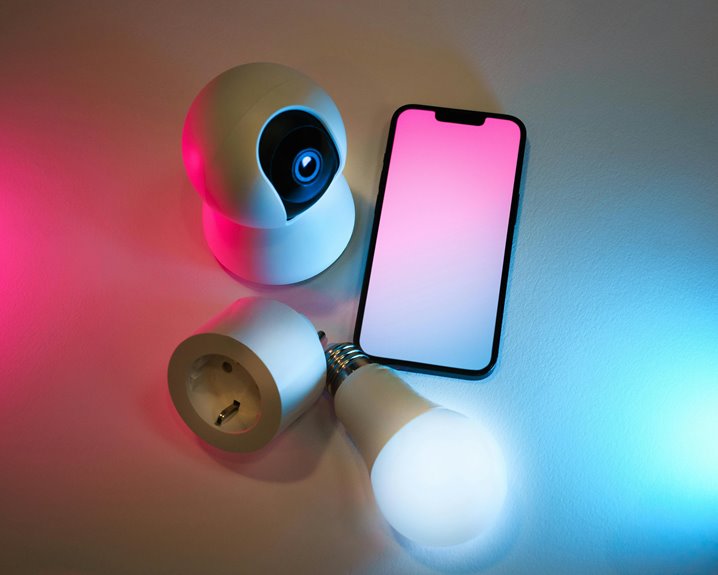
Yes, you can use smart bulbs like Philips Hue to create the perfect webcam light. They let you adjust brightness and color temperature, improving your appearance during video calls. Position the bulbs in front and experiment with different settings to eliminate harsh shadows. Aim for a balanced color temperature around 4000K to 5000K for a natural glow. By optimizing your lighting, you’ll enhance your webcam presence, and there’s more to know on achieving great results.
Key Takeaways
- Smart bulbs like Philips Hue allow you to adjust brightness and color temperature for optimal webcam lighting.
- Position smart bulbs strategically to eliminate shadows and enhance facial features during video calls.
- Aim for a color temperature between 4000K and 5000K to replicate natural daylight for better skin tones on camera.
- Use soft, diffused lighting from smart bulbs to create a flattering appearance without harsh shadows.
- Control smart bulbs via smartphone or voice commands for quick adjustments during your video calls.
Understanding the Importance of Lighting for Video Calls
When you’re in a video call, the right lighting can make all the difference in how you come across. Good lighting highlights your facial features and helps convey your emotions effectively.
If you’re in a dimly lit room, you might appear shadowy or washed out, making it harder for others to connect with you. Natural light is ideal, but it’s not always available. That’s where artificial lighting comes in.
Soft, diffused light can reduce harsh shadows and create a more flattering appearance. Position your light source in front of you, not behind, to avoid backlighting. Experiment with different angles and intensities until you find what works best.
How Smart Bulbs Work for Webcam Lighting
Good lighting is essential for video calls, and smart bulbs offer a versatile solution to enhance your setup.
These bulbs let you adjust brightness and color temperature, helping you create the perfect ambiance. You can switch from bright white light for clarity to warmer tones for a cozy feel, depending on your needs.
Adjust brightness and color temperature with smart bulbs to create the ideal ambiance for any video call setting.
With smart bulbs, you can easily control the lighting via your smartphone or voice commands, allowing you to make instant adjustments without leaving your seat. Additionally, you can set schedules or scenes that automatically change the lighting based on the time of day.
This flexibility not only improves your webcam lighting but also adds a professional touch to your video calls, ensuring you look your best on screen.
Setting Up Your Smart Bulbs for Optimal Lighting
To achieve ideal lighting for your webcam setup, start by positioning your smart bulbs strategically in your room. Place them at angles that eliminate shadows on your face while ensuring they’re not in direct line with the camera. Consider the following table for effective placements:
| Position | Distance from Subject | Recommended Bulb Color |
|---|---|---|
| Behind camera | 3-5 feet | Soft white |
| Side (left) | 4-6 feet | Warm white |
| Side (right) | 4-6 feet | Cool white |
| Above | 5-7 feet | Soft white |
| Below | 2-3 feet | Neutral white |
Experiment with different positions until you find what works best for your setup.
Color Temperature and Its Impact on Video Quality
Understanding color temperature is essential for enhancing your video quality, as it greatly influences how your skin tones and surroundings appear on camera.
Measured in Kelvin (K), color temperature can range from warm (below 3000K) to cool (above 5000K). For video calls, aim for a balanced temperature around 4000K to 5000K. This range replicates natural daylight, providing a flattering glow that makes your features stand out without looking harsh.
If you use smart bulbs like Philips Hue, you can easily adjust the color temperature to find the sweet spot, ensuring your appearance is vibrant and inviting.
Experiment with different settings until you discover what works best for your environment and personal style.
Additional Tips for Enhancing Your Webcam Presence
While great lighting is essential, there are several other ways you can enhance your webcam presence.
First, consider your background. A clean, uncluttered space keeps the focus on you.
Next, invest in a quality microphone; clear audio is just as important as good video.
You should also adjust your camera angle—position it at eye level for a more engaging perspective.
Additionally, wear solid colors that contrast with your background to stand out.
Practice good posture; sitting up straight conveys confidence.
Finally, make eye contact with the camera to create a connection with your audience.
Frequently Asked Questions
Can I Control Smart Bulbs Remotely During Video Calls?
Yes, you can control smart bulbs remotely during video calls. Just use your smartphone app to adjust brightness or color. This flexibility helps create the ideal lighting for your virtual meetings, enhancing your overall presentation.
Are There Smart Bulbs Specifically Designed for Video Conferencing?
Think of smart bulbs as your personal lighting artists. While there aren’t bulbs specifically for video conferencing, many smart bulbs offer adjustable brightness and color, enhancing your webcam experience and making your calls more vibrant and engaging.
How Do Smart Bulbs Affect Battery Life on Devices?
Smart bulbs can affect your devices’ battery life, especially if they’re constantly connected via Wi-Fi or Bluetooth. They consume energy, so if you’re using them frequently, you might notice your battery drains faster.
Can I Synchronize Multiple Smart Bulbs for a Consistent Look?
Yes, you can synchronize multiple smart bulbs for a consistent look. Just use your smart home app to group them together, ensuring they’ll all change color and brightness simultaneously, creating a cohesive atmosphere in your space.
Do Smart Bulbs Work With All Types of Webcams?
Imagine a painter needing the right light to showcase their masterpiece. Smart bulbs generally work with most webcams, but compatibility may vary. You’ll want to check specifications to guarantee they harmonize beautifully together.