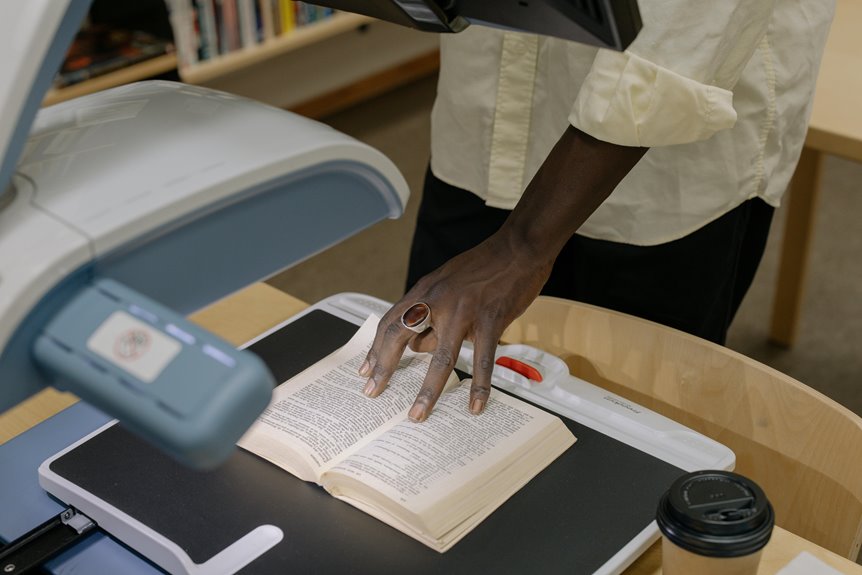
When setting up your home office, choosing the right document format for scanning can make a big difference. You want to ensure your files are not only accessible but also easy to manage. Different formats serve unique purposes, whether you need something for collaboration or for preserving original layouts. As you consider your options, think about how each format affects your workflow and storage, and what might work best for your specific needs.
Key Takeaways
- PDF format preserves document formatting and supports various content types, making it suitable for scanned documents.
- Use Word documents for easy editing and real-time collaboration on scanned content.
- JPEG format is ideal for photographs, allowing smaller file sizes while maintaining quality.
- PNG is preferred for images with transparency or detailed graphics, ensuring clarity in digital documents.
- Implement OCR technology to convert scanned images into searchable and editable text, enhancing document accessibility.
Understanding PDF Files: Benefits and Limitations
When you consider document formats for home office scanning, understanding PDF files is crucial because they offer a mix of benefits and limitations.
PDFs preserve your document's formatting, ensuring it looks the same across different devices. This makes sharing and printing straightforward. Additionally, PDFs support various content types, including text, images, and hyperlinks, making them versatile for different needs.
However, PDFs can have drawbacks. Editing them often requires specific software, which can limit your flexibility.
Also, while they're great for sharing, large files can be cumbersome to email. Lastly, searching for text within a scanned PDF mightn't be effective unless it's OCR-enabled.
Balancing these factors can help you decide if PDFs are the right choice for your home office scanning.
Exploring Word Documents: Flexibility and Functionality
PDFs are great for preserving formatting, but if you need more flexibility, Word documents might be the better option for your home office scanning.
With Word, you can easily edit, format, and adapt your documents to fit your needs. This adaptability can save you time and frustration when working on projects.
Consider the advantages of using Word documents:
- Effortlessly edit text and images
- Seamlessly collaborate with others in real-time
- Utilize diverse formatting options for better presentation
- Create templates to streamline repetitive tasks
Image Formats: When to Use JPEG and PNG
Choosing the right image format can significantly impact your home office scanning experience.
JPEG is an excellent choice for photographs and images with rich colors, as it compresses files well without losing too much quality. Use JPEG when you need smaller file sizes and when you're not concerned about editing the images later.
On the other hand, PNG is ideal for images that require transparency or contain text and graphics, as it maintains higher quality without compression artifacts. If you need clear visuals for presentations or digital documents, go with PNG.
Scanning to Text: The Advantages of OCR Technology
When you scan documents using OCR technology, you unlock enhanced searchability, making it easy to find specific information quickly.
Plus, converting images to text can significantly reduce your storage requirements.
Let's explore how these benefits can streamline your home office organization.
Enhanced Searchability Benefits
Although many people still rely on traditional paper documents, scanning to text with OCR technology dramatically enhances your ability to search and retrieve information.
With OCR, you can transform your scanned documents into editable, searchable text, saving you time and frustration.
Imagine the ease of finding specific data when you need it most:
- Quickly locate important contracts or agreements
- Effortlessly search for keywords in lengthy reports
- Save time by eliminating the need to manually sift through papers
- Increase productivity by accessing information in seconds
Reduced Storage Requirements
As you transition from paper to digital documents, you'll notice a significant reduction in storage requirements thanks to OCR technology. By converting scanned images into editable text, you can save space without sacrificing accessibility. Digital files typically occupy much less space than their paper counterparts, allowing you to store thousands of documents on a single device.
Here's a quick comparison of storage needs:
| Format | Average Size per Page | Total Pages (1 GB) |
|---|---|---|
| Scanned Image | 1 MB | 1,000 |
| PDF (Text) | 100 KB | 10,000 |
| Word Document | 50 KB | 20,000 |
Embracing OCR not only declutters your physical space but also streamlines your workflow.
Comparing File Sizes: Efficiency in Storage and Sharing
When you're scanning documents, considering file sizes is crucial for efficient storage and easy sharing.
Different file formats and compression techniques can significantly impact how much space your documents take up and how quickly you can send them.
Let's explore which formats work best for your needs and how to optimize them for storage and sharing.
File Compression Techniques
You can significantly cut down on file sizes by utilizing effective file compression techniques, which not only save storage space but also streamline sharing.
By compressing your documents, you'll ensure that you're making the most of your home office resources.
Here are some benefits of using file compression:
- Faster uploads: Get your files sent quickly without long waits.
- Reduced storage costs: Save money by needing less cloud space.
- Easier collaboration: Share files effortlessly with colleagues or clients.
- Improved organization: Keep your digital workspace clutter-free.
Implementing these techniques means you can work more efficiently, allowing you to focus on what truly matters—getting the job done!
Optimal Formats for Sharing
Choosing the right file format can make a significant difference in how efficiently you store and share documents. Some formats are more compact, making them easier to send via email, while others maintain higher quality but take up more space. Here's a quick comparison of common file formats:
| Format | Average File Size (per page) |
|---|---|
| 100 KB | |
| JPEG | 50 KB |
| PNG | 150 KB |
| TIFF | 300 KB |
Choosing the Right Format for Your Needs: A Practical Guide
As you navigate the various document formats available for home office scanning, it's essential to consider your specific needs and how each format serves them.
Choosing the right format can streamline your workflow and enhance productivity. Here are some factors to think about:
- Compatibility: Ensure the format works with your software and devices.
- Quality: Consider if you need high-resolution images or simple text.
- File Size: Smaller files are easier to share but might sacrifice quality.
- Security: Choose formats that support encryption if privacy is a concern.
Frequently Asked Questions
What Format Is Best for Archiving Important Documents Long-Term?
When archiving important documents long-term, you'll want to choose formats like PDF/A or TIFF. They ensure preservation, compatibility, and accessibility over time, protecting your vital information from loss or degradation in the future.
Can I Convert Scanned Images Into Editable Text Formats?
Yes, you can convert scanned images into editable text formats using Optical Character Recognition (OCR) software. Just scan your documents, run them through the OCR tool, and you'll have editable text ready for use.
How Do Different Formats Affect Document Compatibility Across Devices?
Different formats impact compatibility by varying support across devices. For instance, PDFs often work universally, while proprietary formats might not. Always choose widely accepted formats to ensure your documents open smoothly on all devices you use.
What Is the Best Format for Printing High-Quality Images?
For printing high-quality images, you'll want to use formats like TIFF or PNG. These formats preserve image details and colors better than JPEG, ensuring your prints look vibrant and professional. Don't compromise on quality!
Are There Security Features Available in Different Document Formats?
Yes, various document formats offer security features. For instance, PDFs can be password-protected, while DOCX files allow restricted editing. Consider your needs, and choose a format that balances security and usability for your documents.