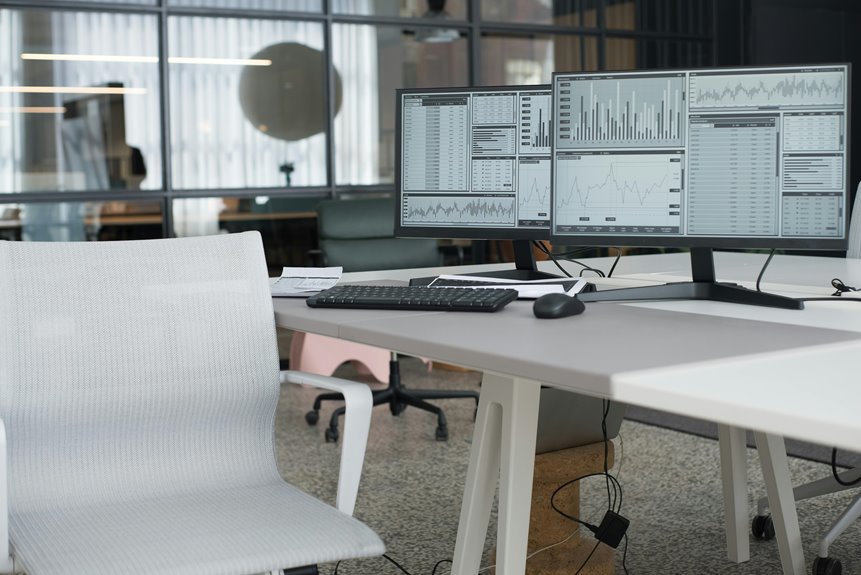
A multi-monitor setup can indeed boost your productivity by expanding your screen space and streamlining your workflow. You’ll find it easier to manage multiple tasks at once, reducing distractions and minimizing cognitive load. This setup allows for better organization and faster project completion, making it ideal for side-by-side data comparisons. However, there are potential downsides to reflect upon. Keep exploring to discover effective tips for creating a multi-monitor workspace that fits your needs.
Key Takeaways
- Multi-monitor setups enhance workflow by allowing simultaneous task management, reducing the need for constant window switching.
- Increased screen real estate enables easier data comparison and documentation referencing, improving overall efficiency.
- Reduced cognitive load allows for quicker task switching while maintaining focus on relevant information.
- Effective organization across multiple screens minimizes distractions and aids in visual data management, boosting productivity.
- However, potential distractions and eye strain can occur, so assess individual work styles before adopting a multi-monitor configuration.
Understanding the Concept of Multi-Monitor Setups
As you immerse yourself in the world of productivity, you might find that a multi-monitor setup can greatly enhance your workflow.
This configuration allows you to extend your screen real estate, making it easier to manage multiple tasks simultaneously. With two or more monitors, you can keep crucial applications open without constant toggling. For instance, you can have your email on one screen while working on a document on another.
A multi-monitor setup enhances productivity by allowing simultaneous task management without constant toggling between applications.
This setup minimizes distractions and helps you stay focused. Additionally, it enables you to compare data side by side, which is particularly beneficial for tasks like research or coding.
Embracing this technology can transform how you work, allowing for a more efficient and organized approach to daily tasks.
The Science Behind Increased Productivity
When you use a multi-monitor setup, you can greatly reduce cognitive load by spreading out your tasks.
This setup also boosts your efficiency in switching between tasks and managing visual information.
Let’s explore how these factors can enhance your productivity.
Cognitive Load Reduction
Reducing cognitive load is essential for boosting productivity, especially in a multi-monitor setup. When you have multiple screens, information is more accessible, which helps you process tasks faster and more efficiently. This setup allows you to keep relevant data in view without constantly switching windows, minimizing mental strain.
Here’s a quick overview of cognitive load factors:
| Factor | Description | Impact on Productivity |
|---|---|---|
| Information Access | Multiple screens display more data | Increases efficiency |
| Visual Organization | Arrange tasks visually across screens | Reduces confusion |
| Task Management | Keep track of ongoing tasks easily | Enhances focus |
| Distraction Minimization | Less window switching reduces interruptions | Boosts concentration |
Task Switching Efficiency
In a multi-monitor setup, task switching efficiency plays a significant role in enhancing your productivity. With multiple screens, you can quickly shift between tasks without losing your focus or momentum. Instead of minimizing and maximizing windows, you can keep relevant information visible at all times. This reduces the cognitive load typically associated with switching tasks, allowing you to maintain your workflow.
You’ll find that having dedicated screens for specific applications—like email, research, or project management—means you spend less time searching for what you need. This streamlined approach not only saves time but also minimizes interruptions, helping you stay in the zone.
Ultimately, improved task switching efficiency can lead to faster completion of projects and a greater sense of accomplishment.
Visual Information Management
While you manage multiple tasks across several screens, visual information management becomes essential for maximizing productivity.
With a multi-monitor setup, you can organize your workspace effectively, reducing the time spent searching for information. By strategically placing applications, documents, and tools on different screens, you maintain a clear visual hierarchy, which helps you focus on what matters most.
This setup allows you to process visual information more efficiently, enhancing your ability to juggle tasks and minimizing cognitive overload.
Studies show that when you can see more data simultaneously, decision-making improves, and errors decrease. By managing your visual space wisely, you create an environment that fosters focus and reduces distractions, ultimately leading to greater productivity in your daily tasks.
Benefits of Using Multiple Monitors
Using multiple monitors can greatly boost your multitasking efficiency, allowing you to keep various applications open and easily accessible.
You’ll find that your workflow organization improves as you can arrange your screens to suit your specific needs.
This setup not only saves time but also enhances your overall productivity.
Enhanced Multitasking Efficiency
Having multiple monitors can greatly boost your multitasking efficiency, allowing you to manage tasks simultaneously without the constant switching between windows. This setup helps you streamline your work and stay focused.
Here are some benefits you’ll enjoy:
- Increased screen real estate: View more applications and documents at once.
- Improved focus: Reduce distractions by keeping important tasks visible.
- Faster information retrieval: Access data on one screen while working on another.
- Enhanced collaboration: Share information easily during meetings or video calls.
- Better organization: Arrange your workspace to suit your workflow, making it easier to find what you need.
With these advantages, you’ll find that your productivity can remarkably improve with a multi-monitor setup.
Improved Workflow Organization
A multi-monitor setup not only enhances multitasking efficiency but also considerably improves workflow organization.
With additional screens, you can dedicate each monitor to specific tasks or applications. For instance, keep your email open on one screen while working on documents or spreadsheets on another. This eliminates the need to constantly switch between tabs, allowing you to focus on the task at hand.
You can also arrange your monitors to create a visual workflow that suits your projects, making it easier to track progress and manage deadlines. By organizing your digital workspace more effectively, you can reduce distractions, streamline your processes, and ultimately enhance your productivity.
You’ll find that a well-structured setup can lead to a more satisfying work experience.
Potential Drawbacks and Challenges
While a multi-monitor setup can boost productivity, it’s not without its drawbacks and challenges. You might find that managing multiple screens can become overwhelming, leading to distractions instead of focus. Additionally, the cost of purchasing and maintaining extra monitors can add up.
A multi-monitor setup can enhance productivity, but it may also introduce distractions and increased costs.
Here are some potential challenges you should consider:
- Increased eye strain from extended screen time
- Difficulty in managing window placement and organization
- Potential for hardware compatibility issues
- Physical space limitations in your workspace
- The risk of multitasking leading to decreased attention on tasks
Before jumping into a multi-monitor setup, weigh these challenges against the potential benefits to see if it’s the right fit for you.
Real-World Experiences and Case Studies
As you explore the benefits of a multi-monitor setup, real-world experiences can provide valuable insight into how it impacts productivity.
Many professionals report that having multiple screens allows them to manage tasks more efficiently. For instance, a graphic designer might use one monitor for design software while keeping reference materials open on another, streamlining their workflow.
Similarly, software developers often run code on one screen while debugging on another, reducing time spent switching between tabs.
In contrast, office workers have noted that a multi-monitor setup helps them track emails and documents simultaneously, leading to quicker responses.
These case studies illustrate that for various industries, multiple monitors can enhance focus and speed, ultimately boosting overall productivity.
Tips for Setting Up an Effective Multi-Monitor Workspace
To create an effective multi-monitor workspace, start by evaluating your needs and the types of tasks you’ll be performing.
Assess your needs and tasks to build an efficient multi-monitor workspace tailored to your workflow.
Consider the following tips to optimize your setup:
- Monitor Placement: Position monitors at eye level to reduce strain.
- Consistent Settings: Use the same resolution and refresh rate for all monitors for a unified experience.
- Cable Management: Organize cables neatly to avoid clutter and distractions.
- Task Organization: Assign specific tasks to each monitor, like emails on one and documents on another.
- Ergonomic Accessories: Invest in a good chair and desk to support long hours of work comfortably.
Following these guidelines will help you make the most of your multi-monitor setup and enhance your productivity.
Conclusion: Is a Multi-Monitor Setup Right for You?
Wondering if a multi-monitor setup is the right choice for you? It often comes down to your work style and needs. If you handle multiple projects, data sets, or applications simultaneously, having extra screens can streamline your workflow. You’ll likely find it easier to reference documents, compare data, and stay organized.
However, if your tasks are more focused and don’t require constant switching between applications, a single monitor might suffice.
Consider your workspace as well; limited desk space can hinder your setup. Ultimately, assess your productivity goals and test out a multi-monitor configuration if you can. It could enhance your efficiency, but it’s essential to choose what aligns best with how you work.
Frequently Asked Questions
Can Multiple Monitors Cause Eye Strain or Discomfort?
Using multiple monitors can indeed cause eye strain or discomfort if you’re not cautious. You should adjust brightness, maintain proper distance, and take regular breaks to protect your eyes and enhance your overall comfort.
What Types of Tasks Benefit Most From a Multi-Monitor Setup?
You’ll find that tasks like data analysis, graphic design, and programming benefit the most from a multi-monitor setup. It allows you to view multiple applications simultaneously, enhancing focus and efficiency while reducing time spent switching between tabs.
Are There Specific Monitor Sizes That Work Best Together?
When choosing monitors, pairing sizes that complement each other, like a 24-inch with a 27-inch, works best. This combination balances screen real estate and visual comfort, enhancing your workflow without overwhelming your space.
How Do I Manage Window Organization on Multiple Screens?
To manage window organization on multiple screens, utilize tools like Snap Assist or dedicated software. You can also drag windows between monitors and arrange them based on task priority, keeping your workspace clear and efficient.
Can a Multi-Monitor Setup Improve Collaboration in Team Environments?
A multi-monitor setup can enhance collaboration in team environments. You can easily share information, compare documents side by side, and communicate effectively, leading to quicker decision-making and a more dynamic, interactive workspace.