
To create the perfect home office setup as a content creator, invest in ergonomic furniture for comfort, like adjustable chairs and desks. High-quality audio gear, including premium microphones and noise-canceling headphones, guarantees clear communication. Don’t overlook essential video equipment such as a reliable camera and proper lighting to enhance your visuals. Finally, productivity tools like task management apps and cloud storage can streamline your workflow. There’s more to uncover that can elevate your setup even further!
Key Takeaways
- Invest in ergonomic furniture, including adjustable chairs and desks, to support long hours of work and maintain health.
- Utilize high-quality audio equipment, like USB microphones and noise-canceling headphones, to ensure clear communication during virtual meetings.
- Set up a professional video setup with a quality camera and tripod to capture crisp images and avoid shaky footage.
- Implement efficient lighting solutions, such as softbox lights or natural light, to enhance visibility and improve video quality.
- Use productivity tools like task management apps and cloud storage to streamline workflow and enhance organization in your home office.
Ergonomic Furniture for Comfort and Support

When you spend long hours working from home, having ergonomic furniture is essential for your comfort and support. A well-designed chair can make a world of difference, providing you with the right lumbar support and adjustable features to suit your posture.
Look for one that encourages a natural curve in your spine and allows your feet to rest flat on the ground.
Seek a chair that supports your spine’s natural curve and keeps your feet flat on the ground.
Additionally, an adjustable desk can enhance your workspace by letting you switch between sitting and standing. This flexibility can help reduce fatigue and improve focus throughout your day.
Don’t forget about accessories like keyboard trays and monitor stands, which can help you maintain a healthy alignment.
Investing in ergonomic furniture not only boosts your productivity but also protects your long-term health.
High-Quality Audio Equipment for Clear Communication
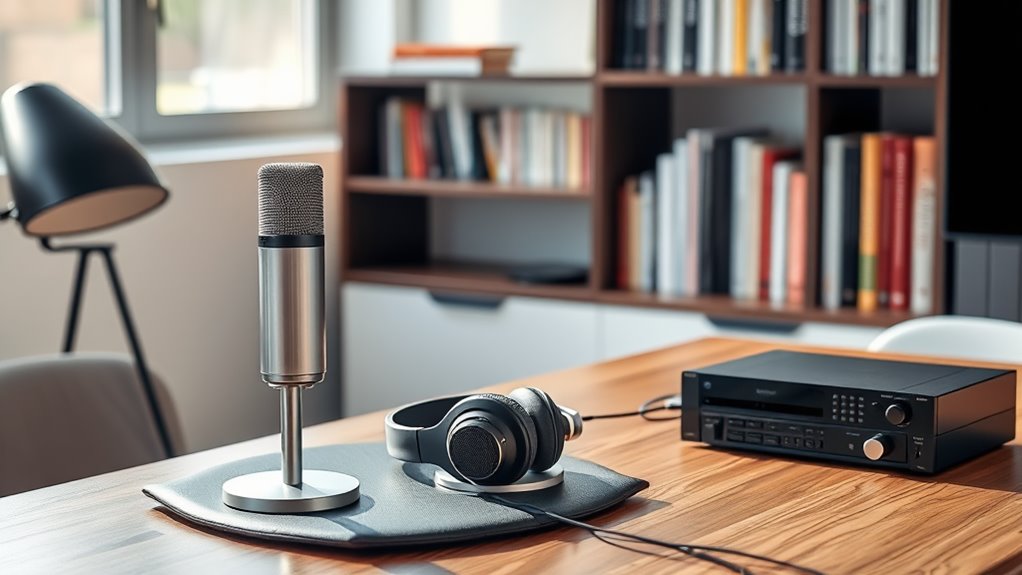
How can you guarantee your virtual meetings are effective? By investing in high-quality audio equipment. Clear communication is vital, and poor audio can hinder your message.
Start with a reliable microphone. A USB condenser mic or a lavalier mic can greatly enhance your voice clarity, making it easier for others to understand you.
Don’t forget about headphones; they keep you focused and prevent echo during discussions. Look for noise-canceling options to minimize distractions.
Additionally, consider using a pop filter to reduce unwanted sounds.
Finally, test your setup before meetings to confirm everything works smoothly. When you prioritize audio quality, you’ll elevate your communication and leave a lasting impression in your virtual interactions.
Video Setup Essentials for Professional-Looking Content

What’s the key to creating professional-looking video content from your home office? It starts with the right video setup. You need a good quality camera, ideally a DSLR or mirrorless, to capture crisp images. A sturdy tripod will stabilize your shots, preventing shaky footage. Don’t forget a clean backdrop—this keeps the focus on you.
Here’s a quick overview of the essentials:
| Equipment | Purpose |
|---|---|
| Camera | Captures high-quality video |
| Tripod | Stabilizes your camera |
| Microphone | Enhances audio quality |
| Backdrop | Creates a professional look |
| Webcam | For quick, easy streaming |
Investing in these essentials will elevate your video production and engage your audience effectively.
Efficient Lighting Solutions for Enhanced Visibility
Have you ever wondered why good lighting can make or break your video quality? It’s simple: proper lighting enhances visibility and creates a professional look.
Start by investing in softbox lights or LED panels that provide even illumination without harsh shadows. Position them at 45-degree angles to your face for the best results.
Invest in softbox lights or LED panels for even illumination, positioning them at 45-degree angles for optimal results.
Natural light is also a great option, so if possible, set up near a window during the day. Don’t forget about backlighting; it adds depth and dimension to your videos.
Finally, consider using dimmable lights to adjust the brightness based on your scene. With the right lighting solutions, you’ll elevate your content and keep your audience engaged.
Productivity Tools to Streamline Your Workflow
In today’s fast-paced work environment, productivity tools are essential for streamlining your workflow and maximizing efficiency.
With the right tools, you can focus more on creating and less on managing tasks.
Here are four must-have tools to contemplate for your home office:
- Task Management Apps – Tools like Trello or Asana help you organize tasks and collaborate effortlessly.
- Time Tracking Software – Use apps like Toggl to monitor how much time you spend on different projects.
- Cloud Storage Solutions – Services like Google Drive guarantee your files are accessible from anywhere.
- Note-Taking Applications – Apps like Evernote help you capture ideas quickly and keep your notes organized.
Integrating these tools will enhance your productivity and keep you on track.
Frequently Asked Questions
What Is the Ideal Room Size for a Home Office Setup?
The ideal room size for a home office is around 100 to 150 square feet. This gives you enough space for furniture, storage, and movement, ensuring you stay productive and comfortable during your work hours.
How Can I Reduce Background Noise in My Recording Space?
To reduce background noise in your recording space, try using soundproofing materials like foam panels, carpets, and curtains. You can also position your microphone closer to you and choose quieter times for recording.
What Are the Best Plants for Improving Air Quality in My Office?
To improve your office’s air quality, consider adding snake plants, peace lilies, or spider plants. They’re low-maintenance, thrive indoors, and effectively filter toxins, making your workspace healthier and more pleasant for you.
How Often Should I Clean My Equipment for Optimal Performance?
You should clean your equipment regularly to guarantee peak performance. Aim for a quick wipe-down weekly and a deep clean monthly. Keeping your gear dust-free helps maintain its functionality and prolongs its lifespan.
What Color Schemes Enhance Creativity and Focus in a Workspace?
Color schemes like soft blues and greens promote calmness, while vibrant yellows and oranges spark creativity. You’ll find that combining these colors can boost your focus and inspire innovative ideas in your workspace.