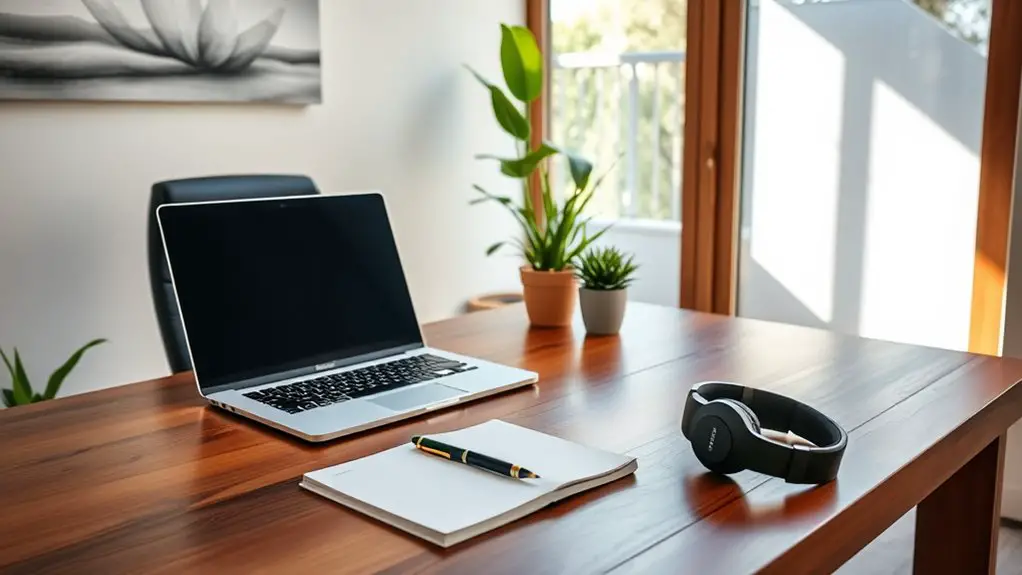
To succeed while working from home, invest in ergonomic furniture like a supportive chair and a height-adjustable desk to keep comfortable. Pair this with essential tech gadgets, including a reliable laptop, high-quality monitor, and ergonomic keyboard. Make certain you have high-speed internet for seamless connectivity. Don’t overlook organizational tools to keep your workspace clutter-free and wellness items like good lighting and plants to create a calming atmosphere. There’s more to explore in creating your ideal home office setup.
Key Takeaways
- Invest in ergonomic furniture like a supportive chair and height-adjustable desk to promote comfort and good posture.
- Equip yourself with essential tech gadgets, including a reliable computer and quality monitor for efficient multitasking.
- Ensure a fast and stable internet connection with at least 25 Mbps for seamless communication and productivity.
- Utilize organizational tools like desk organizers and digital task managers to maintain a clutter-free workspace and enhance focus.
- Incorporate wellness items such as plants and good lighting to create a calming and productive work environment.
Ergonomic Furniture: The Foundation of Comfort

When it comes to working from home, ergonomic furniture is your best ally for comfort and productivity. You’ll want a chair that supports your back and encourages good posture, preventing strain during long hours.
A height-adjustable desk lets you switch between sitting and standing, helping you stay energized and focused. Consider a keyboard and mouse that reduce wrist strain, keeping your hands comfortable.
Also, invest in a monitor stand to position your screen at eye level, reducing neck fatigue. These investments not only enhance your comfort but also boost your efficiency.
Essential Tech Gadgets for Productivity

In a home office, the right tech gadgets can greatly enhance your productivity. A reliable laptop or desktop is essential, but don’t overlook the power of a quality monitor. A larger screen can help you manage multiple tasks more efficiently.
Invest in a comfortable, ergonomic keyboard and mouse to prevent strain during long work sessions. Noise-canceling headphones can keep distractions at bay, helping you focus on your tasks. Additionally, a good webcam is vital for virtual meetings, ensuring you present yourself professionally.
Consider a smart speaker to set reminders and control your environment hands-free. Finally, portable chargers are lifesavers for keeping your devices powered throughout the day. Equip yourself with these gadgets to maximize your work-from-home success.
High-Speed Internet: Staying Connected

While the right tech gadgets can elevate your work-from-home experience, having a fast and reliable internet connection is just as important. Without it, video calls can lag, files may take forever to upload, and your productivity can take a hit.
First, check your internet speed to guarantee it meets your needs. Aim for at least 25 Mbps for seamless streaming and conference calls. If you’re sharing the connection with family members, you might need even more.
Consider investing in a quality router to enhance your Wi-Fi coverage and stability. Finally, don’t forget to secure your network with a strong password to protect your data. Staying connected effectively is vital for a successful remote work environment.
Organizational Tools for a Clutter-Free Workspace
To maintain a productive work-from-home environment, you need effective organizational tools that help keep your workspace clutter-free.
The right tools not only streamline your tasks but also enhance focus and creativity. Here are a few essentials to evaluate:
Effective organizational tools can boost productivity while fostering creativity and focus in your work-from-home environment.
- Desk organizers: Use trays or compartments to separate documents, pens, and office supplies, making them easily accessible.
- Digital task managers: Applications like Trello or Asana can help you track projects and deadlines, keeping your workload manageable.
- Cable management solutions: Invest in cable clips or sleeves to prevent tangled cords from taking over your desk space.
Wellness Items to Promote a Healthy Work-Life Balance
Creating a balanced work-life environment is essential for your well-being, and incorporating wellness items into your home office can make a significant difference.
Start with a comfortable chair that supports good posture, reducing fatigue during long hours. Invest in a standing desk or a desk converter to switch positions throughout the day.
Don’t forget about lighting—natural light is ideal, but a good desk lamp can help too. Add a few plants to purify the air and create a calming atmosphere.
Consider using essential oil diffusers or aromatherapy candles to enhance relaxation. Finally, set reminders for short breaks to stretch or meditate, ensuring you recharge your mind and body.
These items will help you maintain a healthy work-life balance.
Frequently Asked Questions
What Should I Consider When Choosing a Home Office Location?
When choosing a home office location, consider natural light, noise levels, and comfort. Guarantee you can minimize distractions, maintain a productive atmosphere, and have easy access to necessary resources to enhance your work experience.
How Can I Reduce Distractions While Working From Home?
To reduce distractions while working from home, create a dedicated workspace, set clear boundaries with others, use noise-canceling headphones, and establish a routine that minimizes interruptions. Stay focused on your tasks and prioritize productivity.
What Is the Importance of a Dedicated Workspace?
Having a dedicated workspace helps you focus and boosts productivity. It signals to your brain that it’s time to work, minimizing distractions and creating a routine that enhances your overall work performance and efficiency.
How Do I Maintain Work-Life Boundaries in a Remote Setup?
To maintain work-life boundaries in a remote setup, you need to set clear work hours, create a distinct workspace, and communicate your availability. It helps you stay focused and prevents work from spilling into personal time.
Can I Use My Personal Laptop for Work Purposes?
Yes, you can use your personal laptop for work, but check with your employer first. Verify it meets security standards and software requirements. Keep personal and work files organized to maintain productivity and minimize distractions.