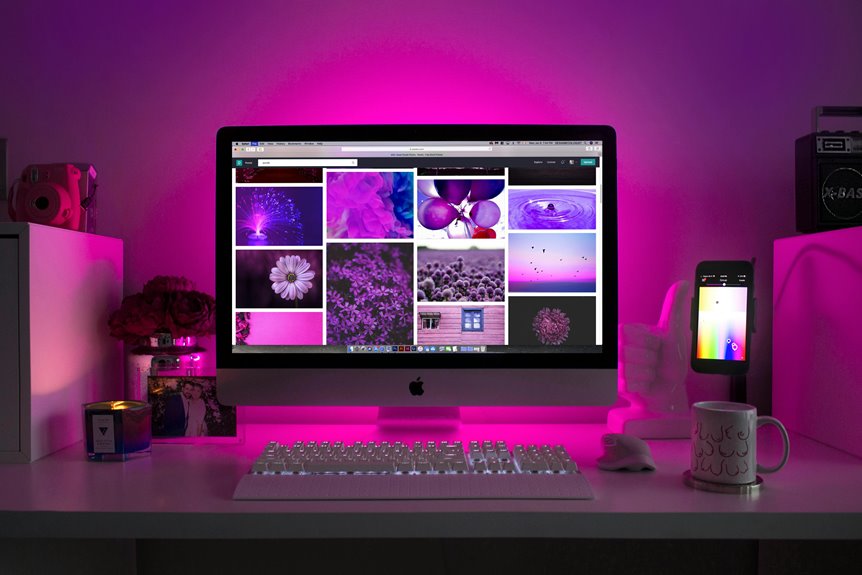
When you think about gaming monitors, you might not immediately consider their benefits for work. However, these monitors pack features designed to boost productivity and comfort. From high refresh rates to exceptional color accuracy, they can transform your workspace. You might be surprised by how these elements can enhance your daily tasks. But what specific features should you look for to maximize your efficiency? Let's explore.
Key Takeaways
- High refresh rates, such as 144 Hz or 240 Hz, enhance fluidity for multitasking and graphic design, reducing lag during transitions.
- Exceptional color accuracy ensures true-to-life color reproduction, crucial for photo editing and creative projects.
- Ergonomic designs, including adjustable height and blue light filters, improve posture and reduce eye strain for prolonged use.
- Enhanced resolution, especially 1440p or 4K, provides sharper images and finer details for professional work and gaming.
- Multiple connectivity options, like HDMI and USB-C, facilitate seamless device switching and reduce cable clutter in the workspace.
Exceptional Color Accuracy for Visual Tasks
When you're working on visual tasks, having a monitor with exceptional color accuracy can make all the difference.
You'll notice colors that are true to life, which is crucial when editing photos or designing graphics. A monitor that accurately reproduces hues and shades helps you achieve your creative vision without the frustration of mismatched colors.
You'll find that tasks like color grading or digital painting become more intuitive, allowing for better results and faster workflows.
Additionally, a high color gamut ensures that you can see a broader range of colors, enhancing your ability to make precise adjustments.
Ultimately, investing in a monitor with superior color accuracy means your visual projects will shine while saving you time and effort.
High Refresh Rates for Smooth Navigation
While you might not think of refresh rates as a key factor for work, they can significantly enhance your navigation experience. A high refresh rate means smoother transitions when switching between tasks, reducing lag and making it easier to manage multiple windows. This is especially beneficial when you're multitasking or working on detailed projects.
| Refresh Rate | Benefits | Ideal For |
|---|---|---|
| 60 Hz | Basic smoothness | General office work |
| 120 Hz | Improved fluidity | Graphic design |
| 144 Hz | Almost no motion blur | Video editing |
| 240 Hz | Exceptional clarity | Fast-paced tasks |
Investing in a monitor with a higher refresh rate can lead to a more efficient workflow and a more enjoyable work environment.
Ergonomic Designs for Comfortable Use
When you're working long hours, comfort is key, and ergonomic designs can make a big difference.
Adjustable height options let you set your monitor at the perfect eye level, while blue light filters and anti-glare coatings help reduce eye strain.
Prioritizing these features can transform your workspace into a more enjoyable environment.
Adjustable Height Options
Adjustable height options in gaming monitors significantly enhance ergonomic designs, allowing you to customize your workspace for maximum comfort.
By positioning your monitor at the right height, you can reduce neck strain and improve your overall posture while working or gaming.
Here are some key benefits of adjustable height features:
- Reduced Neck and Eye Strain: You can align the monitor with your line of sight.
- Enhanced Comfort: Adjusting the height lets you find your ideal viewing position.
- Flexibility for Multiple Users: Easily accommodate different preferences if you share your workspace.
- Increased Productivity: A comfortable setup can help you focus better and work more efficiently.
Investing in a gaming monitor with adjustable height options is a smart choice for both work and play.
Blue Light Filters
Alongside adjustable height options, blue light filters in gaming monitors play a vital role in creating a comfortable workspace.
These filters reduce the amount of blue light emitted by the screen, which can help prevent eye strain and fatigue during long hours of work. If you often find yourself staring at a monitor for extended periods, incorporating a blue light filter can make a noticeable difference in your comfort level.
You'll likely experience fewer headaches and improved sleep quality by minimizing blue light exposure, especially in the evening. Most modern gaming monitors come with built-in blue light filter settings, allowing you to easily adjust the level based on your needs.
Prioritize this feature for a healthier, more productive work environment.
Anti-Glare Coatings
While you may not always notice it, glare from ambient light can significantly impact your work experience on a gaming monitor. This is where anti-glare coatings come into play. These coatings reduce reflections and enhance your visibility, making it easier to focus on your tasks without straining your eyes.
Here are some benefits of anti-glare coatings:
- Improved visibility in bright environments
- Reduced eye strain during long working hours
- Enhanced color accuracy for design work
- Overall comfort in various lighting conditions
Multiple Connectivity Options for Versatility
When choosing a gaming monitor for work, having multiple connectivity options can significantly enhance your versatility.
You'll want to ensure your monitor supports various ports like HDMI, DisplayPort, and USB-C. This way, you can easily connect it to different devices, whether it's a laptop, desktop, or even a gaming console. Having these options allows you to switch between devices seamlessly, boosting your productivity.
Additionally, look for monitors with built-in USB hubs for quick access to peripherals, like keyboards and mice. This feature can simplify your workspace and reduce cable clutter.
Ultimately, the right connectivity options not only improve convenience but also ensure you can adapt to different work scenarios effortlessly.
Adaptive Sync Technology to Reduce Screen Tearing
Having multiple connectivity options sets the stage for an optimal gaming monitor experience, but performance features like adaptive sync technology truly elevate it. This technology helps eliminate screen tearing, ensuring smoother visuals during intense gaming sessions or multitasking.
You'll appreciate how it synchronizes the monitor's refresh rate with your GPU's frame rate, providing a seamless experience.
Here are some key benefits of adaptive sync technology:
- Fluid Motion: Enjoy smoother graphics and reduced stutter.
- Less Input Lag: Experience more responsive gameplay.
- Enhanced Visual Quality: Get sharper images without tearing.
- Versatile Compatibility: Works with various GPUs for flexibility.
With adaptive sync, your gaming monitor becomes a powerful tool for both work and play.
Enhanced Resolution for Detailed Workspaces
To maximize your productivity, enhanced resolution in gaming monitors can make a significant difference in your workspace. With higher pixel density, you'll see sharper images and finer details, making tasks like graphic design, video editing, or data analysis much easier.
Here's a quick comparison of common resolutions:
| Resolution | Benefits | Ideal Use Cases |
|---|---|---|
| 1080p | Good for everyday tasks | Office work, browsing |
| 1440p | Better clarity and detail | Gaming, design work |
| 4K | Exceptional detail and sharpness | Professional editing, CAD |
Investing in a monitor with higher resolution can reduce eye strain and improve your workflow, helping you stay focused and efficient throughout your day.
Frequently Asked Questions
Can Gaming Monitors Be Used for Non-Gaming Tasks Effectively?
Absolutely! You can use gaming monitors for non-gaming tasks effectively. Their high refresh rates, vibrant colors, and ergonomic designs enhance productivity, making tasks like video editing or multitasking smoother and more enjoyable without sacrificing quality.
How Do I Choose the Right Screen Size for My Workspace?
To choose the right screen size for your workspace, consider how much desk space you have and your viewing distance. A larger screen enhances productivity, but ensure it fits comfortably without overwhelming your setup.
Are Gaming Monitors More Expensive Than Traditional Office Monitors?
Yes, gaming monitors tend to be more expensive than traditional office monitors. They often include advanced features like higher refresh rates and better color accuracy, which can drive up the price compared to standard models.
What Brands Are Best Known for Quality Gaming Monitors?
When it comes to quality gaming monitors, brands like ASUS, Acer, and Dell stand out. You'll find excellent performance and vibrant displays in their offerings. Check reviews to find the perfect monitor that fits your needs.
How Do I Adjust Settings for Optimal Work Performance?
To adjust settings for optimal work performance, you'll want to tweak brightness, contrast, and color temperature. Make sure your refresh rate is set high and enable any blue light filtering options to reduce eye strain.