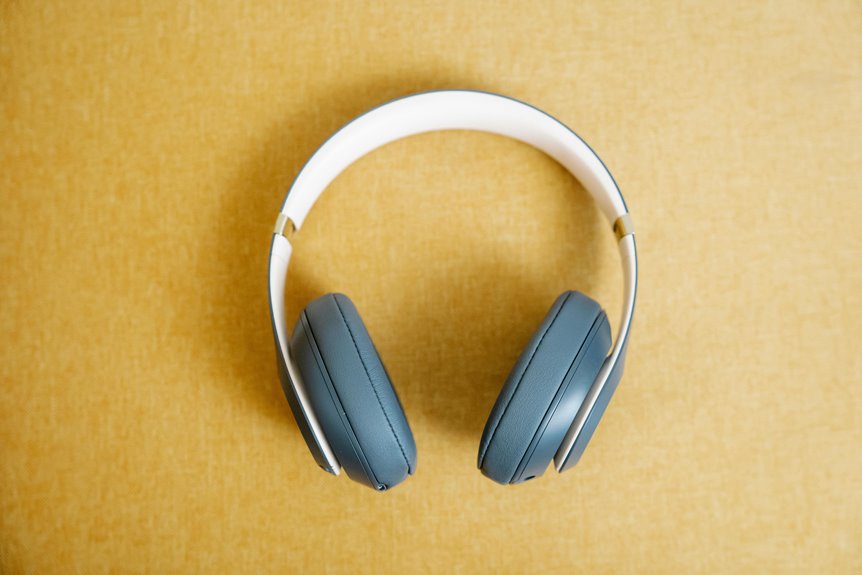
Background noise can ruin your audio experience, but you can take charge! Start by choosing a closed-back headset for better sound isolation. Use noise-canceling features correctly by ensuring a snug fit and minimizing external distractions. Adjust your audio settings like the equalizer to match your favorite genres for ideal sound. Finally, create a quieter space by turning off noisy devices and adding soft furnishings. You’ll discover even more ways to elevate your listening experience next!
Key Takeaways
- Choose closed-back headsets for better ambient sound blocking compared to open-back models.
- Ensure a snug fit with memory foam ear pads to enhance noise isolation during use.
- Regularly adjust noise-canceling settings and explore different modes for various environments.
- Fine-tune audio settings like equalizer and stereo balance to improve sound quality.
- Create a quieter environment by minimizing distractions and using soft furnishings to absorb sound.
Understanding Background Noise and Its Impact
When you’re trying to focus or enjoy your favorite tunes, background noise can really throw you off. It disrupts your concentration, making it hard to immerse yourself in your work or music.
You might find yourself constantly distracted by conversations, traffic sounds, or even the hum of appliances. This auditory clutter not only lowers your productivity but also affects your mood.
Research shows that excessive background noise can lead to increased stress and fatigue, making it essential to manage your environment. By understanding how background noise impacts your experience, you can take steps to mitigate its effects.
Excessive background noise can elevate stress and fatigue, highlighting the importance of managing your environment for better focus.
Recognizing these distractions empowers you to create a more conducive atmosphere for work or relaxation, enhancing your overall enjoyment and focus.
Choosing the Right Headset for Noise Isolation
Finding the right headset can make a significant difference in managing background noise and enhancing your listening experience.
When choosing a headset, consider the type of noise isolation you need. Closed-back designs typically block out more ambient sound, while open-back models may let in some noise but offer a more natural sound.
Look for comfortable fit and adjustable features, as you’ll want to wear them for extended periods. Check the materials; memory foam ear pads can improve both comfort and isolation.
Finally, try to test different models in noisy environments to see how well they perform. By focusing on these factors, you’ll find a headset that suits your needs and helps you enjoy your audio without distractions.
Utilizing Noise-Canceling Technology Effectively
Many people underestimate the power of noise-canceling technology and how it can transform your listening experience.
To get the most out of your headphones, follow these tips:
- Adjust settings: Confirm your noise-canceling feature is activated and fine-tuned. Some headsets offer different modes for various environments.
- Find the right fit: A snug fit helps to enhance noise isolation. Make sure your headphones seal properly around your ears to maximize effectiveness.
- Limit background noise: While noise-canceling tech works wonders, it’s still beneficial to minimize external sounds. Choose quieter environments when possible for a superior experience.
Enhancing Your Listening Experience With Audio Settings
To truly enhance your listening experience, diving into your audio settings can make a significant difference.
Start by adjusting the equalizer to suit your music genre; whether you prefer bass-heavy beats or crystal-clear vocals, tailoring the settings can elevate your enjoyment.
Adjusting your equalizer to match your music genre can significantly enhance your listening pleasure, whether you love deep bass or clear vocals.
Don’t overlook the balance and stereo settings—ensuring sound is evenly distributed can create a more immersive experience.
If your headset offers surround sound options, experiment with them to see what works best for your content.
Additionally, check for any audio enhancements your device provides, like virtual sound or spatial audio features.
You might be surprised how a few tweaks can transform your listening experience, making every song or podcast feel more vibrant and engaging.
Tips for Creating a Quieter Environment
While you might love your music or podcasts, external noise can easily disrupt your listening experience. To create a quieter environment, consider these simple tips:
1. Choose the Right Space: Find a room with minimal foot traffic and away from noisy appliances.
Soft furnishings can help absorb sound, making it cozier.
2. Use Noise-Canceling Devices****: Invest in quality noise-canceling headphones.
They actively block out unwanted sounds, allowing you to focus on what you love.
3. Limit Distractions: Turn off devices that create background noise, like TVs or air conditioning, when you want to immerse yourself in your audio world.
Frequently Asked Questions
Can Background Noise Affect My Headset’s Battery Life?
Yes, background noise can affect your headset’s battery life. When noise-cancellation features activate to block out sounds, they draw more power, which can lead to quicker battery drain during extended use.
How Do I Clean My Headset to Reduce Noise Interference?
To clean your headset and reduce noise interference, gently wipe the ear cushions and microphone with a soft cloth. Use compressed air to clear debris from ports. Regular maintenance keeps your sound crisp and clear.
Are Wired Headsets Better for Noise Isolation Than Wireless?
Wired headsets often provide better noise isolation than wireless ones because they have a direct connection, minimizing interference. However, the quality of materials and design also plays an essential role in overall performance.
Can I Use Noise-Canceling Features While Making Phone Calls?
Yes, you can use noise-canceling features during phone calls, but it depends on your device. Make certain your headset supports this function, and test it out to guarantee you’re getting the best experience.
What Are the Signs of a Failing Noise-Canceling Headset?
If your noise-canceling headset starts letting in more background noise, has decreased battery life, or produces distortion, it’s likely failing. You might also notice irregular sounds or inconsistent cancellation, indicating it’s time for a replacement.