If you’ve ever found yourself asking, “Can you hear me?” during a call, you know the awkwardness all too well. Forgetting to mute leads to unexpected pet noises and chaotic screens, creating unforgettable moments. You’re definitely not alone in dealing with Zoom fatigue and the infamous “business on top, party on the bottom” look. These hilarious scenarios are meme gold. Stick around, and you’ll uncover even more relatable moments that’ll make your work meetings a bit more enjoyable!
Key Takeaways
- Memes about forgetting to unmute capture the universal cringe of asking, “Can you hear me?” while the mic is muted.
- The “business on top, party on the bottom” meme humorously highlights remote workers’ fashion choices during video calls.
- Virtual background fails, like pets interrupting meetings, create hilarious moments that lighten the atmosphere and foster team bonding.
- Juggling multiple screens often leads to chaotic presentations, inspiring relatable memes about the struggles of managing technology during meetings.
- Zoom fatigue is a common theme in memes, showcasing the humorous side of zoning out during long virtual interactions.
The Awkward “Can You Hear Me?” Moment

How many times have you found yourself in a work meeting, staring at your screen, desperately hoping everyone can hear you? You’re not alone! That awkward moment when you realize your mic’s off is all too familiar.
You’re talking away, and suddenly, silence fills the room. You see confused faces staring back at you, and you can’t help but feel the heat rise to your cheeks. “Can you hear me?” you ask, and there’s that brief pause before someone finally responds.
Silence descends as you wonder if anyone can hear you, heat flushing your cheeks in that all-too-familiar moment.
It’s a classic remote work blunder, leading to a chorus of laughter or eye rolls. Those memes capturing this moment are pure gold because they perfectly illustrate our collective struggle.
Let’s embrace the humor as we navigate these virtual pitfalls together!
When You Forget to Mute
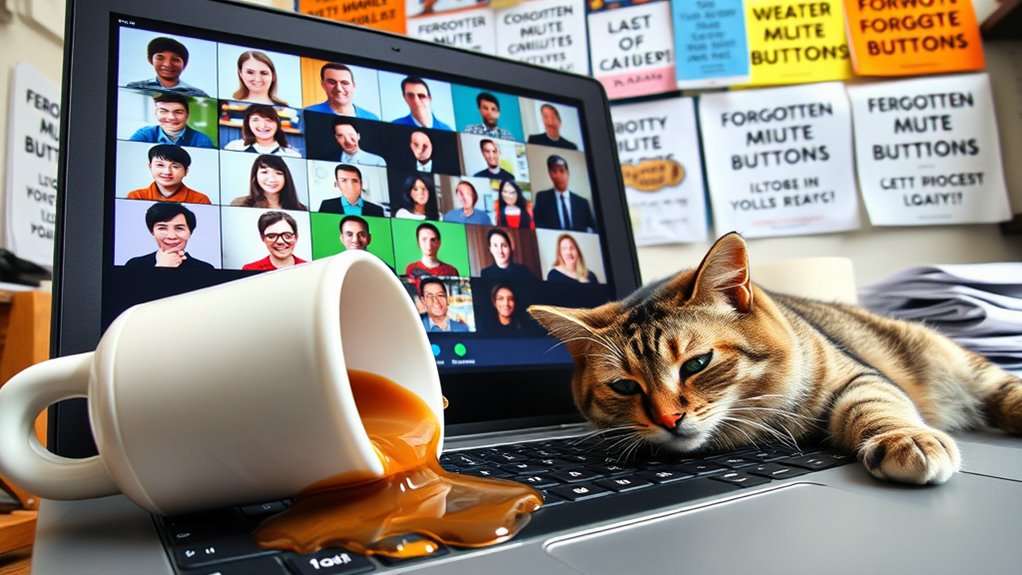
Even when you think you’ve got your mute button under control, there’s always that moment when you forget to hit it. Suddenly, your cat’s meowing or your favorite TV show’s theme song blasts through the call. You cringe as everyone turns to stare, and you can’t help but laugh at the absurdity of it all.
Here’s a fun breakdown of common “unmute” moments:
| Moment | Reaction |
|---|---|
| Cat jumps on keyboard | Laughter |
| Partner asks for help | Awkward silence |
| Food sizzling in pan | “What’s that noise?” |
| Kids fighting nearby | “Sorry, one sec!” |
| Phone rings loudly | Panic and mute! |
Next time, double-check that mute button!
The Struggle of Multiple Screens

After you’ve navigated the chaos of unmuted moments, you might find yourself facing another challenge: managing multiple screens during a work meeting.
Juggling your laptop, tablet, and maybe even a smartphone, it feels like you’re running a tech circus. You glance at one screen for the presentation, another for notes, and yet another for the chat. It’s a recipe for distraction!
Suddenly, you’re sharing your screen but realize you’ve exposed your messy desktop or that embarrassing browser tab. You can’t help but think, “Why do I’ve three screens?”
As your eyes dart around, you wonder if anyone else is struggling too. Let’s face it: with great screens comes great responsibility, and sometimes it’s just too much to handle!
The Classic Cat or Dog Interruption
While you’re trying to focus on important meeting points, your furry friend often has other ideas. Just as you’re diving into a significant discussion, your cat decides it’s the perfect time to jump onto your keyboard, or your dog suddenly needs a bathroom break—right in the middle of your presentation.
You can almost hear the collective chuckle of your colleagues as they witness the chaos. Those “cute interruptions” transform your serious meeting into a comedy show, leaving you torn between embarrassment and laughter.
It’s a classic scenario that every remote worker knows too well. You can’t help but grin as you realize your pet’s antics have lightened the mood, reminding everyone that life at home isn’t always business as usual.
The Relatable “Can You See My Screen?
How many times have you found yourself in a meeting, only to hear the dreaded question, “Can you see my screen?”
The moment you share your screen, there’s always that slight pause, followed by the anxious glances as everyone waits for the inevitable technical hiccup. You can almost hear the collective breath being held. Did you remember to share the right window? Is the presentation even up?
And just when you think it’s safe, someone chimes in, “We can’t see it!” Cue the frantic clicking and fumbling. You’ve got a million tabs open, and your heart races as you navigate through them.
It’s a shared experience that unites remote workers, reminding us all that technology can be both a lifesaver and a headache!
Zoom Fatigue: We’ve All Been There
You know the feeling: endless screen time has you zoning out during meetings.
Awkward interactions and technical glitches only add to the frustration, making it hard to stay engaged.
Let’s face it, we’ve all experienced Zoom fatigue at some point!
Endless Screen Time
As meetings stretch on into the seemingly endless hours of screen time, it’s no wonder many of us experience a sense of fatigue that feels all too familiar.
You’ve probably found yourself zoning out, nodding along while your mind drifts to lunch plans or that Netflix series you can’t wait to binge. The screen glare can feel like a spotlight, and your eyes start to ache from squinting at tiny thumbnails of colleagues.
You might even catch yourself scrolling through memes to stay awake! Let’s be real; staring at a screen for hours isn’t just tiring; it’s a whole new level of exhausting.
Awkward Virtual Interactions
Ever wondered why virtual meetings often feel more awkward than in-person ones? You might find yourself staring at a grid of faces, trying to gauge reactions without any body language cues.
When someone accidentally speaks over another, the resulting silence can feel like an eternity, leaving you cringing in your seat. And let’s not forget the awkward pauses—everyone hesitates, unsure of who should speak next.
You might even catch yourself talking while others are muted, leading to that classic “Oops, sorry!” moment. Plus, the struggle of maintaining eye contact with a camera instead of fellow teammates can throw you off your game.
It’s no wonder that Zoom fatigue is real; these interactions can be both exhausting and hilariously awkward!
Technical Glitches Galore
What happens when the technology you rely on decides to take a day off? You’re left staring at a frozen screen, wondering if anyone else can hear your desperate attempts to communicate.
You’ve been there—your camera’s on, but you’re stuck in a pixelated limbo. As you fumble with settings, you realize you’ve missed half the meeting. You’re not alone; everyone’s battling the same glitches.
Suddenly, someone’s voice echoes like a ghost, while others are stuck in a mute battle. Those awkward pauses feel endless, and you can’t help but laugh at the absurdity.
Zoom fatigue hits hard, but at least you can share memes about it later, uniting in this digital chaos. Here’s to surviving another glitchy meeting!
The Virtual Background Fails
We’ve all seen those hilarious virtual background fails during meetings that can turn a serious moment into a laugh fest.
Whether it’s a cat walking across your screen or your attempt at a tropical paradise gone wrong, these creative choices often backfire.
Let’s share some of the best Zoom fail moments that left everyone in stitches!
Zoom Fail Moments
How often have you found yourself stifling laughter during a serious work meeting because of a colleague’s unexpected virtual background fail? You know the moments: someone tries to look professional but ends up with an outrageous beach scene behind them, or worse, a background that accidentally reveals their messy living room.
It’s hard not to chuckle when someone’s cat strolls through their virtual office, completely oblivious to the meeting. Those awkward freezes, when everyone’s left staring at a blurry image or an unexpected meme, make for unforgettable Zoom fail moments.
You can’t help but share the hilarity with coworkers later. It’s these little mishaps that remind you, even in a professional setting, laughter is the best way to connect remotely.
Creative Background Choices
While you might think a virtual background can add a touch of professionalism to your video calls, it often leads to hilarious mishaps that leave everyone in stitches.
You’ve probably seen some epic fails that make meetings unforgettable. Here are a few creative background choices that can go hilariously wrong:
- Tropical Paradise – You end up looking like you’re floating in a pool during a serious discussion.
- Outer Space – Your head might disappear into a starry void, leaving everyone confused.
- Famous Landmarks – You get cut off at the waist, making it seem like you’re part of a statue.
- Messy Room – Your background unexpectedly reveals your laundry pile, proving you’re not as organized as you’d hoped.
Embrace the chaos!
The Unintentional Video Call Fashion Statement
As your video call lights up, you mightn’t realize that your pajama bottoms are making a bold fashion statement. You’ve got a crisp shirt and perfectly styled hair on top, while your lower half screams comfort.
It’s a classic remote worker look that’s taken the internet by storm. You can’t help but chuckle when you spot memes highlighting the “business on top, party on the bottom” trend. Everyone’s been there, and it’s become a badge of honor.
You’ve mastered the art of blending casual and professional, even if it’s unintentional. So, the next time you log on, embrace your unique style. After all, who says you can’t rock those fluffy pajama pants while crushing your work goals?
Frequently Asked Questions
How Can I Improve My Video Call Etiquette?
To improve your video call etiquette, guarantee you’re dressed appropriately, minimize distractions, and maintain eye contact. Mute when not speaking, and be concise. Actively listen and engage; it shows respect for everyone involved.
What Are the Best Tools for Remote Meetings?
For remote meetings, you’ll want reliable tools like Zoom for video calls, Slack for messaging, and Trello for project management. These platforms enhance collaboration, ensuring your team stays connected and productive, no matter where you are.
How Do I Handle Distractions During Virtual Meetings?
To handle distractions during virtual meetings, you can mute notifications, create a dedicated workspace, and set clear boundaries with others. Staying engaged and taking notes also helps maintain focus and minimize interruptions effectively.
What Should I Do if My Internet Connection Drops?
If your internet connection drops, stay calm. Quickly reconnect or switch to your phone’s data. Notify your team via chat or email, and review meeting notes later to catch up on what you missed.
How Can I Make Meetings More Engaging for Participants?
To make meetings more engaging, try incorporating interactive polls, breakout sessions, or icebreakers. Encourage participation by asking questions and inviting input. Keep your agenda clear and concise, and vary your presentation style to maintain interest.