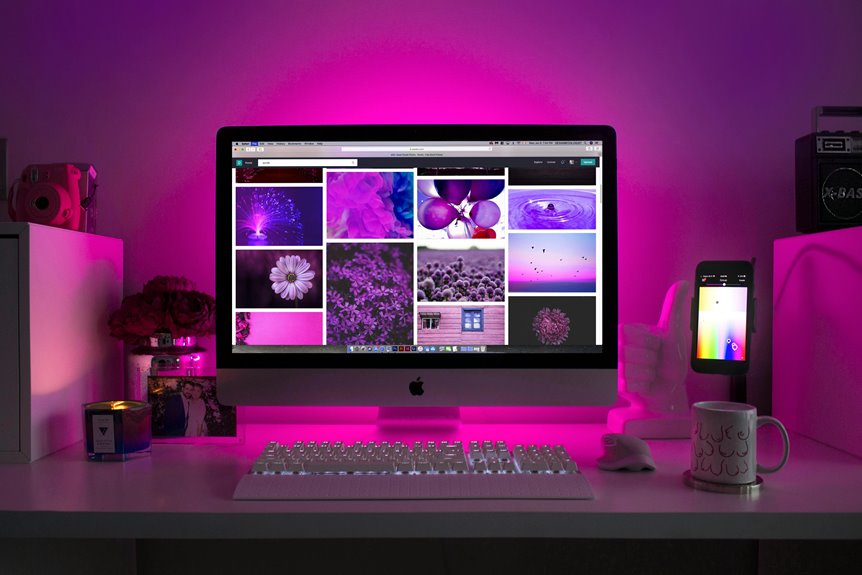
A curved monitor light bar enhances your home office by improving focus and concentration, thanks to its uniform lighting that reduces glare. It alleviates eye strain and fatigue, allowing you to work longer comfortably. With adjustable brightness and color temperature, you can personalize your lighting for various tasks. Plus, its sleek design boosts your workspace’s aesthetics while saving energy. If you want to explore more benefits and features, there’s plenty more to uncover.
Key Takeaways
- Curved monitor light bars provide uniform lighting, improving focus and concentration while reducing shadows and glare for enhanced productivity.
- They significantly reduce eye strain and fatigue, allowing for longer work sessions without discomfort.
- The sleek design adds aesthetic appeal to your workspace, fostering a calming and inspiring atmosphere.
- Adjustable brightness and color temperature create a personalized lighting experience that caters to different tasks and preferences.
- Easy installation and energy-efficient LED technology lower costs and streamline your home office setup, promoting organization and efficiency.
Improved Focus and Concentration
When you’re working in a well-lit environment, it’s easier to maintain focus and concentration. A curved monitor light bar can greatly enhance your workspace by providing uniform lighting that reduces shadows and glare.
This setup helps you see your screen more clearly, allowing you to immerse yourself in tasks without distraction. You’ll notice that your productivity increases as you’re less likely to squint or strain to see details.
With the right lighting, you’ll feel more alert and engaged, making it simpler to tackle complex projects. Additionally, the soft glow of a light bar creates a comfortable ambiance that encourages longer work sessions without the fatigue often caused by harsh overhead lights.
The right lighting keeps you alert and engaged, allowing for longer, more productive work sessions without the strain of harsh overhead lights.
Transform your home office, and you’ll see the difference.
Reduced Eye Strain and Fatigue
A well-lit workspace not only boosts focus but also plays an essential role in reducing eye strain and fatigue.
When you use a curved monitor light bar, it directs light onto your screen without causing glare. This helps your eyes stay comfortable, especially during long hours of work. The even distribution of light minimizes harsh shadows and bright spots, allowing your eyes to adjust more easily. You’ll notice less squinting and straining, making it easier to maintain your productivity.
Additionally, the soft illumination can create a more inviting atmosphere, encouraging you to stay at your desk longer without feeling drained. With the right lighting, you can keep your eyes relaxed and focused, enhancing your overall work experience.
Enhanced Aesthetics and Workspace Ambiance
While you focus on your work, the aesthetic appeal of your workspace can greatly enhance your mood and productivity.
A curved monitor light bar adds a sleek, modern touch to your setup, transforming an ordinary desk into a stylish environment. Its design complements the contours of your monitor, creating a cohesive look that draws the eye.
With soft, ambient lighting, it helps to create a calming atmosphere that encourages creativity and focus. You’ll notice how the right lighting can elevate your space, making it feel more inviting and inspiring.
Adjustable Brightness and Color Temperature
With adjustable brightness and color temperature, you can create a personalized lighting experience that suits your needs.
This flexibility not only enhances your focus but also boosts your overall comfort while working.
Whether you prefer a warm glow for relaxation or bright light for productivity, you’ve got options to fit every task.
Personalized Lighting Experience
When you customize the brightness and color temperature of your curved monitor light bar, you create an environment that enhances your productivity and comfort.
You can easily adjust the light to suit your working style, whether you need bright, cool light for focused tasks or warm, soft lighting for relaxed reading. This flexibility helps reduce eye strain, especially during long hours in front of your screen.
Plus, by setting the right ambiance, you can boost your mood and maintain your energy levels throughout the day. Experiment with different settings until you find the perfect balance, allowing you to tailor your workspace to your personal preferences.
A personalized lighting experience can truly transform your home office setup.
Enhanced Focus and Comfort
Customizing the brightness and color temperature of your curved monitor light bar not only personalizes your workspace but also greatly enhances focus and comfort.
By adjusting the brightness, you can reduce glare and eye strain, making long hours at your desk much more bearable. A warm color temperature creates a cozy atmosphere, promoting relaxation, while a cooler tone helps you stay alert and engaged.
This flexibility allows you to tailor your lighting to suit different tasks, whether you’re brainstorming creative ideas or diving into detailed reports.
With the right lighting, you’ll find yourself more productive and less fatigued, ultimately transforming your home office into a space that supports both your work and well-being.
Easy Installation and Compatibility
Although setting up a curved monitor light bar may seem challenging, it’s actually a straightforward process that anyone can tackle. Most models come with user-friendly instructions, so you won’t need advanced tech skills.
Typically, you’ll find a clip or a magnetic mount that securely attaches the light bar to the top of your monitor.
Compatibility is also a breeze; these light bars are designed to fit various monitor sizes and shapes. Whether you’ve got an ultrawide or a standard model, you’ll likely find a perfect match.
Plus, many light bars connect via USB, making them compatible with most computers. So, you can enhance your workspace without stress, enjoying improved lighting with minimal effort.
Increased Desk Space and Organization
When it comes to your home office, maximizing desk space is essential for productivity.
You can use cable management solutions and clutter reduction techniques to create a more organized workspace. This not only frees up surface area but also enhances your overall work environment.
Maximizing Surface Area
To create an efficient home office, maximizing surface area is essential for increased desk space and organization. A curved monitor light bar can help you achieve this by freeing up valuable desk real estate and enhancing your workspace’s overall aesthetics.
Here are four strategies to take into account:
- Mount your monitor: Elevating your monitor off the desk opens up space for other essentials.
- Utilize vertical storage: Shelves and organizers can keep your items accessible without cluttering your desk.
- Incorporate multi-functional furniture: Use desks with built-in storage or foldable designs for flexibility.
- Keep only the essentials: Limit desk items to those you use daily, reducing distractions and increasing focus.
These tips can transform your workspace into a more organized and efficient environment.
Cable Management Solutions
As you set up your home office, effective cable management can considerably enhance your desk space and organization. By keeping cables tidy, you not only create a cleaner look but also maximize your available workspace. Consider using cable clips, sleeves, or trays to manage cords efficiently. Here’s a simple overview of options you might find useful:
| Solution | Benefits |
|---|---|
| Cable Clips | Keeps cables in place, prevents tangling |
| Cable Sleeves | Protects and organizes multiple cables |
| Cable Trays | Hides cables under the desk, saves space |
| Velcro Straps | Allows easy adjustment and re-routing |
| Adhesive Hooks | Lets you mount cables on walls or surfaces |
Implementing these strategies can lead to a more functional and appealing workspace.
Clutter Reduction Techniques
While it might seem challenging to keep your home office organized, implementing clutter reduction techniques can considerably increase your desk space and enhance productivity.
Here are some effective strategies to evaluate:
- Declutter Regularly: Set aside time weekly to remove unnecessary items from your desk.
- Utilize Vertical Space: Install shelves or wall organizers to free up valuable desk real estate.
- Adopt Minimalism: Keep only essential tools and decor on your desk to create a clean workspace.
- Smart Storage Solutions: Use drawers, trays, or boxes to store supplies out of sight while keeping them accessible.
Energy Efficiency and Cost Savings
When you’re looking to enhance your home office setup, energy efficiency and cost savings should be at the top of your list.
A curved monitor light bar can greatly reduce your energy consumption compared to traditional lighting options. These light bars use LED technology, which not only consumes less power but also lasts longer, saving you money on replacements.
Frequently Asked Questions
Can a Curved Monitor Light Bar Improve Video Calls?
Yes, a curved monitor light bar can greatly improve video calls. It provides even illumination, reducing shadows and glare, which enhances your appearance. You’ll look more professional, making conversations more engaging and effective during virtual meetings.
Are There Specific Brands Recommended for Quality?
When it comes to quality, you can’t go wrong with brands like BenQ, Philips, or Logitech. They offer reliable curved monitor light bars that enhance your workspace, providing ideal lighting for your tasks and video calls.
How Does It Compare to Traditional Desk Lamps?
A curved monitor light bar provides focused, glare-free illumination directly onto your workspace, unlike traditional desk lamps that can create shadows. It’s more efficient, freeing up desk space while enhancing your productivity and comfort during long hours.
Can It Be Used With Multiple Monitors?
Yes, you can definitely use a curved monitor light bar with multiple monitors. It evenly illuminates your workspace, reducing glare and eye strain, making it a great choice for a multi-monitor setup. Enjoy clearer visibility!
What Are the Best Color Temperatures for Productivity?
For productivity, you’ll want to use color temperatures around 5000K to 6500K. These cooler tones mimic daylight, helping you stay alert and focused. Warmer temperatures can be soothing but might make you feel more relaxed.