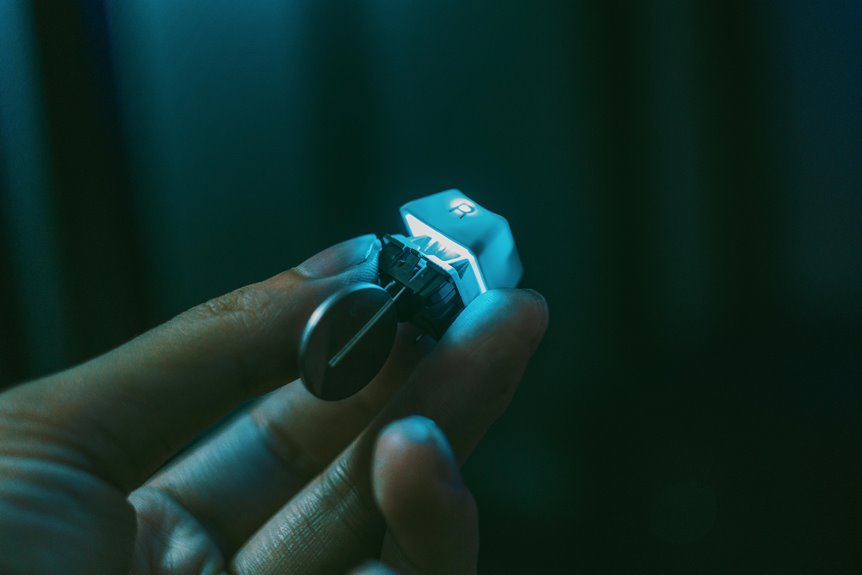
When it comes to typing speed, the type of keyboard switch you choose can make a significant difference. Each switch offers a unique feel and response that can either enhance or hinder your performance. For instance, some users thrive on the smoothness of linear switches, while others might prefer the tactile feedback of a bump. As you explore these options, consider how each switch aligns with your personal typing style and preferences. What you choose could change everything.
Key Takeaways
- Mechanical switch types influence typing speed through their unique characteristics, such as smoothness or tactile feedback.
- Linear switches allow for faster keystrokes due to their smooth operation and lack of tactile resistance.
- Tactile switches provide feedback that can enhance typing accuracy without the distraction of sound, benefiting some users' speed.
- Clicky switches may slow typing speed for some, as the audible feedback can be distracting or require more deliberate keystrokes.
- Personal preference in actuation force and key travel distance significantly impacts overall typing speed and comfort during use.
Understanding Keyboard Switch Types
When exploring keyboard switch types, you'll find that each one offers a unique feel and response, which can greatly impact your typing experience.
Mechanical switches typically fall into three categories: linear, tactile, and clicky. Linear switches provide a smooth keystroke without tactile feedback, making them ideal for fast typing.
Tactile switches offer a noticeable bump at the actuation point, giving you confirmation without a loud click, which some prefer for a balanced feel.
Clicky switches combine tactile feedback with an audible click, enhancing the typing experience for those who enjoy sound cues.
Understanding these differences helps you choose the right switch type that aligns with your personal preferences, allowing for a more enjoyable and efficient typing experience.
The Importance of Actuation Force
Actuation force plays a crucial role in your typing experience, as it determines how much pressure you need to apply to register a keystroke. If the actuation force is too heavy, you might find yourself fatigued after long typing sessions.
Conversely, if it's too light, you may accidentally trigger keys, leading to typos and frustration. Finding the right balance is key to enhancing your speed and accuracy. A moderate actuation force allows for quick, reliable typing, while also reducing the risk of mistakes.
It's essential to consider your personal preferences and typing style when choosing a keyboard. Ultimately, the right actuation force helps you type more efficiently, improving your overall productivity and making your keyboard feel more comfortable to use.
Tactile vs. Linear vs. Clicky Switches
While choosing a keyboard, understanding the differences between tactile, linear, and clicky switches can significantly impact your typing experience. Each switch type offers unique characteristics that cater to different preferences.
| Switch Type | Characteristics | Best For |
|---|---|---|
| Tactile | Bump feedback, quiet | Typists needing feedback without noise |
| Linear | Smooth, no feedback | Gamers seeking fast, uninterrupted keystrokes |
| Clicky | Audible click, tactile | Those who enjoy audible feedback and a classic typing feel |
How Switch Type Affects Typing Experience
The type of switch you choose can profoundly influence your overall typing experience. Different switches provide distinct sensations that can either enhance or hinder your comfort and productivity.
Here's what to consider:
- Tactile Feedback: Switches with tactile bumps let you know when a key has registered, helping you avoid bottoming out.
- Noise Level: Clicky switches offer an audible click that some find satisfying, while others prefer quieter options for a more discreet environment.
- Pressure Sensitivity: Lighter switches require less force to activate, which can lead to faster typing for some users.
- Durability: Some switches are rated for millions of keystrokes, ensuring a long-lasting typing experience.
Choosing the right switch can make a significant difference in how you feel while typing.
The Role of Key Travel Distance
Key travel distance plays a crucial role in your typing experience, affecting both speed and comfort. When you press a key, the distance it travels before registering can significantly influence how quickly you type.
Shorter key travel distances often mean less effort and faster actuation, allowing you to hit keys rapidly without lifting your fingers too far. Conversely, longer travel distances may provide a satisfying tactile feedback but can slow you down as you work harder to reach the bottom.
This balance between speed and comfort is essential, as it determines how efficiently you can type for extended periods. Ultimately, understanding key travel distance helps you find a keyboard that enhances your typing performance.
Personal Preferences and Typing Speed
When you choose a keyboard, your personal preferences can greatly influence your typing speed. The type of switch you prefer can make a significant difference in how fast and accurately you type.
Here are some factors to consider:
- Key Feel: Do you prefer tactile feedback or a smooth keystroke?
- Actuation Force: Are you comfortable with lighter or heavier keys?
- Sound Level: Do you enjoy the clicky sound of certain switches, or do you prefer a quieter experience?
- Layout: Does a compact layout help you type faster, or do you need full-sized keys for comfort?
Finding the Right Switch for Your Needs
Finding the right switch for your needs can feel overwhelming, especially with so many options available. Start by considering what you primarily use your keyboard for—gaming, typing, or both.
If you type a lot, tactile switches like Brown or Blue might provide satisfying feedback. For gaming, linear switches such as Red or Black allow for quick, smooth key presses.
Next, think about noise level. If you work in a shared space, quieter switches are better.
Don't forget to test different switches if possible; it's the best way to find your comfort zone. Ultimately, your choice should enhance your typing experience and boost your speed.
Trust your instincts, and you'll find the perfect switch tailored to your style.
Frequently Asked Questions
Do Different Keyboard Layouts Affect Typing Speed With Switch Types?
Yes, different keyboard layouts can impact your typing speed. When you adapt to a layout that suits your style, you'll likely find your efficiency improves, regardless of the switch types you're using.
How Do Age and Typing Experience Influence Switch Preferences?
Your age and typing experience shape your switch preferences. Younger typists often favor faster, tactile switches for gaming, while older users might prefer quieter, softer options for comfort, reflecting their unique needs and habits over time.
Can Switch Type Impact Gaming Performance as Well?
Yes, switch type can definitely impact your gaming performance. Different switches offer varying levels of responsiveness and tactile feedback, so choosing the right one can enhance your reflexes and overall gaming experience significantly.
What Maintenance Is Required for Different Keyboard Switch Types?
Different keyboard switch types require varying maintenance. You should clean your switches regularly, check for dust accumulation, and lubricate them if necessary. Proper care helps ensure longevity and optimal performance, keeping your typing experience smooth and enjoyable.
Are There Specific Brands Known for Faster Switch Types?
Yes, specific brands like Cherry, Razer, and Gateron are known for faster switch types. You'll notice differences in actuation speed and responsiveness, so try various switches to find what suits your typing style best.