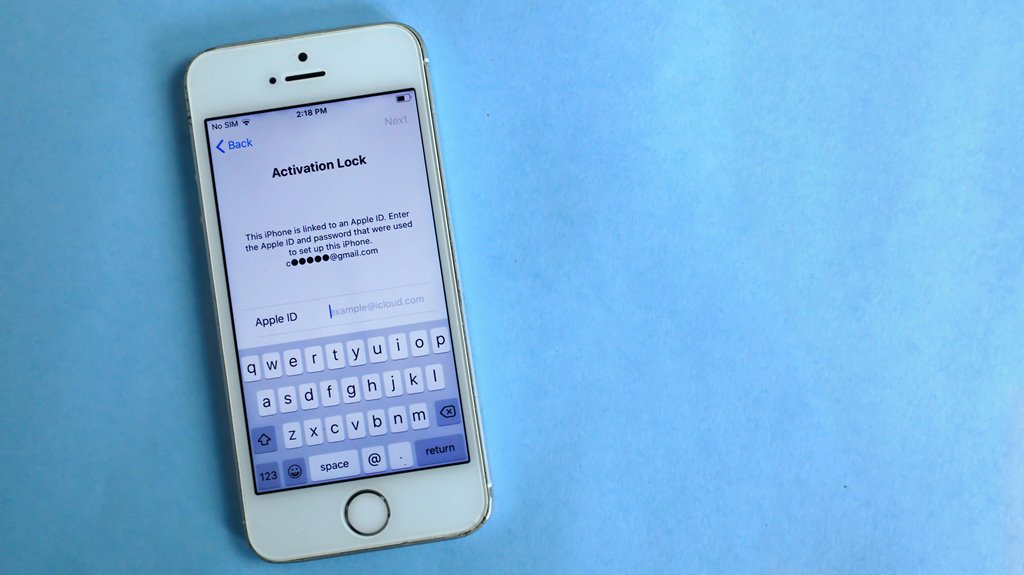
Cloud mobile apps offer a secure framework thanks to strong client-server architecture and adherence to rigorous security standards like GDPR and ISO 27001. However, they're not immune to threats like data breaches and insecure APIs. To protect your data, encryption and robust user authentication methods, such as multi-factor authentication, are essential. Staying updated with apps and following best practices further enhances security. Curious about how to strengthen your security measures even more? There's plenty more to learn.
Key Takeaways
- Cloud mobile apps utilize client-server architecture, enhancing collaboration while reducing storage needs on devices.
- Adherence to security standards like GDPR and ISO 27001 helps protect user data in cloud environments.
- Common threats include data breaches and insecure APIs, necessitating robust security measures to mitigate risks.
- Encryption and multi-factor authentication are essential for safeguarding data and verifying user identities.
- Regular app updates and password management best practices further enhance overall security for users.
Understanding Cloud Mobile Apps and Their Architecture
Cloud mobile apps represent a dynamic fusion of mobile technology and cloud computing, enabling you to access services and data anytime, anywhere.
These apps rely on a client-server architecture, where the mobile device acts as the client that requests resources from cloud servers. The cloud stores data and runs applications, ensuring seamless updates and scalability.
Cloud mobile apps utilize a client-server architecture, enabling efficient data access and application management through cloud servers.
You benefit from reduced storage needs on your device, as most information resides in the cloud. In addition, this architecture allows for better collaboration, as multiple users can access shared resources simultaneously.
With a focus on user experience, cloud mobile apps often incorporate responsive design, making them accessible across various devices.
Common Security Threats Facing Cloud Mobile Apps
When using cloud mobile apps, you need to be aware of common security threats like data breaches and leaks.
These vulnerabilities can expose your sensitive information if not properly managed.
Additionally, insecure API vulnerabilities can leave your app open to attacks, making it essential to prioritize security measures.
Data Breaches and Leaks
As mobile apps increasingly rely on cloud services, data breaches and leaks have become significant security threats. You mightn't realize how vulnerable your data can be when stored in the cloud.
Hackers often target cloud systems, exploiting weaknesses to gain unauthorized access to sensitive information. Even a small oversight in security measures can lead to massive data leaks, affecting countless users.
When you use cloud mobile apps, it's essential to be aware of how your data is stored and transmitted. Always keep your app updated, and enable strong authentication methods to protect your information.
Educating yourself about potential threats can help you make informed decisions and enhance your overall security posture when using cloud mobile applications.
Insecure API Vulnerabilities
Insecure APIs pose a serious risk to cloud mobile apps, often serving as gateways for attackers to exploit vulnerabilities. These APIs can lead to unauthorized data access, data manipulation, and even complete system takeover. To protect your app, you need to understand common API vulnerabilities.
Here's a quick overview:
| Vulnerability Type | Description | Mitigation Strategy |
|---|---|---|
| Insufficient Authentication | Weak user verification allows unauthorized access. | Implement strong authentication methods. |
| Lack of Rate Limiting | Excessive requests can overwhelm your API. | Use rate limiting to control access. |
| Data Exposure | Sensitive data may be unintentionally shared. | Encrypt sensitive data in transit and at rest. |
| Insecure Endpoints | Unprotected endpoints can be easily accessed. | Secure all endpoints with proper authentication. |
Encryption: Safeguarding Data in Transit and at Rest
Encryption serves as an essential shield for your data, ensuring it remains secure whether it's being transmitted over the internet or stored in the cloud.
When you send sensitive information, encryption scrambles the data, making it unreadable to anyone intercepting it. This means that even if hackers gain access during transmission, they can't easily decipher the content.
Similarly, when your data is at rest in the cloud, encryption acts as a lock, protecting it from unauthorized access.
By utilizing strong encryption protocols, you greatly lower the risk of data breaches. Always opt for end-to-end encryption to further enhance your security.
User Authentication and Access Control Mechanisms
User authentication and access control are essential for protecting your cloud mobile apps.
Implementing multi-factor authentication, role-based access control, and biometric verification can greatly enhance security.
You need to understand how each mechanism works to safeguard your sensitive information effectively.
Multi-Factor Authentication Importance
Multi-factor authentication (MFA) is essential for safeguarding your cloud mobile apps. It adds an extra layer of security beyond just your password.
By requiring two or more verification methods—like a text message code, a fingerprint, or a security token—you greatly reduce the risk of unauthorized access. If someone tries to breach your account, they'll need more than just your password, making it much harder for them to succeed.
MFA not only protects your sensitive data but also boosts user confidence in your app's security. Implementing MFA is straightforward, and many providers offer seamless integration options.
Don't underestimate its power; adopting MFA is a proactive step towards ensuring your cloud mobile apps remain secure against potential threats.
Role-Based Access Control
To further enhance the security of your cloud mobile apps, implementing Role-Based Access Control (RBAC) is key. RBAC guarantees that users only have access to the information and functions necessary for their roles. This minimizes the risk of unauthorized access and data breaches.
Here's a quick overview of RBAC benefits:
| User Role | Access Level |
|---|---|
| Admin | Full access |
| Manager | Limited access |
| Employee | Basic access |
| Guest | View-only access |
| Developer | Development environment |
Biometric Verification Techniques
Biometric verification techniques are revolutionizing user authentication and access control in cloud mobile apps. By using unique biological traits, these methods enhance security and user convenience.
Here are three key advantages of biometric verification:
- Increased Security: Biometric traits, like fingerprints or facial recognition, are difficult to replicate, making unauthorized access harder.
- User Convenience: You don't need to remember complex passwords. Just a quick scan or touch can grant you access.
- Real-Time Authentication: Biometric systems can verify identity instantly, streamlining the login process and improving user experience.
As cloud mobile apps evolve, incorporating biometric verification not only boosts security but also offers a seamless way for you to access your applications without the hassle of traditional authentication methods.
Cloud Service Provider Security Standards and Compliance
While you may trust a cloud service provider to manage your data, it's crucial to understand their security standards and compliance measures. Different providers adhere to various regulations and frameworks to guarantee your information's safety. Recognizing these can help you make informed choices.
| Standard/Compliance | Description | Importance |
|---|---|---|
| GDPR | General Data Protection Regulation | Protects EU citizen data |
| ISO 27001 | Information Security Management | Guarantees systematic security |
| HIPAA | Health Insurance Portability Act | Safeguards health information |
| SOC 2 | Service Organization Control | Validates data security practices |
Best Practices for Users to Enhance App Security
As you navigate the world of cloud mobile apps, adopting best practices to enhance security becomes essential.
Here are three key strategies you should implement:
- Use Strong Passwords: Create complex passwords that combine letters, numbers, and symbols. Avoid using easily guessable information like birthdays or names.
- Enable Two-Factor Authentication (2FA): Add an extra layer of security by requiring a second method of verification, such as a text message or authentication app.
- Regularly Update Apps: Keep your apps up to date to benefit from the latest security patches and features. Set your device to automatically update apps whenever possible.
The Future of Security in Cloud Mobile Applications
With security measures like strong passwords and two-factor authentication in place, you're already on the right track.
However, the future of security in cloud mobile applications is evolving rapidly. Expect to see advanced encryption methods and biometric authentication becoming standard practices.
As artificial intelligence develops, it'll help detect anomalies and prevent breaches in real time, enhancing your security. Additionally, decentralized storage solutions will minimize risks by dispersing data across multiple locations.
You'll also notice an increased focus on user education, empowering you to recognize phishing attempts and other threats.
As these innovations roll out, staying informed and adapting to new tools will be essential in maintaining your security in this dynamic environment. Embrace these changes to keep your data safe.
Frequently Asked Questions
What Types of Data Are Typically Stored in Cloud Mobile Apps?
Cloud mobile apps typically store user profiles, preferences, multimedia files, and sensitive information like payment details. You'll often find personal data, app settings, and usage analytics saved to enhance your experience and functionality.
How Do Cloud Mobile Apps Handle Data Breaches?
When a data breach occurs, cloud mobile apps typically detect it through monitoring systems. They'll alert users, implement security measures, and often provide guidance on protecting personal information while working to resolve the breach.
Can Users Manage Their Own Security Settings in Cloud Mobile Apps?
Yes, you can often manage your security settings in cloud mobile apps. Most apps provide options to customize privacy settings, enable two-factor authentication, and control data sharing, empowering you to enhance your personal security.
What Are the Risks of Using Public Wi-Fi With Cloud Mobile Apps?
Using public Wi-Fi with cloud mobile apps exposes you to risks like data interception, unauthorized access, and malware attacks. Always guarantee your connection's secure and consider using a VPN to protect your sensitive information.
How Often Do Cloud Mobile Apps Update Their Security Measures?
Cloud mobile apps typically update their security measures regularly, often in response to emerging threats. You should keep your app updated to guarantee you're protected with the latest security features and vulnerabilities are patched promptly.