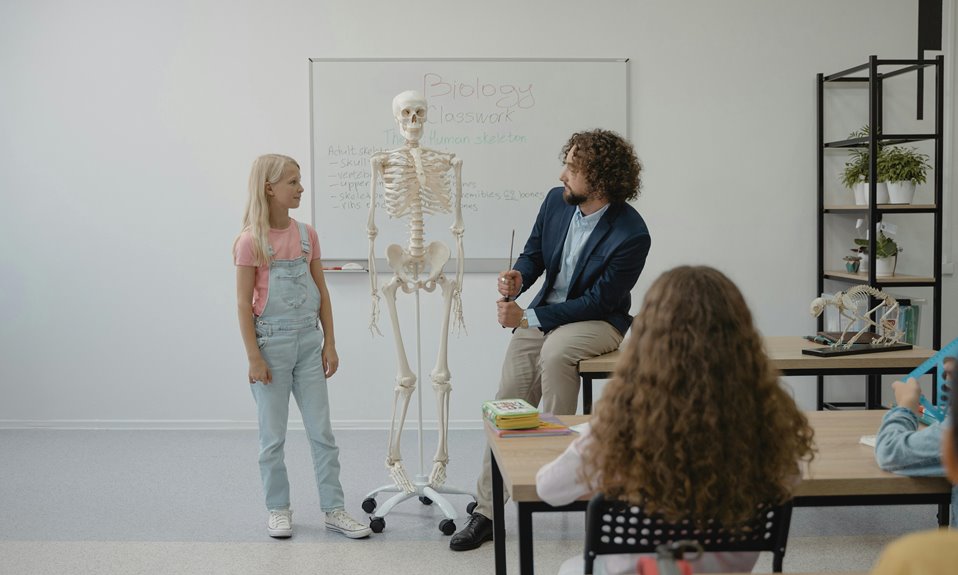
Teachers use whiteboards to enhance lesson plans by presenting concepts clearly and fostering student engagement. You'll find that whiteboards allow for real-time problem-solving and brainstorming, encouraging collaboration among students. They help visualize complex ideas with diagrams, keeping discussions interactive. Plus, you can easily adapt lessons on the spot, incorporating technology like educational videos and interactive tools. This dynamic approach promotes critical thinking and creativity. Keep exploring to discover more best practices for using whiteboards effectively!
Key Takeaways
- Teachers use whiteboards to present lesson content visually, enhancing student understanding and engagement through diagrams and charts.
- Whiteboards facilitate real-time lesson adaptations, allowing teachers to address student questions and interests dynamically during class.
- Collaborative activities on whiteboards promote teamwork, enabling students to brainstorm and solve problems together, reinforcing their critical thinking skills.
- Clear and organized whiteboard writing helps students follow along, highlighting key points and ensuring comprehension of the material presented.
- Teachers utilize interactive technology, like digital drawing tools and educational videos, on whiteboards to create engaging and diverse learning experiences.
The Role of Whiteboards in Modern Classrooms
As you step into a modern classroom, you'll likely notice whiteboards taking center stage. These versatile tools have transformed the way educators present lessons and engage with students. You can use whiteboards to illustrate concepts, create diagrams, and display important information.
Their smooth surface allows for easy writing, erasing, and reworking of ideas, making them ideal for dynamic learning environments. Whiteboards also foster collaboration, encouraging students to participate actively in discussions.
You might find yourself asking students to contribute their thoughts directly on the board, enhancing their engagement and understanding. Additionally, you can easily adapt your lessons on the fly, responding to students' needs and questions in real-time.
In essence, whiteboards play a crucial role in facilitating interactive and effective learning experiences.
Engaging Students With Interactive Lessons
When you incorporate visual learning techniques with whiteboards, you make lessons more engaging for your students.
Collaborative group activities can spark creativity and foster teamwork, while real-time problem solving keeps everyone actively involved.
Let's explore how these strategies can transform your classroom experience.
Visual Learning Techniques
Visual learning techniques transform the classroom into an engaging space where students actively participate in their education. By incorporating visuals, like diagrams and charts, you can help students grasp complex concepts more easily. Whiteboards serve as an excellent tool for illustrating these techniques, allowing you to draw, highlight, and display information dynamically.
Here's how different visual techniques can enhance learning:
| Technique | Description | Benefits |
|---|---|---|
| Mind Maps | Visual representation of ideas | Encourages creativity |
| Infographics | Data presented visually | Simplifies information |
| Diagrams | Visual breakdown of concepts | Aids understanding |
| Charts | Graphical representation of data | Clarifies trends and patterns |
| Videos | Motion visuals with audio | Engages multiple senses |
Utilizing these techniques will surely make your lessons memorable!
Collaborative Group Activities
Many teachers find that collaborative group activities can significantly boost student engagement during lessons. When you encourage teamwork, students often become more invested in their learning.
Here are four effective strategies you can use with whiteboards during group activities:
- Brainstorming Sessions: Let students jot down ideas together on the whiteboard, fostering creativity and discussion.
- Group Problem-Solving: Present challenges for students to tackle as a team, using the whiteboard to illustrate their thought processes.
- Peer Teaching: Have students explain concepts to each other on the board, reinforcing their understanding.
- Interactive Games: Create fun competitions where groups answer questions or solve puzzles using the whiteboard.
These activities not only engage students but also promote collaboration and critical thinking.
Real-Time Problem Solving
Building on the power of collaboration, real-time problem solving can elevate student engagement even further. When you pose a challenge on the whiteboard, students can brainstorm solutions together, fostering a dynamic learning environment.
You'll notice how quickly they jump in, eager to share ideas and strategies. By using the whiteboard to visualize problems, you help students see concepts in action, making abstract ideas more tangible.
Encourage them to work through solutions step by step, and don't hesitate to let them fail and learn from their mistakes. This hands-on approach not only boosts critical thinking skills but also promotes a sense of ownership over their learning.
With real-time problem solving, you're creating an interactive lesson that truly resonates with your students.
Visual Learning: Enhancing Understanding Through Diagrams
Diagrams can transform complex concepts into easily digestible visuals, making it simpler for students to grasp challenging material. When you incorporate diagrams into your lessons, consider these benefits:
- Clarifies Relationships: Diagrams help illustrate connections between ideas, making abstract concepts more concrete.
- Encourages Retention: Visuals can enhance memory retention, allowing students to recall information more easily during exams.
- Boosts Engagement: Students often find visuals more interesting, which can lead to increased participation and focus.
- Supports Diverse Learning Styles: Diagrams cater to visual learners, providing an alternative to traditional text-heavy resources.
Collaborative Activities: Promoting Group Work and Discussion
When you gather students around a whiteboard for group brainstorming sessions, you spark creativity and collaboration.
Interactive problem solving encourages them to tackle challenges together, fostering deeper understanding.
Visual idea mapping helps everyone see connections, making discussions more dynamic and engaging.
Group Brainstorming Sessions
How can whiteboards transform group brainstorming sessions into dynamic collaborative activities? By utilizing whiteboards, you can elevate participation and creativity among students. Here's how:
- Visual Clarity: Everyone can see ideas as they develop, fostering a shared understanding.
- Easy Editing: You can quickly revise or expand on concepts, encouraging flexibility in thought.
- Engaging Collaboration: Students can gather around, interact, and contribute, making the process more inclusive.
- Structured Organization: You can categorize ideas in real-time, helping the group focus on key themes.
With these advantages, whiteboards turn brainstorming into a lively, interactive experience.
You'll notice enhanced communication and teamwork as students bounce ideas off one another, leading to richer discussions and innovative solutions.
Interactive Problem Solving
Building on the dynamic atmosphere created during brainstorming, interactive problem-solving can further enhance collaboration among students. You can use whiteboards to present real-world challenges, encouraging your classmates to work together and devise solutions.
By breaking into small groups, you'll engage in discussions that stimulate critical thinking and creativity. Each member can contribute ideas, jotting them down on the board as you explore various approaches.
As you tackle the problem, the visual element of the whiteboard helps clarify concepts and fosters a shared understanding. This collaborative effort not only strengthens communication skills but also builds confidence in problem-solving abilities.
Emphasizing teamwork, you'll find that working together leads to richer discussions and more innovative solutions.
Visual Idea Mapping
While brainstorming ideas together, visual idea mapping can transform abstract concepts into tangible representations that enhance understanding. This approach encourages collaboration and discussion among students.
Here's how you can effectively use visual idea mapping with your group:
- Central Theme: Start with a core idea in the center of the whiteboard.
- Branches: Draw branches that represent subtopics or related concepts, fostering connections.
- Images & Colors: Use images and colors to represent ideas visually, making them more memorable.
- Discussion Prompts: Encourage students to ask questions and elaborate on each branch, promoting deeper engagement.
Flexibility in Teaching: Adapting Lessons on the Fly
When unexpected questions or discussions arise during a lesson, teachers can seamlessly adapt their plans, using whiteboards as a dynamic tool for engagement. You can jot down students' questions, transforming the flow of the lesson in real-time.
This flexibility allows you to explore topics that ignite curiosity, ensuring students remain invested in their learning. As you adjust your lesson, the whiteboard serves as a visual reference, helping clarify concepts and encouraging participation.
You might even invite students to contribute ideas, fostering a collaborative atmosphere. This adaptability not only keeps the lesson relevant but also empowers students, making them feel valued.
In the end, your ability to pivot enhances the overall learning experience, creating an engaging classroom environment.
Incorporating Technology With Whiteboards
Incorporating technology with whiteboards can significantly elevate your teaching methods. By blending digital tools with traditional whiteboards, you can create a more engaging and interactive classroom experience.
Here are four ways to enhance your lessons:
- Interactive Software: Use programs like Google Slides or Nearpod to display content and allow students to interact directly on the board.
- Digital Drawing Tools: Utilize apps that let students sketch or illustrate concepts in real-time, promoting creativity and collaboration.
- Video Integration: Incorporate educational videos that can be paused and annotated directly on the whiteboard for deeper discussions.
- Instant Polling: Engage students with live polls or quizzes using platforms like Kahoot, making learning dynamic and fun.
Best Practices for Effective Whiteboard Use
Using technology can enhance whiteboard effectiveness, but it's also important to follow best practices to maximize their impact in the classroom.
First, keep your whiteboard organized; use sections for different topics or activities. This helps students easily follow along and stay engaged.
Second, write clearly and legibly, using bold colors to highlight key points.
Third, encourage student interaction by inviting them to the board for problem-solving or brainstorming sessions. This not only boosts engagement but also reinforces learning.
Additionally, review your notes regularly to ensure students grasp the material.
Lastly, maintain an appropriate height for visibility—adjust your positioning if needed.
Frequently Asked Questions
How Do Whiteboards Compare to Traditional Chalkboards in Classrooms?
Whiteboards offer clearer visibility and easier maintenance than traditional chalkboards. You can use vibrant markers for emphasis, and they're less dusty, making them more suitable for interactive lessons and engaging classroom environments.
What Materials Are Best for Writing on Whiteboards?
For writing on whiteboards, you'll want dry-erase markers that are low-odor and easy to erase. Avoid permanent markers, as they can damage the surface. Using microfiber cloths keeps your board clean and ensures clarity.
How Can Teachers Maintain Whiteboards for Longevity?
To maintain whiteboards for longevity, you should regularly clean them with a gentle solution, avoid abrasive materials, and use appropriate markers. Proper care ensures your boards stay vibrant and functional for years to come.
Are There Specific Whiteboard Brands Recommended for Educational Use?
When choosing whiteboards for educational use, consider brands like Quartet, Ghent, or Luxor. They're known for durability and easy maintenance. You'll find that quality boards enhance your teaching experience and keep students engaged effectively.
Can Whiteboards Be Effectively Used in Remote Learning Environments?
Yes, you can effectively use whiteboards in remote learning. They help visualize concepts, engage students, and facilitate real-time feedback during online classes, making lessons more interactive and enhancing understanding for everyone involved in the learning process.