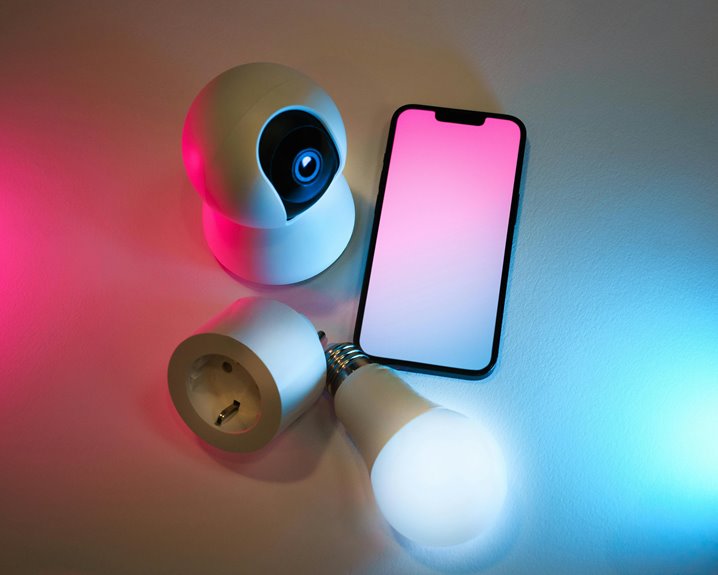
To avoid common webcam security vulnerabilities, cover your webcam when it's not in use to prevent unauthorized access. Regularly update your software and firmware to fix security flaws. Use strong passwords that mix letters, numbers, and special characters. Enable two-factor authentication for added protection. Finally, monitor and manage app permissions carefully, revoking access for unnecessary apps. These simple steps can significantly enhance your webcam security, and there's more you can do to protect your privacy.
Key Takeaways
- Regularly update your operating system and software to patch vulnerabilities and enhance security features.
- Utilize strong, unique passwords and enable two-factor authentication for added protection.
- Cover your webcam when not in use to prevent unauthorized access and spying.
- Monitor and review app permissions, revoking access for apps that don't need webcam access.
- Install reputable antivirus software to detect and prevent malware that may exploit your webcam.
Understanding Webcam Security Risks
While you might feel secure using your webcam, it's essential to recognize that these devices can pose significant security risks.
Hackers can exploit vulnerabilities, gaining unauthorized access to your camera and invading your privacy. They often use malware to control your webcam without your knowledge, capturing images or videos without your consent.
Additionally, poorly secured networks can expose your webcam to intrusions, making it easier for cybercriminals to access your device. Even legitimate applications can have security flaws, leading to potential breaches.
To protect yourself, it's crucial to be aware of these risks and take proactive steps, like covering your webcam when not in use and being cautious about the software you install.
Stay vigilant to safeguard your privacy effectively.
Keeping Software and Firmware Updated
One of the most effective ways to protect your webcam from security vulnerabilities is by keeping its software and firmware updated. Manufacturers regularly release updates to patch security flaws and enhance functionality. If you don't install these updates, you leave your webcam exposed to potential attacks.
Check for updates periodically, either through the manufacturer's website or your device settings. Enable automatic updates if available, so you won't have to think about it.
Additionally, ensure your operating system is current, as it plays a crucial role in your webcam's security. Ignoring these updates can make it easier for hackers to exploit weaknesses.
Stay proactive, and make updating your webcam a regular part of your security routine.
Utilizing Strong Passwords and Two-Factor Authentication
To keep your webcam secure, utilizing strong passwords and enabling two-factor authentication (2FA) is essential. A robust password should include a mix of letters, numbers, and special characters. Avoid using easily guessed information, like birthdays or names. With 2FA, you add an extra layer of security by requiring a second form of verification, often a code sent to your phone.
Here's a quick overview:
| Feature | Description | Importance |
|---|---|---|
| Strong Passwords | Complex and unique passwords | Prevent unauthorized access |
| Two-Factor Authentication | Additional verification step | Enhances overall security |
| Regular Updates | Keep security features current | Protect against new threats |
Covering Your Webcam When Not in Use
Even with strong passwords and two-factor authentication in place, it's wise to take additional precautions to safeguard your privacy.
One of the simplest yet most effective methods is covering your webcam when you're not using it. This straightforward action can prevent unauthorized access and spying.
Here are some easy ways to cover your webcam:
- Use a sliding webcam cover for convenience
- Stick a piece of tape over the lens when not in use
- Purchase a webcam cover that matches your device
- Use a sticky note or a small piece of paper
- Invest in a privacy screen that blocks camera view
Monitoring Device Permissions and App Access
How often do you check the permissions granted to your apps? It's crucial to stay aware of what access you've allowed, especially concerning your webcam.
Regularly review the permissions on your device to ensure only necessary apps can access your camera. If an app doesn't need webcam access for its primary function, consider revoking that permission.
You might be surprised by how many apps request access. Always question whether an app truly needs such permissions.
Additionally, keep your device's software updated to patch any security vulnerabilities. By actively monitoring app access, you can significantly reduce the risk of unauthorized surveillance and protect your privacy.
Stay vigilant and take control of your device's permissions.
Frequently Asked Questions
Can Hackers Access Webcams Without Any Physical Contact?
Yes, hackers can access webcams remotely, often exploiting software vulnerabilities or malware. If your device isn't secure, they might spy on you without ever needing physical contact. Always keep your software updated and use strong passwords.
What Specific Software Can Help Enhance Webcam Security?
To enhance your webcam security, consider using software like Malwarebytes, Norton Security, or ESET NOD32. These programs detect potential threats and provide real-time protection, ensuring your webcam remains secure from unauthorized access and vulnerabilities.
How Do I Know if My Webcam Has Been Compromised?
To know if your webcam's compromised, watch for unusual activity like unexpected lights or unrecognized software accessing it. Regularly check privacy settings and run security scans to keep your device secure and functional.
Are Public Wi-Fi Networks Safe for Webcam Usage?
Public Wi-Fi networks aren't safe for webcam usage. Hackers can easily intercept data, making your camera vulnerable. If you must use it, consider a VPN to protect yourself and your privacy while online.
What Should I Do if I Suspect My Webcam Is Hacked?
If you suspect your webcam's hacked, immediately disconnect it from the internet. Check for unusual activity, run a malware scan, and change your passwords. Consider covering the webcam when not in use for extra security.