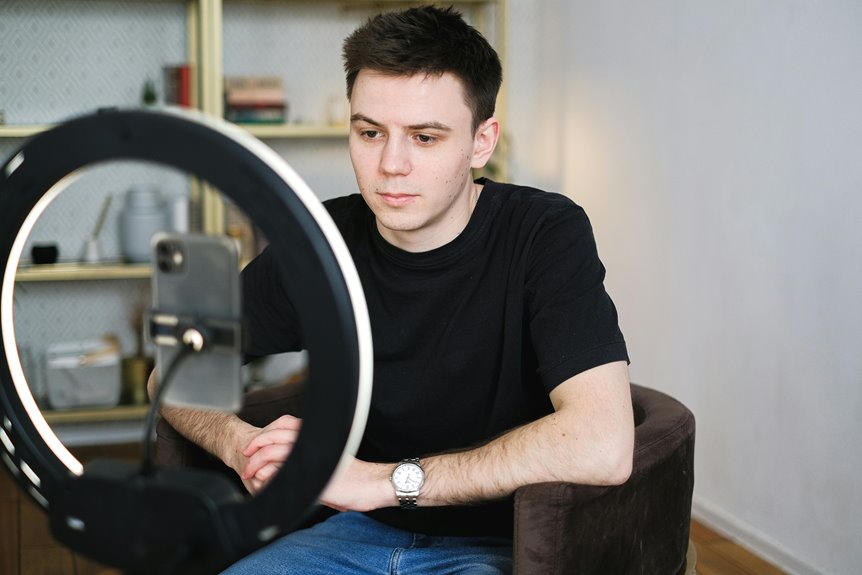
To look better on webcam without a ring light, start by optimizing your background—choose a clean, neutral wall or an organized bookshelf. Use natural light by positioning yourself facing a window for soft illumination. Adjust your camera angle to eye level for a flattering view, and dress in comfortable, tailored clothes that enhance your appearance. Don’t forget to practice good posture to project confidence. There are more tips to explore that can further enhance your webcam presence.
Key Takeaways
- Position yourself facing a window to utilize natural light for a flattering appearance.
- Adjust your camera angle to eye level for a more engaging perspective.
- Dress in solid, flattering colors and avoid busy patterns to maintain focus on your face.
- Experiment with camera settings like brightness and contrast to enhance image quality.
- Maintain good posture and eye contact to project confidence and engagement during video calls.
Optimize Your Background
While you might focus on your appearance during a video call, the background plays an essential role in how you’re perceived. A cluttered or distracting space can draw attention away from you and undermine your professionalism.
To optimize your background, choose a clean, simple setting that reflects your personality. If you can, position yourself in front of a neutral wall or a bookshelf filled with interesting but not overwhelming items. Make certain there’s good organization; it shows you’re tidy and prepared.
Consider using plants or artwork to add a touch of character without being distracting. Finally, avoid busy patterns or bright colors that can compete for attention.
Use Natural Light to Your Advantage
A well-optimized background sets the stage, but lighting can make or break your webcam appearance. Natural light is your best friend, so take advantage of it whenever possible.
Position yourself facing a window, allowing soft, diffused light to illuminate your face. This will help reduce shadows and create a more flattering look. Avoid sitting with your back to the window, as this can cast unappealing shadows and make you appear washed out.
If direct sunlight is too harsh, consider using sheer curtains to soften the light. You can also experiment with different times of day to find the most flattering light.
Adjust Your Camera Angle
To look your best on webcam, start by adjusting your camera angle to eye level.
This simple shift can help you avoid unflattering views and create a more engaging connection with your audience.
Pair this with natural light for an even more polished appearance.
Optimal Eye-Level Position
Finding the ideal eye-level position for your webcam can dramatically enhance your appearance during video calls. Aim to position your camera at eye level, which creates a more natural and engaging perspective.
You can achieve this by placing your laptop on a stack of books or using a tripod for your webcam. When the camera’s at eye level, it helps avoid awkward angles and guarantees that your face is well-lit and centered in the frame.
Additionally, try to maintain a comfortable distance from the camera—about an arm’s length away works best. This way, you’ll not only look more professional but also feel more confident during your calls.
Avoid Unflattering Angles
If you want to look your best on camera, adjusting your angle is key. Position your webcam at eye level to avoid the dreaded double chin effect. When the camera’s too low, it can create unflattering shadows and distort your features.
Instead, elevate your laptop or use a stack of books to achieve that perfect height.
Also, tilt the camera slightly downward to capture a more flattering profile. Avoid extreme angles, as they can make your face appear wider or less defined.
Finally, experiment with different positions until you find the most flattering angle for your unique features. A little adjustment can make a big difference in how you present yourself on screen.
Use Natural Light
Natural light is your best friend when it comes to looking great on webcam. Position yourself near a window where sunlight can illuminate your face. This natural light enhances your features, making you appear more vibrant and engaging.
Avoid sitting directly in front of the window to prevent harsh shadows; instead, angle your camera slightly to capture the light without overwhelming glare.
Experiment with the timing of your calls; morning or late afternoon light often works best. If you notice shadows on your face, adjust your seat or the angle of your camera until you find that sweet spot.
With the right use of natural light, you’ll look more professional and approachable on camera without needing any additional equipment.
Dress for Success
When you dress for success on webcam, your choices can really make a difference.
Opt for flattering colors that enhance your look, guarantee your fit is comfortable yet professional, and accessorize thoughtfully to add a polished touch.
These simple adjustments can elevate your presence and boost your confidence.
Choose Flattering Colors
Choosing the right colors for your webcam appearance can make a significant difference in how you’re perceived. Bright, bold colors tend to grab attention and can energize your look, while softer, muted tones create a calming effect.
Think about what colors complement your skin tone; warm tones like reds and oranges can enhance your complexion, whereas cool tones like blues and greens can create a soothing vibe.
Avoid overly busy patterns, as they can distract from your face. Instead, opt for solid colors or subtle designs that keep the focus on you.
Mind Your Fit
The way your clothes fit plays an essential role in how you come across on camera. Wearing clothes that fit well enhances your appearance and boosts your confidence.
Opt for tailored pieces that flatter your body shape, avoiding anything too tight or baggy. A well-fitted shirt or blazer can make a significant difference, projecting professionalism and attention to detail.
Consider the length of your garments; sleeves and pants should hit at the right spots to create a polished look. Fabrics that drape nicely can also elevate your overall appearance.
Accessorize Thoughtfully
Although accessories might seem like a minor detail, they can greatly enhance your overall look on camera. Thoughtfully chosen pieces can add personality and professionalism to your appearance.
Here are three accessories to contemplate:
- Statement Necklace: A bold necklace draws attention to your face, making it a focal point during your webcam sessions.
- Stylish Headphones: Not only do they serve a practical purpose, but chic headphones can elevate your style and show you mean business.
- Colorful Scarf: A vibrant scarf can add texture and color, helping to brighten up your outfit and keep the focus on you.
Enhance Your Skin Appearance
To enhance your skin appearance on webcam, start with a solid skincare routine that addresses your unique needs.
Cleanse your face daily to remove dirt and oil, and exfoliate a few times a week to slough off dead skin cells.
Moisturize to keep your skin hydrated and plump. Consider incorporating a tinted moisturizer or BB cream for a natural glow while providing light coverage.
When you apply makeup, focus on even skin tone and use a matte finish to reduce shine.
Don’t forget to take care of your lips—exfoliate and apply a hydrating lip balm.
Finally, consider your webcam angle; tilting the camera slightly can help minimize shadows and enhance your skin’s natural radiance.
Minimize Distractions and Clutter
After enhancing your skin appearance, it’s time to focus on your background. A cluttered space can distract from your message, so let’s create a more professional vibe.
Here’s how to minimize distractions and clutter:
- Declutter: Remove unnecessary items from your background. A clean space helps viewers focus on you, not your surroundings.
- Choose a Neutral Background: Opt for a simple wall or a solid color. It creates a calming effect and keeps the attention on your face.
- Limit Movement: Avoid places with people or pets moving around. This can divert attention away from your conversation and make you appear less professional.
Experiment With Camera Settings
While you may think a good webcam appearance relies solely on lighting and background, experimenting with your camera settings can make a significant difference. Adjusting settings like brightness, contrast, and saturation can enhance your overall look. Here’s a quick reference table to help you get started:
| Setting | Adjustment Tips |
|---|---|
| Brightness | Increase for dim rooms |
| Contrast | Lower for softer images |
| Saturation | Boost for more color |
| Sharpness | Increase for clarity |
| White Balance | Adjust for accurate skin tones |
Take some time to play around with these settings. You’ll likely find a combination that highlights your best features and helps you shine on camera!
Practice Good Posture and Framing
Good posture and proper framing can greatly impact how you appear on webcam. When you sit up straight and align your camera correctly, you project confidence and professionalism.
Here are three tips to enhance your webcam presence:
- Sit Up Straight: Good posture not only makes you look taller and more engaged, but it also helps you breathe better, keeping your voice clear and strong.
- Center Yourself: Position yourself in the middle of the frame. This draws attention to you and makes you appear more approachable.
- Eye Level: Adjust your camera to eye level. This creates a more natural connection with your audience and prevents unflattering angles.
Frequently Asked Questions
How Do I Choose the Right Camera for Video Calls?
Choosing the right camera for video calls involves considering resolution, frame rate, and lens quality. Look for a camera that offers at least 1080p resolution and a wider field of view for better image clarity.
Can My Webcam’S Resolution Affect My Appearance?
Yes, your webcam’s resolution definitely affects your appearance. Higher resolution provides clearer images, highlighting your features better. If you’re using a low-resolution camera, it might make you look pixelated or blurry during video calls.
What Should I Do if My Internet Connection Is Slow?
If your internet’s slower than molasses, try resetting your router, minimizing background apps, or connecting via Ethernet. You’ll boost your connection speed and improve your video quality, making those virtual meetings smoother and clearer.
How Can I Improve My Audio Quality on Webcam?
To improve your audio quality on webcam, try using a dedicated microphone instead of your laptop’s built-in mic. Also, eliminate background noise and guarantee you’re in a quiet space for clearer sound during calls.
Are There Makeup Tips Specifically for Video Calls?
For video calls, you can enhance your look with a light foundation, subtle blush, and a bit of highlighter. Don’t forget your eyebrows; well-defined brows frame your face and draw attention to your eyes effectively.