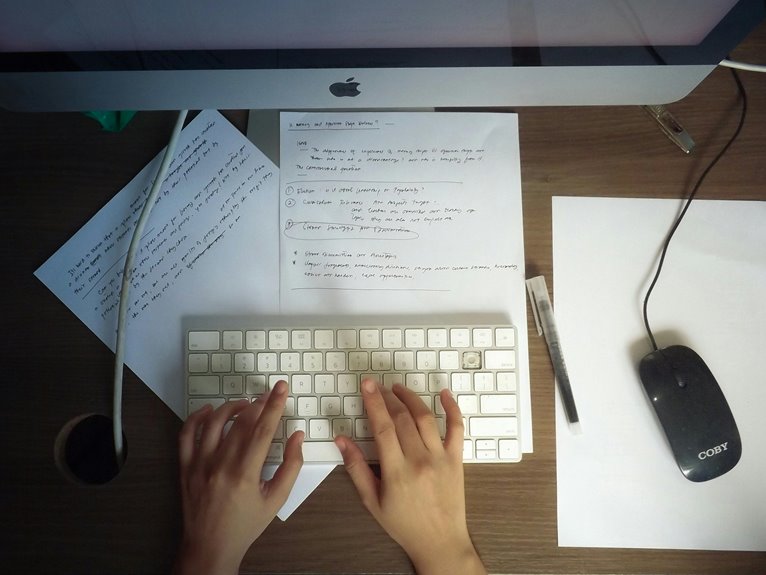
To optimize your home office desk for maximum productivity, start by evaluating your workspace layout for natural light and decluttering your surface. Invest in ergonomic furniture, like a supportive chair and a monitor stand at eye level. Minimize distractions by turning off notifications and using noise-canceling headphones. Organize essentials into groups and limit personal items. Finally, personalize your space with inspiring decor and plants. There’s more to discover on enhancing your workspace!
Key Takeaways
- Position your desk to maximize natural light, enhancing your mood and productivity throughout the day.
- Ensure your monitor is at eye level to prevent neck strain and promote comfort during work.
- Keep essential items within arm’s reach to minimize distractions and maintain focus on tasks.
- Invest in ergonomic furniture, like a supportive chair and adjustable desk, to improve overall comfort and health.
- Personalize your workspace with inspiring decor and plants to create a motivating and inviting atmosphere.
Assess Your Workspace Layout
While you might think your desk setup is just fine, analyzing your workspace layout can reveal areas for improvement.
Start by evaluating your desk’s positioning; natural light can boost your mood and productivity. Make sure your monitor’s at eye level to reduce neck strain, and keep essential items within arm’s reach to minimize distractions.
Consider the flow of your workspace—can you easily access your printer or filing cabinet? Declutter your desk to maintain focus; a clean surface helps clear your mind.
Think about noise levels too; if your environment gets loud, it might be time to invest in noise-canceling headphones.
A thoughtful layout not only enhances your comfort but also greatly boosts your efficiency and productivity.
Invest in Ergonomic Furniture
After optimizing your workspace layout, it’s time to focus on the furniture you use.
Investing in ergonomic furniture can greatly enhance your comfort and productivity. Here are four essential pieces to take into account:
- Ergonomic Chair: Look for adjustable features that support your back and promote good posture.
- Standing Desk: A desk that allows you to alternate between sitting and standing can reduce fatigue.
- Keyboard and Mouse: Choose ergonomic designs to minimize strain on your wrists and hands.
- Monitor Stand: Elevate your screen to eye level, preventing neck strain and improving your line of sight.
Minimize Distractions
To boost your productivity, it’s essential to minimize distractions in your home office. Start by identifying what pulls your focus away. Is it your phone buzzing? Consider turning it off or using apps that block notifications during work hours.
If background noise bothers you, invest in noise-canceling headphones or play soft, instrumental music.
Next, declutter your workspace. A tidy desk helps reduce visual distractions and keeps your mind clear. Set boundaries with family or roommates, letting them know when you’re working so they can minimize interruptions.
Declutter your workspace to reduce distractions and set clear boundaries with others to enhance your focus.
Finally, create a dedicated workspace that signals to your brain it’s time to focus. By tackling these distractions, you’ll find it easier to stay on task and enhance your overall productivity.
Organize Your Desk Essentials
Organizing your desk essentials can greatly enhance your productivity and create a more inviting workspace.
Start by decluttering your surface; remove any items that don’t serve a purpose. Next, categorize your essentials to streamline your workflow.
Consider implementing these four organizing tips:
- Group Similar Items: Keep pens, paper clips, and sticky notes together for easy access.
- Use Drawers Wisely: Store less frequently used items in drawers to free up surface space.
- Invest in Organizers: Utilize trays or containers to keep small supplies neat and tidy.
- Limit Personal Items: While a few personal touches are nice, avoid overcrowding your desk with distractions.
Utilize Technology Effectively
While you might’ve a neatly organized desk, leveraging technology can further elevate your home office experience.
Start by ensuring your devices are up to date; this improves performance and security. Use productivity apps to manage your tasks and schedule efficiently.
Keep your devices updated for optimal performance and security, and utilize productivity apps for efficient task management.
Consider cloud storage solutions to keep your files accessible from anywhere, streamlining your workflow. If you frequently video call, invest in a good webcam and microphone to enhance communication quality.
Noise-canceling headphones can help you concentrate by reducing distractions. Finally, explore automation tools to simplify repetitive tasks, freeing up your time for more important projects.
Personalize Your Environment
Personalizing your home office can boost your productivity and creativity.
Choose inspiring decor that resonates with you, and don’t forget to incorporate personal mementos that bring back fond memories.
Using comfortable colors can also create a calming atmosphere, making your workspace a place you actually enjoy.
Choose Inspiring Decor
A well-decorated home office can boost your creativity and motivation, making it essential to choose inspiring decor that reflects your personality.
When selecting items, consider these four elements:
- Color Scheme: Choose colors that energize you—bright hues for creativity or calming tones for focus.
- Artwork: Incorporate pieces that inspire you, whether it’s a favorite painting or a motivational quote.
- Plants: Add greenery to your space; plants not only purify the air but also enhance your mood.
- Lighting: Use unique lamps or string lights to create an inviting atmosphere that keeps you energized throughout the day.
Incorporate Personal Mementos
How can you make your home office truly feel like yours? Incorporating personal mementos is a great way to achieve this.
Display photos of loved ones, cherished travel souvenirs, or awards that remind you of your accomplishments. These items can spark joy and motivation while you work. Choose a few meaningful pieces that resonate with you, and arrange them on your desk or nearby shelves.
You might also consider incorporating artwork that reflects your personality or interests. Remember, it’s not just about aesthetics; these mementos create a comforting atmosphere that can enhance your focus and productivity.
Use Comfortable Colors
Choosing the right colors for your home office can greatly impact your mood and productivity.
When you personalize your environment with comfortable colors, you create an atmosphere that inspires focus and creativity.
Here are some color ideas to take into account:
- Blue: Promotes calmness and concentration, ideal for tasks requiring deep focus.
- Green: Represents nature, reducing stress and enhancing overall well-being.
- Yellow: Bright and cheerful, it can stimulate creativity and boost energy.
- Gray: A neutral shade that can help maintain a professional vibe while allowing other colors to pop.
Frequently Asked Questions
How Often Should I Take Breaks While Working at My Desk?
You should take breaks every 60 to 90 minutes while working at your desk. This helps refresh your mind, reduces fatigue, and boosts overall productivity. Don’t forget to stand up, stretch, or walk around!
What Are the Best Colors for a Productive Workspace?
Choosing the right colors can boost your productivity. You’ll find that blues promote calmness, greens enhance creativity, and yellows inspire optimism. Experiment with these shades to create a workspace that energizes and motivates you effectively.
Should I Use a Standing Desk or a Traditional Desk?
You should consider your comfort and work habits when choosing between a standing desk and a traditional one. If you prefer flexibility and movement, a standing desk might suit you better. Otherwise, stick with a traditional setup.
How Can I Improve My Posture While Sitting?
To improve your posture while sitting, adjust your chair height so your feet rest flat. Keep your back straight, shoulders relaxed, and monitor at eye level. Take breaks to stretch and reset your alignment regularly.
What Lighting Is Best for Reducing Eye Strain?
To reduce eye strain, you’ll want to use natural light whenever possible. If that’s not an option, opt for warm white LED bulbs. Position your desk lamp to eliminate glare on your screen for ideal comfort.