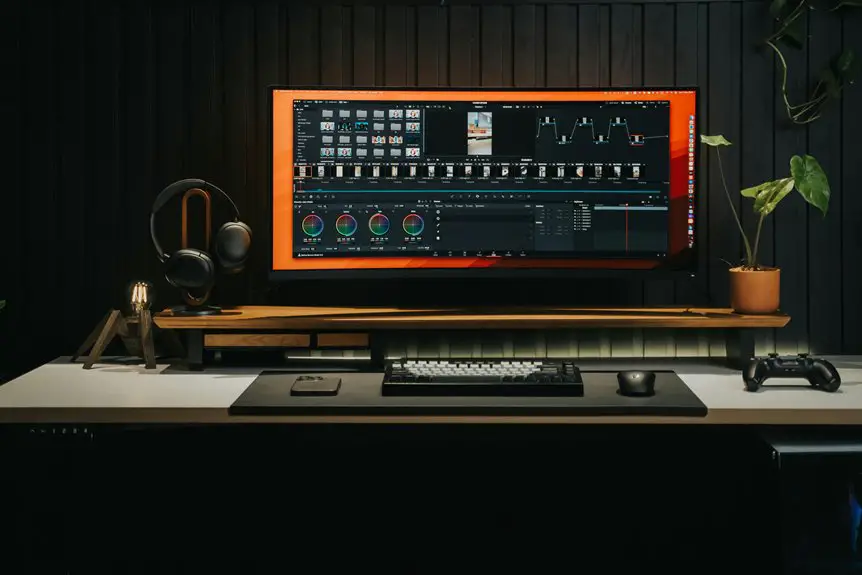
When picking a mousepad for your gaming-style desk, consider materials like cloth for control or hard surfaces for speed. Think about the size, as larger pads benefit low-sensitivity gamers, while smaller ones fit cramped spaces. Surface texture impacts performance, with smooth options aiding quick movements and rough textures providing accuracy. Ensure a non-slip base for stability. Also, consider design and maintenance features for durability. Discover how the right choices can elevate your gaming setup even more.
Key Takeaways
- Choose a mousepad size that fits your desk space while accommodating your gaming style, especially if you use low-sensitivity settings.
- Opt for a cloth surface for better control or a hard surface for faster movements, based on your gaming preferences.
- Consider a mousepad with a non-slip base to ensure stability during intense gaming sessions and to prevent unnecessary movement.
- Look for washable materials and stitched edges to enhance durability and maintain performance over time.
- Experiment with different surface textures to find the right balance of speed and control that suits your gaming needs.
Understanding Mousepad Materials
When you're choosing a mousepad for gaming, understanding the materials it's made from can significantly impact your performance.
A high-quality mousepad typically features either cloth or hard surfaces. Cloth pads offer a smooth glide while providing better control, making them ideal for precision-based games. They're also comfy and often more affordable.
On the other hand, hard mousepads allow for quicker movements and are easier to clean, but they might sacrifice some control.
You'll also find various thicknesses, which can affect comfort during long gaming sessions.
Ultimately, the choice of material should align with your playstyle. Test different options to see what feels best under your hand, as the right mousepad can elevate your gaming experience.
Choosing the Right Size
Choosing the right mousepad size is crucial for optimizing your gaming setup. First, consider your desk space; you want a pad that fits comfortably without crowding your area.
If you have a low-sensitivity mouse, a larger mousepad allows for those sweeping movements without losing control. On the other hand, if you prefer a high-sensitivity setting, a medium-sized pad may suffice.
Think about your playstyle, too: FPS gamers often benefit from larger surfaces for precision, while casual gamers mightn't need as much room.
Also, don't forget to account for your keyboard; you might want a mousepad that accommodates both your mouse and keyboard for a cohesive look.
Ultimately, find a size that enhances your gaming experience.
Surface Texture and Its Impact on Performance
When choosing a mousepad, the surface texture can significantly affect your gaming performance.
Smooth surfaces allow for quick glides and fast-paced movements, while rough textures offer more control and precision.
Understanding the material types and their effects will help you find the perfect balance for your play style.
Smooth vs. Rough Surfaces
While the surface texture of your mousepad may seem like a minor detail, it significantly affects your gaming performance.
If you prefer quick, precise movements, a smooth surface might be your best bet. This type allows for faster glide, enabling rapid flicks and swift turns, which is crucial in fast-paced games.
On the other hand, a rough surface offers more resistance, providing better control over your mouse movements. This can be beneficial for tasks requiring precision, like aiming in first-person shooters.
Ultimately, your choice should reflect your gaming style. Experiment with both types to see which one feels more natural for you, and remember that comfort and control are key to enhancing your overall gaming experience.
Material Types and Effects
The material of your mousepad plays a crucial role in how your mouse interacts with the surface, directly impacting your gameplay.
If you prefer speed and quick movements, a smooth cloth surface can enhance your gliding experience, allowing for rapid flicks. On the other hand, if you value precision and control, a textured surface offers more grip, helping you make accurate shots during intense gaming sessions.
Hard plastics provide a balance, combining speed and control, but may feel less comfortable over long periods. Remember, the right material can also affect durability and maintenance.
Choosing wisely ensures your mousepad complements your gaming style, enhancing both performance and comfort. So, consider your gaming needs before making a decision!
Design and Aesthetics
Choosing a mousepad isn't just about functionality; it's also an opportunity to express your personal style. The design and aesthetics of your mousepad can significantly enhance the overall look of your gaming setup.
Think about colors, patterns, and themes that resonate with you. Whether you prefer sleek minimalism or vibrant graphics, there's a mousepad out there that matches your vibe.
Consider how it complements your desk, monitor, and other peripherals. A well-chosen design can create a cohesive aesthetic that pulls your entire gaming space together.
Don't shy away from unique shapes or sizes; they can add character to your setup. Ultimately, pick a mousepad that reflects your personality and makes you feel at home in your gaming environment.
Features to Look For
When choosing a gaming mousepad, consider the surface material types that best suit your play style.
You'll also want to think about the size and dimensions to ensure it fits your setup perfectly.
Additional grip features can make a big difference in stability during intense gaming sessions.
Surface Material Types
As you explore mousepad options, understanding the various surface materials can significantly enhance your gaming experience.
You'll typically find cloth, plastic, and hybrid surfaces, each offering unique benefits. Cloth pads provide a smooth, comfortable feel and are great for low-sensitivity settings, allowing for precise control.
Plastic surfaces, on the other hand, offer a slicker glide, perfect for fast-paced gaming and quick maneuvers.
If you're looking for the best of both worlds, hybrid pads combine the advantages of both materials, ensuring speed and control.
Consider your play style and preferences; a surface that balances glide and friction can improve your performance.
Choose wisely, and you'll notice the difference in your gameplay.
Size and Dimensions
Finding the right size and dimensions for your mousepad can make a significant impact on your gaming experience. First, consider your desk space. A larger mousepad provides more room for movement, especially in fast-paced games. However, if you're tight on space, a smaller pad may suffice.
Here's a quick reference table to help you decide:
| Mousepad Size | Ideal For | Example Games |
|---|---|---|
| Small (250mm x 210mm) | Casual gaming | Mobile games |
| Medium (350mm x 250mm) | General gaming | FPS, RPGs |
| Large (900mm x 400mm) | Competitive gaming | eSports, Strategy |
Ultimately, choose a size that complements both your gaming style and setup. Happy gaming!
Additional Grip Features
Once you've nailed down the size of your mousepad, it's time to think about additional grip features that can enhance your gaming experience.
Look for a rubberized base; this keeps your mousepad anchored during intense sessions. Some pads also come with textured surfaces that provide better control, allowing for precise movements.
If you're into high-speed gameplay, a smooth surface can help your mouse glide effortlessly. Don't forget about stitched edges; they can prevent fraying and improve durability, adding to the overall grip.
Lastly, consider anti-slip coatings, which ensure your mousepad stays put, no matter how aggressive your gameplay is. These features can make a significant difference in your performance, so choose wisely!
Maintenance and Care Tips
Keeping your gaming mousepad in top shape can enhance your gaming experience and prolong its lifespan.
Start by regularly cleaning it to remove dust and debris. Use a damp cloth with mild soap, but avoid harsh chemicals that can damage the surface. For fabric mousepads, you can also toss them in the washing machine on a gentle cycle, but air dry them completely afterward.
Make sure to keep food and drinks away from your setup to prevent spills.
Store your mousepad flat when transporting it to avoid creases.
Finally, regularly check for wear and tear; if it starts to fray or lose its texture, it might be time for a replacement.
Taking these simple steps will keep your mousepad performing at its best.
Frequently Asked Questions
What Is the Average Lifespan of a Gaming Mousepad?
The average lifespan of a gaming mousepad varies, but you can expect it to last between one to three years. Regular use and maintenance play a key role in determining how long it'll serve you.
Can I Use a Gaming Mousepad for Non-Gaming Purposes?
Absolutely, you can use a gaming mousepad for non-gaming tasks. They offer great precision and comfort, enhancing your overall experience whether you're working, browsing, or just enjoying your favorite online activities. You'll appreciate the difference!
Do Different Mousepads Affect Battery Life of Wireless Mice?
Yes, different mousepads can affect battery life of wireless mice. A textured surface might require more power for tracking, while a smooth one could help conserve energy. It's worth testing various options to see what works best.
Are There Eco-Friendly Mousepad Options Available?
Yes, there are eco-friendly mousepad options available. You can find mousepads made from recycled materials, natural rubber, or bamboo. Choosing these sustainable options helps reduce waste and supports environmentally responsible manufacturing practices.
How Do I Know if My Mousepad Is Worn Out?
You'll know your mousepad is worn out if you notice uneven surfaces, fraying edges, or if your mouse skips or struggles to track smoothly. Regular inspection helps ensure optimal performance during your gaming or work sessions.