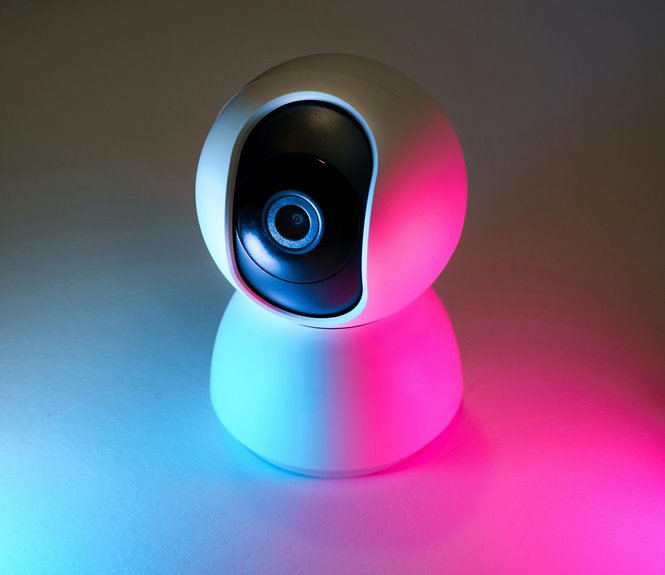
To reduce eye strain during long meetings, adjust your screen brightness, contrast, and resolution for optimal clarity. Take regular breaks every hour, stepping away from the screen to relax your eyes. Optimize your lighting by using natural light or soft lamps, while keeping your webcam at eye level. Make a conscious effort to blink more often to prevent dryness. If you want further tips on maintaining comfort, there's more you can explore.
Key Takeaways
- Adjust your screen settings by lowering brightness, increasing contrast, and enabling night mode to reduce eye strain.
- Take regular breaks every hour to rest your eyes and focus on distant objects to relax eye muscles.
- Optimize your lighting by using natural light and soft lamps while avoiding harsh overhead lighting to create a comfortable environment.
- Maintain proper distance by positioning your webcam at eye level and sitting two to three feet away from the screen for better engagement.
- Blink more often and incorporate reminders or timers to keep your eyes lubricated and reduce dryness during meetings.
Adjust Your Screen Settings
Adjusting your screen settings can make a significant difference in reducing webcam eye strain. Start by lowering the brightness of your screen; too much light can create glare and strain your eyes.
Consider adjusting the contrast as well; a well-balanced contrast helps in distinguishing between text and background, easing eye fatigue. You can also enable night mode or blue light filters, which reduces harsh blue light exposure, especially during late meetings.
Additionally, ensure your screen's resolution is set to its optimal level; a crisp image minimizes squinting and improves focus.
Lastly, position your screen to be at eye level and about an arm's length away; this helps maintain a comfortable viewing angle and reduces neck strain, too.
Take Regular Breaks
Although you might feel tempted to power through back-to-back video calls, taking regular breaks is essential for reducing webcam eye strain.
Schedule short breaks every hour to give your eyes a rest. During these pauses, step away from your screen for a few minutes. Focus on something at a distance, allowing your eye muscles to relax.
You can also use this time to stretch or hydrate, which benefits your overall well-being. Even a quick walk around the room can refresh your mind and body.
Optimize Your Lighting
Proper lighting can significantly reduce webcam eye strain during your video calls. The right setup ensures you're well-lit without harsh shadows or glare. Here's a quick guide to help you optimize your lighting:
| Lighting Type | Description |
|---|---|
| Natural Light | Use daylight from windows; it's soft and flattering. |
| Soft Lamps | Position them behind your camera for even illumination. |
| Ring Lights | These provide uniform light, reducing shadows on your face. |
| Avoid Overhead Lights | They can create harsh shadows and cause strain. |
Take a moment to experiment with different lighting options. You'll find that the right lighting not only enhances your appearance but also makes it easier on your eyes, keeping you focused during long meetings.
Maintain Proper Distance and Position
To reduce eye strain during video calls, it's essential to maintain the right distance and position from your webcam. Keeping your webcam at eye level ensures that you're looking straight into the camera, which can help you engage better with others.
Aim for a distance of about two to three feet from your screen, as this can help reduce glare and make it easier for your eyes to focus.
- Position your chair to align with your webcam.
- Adjust your screen height to eye level.
- Use a comfortable chair with good back support.
- Avoid leaning too close to the screen.
- Take breaks to adjust your posture periodically.
Following these tips can significantly enhance your comfort during long meetings.
Blink More Often
Maintaining the right distance and position from your webcam is important, but don't overlook the simple act of blinking more often. When you're focused on a screen, you naturally blink less, which can lead to dryness and discomfort.
Make a conscious effort to remind yourself to blink frequently during meetings. You might even set a timer or use visual cues to trigger those blinks. By doing this, you'll keep your eyes lubricated and reduce strain.
Try to incorporate short breaks to look away from the screen, giving your eyes a chance to rest and refocus. Remember, a little extra blinking can go a long way in maintaining eye comfort and focus throughout those lengthy virtual interactions.
Use Computer Glasses
If you're spending long hours in front of a webcam, consider using computer glasses to reduce eye strain.
These glasses often feature special lenses that can filter blue light and provide better focus, making your screen time more comfortable.
Plus, a proper fit ensures you'll wear them without discomfort, allowing you to stay focused and relaxed during your calls.
Benefits of Computer Glasses
While you may not realize it, wearing computer glasses can significantly reduce eye strain and improve your overall comfort during long hours in front of a screen.
These specialized lenses are designed to filter out harmful blue light and minimize glare, making your viewing experience much more pleasant. By incorporating computer glasses into your routine, you can enjoy several benefits:
- Enhanced visual comfort
- Reduced likelihood of headaches
- Improved focus and productivity
- Lowered risk of digital eye strain
- Increased overall eye health
Investing in a good pair of computer glasses can make a noticeable difference in how you feel after long meetings.
Recommended Lens Features
When selecting computer glasses, you'll want to look for specific lens features that can enhance your comfort and protect your eyes.
First, consider lenses with blue light filtering technology. These lenses reduce exposure to harmful blue light emitted by screens, which can contribute to eye strain.
Next, opt for anti-reflective coatings; they minimize glare from your computer and surrounding lighting, making it easier to focus.
You'll also find progressive lenses beneficial, as they offer multiple focal lengths, allowing you to switch between tasks without straining.
Lastly, ensure the lenses are scratch-resistant, as this will keep your glasses clear and durable during long meetings.
With the right lens features, you'll enjoy a more comfortable viewing experience.
Proper Fit and Comfort
Finding the right fit for your computer glasses is crucial for maintaining comfort during long hours of screen time.
Ill-fitting glasses can lead to discomfort, which can increase your eye strain.
Here's what to consider for optimal comfort:
- Frame size: Choose frames that suit your face shape and size.
- Nose pads: Adjustable nose pads help reduce pressure and slipping.
- Temple length: Ensure temples fit snugly without pinching or sliding.
- Lens height: Select lenses that align with your line of sight for better focus.
- Weight: Lightweight materials will reduce fatigue during extended wear.
Frequently Asked Questions
How Can I Tell if My Webcam Is Too Bright or Dim?
To determine if your webcam's too bright or dim, check the image quality by adjusting the settings. If you see glare or shadows, tweak the brightness until you achieve a balanced, clear view.
What Are the Symptoms of Webcam Eye Strain?
You might notice symptoms like headaches, blurred vision, dry eyes, or difficulty focusing after prolonged webcam use. These signs often indicate eye strain, so pay attention to how your eyes feel during and after video calls.
Can Using a Blue Light Filter Help Reduce Eye Strain?
Using a blue light filter can definitely help reduce eye strain. It blocks harmful wavelengths, making screens easier on your eyes. You'll notice less discomfort and fatigue, especially during long hours of screen time.
Is It Bad to Look Directly at the Webcam?
Looking directly at the webcam can strain your eyes, especially during long sessions. It's better to have a slight gaze away from the lens while maintaining a natural connection with your audience, keeping your comfort in mind.
How Often Should I Adjust My Screen Settings?
You should adjust your screen settings regularly, especially when lighting changes. If your eyes feel strained, tweak brightness or contrast. Finding the right balance helps reduce fatigue and keeps your vision comfortable throughout the day.