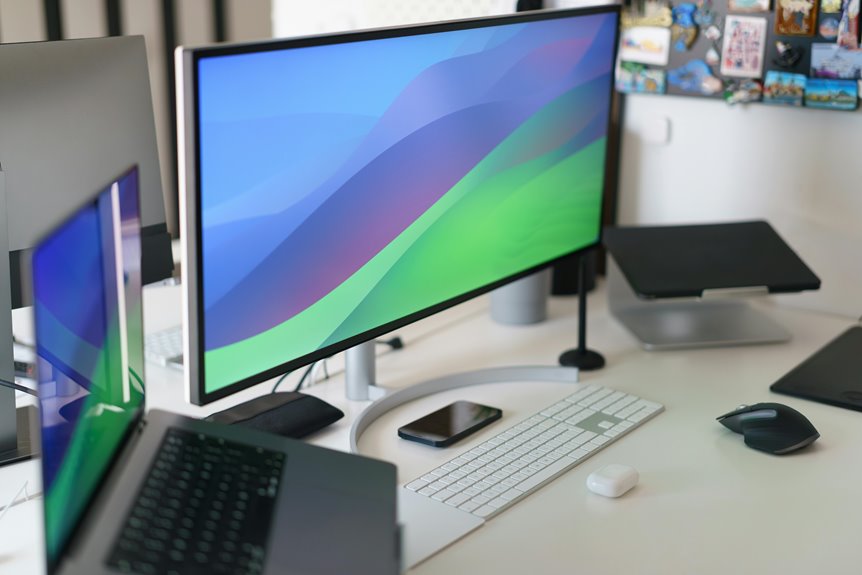
To efficiently stack monitors in your home office, start by choosing the right method, like a monitor stand or wall mount, to free up desk space and enhance ergonomics. Adjust the height so the top of your screens is at or slightly below eye level. Use cable management solutions to keep your workspace tidy. This setup will boost productivity and reduce strain. Keep going to discover more tips for optimizing your monitor arrangement.
Key Takeaways
- Use a monitor stand or riser to elevate screens to eye level, reducing neck and eye strain.
- Consider wall mounts to save desk space and allow flexible positioning of monitors.
- Implement cable management solutions to keep cords organized and prevent workspace clutter.
- Position the primary monitor directly in front and angle secondary monitors towards you for optimal visibility.
- Regularly assess and adjust your setup to ensure ergonomic comfort and maintain an efficient workflow.
Understanding the Benefits of Monitor Stacking
Stacking monitors in your home office can greatly enhance your productivity and workspace efficiency. By elevating your screens, you create a clear line of sight, reducing neck and eye strain. This alignment helps you focus better on tasks without constant adjustments.
With multiple monitors, you can multitask seamlessly, easily switching between documents or applications, which saves time. You’ll also enjoy a more organized workspace, as stacking monitors frees up valuable desk space for other essentials.
Additionally, having a dedicated monitor for specific tasks, like video calls or research, can streamline your workflow. Overall, stacking monitors not only boosts your productivity but also improves your comfort, turning your home office into a more effective work environment.
Choosing the Right Monitor Stacking Method
When you’re ready to elevate your monitor setup, choosing the right stacking method is essential for both functionality and comfort. You’ve got several options, each with its benefits. Consider your workspace, monitor size, and personal preferences.
| Stacking Method | Pros |
|---|---|
| Monitor Stand | Easy setup, adjustable height |
| Wall Mount | Saves desk space, flexible positioning |
| Stackable Riser | Affordable, customizable height |
| Dual Arm Mount | Ergonomic, allows for movement |
| DIY Solutions | Cost-effective, personalized design |
Each method has unique advantages, so weigh them against your needs. Selecting the right stacking approach can enhance your workflow and create a more organized workspace.
Essential Tools and Accessories for Stacking Monitors
To create a functional and aesthetically pleasing monitor setup, you’ll need a few essential tools and accessories.
First, consider a sturdy monitor stand or riser. This helps elevate your monitors to eye level, ensuring comfort during long hours.
Next, invest in cable management solutions like clips and sleeves to keep your workspace tidy. You’ll also want adjustable monitor arms; they provide flexibility for positioning and can save desk space.
Don’t forget anti-slip pads to prevent your monitors from sliding.
Finally, a level is vital for ensuring everything’s perfectly aligned.
With these essentials, you’ll set up a sleek, organized, and efficient home office that enhances your productivity and minimizes clutter.
Ergonomic Considerations for Monitor Height and Angle
Achieving the right monitor height and angle is essential for maintaining comfort and preventing strain during long work hours. Position your monitor so the top of the screen is at or just below eye level, allowing you to look slightly downward while working. This helps reduce neck strain.
If you’re stacking monitors, make sure the primary screen is directly in front of you, while secondary screens should be angled toward you to minimize head turning. A distance of about an arm’s length is ideal, making certain you can read text without leaning forward.
Adjust the tilt of your monitors to reduce glare and enhance visibility, promoting a more comfortable viewing experience and allowing you to stay focused throughout your tasks.
Tips for Cable Management and Workspace Organization
Proper ergonomic setup not only enhances comfort but also sets the stage for an organized workspace.
Start by using cable clips or ties to bundle cables together, keeping them neat and preventing tangles. Consider a cable management box to hide excess cords and maintain a clean look. Label your cables to quickly identify them when needed.
Position your monitor stands to create additional space underneath for storage solutions, like bins or drawers, to keep office supplies organized. Use a desk mat to define your workspace and prevent clutter.
Finally, regularly assess your setup and make adjustments as necessary to maintain organization. A tidy workspace not only improves focus but also boosts productivity.
Frequently Asked Questions
Can I Stack Different Sizes of Monitors Together?
You can stack different sizes of monitors together, but keep in mind their heights and viewing angles. Adjusting their positions guarantees a comfortable line of sight, enhancing your productivity and reducing neck strain while working.
How Do I Adjust Monitor Brightness When Stacked?
To adjust monitor brightness when they’re stacked, use the on-screen display settings for each monitor. You can also access your computer’s display settings for more precise control, ensuring all monitors match your preferred brightness.
Will Stacking Monitors Affect Their Lifespan?
Stacking monitors can affect their lifespan if they overheat or aren’t properly ventilated. Ascertain you’ve got adequate airflow and avoid blocking vents to keep your monitors running smoothly and prolong their longevity.
Can I Use a Laptop as a Stacked Monitor?
Yes, you can use a laptop as a stacked monitor. Just connect it to your desktop or another device using HDMI or a wireless connection. It’ll expand your screen space and enhance productivity.
What Are the Best Monitor Brands for Stacking?
When choosing monitor brands for stacking, consider Dell, ASUS, and LG. They offer excellent display quality and ergonomic designs. You’ll appreciate the clarity and space-saving solutions these brands provide for your workspace.