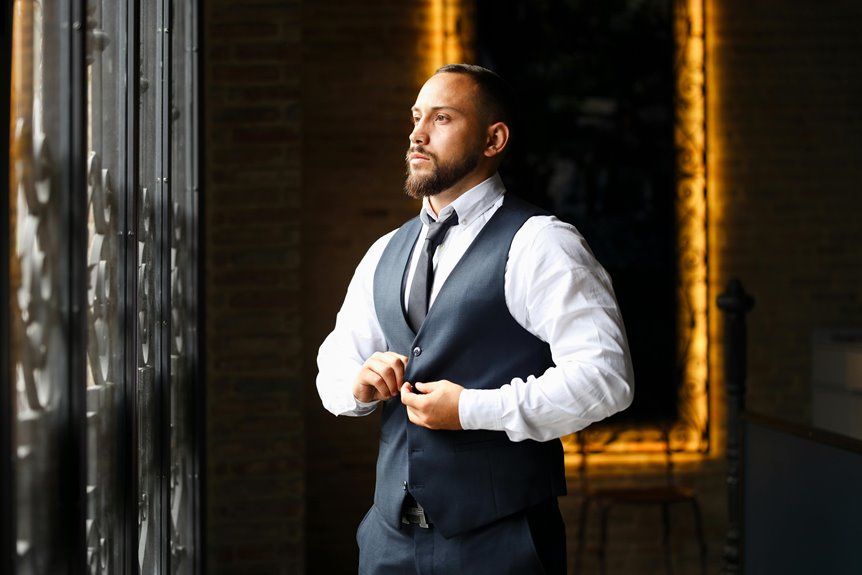
To use natural window light effectively for webcam calls, sit facing a north or south-facing window for consistent, diffused light. Schedule calls during late morning to early afternoon for ideal brightness. Adjust your distance from the window to avoid harsh shadows. Enhance your background with plants or artwork, and keep it clutter-free. Finally, experiment with camera settings for white balance and focus to guarantee you look your best. There’s more to discover about maximizing your lighting skills.
Key Takeaways
- Position yourself facing a north or south-facing window for consistent, diffused natural light during webcam calls.
- Schedule calls during late morning to early afternoon for the best natural light conditions.
- Use sheer curtains to soften harsh sunlight and minimize glare while illuminating your face.
- Experiment with camera angles and distance from the window to avoid unflattering shadows.
- Incorporate reflective surfaces like mirrors or light-colored walls to enhance and diffuse natural light.
Understanding Natural Light and Its Impact on Video Quality
When you set up for a webcam call, understanding natural light is essential because it greatly impacts your video quality.
Natural light creates a soft, flattering glow that enhances your appearance, making you look more vibrant and engaged. Positioning yourself near a window allows sunlight to illuminate your face, reducing harsh shadows and creating a balanced look.
Natural light offers a soft glow that enhances your appearance, making you look vibrant and engaged during video calls.
However, too much direct sunlight can wash you out, so aim for a diffused light source. Pay attention to the time of day, as the quality of light changes with the sun’s position.
Avoid backlighting, as it can make you appear silhouetted. By mastering natural light, you’ll profoundly improve your video calls, ensuring you come across as professional and approachable.
Choosing the Right Window for Optimal Lighting
Choosing the right window for ideal lighting can greatly enhance your webcam calls.
Look for a window that faces north or south, as these orientations provide consistent, diffused light throughout the day. Avoid windows that face east or west, since they can create harsh shadows or strong glare during sunrise and sunset.
Make sure your window isn’t obstructed by trees, buildings, or other structures that might block the light. If possible, choose a window with sheer curtains to soften the light further and minimize glare on your face.
Position your camera so that the window is in front of you, allowing the natural light to illuminate your face evenly and create a professional appearance during your calls.
Timing Your Calls for Maximum Daylight
Maximizing natural light during your webcam calls goes beyond selecting the right window; timing plays a significant role too. You want to schedule your calls when daylight is abundant. Generally, late morning to early afternoon is ideal, as the sun’s position enhances brightness without harsh shadows.
Here’s a quick reference to help you choose the best times:
| Time of Day | Light Quality | Best for Calls |
|---|---|---|
| Morning (8-10 AM) | Soft, diffused light | Informal chats |
| Midday (11 AM-2 PM) | Bright, direct light | Professional meetings |
| Afternoon (3-5 PM) | Warm, golden glow | Creative discussions |
Positioning Yourself for the Best Light Angle
To guarantee you’re making the most of natural light during your webcam calls, position yourself so that the light source hits your face directly.
Ideally, sit facing a window, allowing daylight to illuminate your features evenly. This setup not only enhances your appearance but also helps you appear more engaging and vibrant on camera.
If the sunlight is too intense, try adjusting your distance from the window or using sheer curtains to diffuse the light.
Remember, the angle matters; you don’t want the light coming from the side or behind you, as it can create unflattering shadows.
Experiment with different positions until you find the perfect angle that highlights your best features for a professional-looking video call.
Avoiding Harsh Shadows and Glare
While natural light can greatly enhance your webcam experience, it can also lead to harsh shadows and glare if not managed properly. To minimize these issues, consider your light source’s position and your distance from it. Here’s a quick guide to help you:
| Light Source Position | Shadow Impact | Glare Level |
|---|---|---|
| Directly Behind You | High | High |
| Side Lighting | Medium | Medium |
| Above Head | Low | High |
| Front Lighting | Low | Low |
| Angled Lighting | Medium | Low |
Experiment with your setup, adjusting your position and the light’s angle until you find a balance that eliminates shadows and glare. You’ll look more professional and engaging during your calls!
Enhancing Your Background With Natural Light
To enhance your background with natural light, you’ll want to carefully position your setup near a window that provides soft illumination.
Choosing the right time of day can make a big difference, as the golden hour offers beautiful, flattering light.
Finally, incorporating interesting elements in your background can create a more engaging visual experience for your viewers.
Positioning Your Setup
When you position your setup to take advantage of natural light, you not only enhance your appearance but also create a visually appealing background. Start by placing your webcam or laptop facing a window, allowing soft light to illuminate your face. Avoid sitting directly in front of the window; instead, angle yourself slightly to prevent harsh shadows.
Consider the space behind you, too. Declutter the area and arrange items that add interest without distraction. Houseplants, bookshelves, or artwork can elevate your backdrop.
Make sure your background isn’t too busy—simplicity often works best. Finally, test your setup with a quick video call to see how everything looks, adjusting as needed for the best effect.
Choosing the Right Time
What time of day should you schedule your webcam calls to make the most of natural light? Aim for early morning or late afternoon, when sunlight is softer and more flattering.
During these hours, natural light creates a warm ambiance, enhancing your background without overwhelming glare. Pay attention to the direction of the light; east-facing windows work well in the morning, while west-facing ones are ideal for late-day calls.
Avoid midday when the sun is harsh, casting unflattering shadows and bright spots. You’ll want to guarantee your space looks inviting, so take a little time to check the light’s effect before your call.
This simple adjustment can notably improve your overall appearance and presentation.
Incorporating Interesting Elements
Natural light can transform your webcam background into a mesmerizing setting that reflects your personality. To enhance your space, consider incorporating interesting elements like plants, artwork, or personal mementos.
A vibrant plant can add a touch of life, while a well-placed piece of art can spark conversation. Make sure these items are positioned to catch the light, creating shadows and highlights that draw attention.
Choose colors that complement your style, ensuring they don’t clash with your outfit. You can also use bookshelves or decorative items to create depth, giving your background a more dynamic feel.
Tips for Adjusting Camera Settings
To make the most of your webcam calls, it’s essential to adjust your camera settings for ideal clarity.
Start by fine-tuning the exposure, calibrating the white balance, and ensuring your focus and framing are just right.
These adjustments can greatly enhance your overall appearance on screen.
Adjusting Exposure Settings
Adjusting your webcam’s exposure settings can profoundly enhance the quality of your video calls. Start by accessing your camera settings, usually found in the software you’re using. Look for options labeled “exposure,” “auto exposure,” or similar terms.
If your webcam offers manual adjustments, tweak the exposure until your face is well-lit without overexposing the background. If you’re in a brightly lit room, reducing exposure can prevent washed-out effects. Conversely, in dim environments, you might need to increase it for clarity.
Test different settings during a call to find the best balance. Remember, good exposure not only improves visibility but also helps convey professionalism during your conversations. Adjusting these settings can greatly impact how others perceive you on screen.
White Balance Calibration
When it comes to achieving the best video quality, calibrating your webcam’s white balance is crucial. Proper white balance guarantees that colors appear natural and true to life. To adjust your settings, follow these quick tips:
| Setting | Description |
|---|---|
| Auto White Balance | Let your camera adjust automatically. |
| Manual Adjustment | Use a white object for calibration. |
| Color Temperature | Set to 5000K for balanced daylight. |
| Tint Adjustment | Fine-tune greens and magentas to match your environment. |
| Test Shots | Take several shots to compare results. |
Experiment with these settings until you find what works best in your space. With the right white balance, you’ll look great on your calls!
Focus and Framing
Achieving the perfect focus and framing for your webcam calls can considerably enhance your on-screen presence.
Start by positioning your camera at eye level for a more engaging angle. Make certain you’re centered in the frame, leaving a bit of space above your head and keeping your shoulders visible.
Use your camera’s autofocus feature, but test it first to verify it captures you clearly. If your camera allows, manually adjust the focus for sharper clarity.
Experiment with different distances to find what looks best; too close can be overwhelming, while too far may lose detail.
Finally, don’t forget to check your background—keep it tidy and free from distractions to keep the focus on you.
Utilizing Reflective Surfaces to Enhance Light
Reflective surfaces can be your best ally in enhancing natural light during webcam calls. Positioning mirrors or light-colored walls opposite your window can bounce sunlight back onto your face, illuminating your features beautifully.
If you’ve got a shiny desk or a glossy picture frame, try angling them to catch and redirect light. You might also use white poster boards or light-colored curtains to reflect and diffuse harsh sunlight, creating a more flattering glow.
Experiment with different surfaces to see what works best in your space. Just remember to avoid overly shiny surfaces that could create unwanted glare.
With a little creativity, you can maximize the natural light, making your calls look professional and engaging.
Experimenting With Different Lighting Conditions
Experimenting with different lighting conditions can greatly enhance the quality of your webcam calls.
Start by observing how natural light changes throughout the day. Adjust the position of your webcam to find the most flattering angles and avoid harsh shadows. Try using sheer curtains to diffuse sunlight for a softer look.
If it’s cloudy, you might get a diffused, even light that’s perfect for your calls. Don’t hesitate to test artificial light sources, like lamps or ring lights, to complement natural light.
Frequently Asked Questions
Can I Use Curtains to Diffuse Natural Light?
Think of curtains as a gentle whisper, softening the harsh sunlight. You can use them to diffuse natural light, creating a warm and inviting atmosphere that enhances your space and maintains your privacy.
What if My Window Faces North or South?
If your window faces north or south, you’re still in luck! North light’s soft and even, while south light’s bright and vibrant. Experiment with angles and distances to find the best balance for your setup.
How Do I Avoid Backlighting During Calls?
To avoid backlighting during calls, position yourself facing the light source. If your window’s behind you, adjust your seating or use curtains to diffuse the light, ensuring your face is well-lit and clear.
Is It Better to Sit or Stand for Webcam Calls?
Studies show that 70% of people perceive standing speakers as more confident. So, if you want to project energy and engagement during webcam calls, consider standing. It can enhance your presence and make conversations more dynamic.
Can Indoor Plants Affect Natural Light Quality?
Yes, indoor plants can affect natural light quality. They absorb and diffuse light, creating a softer ambiance. Placing them strategically near windows can enhance your space while improving the overall lighting for your webcam calls.