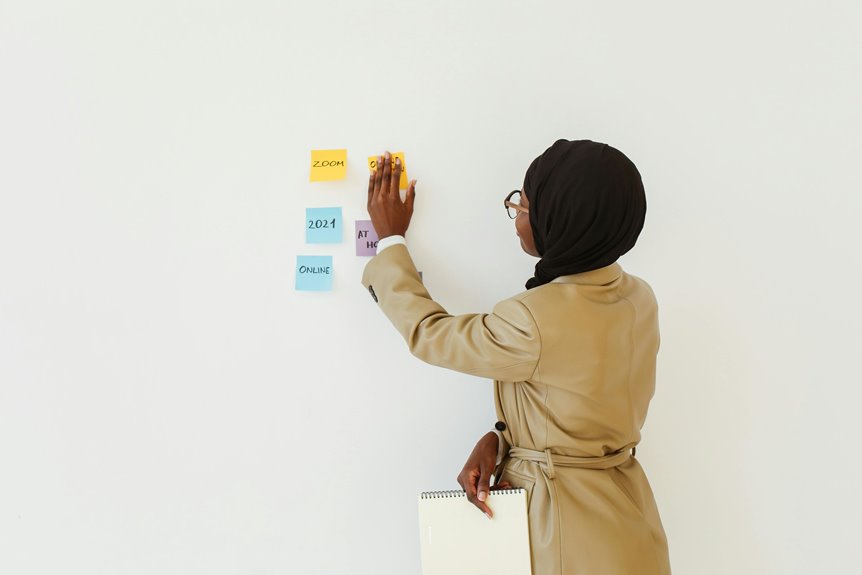
To use Zoom breakout rooms for brainstorming, start by setting clear objectives for the session. Assign specific roles, like facilitator and note-taker, to enhance collaboration. Encourage active participation through icebreakers, and share ideas using collaborative documents. After the session, gather feedback and track progress on actionable insights. This structured approach guarantees focused discussions and effective idea generation. Keep exploring ways to refine your method and boost creativity in future sessions.
Key Takeaways
- Set clear objectives for the brainstorming session to guide focused discussions among participants in breakout rooms.
- Assign roles like facilitator and note-taker to enhance collaboration and ensure productive conversations.
- Use icebreakers to encourage interaction and create a comfortable environment for sharing ideas.
- Monitor time limits for each topic to maintain momentum and ensure all ideas are explored.
- Document key insights and actionable ideas during the session for future reference and implementation.
Setting Up Your Zoom Breakout Rooms
Setting up your Zoom breakout rooms is a straightforward process that can enhance your virtual meetings considerably.
First, start your Zoom meeting and click on the "Breakout Rooms" option in the toolbar. You'll see a window prompting you to choose how many rooms you want to create and whether you want to assign participants automatically or manually.
After making your selection, hit "Create Rooms." If you choose manual assignment, you can drag participants into rooms as needed.
After selecting your preferences, click "Create Rooms" and, if needed, simply drag participants into their designated spaces.
You can also set a timer for the breakout sessions and allow participants to return to the main room whenever they finish.
Don't forget to click "Open All Rooms" to let everyone engage in their discussions! Your meeting will feel more collaborative.
Defining Clear Objectives for the Session
To make the most of your Zoom breakout rooms, you need to set specific goals for the session.
Identify key topics that will guide your discussions, and allocate your time wisely to cover everything effectively.
Set Specific Goals
When you define clear objectives for your session, you create a focused environment that enhances participant engagement.
Start by identifying what you want to achieve. Whether it's generating ideas, solving a problem, or making decisions, having specific goals helps guide the discussion.
Share these objectives with participants at the beginning so everyone understands the purpose and feels motivated. Encourage them to contribute their thoughts toward these goals, ensuring the conversation stays directed and productive.
You might also consider setting time limits for each goal to keep the momentum going.
Identify Key Topics
Identifying key topics for your breakout session not only streamlines the discussion but also guarantees that participants stay focused on what's most important.
Start by reviewing your session's goals and pinpoint the core issues that need exploration. You can involve participants by asking for their input on what topics they find most relevant. This collaboration fosters engagement and assures everyone's voice is heard.
Once you've gathered ideas, prioritize them based on urgency and relevance to your objectives. Clearly outline these key topics in advance, so participants know what to expect and can prepare accordingly.
Allocate Time Wisely
Setting clear objectives for your breakout session not only helps you allocate time wisely but also guarantees participants stay engaged and focused.
By defining specific goals, you create a roadmap that keeps discussions on track. Here's how to make the most of your time:
- Prioritize Topics: Identify the most essential points to cover.
- Set Time Limits: Allocate specific durations for each topic or activity.
- Encourage Participation: Make sure everyone knows their role and the expected outcomes.
- Review and Reflect: Reserve time at the end for group sharing and feedback.
Assigning Roles for Effective Collaboration
To enhance collaboration in Zoom breakout rooms, it's essential to assign specific roles to participants. By designating roles such as facilitator, note-taker, and timekeeper, you create a structured environment that promotes productivity.
The facilitator can guide discussions and keep the group focused, while the note-taker captures key ideas and decisions. Having a timekeeper guarantees that everyone stays on track and respects allotted time for each topic.
You might also consider assigning a devil's advocate to challenge ideas constructively, encouraging deeper thinking.
Make certain everyone understands their responsibilities before diving into the brainstorming session. This clarity fosters accountability and engagement, leading to a more effective and collaborative experience for all participants in your breakout rooms.
Techniques to Encourage Participation
To get everyone involved in Zoom breakout rooms, try using icebreaker activities to warm up the group.
Make sure you set clear guidelines so participants know what's expected of them.
Rotating participants can also help mix things up and encourage more interaction among everyone.
Icebreaker Activities
Icebreaker activities are essential for fostering participation in Zoom breakout rooms, especially when team members are meeting for the first time.
These activities help build rapport and set a positive tone for collaboration. Here are some effective icebreaker ideas you can try:
- Two Truths and a Lie: Share two true statements and one false one; let others guess which is the lie.
- Virtual Show and Tell: Present an item from your home and explain its significance.
- Favorite Things: Ask participants to share their favorite book, movie, or travel destination.
- Rapid-fire Questions: Pose quick questions, and participants respond as fast as they can, promoting spontaneity.
Clear Guidelines
After establishing a warm atmosphere with icebreaker activities, it's important to set clear guidelines for participation in Zoom breakout rooms.
Start by outlining expectations: encourage everyone to share their ideas while respecting others' contributions. Remind participants to use the "raise hand" feature to maintain order during discussions.
Define the time allotted for each round of brainstorming to keep conversations focused and productive. Encourage active listening by asking participants to summarize others' points before adding their thoughts.
You might also suggest using a shared document for jotting down ideas, ensuring everyone can see and reference them.
Rotate Participants
One effective technique to encourage participation in Zoom breakout rooms is to rotate participants regularly. By mixing up the groups, you create new dynamics and spark fresh ideas. This approach helps everyone engage and contributes to a more collaborative environment.
Here are some ways to implement rotations effectively:
- Set a Timer: Allocate a specific time for each session before rotating participants.
- Create Diverse Groups: Mix participants from different backgrounds, skills, or perspectives to enrich discussions.
- Encourage Feedback: After rotations, ask participants to share insights or new ideas they gained from their discussions.
- Use Random Assignments: Utilize Zoom's random assignment feature to shuffle groups and keep things spontaneous.
Sharing Ideas and Feedback Post-Session
How can you effectively gather insights and feedback after a Zoom breakout session? Start by creating a structured approach. Send a follow-up survey to all participants, asking specific questions about their experience. This helps capture individual perspectives and fosters a sense of participation.
Here's a simple table you can use to categorize the feedback:
| Feedback Type | Comments |
|---|---|
| Positive Highlights | What worked well? |
| Areas for Improvement | What can be improved? |
| Additional Ideas | Any new ideas to contemplate? |
Encourage participants to share their thoughts in a dedicated chat channel or during a follow-up meeting. This not only enhances collaboration but also guarantees that all voices are heard and valued.
Integrating Breakout Room Insights Into Larger Projects
Integrating insights from breakout rooms into larger projects can greatly enhance the overall effectiveness of your initiatives.
To make the most of these valuable ideas, you should actively compile and analyze the feedback shared during these sessions. Here are some strategies to reflect upon:
- Summarize key insights: Create a document highlighting the main takeaways from each group discussion.
- Prioritize actionable ideas: Identify which insights can be immediately implemented and which require further exploration.
- Involve the larger team: Share these insights with all stakeholders to encourage collaboration and input.
- Track progress: Monitor how these insights influence the project's direction and adjust as needed.
Frequently Asked Questions
Can Breakout Rooms Accommodate Large Groups Effectively?
Yes, breakout rooms can accommodate large groups effectively. You can divide participants into smaller teams, fostering more focused discussions. Just guarantee you manage the rooms well to keep everyone engaged and on track during the session.
How Do I Manage Time During Breakout Sessions?
To manage time during breakout sessions, set a clear agenda, allocate specific time frames for each discussion point, and use timers to keep everyone on track. Regularly check in to guarantee participants stay focused and engaged.
What Technology Is Needed for Optimal Breakout Room Performance?
For ideal breakout room performance, you need a reliable internet connection, updated Zoom software, and a device with a camera and microphone. Don't forget to test everything beforehand to guarantee smooth communication during your sessions.
Can Participants Join Multiple Breakout Rooms During a Session?
Yes, participants can join multiple breakout rooms during a session. You can easily move individuals between rooms, allowing for diverse collaboration. Just manage their shifts effectively to maximize engagement and guarantee everyone contributes.
How Can I Ensure Everyone Speaks in Breakout Rooms?
To guarantee everyone speaks in breakout rooms, assign roles, set a speaking order, or use a timer. Encourage participation by asking specific questions and checking in regularly, so everyone feels comfortable sharing their thoughts.