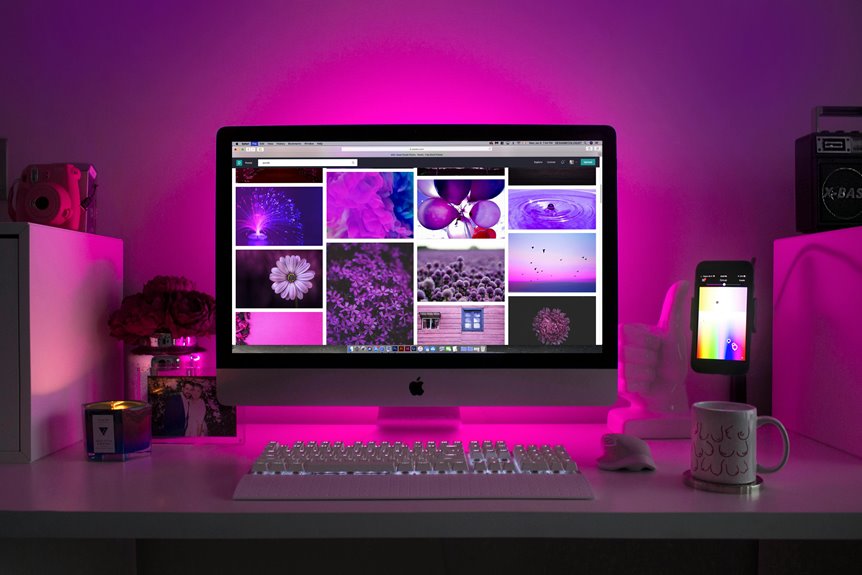
An ultrawide monitor can transform your home office setup by giving you ample screen space for multitasking. You’ll enjoy using split-screen functionality to manage documents and applications side by side, enhancing your productivity. The immersive experience is great for creative projects or gaming during breaks, and wider viewing angles reduce eye strain. With improved organization, your workflow becomes more efficient. To explore more benefits, keep going for additional insights into optimizing your workspace.
Key Takeaways
- Ultrawide monitors provide increased screen real estate, simplifying multitasking and allowing multiple applications to be viewed simultaneously for improved productivity.
- The immersive experience enhances creative work and entertainment, enabling seamless transitions between design software, research, and media streaming.
- Reduced eye strain and improved organization come from wider viewing angles and split-screen features, promoting comfort during extended use.
- Efficient social media management is facilitated by extra screen space, allowing for easy access to feeds without interrupting work tasks.
- Ultrawide monitors create a dynamic home office environment, blending work and relaxation for a balanced approach to productivity and leisure.
Increased Screen Real Estate for Multitasking
When you opt for an ultrawide monitor, you instantly gain more screen real estate, which makes multitasking a breeze.
Instead of juggling multiple windows on a standard display, you can arrange everything on one expansive screen. Imagine having your email, project files, and calendar all visible at once.
With an ultrawide monitor, effortlessly view your email, project files, and calendar all on one expansive screen.
This setup minimizes the need to switch between tabs, saving you time and reducing frustration. You can easily drag and drop files, compare documents side by side, or even keep video calls running while you work on other tasks.
With an ultrawide monitor, you’ll find it easier to maintain focus and flow, making your home office more efficient and enjoyable.
It’s a game changer for those who thrive on productivity.
Enhanced Productivity With Split-Screen Functionality
With an ultrawide monitor, you can easily utilize split-screen functionality to boost your productivity.
This feature allows you to run multiple applications side by side, making multitasking seamless and efficient.
You’ll find that managing your workflow becomes much more streamlined, letting you focus on what really matters.
Increased Screen Real Estate
An ultrawide monitor transforms your workspace by providing more screen real estate, allowing you to tackle multiple tasks simultaneously.
With its expansive display, you can easily view documents, spreadsheets, and emails side by side, which makes it easier to compare information and reduce the need for constant tab-switching.
This increased screen area eliminates the frustration of cramped setups, giving you a clearer overview of your projects. You can even customize your layout to suit your workflow, placing the most relevant applications within your immediate view.
As a result, you’ll not only save time but also experience less strain on your eyes. Embracing this technology can lead to a more organized and efficient home office environment.
Multitasking Made Easy
Multitasking becomes a breeze as you take advantage of split-screen functionality on an ultrawide monitor. Instead of constantly switching between tabs or applications, you can effortlessly view multiple windows side by side.
This feature allows you to keep your email open while researching on the web or taking notes during a video call. You’ll find that managing tasks simultaneously isn’t only easier but also more efficient, as you can reference information without losing focus.
The expansive display eliminates the clutter of multiple monitors, giving you a cleaner, more organized workspace. With everything in view, your productivity skyrockets, helping you tackle your workload with confidence and speed.
Embrace the ultrawide experience, and watch your multitasking capabilities improve dramatically.
Streamlined Workflow Management
While juggling multiple projects, an ultrawide monitor transforms your workflow management by allowing you to utilize split-screen functionality effectively. You can have various applications side by side, making it easier to reference documents, communicate with team members, or track progress without switching windows constantly. This setup minimizes distractions and keeps you focused.
Here’s a quick overview of how split-screen can enhance your productivity:
| Task Type | Benefits | Example Applications |
|---|---|---|
| Document Review | Compare notes easily | Word, Google Docs |
| Communication | Stay connected while working | Slack, Zoom |
| Research | Gather information simultaneously | Browser, PDF Reader |
With these advantages, you’ll find your productivity levels soaring in no time!
Immersive Experience for Creative Work
With an ultrawide monitor, you’ve got an expanded workspace that enhances your creative flow.
This extra real estate allows you to keep multiple projects in view, boosting your ability to engage with your work.
You’ll find that the immersive experience transforms how you approach design, writing, or any creative task.
Expanded Workspace Real Estate
As you immerse yourself in creative projects, an ultrawide monitor transforms your workspace into a vast canvas, allowing you to view multiple applications side by side without the clutter of multiple screens.
This expanded workspace real estate can greatly enhance your productivity and creativity. Here’s how:
- Multitasking Made Easy: You can effortlessly switch between design software, research documents, and communication tools, keeping everything within your sight.
- Improved Workflow: With more screen space, you won’t waste time resizing windows or maneuvering between different monitors.
- Enhanced Collaboration: If you’re working with others, sharing ideas or brainstorming becomes seamless, as everyone can see the same content simultaneously.
Embrace the freedom of an ultrawide monitor and release your creative potential.
Enhanced Visual Engagement
An ultrawide monitor offers an immersive experience that can elevate your creative work to new heights.
With a wider field of view, you’ll find it easier to engage with your projects, whether you’re designing graphics, editing videos, or coding. The expansive screen allows you to see more content simultaneously, reducing the need to toggle between windows.
This seamless workflow not only boosts your productivity but also enhances focus and creativity. Visualizing your ideas becomes more engaging as you can manipulate elements side by side.
Plus, the vibrant colors and high resolution bring your work to life, ensuring every detail stands out. Embrace this technology, and watch as your creative process transforms into an inspiring and efficient journey.
Reduced Eye Strain With Wider Viewing Angles
Many people experience discomfort when staring at screens for long periods, but ultrawide monitors can help alleviate this issue. Their wider viewing angles reduce eye strain by allowing you to maintain a more natural head and neck posture.
Here are three key benefits:
- Less Frequent Eye Movement: With a broader display, you don’t have to shift your gaze as much, minimizing strain on your eye muscles.
- Reduced Glare: Ultrawide monitors often come with anti-glare technology, helping to cut down on reflections that can cause irritation.
- Enhanced Comfort: The immersive experience allows you to comfortably focus on content without squinting or leaning in, ultimately promoting a healthier work environment.
Switching to an ultrawide monitor can truly transform your screen time experience!
Improved Organization and Workflow
With reduced eye strain from wider viewing angles, you can now focus on enhancing your productivity.
An ultrawide monitor allows you to view multiple applications side by side without the hassle of switching between windows. You can keep your email open on one side while working on documents or spreadsheets on the other, streamlining your tasks.
This setup minimizes the clutter of multiple monitors and provides a clean, cohesive workspace. You can also utilize split-screen features to organize your workflow better, ensuring you’re not overwhelmed by distractions.
Ideal for Leisure and Entertainment During Breaks
Taking breaks doesn’t have to mean stepping away from your workspace entirely.
With an ultrawide monitor, you can seamlessly shift from work to leisure without losing your flow. Here are three ways to enjoy your downtime:
Experience the perfect balance of productivity and relaxation with an ultrawide monitor, effortlessly transitioning from work to leisure.
- Watch Your Favorite Shows: Stream your favorite series or movies in stunning detail, all while keeping your work documents open on the side.
- Play Video Games: Immerse yourself in gaming with a wider field of view, making every session more engaging and enjoyable.
- Catch Up on Social Media: Use the extra screen space to scroll through your feeds or catch up on news while maintaining productivity.
With an ultrawide monitor, you can effortlessly blend work and relaxation during your breaks.
Frequently Asked Questions
What Sizes Are Available for Ultrawide Monitors?
Ultrawide monitors typically range from 29 inches to 49 inches in size. You’ll find options with various resolutions and aspect ratios, so you can choose one that fits your workspace and usage preferences perfectly.
How Do Ultrawide Monitors Compare to Dual-Monitor Setups?
Ultrawide monitors offer seamless, uninterrupted screens, unlike dual-monitor setups that can have gaps. You’ll enjoy a more immersive experience, better multitasking, and increased productivity without the distractions of bezels interrupting your workflow.
Are Ultrawide Monitors Suitable for Gaming as Well?
Absolutely, ultrawide monitors are fantastic for gaming! They provide immersive visuals and a wider field of view, making you feel more engaged in the action. You’ll love the enhanced experience they bring to your gaming sessions!
What Are the Best Brands for Ultrawide Monitors?
When choosing ultrawide monitors, consider brands like LG, Dell, and Samsung. They offer excellent color accuracy, high refresh rates, and various sizes, ensuring you find the perfect fit for your needs and preferences.
Can I Use an Ultrawide Monitor With Older Computers?
You can use an ultrawide monitor with older computers, but it depends on your computer’s graphics card and ports. Check compatibility before purchasing to guarantee it supports the monitor’s resolution and refresh rate.