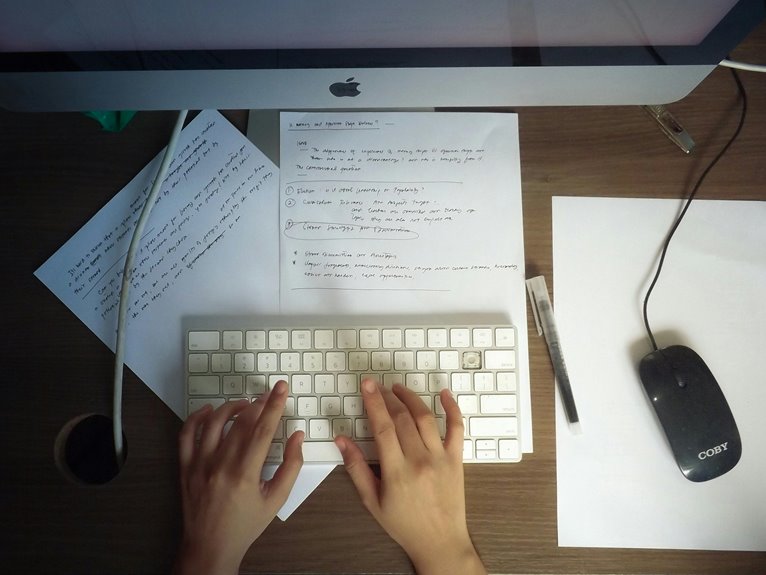
The ideal desk height for your home office setup should let your elbows rest at a 90-degree angle while typing. Stand tall with relaxed arms at your sides, then measure from the floor to your elbows. Your feet should remain flat on the ground to maintain good posture. Don’t forget, chair height is just as important for comfort. If you want to discover more tips for creating a comfortable workspace, keep exploring!
Key Takeaways
- Measure from the floor to your elbows while standing for the ideal desk height, aiming for a 90-degree angle at the elbows.
- Ensure your feet rest flat on the floor to maintain good posture and reduce strain.
- Adjust your chair height so that your elbows remain at a 90-degree angle when typing at the desk.
- Consider the tasks you’ll perform; different activities may require slight adjustments to desk height for optimal comfort.
- Explore adjustable desks to customize height according to your needs, promoting better posture and productivity.
Understanding Ergonomics and Desk Height
When you’re setting up your home office, understanding ergonomics and desk height is essential for your comfort and productivity. A properly adjusted workspace helps reduce strain on your body, allowing you to work efficiently for longer periods.
Start by considering how your desk height affects your posture. Ideally, your elbows should be at a 90-degree angle when typing, and your feet should rest flat on the floor. This alignment prevents fatigue and discomfort, keeping your focus sharp.
Consider your desk height for optimal posture; keep elbows at 90 degrees and feet flat to enhance comfort and focus.
Additionally, a well-placed monitor at eye level reduces neck and eye strain. Incorporate ergonomic accessories like adjustable chairs and keyboard trays to enhance your setup further.
Prioritizing these factors will create a healthier work environment and ultimately boost your performance.
Measuring Your Ideal Desk Height
How can you determine the ideal desk height for your workspace? Start by standing up straight with your arms relaxed at your sides. Bend your elbows at a 90-degree angle and measure from the floor to your elbows. This measurement will give you a good idea of your ideal desk height.
Ideally, your desk should be around this height to maintain comfort while working. You might also want to sit in your chair and adjust the desk accordingly, ensuring your forearms are parallel to the ground when typing.
The Importance of Chair Height in Relation to Desk Height
While the desk height plays an essential role in your comfort, chair height is equally important in creating a balanced workspace.
When your chair is the right height, it allows your feet to rest flat on the floor, promoting good posture and reducing strain on your back and legs. If your chair is too low, you’ll find yourself hunching over, while a chair that’s too high may cause your arms to reach awkwardly for the desk.
Ideally, your elbows should be at a 90-degree angle when typing, ensuring a comfortable position.
Adjusting for Different Tasks and Activities
To maximize your productivity, it’s essential to adjust your desk height based on the tasks you’re performing. For writing or typing, your elbows should be at a 90-degree angle, allowing your hands to float comfortably above the keyboard. In this case, a standard desk height of about 28 to 30 inches often works best.
If you’re sketching or using a tablet, consider raising your desk height slightly to maintain a relaxed posture. For reading or reviewing documents, a lower height might help you lean in closer without straining your neck.
Finally, make sure your chair height complements your desk adjustments, ensuring comfort for various activities throughout your workday. Tailoring your setup can notably enhance your efficiency and comfort.
Exploring Adjustable Desks and Alternatives
Adjustable desks and alternative workstations offer a flexible solution for creating an ergonomic home office. These options cater to your specific needs, whether you prefer sitting or standing while working. By adjusting the height, you can promote better posture and reduce strain.
Here’s a quick comparison of popular options:
| Type of Desk | Benefits |
|---|---|
| Adjustable Desk | Customizable height, promotes movement |
| Standing Desk | Reduces sitting time, boosts energy |
| Convertible Desk | Versatile design, switches between sitting and standing |
Choosing the right desk can considerably enhance your productivity and comfort. Explore these alternatives to find what works best for you and make your workspace truly your own!
Tips for Creating a Comfortable Workspace
Creating a comfortable workspace starts with choosing the right ergonomic chair that supports your body.
Next, make sure your monitor is at eye level to reduce strain on your neck and eyes.
These simple adjustments can greatly enhance your productivity and overall comfort.
Ergonomic Chair Selection
While you might overlook the importance of an ergonomic chair, selecting the right one can greatly enhance your comfort and productivity during long hours at your home office.
Start by choosing a chair that supports your lower back and encourages good posture. Look for adjustable features, like seat height and armrests, so you can customize it to fit your body.
A seat cushion with good padding can also make a big difference. Test the chair to verify it feels comfortable after prolonged sitting.
Don’t forget about materials—breathable fabrics can keep you cool. Finally, consider swivel options for easy movement.
Invest time in finding the right chair; your body will thank you later.
Monitor Placement Tips
How can you guarantee your monitor is positioned for ideal viewing comfort? Start by placing the top of the screen at or just below eye level. This way, you won’t strain your neck by looking up or down.
Sit back in your chair and ascertain the monitor is about an arm’s length away. This distance reduces eye strain and allows for better focus.
Tilt the screen slightly backward, around 10 to 20 degrees, to minimize glare and enhance visibility. If you’re using multiple monitors, position them in a slight arc to reduce neck twisting.
Finally, keep the brightness and contrast adjusted for your lighting conditions, ascertaining a comfortable viewing experience throughout your workday.
Frequently Asked Questions
What Is the Best Desk Height for Tall Individuals?
For tall individuals, a desk height around 30 to 34 inches works best. You’ll want to guarantee your elbows are at a 90-degree angle while typing, keeping your posture comfortable and reducing strain on your back.
How Does Desk Height Affect Productivity Levels?
Desk height directly impacts your comfort and focus. If it’s too low or high, you’ll strain your body, leading to distractions. Finding the right height encourages better posture, boosting your productivity and overall work efficiency.
Can Desk Height Influence Posture-Related Health Issues?
Yes, desk height can greatly influence posture-related health issues. If your desk’s too high or low, you may slouch or strain, leading to discomfort. Proper height helps maintain good posture, reducing the risk of injuries.
What Materials Are Best for Adjustable Desks?
When choosing materials for adjustable desks, consider sturdy options like steel or solid wood for durability. Lightweight materials like aluminum or laminate can enhance portability and adjustability, ensuring your workspace remains functional and stylish.
Is There a Standard Desk Height for Children?
Yes, there’s a standard desk height for children. Typically, it’s between 24 to 30 inches, depending on their age and size. Make certain it suits their needs for comfort and proper posture during study or playtime.