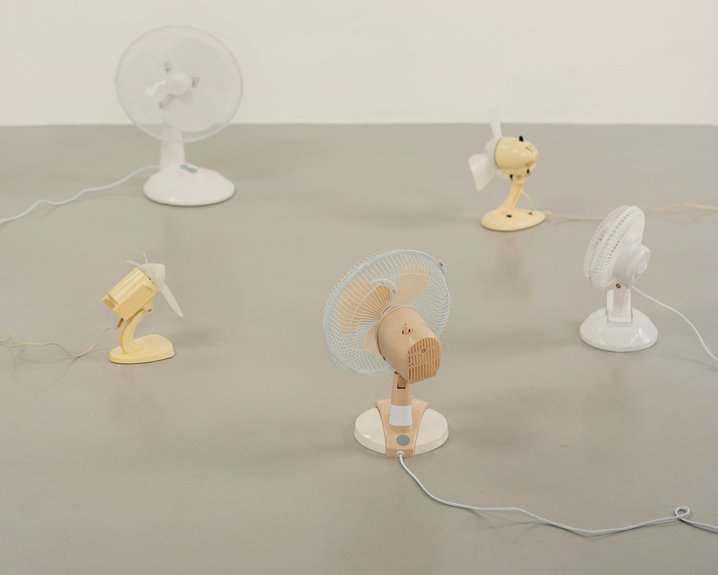
To improve air circulation at your WFH desk, position your desk near windows to invite fresh air and natural light. Keep doors open for a cross-breeze, and use fans to enhance airflow effectively. Minimize clutter to maintain unobstructed pathways for air movement, and consider incorporating indoor plants for natural air purification. Don’t underestimate the impact of a tidy workspace; it can help boost your productivity. For more tips on optimizing your workspace, check out the next steps.
Key Takeaways
- Position your desk near windows to maximize fresh air and natural light for improved circulation.
- Keep windows and doors open to enhance airflow and create a cross-breeze.
- Utilize fans to direct airflow towards you and push out hot air effectively.
- Maintain an organized workspace to prevent clutter from obstructing air circulation.
- Regularly rearrange furniture to ensure unobstructed airflow paths around your desk.
Assess Your Current Airflow
To create a comfortable workspace, you need to assess your current airflow. Start by noticing how air moves in your room. Open windows and doors to see if fresh air circulates easily.
If it feels stuffy, consider the placement of your furniture. You might need to rearrange items that block vents or airflow paths.
Next, check for drafts. If you feel cool air in certain spots, that’s a sign of good airflow.
Check for drafts in your workspace; cool air in certain areas indicates good airflow and ventilation.
If not, think about using a fan to help circulate air. Fans can be positioned to blow air directly at you or to create a gentle breeze throughout the room.
Position Your Desk Near Windows
After evaluating your current airflow, consider positioning your desk near windows.
Natural ventilation can greatly enhance your workspace environment. When you set your desk close to a window, you allow fresh air to circulate, making it easier to breathe and stay focused.
Plus, natural light boosts your mood and productivity, reducing the likelihood of feeling sluggish during long work hours.
Make sure to open the window when weather permits, as it helps create a flow of air that can keep your space cool.
If privacy is a concern, consider sheer curtains to filter light while still allowing airflow.
Ultimately, positioning your desk near windows not only improves air circulation but also transforms your workspace into a more pleasant and energizing environment.
Utilize Fans for Enhanced Ventilation
Using fans can greatly enhance ventilation at your WFH desk.
You’ll want to think about where to place them for ideal airflow, the types that suit your space, and how much noise they produce.
With the right fan setup, you can create a comfortable and productive workspace.
Fan Placement Strategies
While you mightn’t think much about fan placement, it can greatly enhance air circulation at your WFH desk. Start by positioning your fan to face directly towards you; this creates a cooling breeze that keeps you comfortable.
If your desk is near a window, angle the fan outward to push hot air out and draw in cooler air. Alternatively, try placing the fan in a corner to create a cross-breeze with open windows.
Experiment with the height of the fan; a higher position can circulate air more effectively across the entire room.
Finally, avoid blocking the fan with clutter; clear space guarantees ideal airflow. By strategically placing your fan, you’ll enjoy a revitalizing and productive workspace.
Types of Fans
Selecting the right type of fan can greatly boost ventilation in your workspace.
Desk fans are compact and perfect for personal airflow, allowing you to direct a breeze right where you need it.
If you have more space, consider a tower fan. These models provide a larger airflow and can oscillate, distributing air across a wider area.
For a more powerful option, a floor fan can move significant air volume, especially in larger rooms.
If you want something portable, clip-on fans can attach to your desk or shelves, ensuring you get a cool breeze wherever you are.
With the right fan, you’ll create a more comfortable and productive work environment, making those long hours at your desk much more enjoyable.
Noise Considerations
Although fans can considerably improve air circulation in your workspace, noise levels can impact your focus and productivity. It’s essential to choose the right fan that balances performance and sound. Here’s a quick guide to help you decide:
| Fan Type | Noise Level | Best For |
|---|---|---|
| Tower Fan | Low | Quiet environments |
| Desk Fan | Medium | Personal use |
| Box Fan | High | Large spaces |
Consider using fans with adjustable speed settings, allowing you to find the perfect balance between airflow and noise. Additionally, positioning your fan away from your main work area can minimize distractions while still enhancing ventilation. Stay cool without losing your focus!
Keep Doors Open for Cross-Breeze
Keeping your doors open can greatly enhance airflow and create an invigorating cross-breeze in your workspace.
This simple action maximizes natural ventilation, helping you stay cool and focused throughout the day.
Plus, it can make your home office feel more inviting and less stuffy.
Enhance Airflow Efficiency
To enhance airflow efficiency at your WFH desk, consider keeping doors open to create a natural cross-breeze. This simple step helps facilitate better air circulation, making your workspace more comfortable.
By allowing fresh air to flow in and stale air to exit, you’ll reduce stuffiness and improve your focus.
Position your desk near the open door to maximize the benefits. If possible, align your workspace with windows on the opposite side to further boost airflow.
You can also adjust your furniture layout to prevent obstructions in the path of the breeze.
Maximize Natural Ventilation
Creating a comfortable workspace goes beyond just enhancing airflow efficiency; it’s also about maximizing natural ventilation. Keeping doors open allows for a cross-breeze, which can greatly improve air quality and your overall comfort. Here are a few tips to help you harness natural airflow:
| Tip | Benefits |
|---|---|
| Open doors/windows | Increases airflow |
| Position desk near openings | Enhances fresh air access |
| Use fans strategically | Boosts natural ventilation |
Incorporate Indoor Plants for Natural Air Purification
While you may not realize it, incorporating indoor plants into your workspace can greatly enhance air quality.
These green companions not only add a touch of beauty but also help purify the air you breathe. Plants like spider plants, peace lilies, and snake plants effectively filter out harmful toxins, increasing oxygen levels.
By placing a few of these on your desk or nearby shelves, you create a revitalizing environment that can boost your mood and productivity.
Plus, taking care of plants can provide a calming break during your workday. Just make sure they get enough light and water, and you’ll enjoy the benefits of cleaner air while working from home.
Optimize Your Home’s HVAC System
Optimizing your home’s HVAC system can greatly improve air circulation at your WFH desk. By making a few adjustments, you can guarantee that fresh air flows freely and efficiently throughout your workspace.
Here are some tips to take into account:
- Regular Maintenance: Change your air filters every 1-3 months to enhance airflow and air quality.
- Adjust Vents: Make sure your vents are open and unobstructed to allow for maximum air distribution.
- Seal Leaks: Inspect ductwork for leaks and seal them to prevent loss of conditioned air.
- Use Ceiling Fans: In warmer months, run ceiling fans counterclockwise to circulate cool air effectively.
Implementing these changes can make a significant difference in your home office comfort and air circulation.
Minimize Clutter to Allow Airflow
To enhance air circulation around your WFH desk, minimizing clutter is vital. Start by clearing off unnecessary items from your workspace. Remove old papers, unused gadgets, and anything that doesn’t serve a purpose.
Organize your essentials in drawers or storage bins to keep surfaces clean. This not only improves airflow but also boosts your productivity by creating a more focused environment.
Consider vertical storage solutions, like shelves, to free up desk space. Keeping your workspace organized allows air to flow freely, helping to maintain a comfortable temperature.
Frequently Asked Questions
How Do I Know if My Airflow Is Poor?
To know if your airflow’s poor, look for stuffy air, increased humidity, or condensation. You might notice a musty smell or feel temperature differences. Trust your instincts; if it feels off, it probably is.
Can Air Purifiers Help With Air Circulation?
Yes, air purifiers can help with air circulation by filtering out pollutants and improving overall air quality. They can create a more comfortable environment, making you feel fresher and more focused while you work or relax.
What Types of Plants Improve Air Quality?
Certain plants like snake plants, peace lilies, and spider plants can greatly improve air quality. They absorb toxins and release oxygen, making your space healthier. Incorporating these plants into your environment really enhances the atmosphere.
Is It Safe to Use Multiple Fans at Once?
Using multiple fans at once is generally safe, but make certain they’re properly placed to avoid electrical issues. You’ll create a stronger airflow, helping to keep your space comfortable and cool during warm days.
How Can I Reduce Allergens in My Workspace?
To reduce allergens in your workspace, regularly clean surfaces, use an air purifier, vacuum with a HEPA filter, and keep windows closed during high pollen seasons. You’ll notice a significant improvement in air quality.