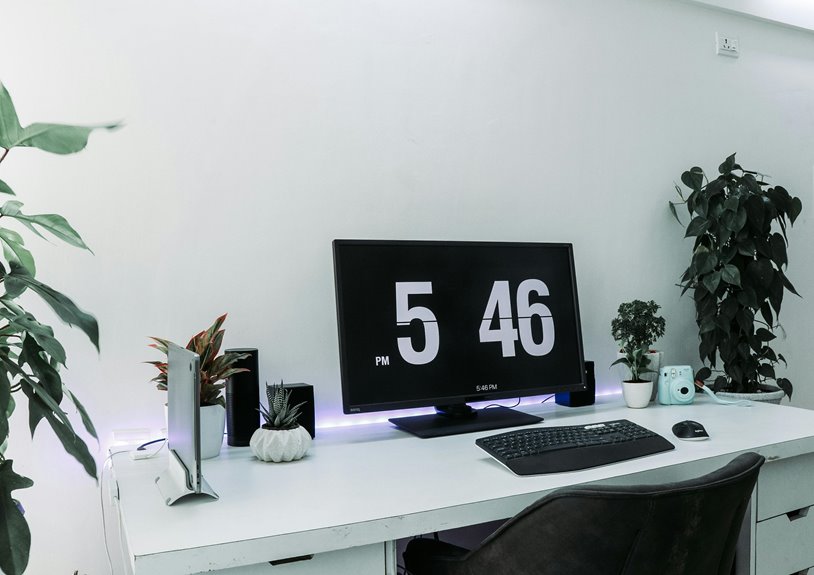
A stand-up desk with monitor arms can be a game-changer for your home office comfort. It encourages movement, boosts your energy levels, and helps you maintain better posture. With monitor arms, you can position your screen at eye level, reducing neck strain and enhancing your workspace. This adjustable setup allows you to customize your environment for ideal comfort and productivity. If you want to discover more ways to improve your home office, keep exploring the possibilities.
Key Takeaways
- A stand-up desk promotes movement, combating fatigue and enhancing energy levels for improved focus throughout the workday.
- Monitor arms elevate screens to eye level, reducing neck and eye strain while optimizing ergonomic alignment.
- The combination of a stand-up desk and monitor arms maximizes workspace flexibility and reduces clutter for a more organized environment.
- Proper setup encourages better posture, supporting lower back comfort and reducing the risk of chronic pain during long work hours.
- Gradually transitioning to a stand-up desk with monitor arms fosters a dynamic work routine, balancing sitting and standing for overall comfort.
Understanding the Benefits of a Stand-Up Desk
When you choose a stand-up desk, you’re not just investing in a piece of furniture; you’re prioritizing your health and productivity.
Stand-up desks encourage movement throughout your day, helping you combat the fatigue that often comes with prolonged sitting. By incorporating standing into your routine, you can boost your energy levels and enhance your focus, making it easier to tackle tasks efficiently.
Additionally, standing desks promote better posture, reducing the risk of discomfort and chronic pain associated with long hours in a chair. You’ll also find it easier to engage in conversations and collaborate with colleagues, as your body language improves.
Ultimately, a stand-up desk can transform your work environment, making it more dynamic and conducive to success.
The Importance of Ergonomics in the Home Office
While you might enjoy the flexibility of working from home, it’s important to prioritize ergonomics to maintain your comfort and productivity.
Poor posture can lead to discomfort and health issues, so it’s essential to set up your workspace thoughtfully. Make sure your chair supports your lower back, and your feet rest flat on the floor.
Prioritize a thoughtful workspace setup to avoid discomfort and support your health while working from home.
Position your monitor at eye level to avoid straining your neck and eyes. Your keyboard and mouse should be within easy reach, allowing your arms to rest comfortably at your sides.
Taking breaks and stretching regularly is critical for reducing fatigue. By making these adjustments, you’ll create a healthier work environment that enhances your focus and efficiency, ultimately improving your overall work experience.
How Monitor Arms Improve Your Workspace
Monitor arms can transform your workspace by providing flexibility and enhancing ergonomics. By allowing you to adjust your monitor’s position, you create an environment that suits your individual needs.
You’ll find it easier to switch between sitting and standing, keeping your workflow seamless.
Here are some key benefits of using monitor arms:
- Increased desk space: With the monitor elevated, you’ll free up valuable surface area for other essentials.
- Improved visibility: You can position your screen at eye level, reducing glare and enhancing your line of sight.
- Versatile adjustments: Easily change angles and heights, accommodating various tasks and preferences.
- Clutter reduction: Manage cables effectively, keeping your workspace tidy and organized.
Embrace the versatility that monitor arms bring to your home office!
Enhancing Posture and Reducing Discomfort
Using a stand-up desk with monitor arms can transform your workspace by improving your ergonomic alignment.
You’ll notice less neck strain as your screens are easily adjustable to eye level, allowing for a more comfortable viewing angle.
Plus, promoting active sitting encourages movement, helping you stay engaged and reduce discomfort throughout your workday.
Improved Ergonomic Alignment
When you invest in a stand-up desk with monitor arms, you’re taking a significant step toward improved ergonomic alignment that enhances your posture and reduces discomfort.
By allowing you to adjust the height of your monitor and desk, you can create a workspace tailored to your needs. This setup encourages you to maintain a neutral spine position, preventing strain on your back and shoulders.
Consider these benefits:
- Keeps your monitor at eye level, reducing eye strain.
- Promotes active posture, encouraging movement throughout the day.
- Supports proper wrist positioning while typing.
- Enables easy changes between sitting and standing, fostering comfort.
Embracing this ergonomic alignment not only boosts productivity but also contributes to your overall well-being.
Alleviating Neck Strain
As you adjust your stand-up desk and monitor arms to your ideal height, you’ll find that alleviating neck strain becomes much easier.
Position your monitor at eye level, so you don’t have to tilt your head up or down. This simple adjustment can greatly improve your posture and comfort throughout the day.
Make sure your chair supports your lower back as you shift between sitting and standing. Keep your shoulders relaxed and your elbows close to your body, with wrists in a neutral position while typing.
Regularly changing your position can also help reduce tension. By focusing on these adjustments, you’ll not only enhance your workspace but also minimize discomfort, allowing you to work more efficiently and comfortably.
Promoting Active Sitting
To promote active sitting, it’s essential to choose a chair that encourages movement and supports good posture.
Look for features that allow you to shift your weight and adjust your position throughout the day. This keeps your body engaged and helps reduce discomfort.
Consider these tips:
- Lumbar support: A chair with adjustable lumbar support can help maintain the natural curve of your spine.
- Swivel base: A swivel chair allows easy movement, reducing strain on your back and neck.
- Height adjustability: Choose a chair that lets you adjust the height for ideal desk alignment.
- Dynamic seating: Chairs that promote rocking or tilting can stimulate your core muscles and improve circulation.
Incorporating these elements will enhance your comfort while working at home.
Boosting Productivity With an Adjustable Setup
While many people overlook the importance of an adjustable setup, it can greatly boost your productivity. When you can easily switch between sitting and standing, you’ll find it easier to stay focused and energized throughout the day.
An adjustable desk allows you to find the perfect height for your monitor, reducing strain on your neck and eyes, while monitor arms give you the flexibility to position screens at eye level. This reduces discomfort and distraction, letting you concentrate on your tasks.
Plus, having the freedom to change your position encourages movement, which can enhance your mood and creativity. By investing in an adjustable setup, you’re not just improving comfort; you’re setting the stage for increased efficiency and better work output.
Customizing Your Workspace for Personal Comfort
Finding the right setup goes beyond just adjusting your desk height; it’s about creating a workspace that reflects your personal comfort and style.
To optimize your environment, think about the elements that make you feel comfortable and focused.
- Choose an ergonomic chair that supports your posture.
- Incorporate personal decor, like photos or plants, to enhance your mood.
- Adjust lighting to reduce glare and create a welcoming atmosphere.
- Utilize organizational tools to keep your workspace clutter-free.
Tips for Transitioning to a Stand-Up Desk Setup
Changing to a stand-up desk setup can feel intimidating, but with a few simple adjustments, you can make the switch seamlessly.
Start by gradually increasing your standing time. Begin with 15-30 minutes every hour, and slowly extend that as your body adapts.
Ascertain your monitor is at eye level and your keyboard is positioned to keep your wrists straight. This minimizes strain and promotes good posture.
Invest in an anti-fatigue mat to provide comfort while standing.
Remember to move around and stretch regularly to keep your blood flowing.
Finally, listen to your body; if you feel fatigued, it’s okay to sit down.
With these tips, you’ll find a balance that works for you in your new workspace.
Frequently Asked Questions
Can a Stand-Up Desk Help With Weight Management?
A stand-up desk can aid in weight management by encouraging movement throughout the day. When you’re standing, you’re more likely to stay active, burn calories, and reduce sedentary habits that contribute to weight gain.
What Types of Monitor Arms Are Available?
You’ll find various monitor arms, including fixed, adjustable, gas-spring, and dual-monitor models. Each type offers unique benefits, allowing you to customize your setup for ideal viewing angles and desk space efficiency in your home office.
How Much Space Do I Need for a Stand-Up Desk?
You’ll need at least 60 inches of width and 30 inches of depth for a stand-up desk. Make sure there’s enough space to move around and accommodate any additional equipment or accessories you plan to use.
Is It Expensive to Set up a Stand-Up Desk?
Setting up a stand-up desk can vary in cost. You’ll find budget-friendly options, but premium models with features like adjustable heights and monitor arms might be pricier. It’s all about balancing your needs and budget.
Can I Use a Stand-Up Desk With Multiple Monitors?
Yes, you can definitely use a stand-up desk with multiple monitors. Just make certain it’s sturdy enough to support the weight and that you arrange the monitors ergonomically to maintain comfort and productivity while working.