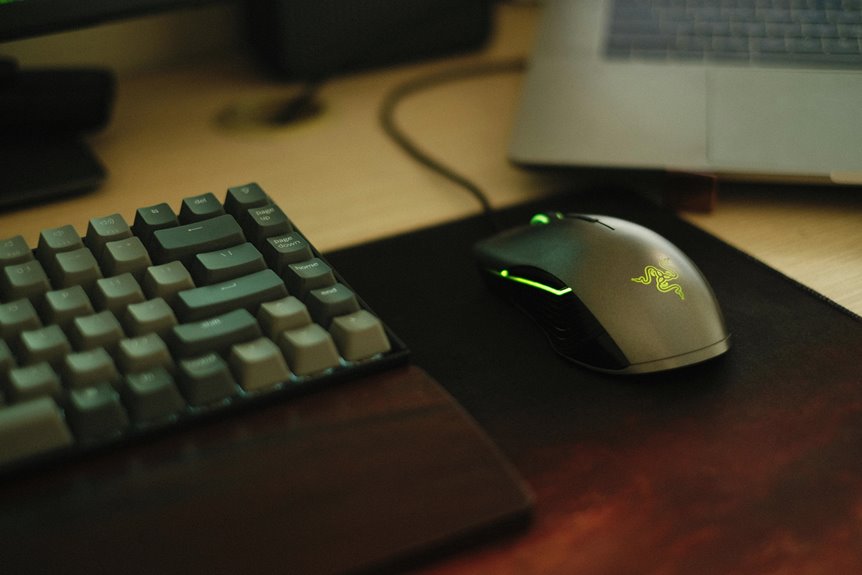
Choosing between separate keyboard and mouse mats or one large mat depends on your needs and preferences. Separate mats offer customization and easier cleaning, allowing for tailored surfaces that meet specific requirements. On the other hand, a large mat provides unified aesthetics and more space for smooth movements. Each option has its pros and cons regarding comfort, maintenance, and cost. For a deeper look at what might work best for you, keep exploring the details.
Key Takeaways
- Separate mats offer customization options for specific needs, enhancing comfort and performance based on individual preferences.
- A large mat provides seamless movement and ample space, reducing clutter and enhancing an ergonomic setup.
- Cleaning separate mats is easier, allowing for targeted maintenance without the effort required for a large mat.
- Cost analysis shows that individual mats can be cheaper but may exceed the total cost of a large mat over time.
- Personal preference plays a crucial role, as some users may prefer the cohesive look of a large mat while others favor flexibility.
The Benefits of Separate Keyboard and Mouse Mats
While many people might opt for a single mat for both their keyboard and mouse, using separate mats can greatly enhance your workspace.
First, having distinct mats allows you to customize each surface to fit your specific needs. You can choose a larger mouse pad for smooth movements while keeping a smaller, more compact keyboard mat for minimal desk space use.
Using separate mats lets you tailor each surface for optimal performance, maximizing comfort and minimizing desk clutter.
Additionally, separate mats can improve hygiene since you can clean each one individually.
You’ll also notice that different textures can enhance comfort and performance; a softer surface for your keyboard and a smoother one for your mouse can make a significant difference.
The Advantages of a Large Mouse Pad
Using separate mats for your keyboard and mouse can set the stage for considering the benefits of a large mouse pad.
One major advantage is the seamless movement it allows. You won’t have to worry about running off the edge, leading to smoother gameplay or more productive work sessions.
A larger surface also provides ample space for both your mouse and keyboard, which can enhance your ergonomic setup. You can adjust your mouse positioning without feeling cramped.
Additionally, a large mouse pad can unify your workspace, creating a more cohesive look. It’s often easier to clean a single mat than multiple smaller ones, making maintenance a breeze.
Space Management Considerations
When choosing a keyboard and mouse mat, consider how your desk size impacts your workspace.
A well-sized mat can help reduce clutter and enhance your productivity.
Plus, there are plenty of customization options to fit your unique style and needs.
Desk Size Impact
As you consider your workspace, the size of your desk plays a crucial role in how effectively you can manage your keyboard and mouse mats. A well-sized desk helps you optimize your setup, guaranteeing comfort and efficiency.
Here are some factors to think about:
- Surface Area: More space allows for larger mats or separate ones, enhancing movement.
- Accessibility: Keep your mouse and keyboard within easy reach without crowding.
- Flexibility: A bigger desk provides room for additional accessories like a notebook or coffee cup.
- Aesthetics: A clean, organized look is easier to achieve with a suitable desk size.
- Ergonomics: Positioning your equipment correctly improves posture and reduces strain.
Considering these aspects guarantees your workspace remains functional and tailored to your needs.
Clutter Reduction Benefits
Maintaining an organized desk not only enhances your workspace’s functionality but also considerably reduces clutter.
When you opt for a large keyboard and mouse mat, you eliminate the need for multiple mats, which can create visual chaos. A single mat provides a unified surface that keeps everything in one place, making it easier to manage your space.
You’ll find it simpler to clean and rearrange your desk, as there are fewer items to move around. Plus, a large mat can help define your workspace, giving you a clear boundary for your keyboard and mouse, which can minimize distractions.
Ultimately, choosing one mat can streamline your setup and contribute to a more focused, productive environment.
Customization Options Available
Customization options for keyboard and mouse mats can greatly enhance your workspace while catering to your personal style.
By selecting the right mat setup, you can optimize your space and improve your overall experience. Here are some customization ideas to reflect upon:
- Size: Choose between separate mats or a large, unified surface.
- Material: Opt for fabric, plastic, or even eco-friendly options.
- Design: Select colors, patterns, or graphics that reflect your personality.
- Texture: Pick a smooth or textured surface based on your preferences.
- Functionality: Consider mats with built-in wrist support or cable management.
These options not only create a personalized touch but also enhance your productivity and comfort while you work.
Aesthetic Appeal: Individual vs. Unified
When it comes to aesthetic appeal, you face the choice between individual styles and a unified look for your workspace.
Personalizing your keyboard and mouse mats can express your unique taste, while a cohesive design can enhance visual harmony.
Consider how each option impacts your space utilization and overall design.
Visual Cohesion and Harmony
While individual keyboard and mouse mats can showcase your unique style, achieving visual cohesion and harmony in your workspace elevates the overall aesthetic appeal. A unified mat creates a seamless look, making your desk feel organized and inviting.
Here are some benefits of choosing a large mat:
- Consistency: One design ties your setup together.
- Space Efficiency: A larger surface reduces clutter.
- Comfort: You enjoy a smooth flow between devices.
- Enhanced Focus: A harmonious environment minimizes distractions.
- Professional Look: A cohesive setup impresses clients and colleagues.
Personalization and Style Options
Creating a workspace that reflects your personality can be just as important as maintaining visual harmony. When choosing between separate mats or a large unified one, think about how these options can showcase your style.
Separate mats can allow for individual expression, letting you mix and match colors, patterns, and textures that resonate with you. On the other hand, a larger mat can create a cohesive look, making your setup feel more streamlined and organized.
Consider your personal aesthetic. Do you prefer a bold, eclectic vibe or a minimalist, modern approach?
Whatever you choose, make sure it aligns with your taste. Ultimately, your workspace should inspire you, so don’t hesitate to express who you’re through your keyboard and mouse mats.
Space Utilization and Design
As you arrange your workspace, consider how the layout of your keyboard and mouse mats can maximize both functionality and aesthetic appeal.
Choosing between separate mats or one large mat can greatly impact your desk’s design. With a unified mat, you create a seamless look that enhances your space, while individual mats allow for more personalization.
- Unified mats can provide a cleaner, more organized appearance.
- Separate mats offer flexibility in arrangement and design.
- A larger mat can define the workspace and protect the surface.
- Individual mats can complement various styles, adding character.
- Consider the color and texture to harmonize with your overall decor.
Ultimately, think about what aligns with your style and needs for ideal space utilization.
Precision and Performance: A Closer Look
When you consider the impact of your keyboard and mouse mat on gaming and productivity, precision and performance become essential factors.
A large mat often provides a consistent surface, allowing for greater accuracy during quick movements. You’ll notice how your mouse glides smoothly, making it easier to execute those critical actions.
On the other hand, separate mats can cater to specific preferences; a textured mouse mat might enhance your gaming experience, while a sleek keyboard mat can support typing comfort.
Think about how much control you want over your mouse sensitivity and how it affects your gameplay.
Ultimately, selecting the right mats can greatly elevate your performance, whether you’re gaming or working on intricate tasks. Choose wisely!
Cleaning and Maintenance: Which Is Easier?
While both keyboard and mouse mats can accumulate dust and grime over time, their cleaning and maintenance requirements can vary considerably.
If you’re considering which option is easier, think about these points:
- Separate mats can be washed individually, making it simple to target specific areas.
- Individual cleaning allows you to use different cleaning products tailored for each surface.
- One large mat typically requires more effort to clean due to its size.
- Drying a single large mat can take longer than drying separate mats.
- Regular maintenance is essential for both, but separate mats might allow for quicker touch-ups.
Ultimately, your choice can depend on your cleaning preferences and routine.
Cost Analysis: Separate Mats vs. One Large Mat
Choosing between separate mats and one large mat can greatly impact your budget, especially if you’re looking to get the most bang for your buck.
Separate mats usually come at a lower price point individually, but when you add up the costs of both a keyboard and mouse mat, it can exceed the price of a single large mat.
Separate mats may seem cheaper individually, but their combined cost can surpass that of one large mat.
However, purchasing one large mat often means spending more upfront. It’s essential to weigh the longevity and durability of each option.
If you frequently replace your separate mats, the costs might add up quickly. Ultimately, think about your budget and how often you’ll need to replace items.
Evaluating these factors will help you make a cost-effective decision that suits your workspace.
User Comfort and Ergonomics
The type of mat you choose can greatly affect your comfort and ergonomics while working or gaming. A well-designed mat can enhance your experience and reduce strain on your body.
Consider these factors when deciding on your mat:
- Size: A larger mat allows for more freedom of movement.
- Thickness: A thicker mat offers better cushioning for your wrists.
- Material: Soft materials can reduce pressure points, improving comfort.
- Surface Texture: A smooth surface enables easier mouse movement, reducing wrist fatigue.
- Stability: A non-slip bottom keeps the mat in place, preventing interruptions.
Personal Preference: Making the Final Decision
How do you prioritize your needs when selecting a keyboard and mouse mat? It’s essential to evaluate your workspace, usage habits, and aesthetic preferences. A larger mat might provide a cohesive look and ample space, while separate mats can offer flexibility and customization.
Here’s a quick comparison to help you decide:
| Feature | Separate Mats | Large Mat |
|---|---|---|
| Space Efficiency | Limited area | Covers entire surface |
| Flexibility | Customizable setup | One-piece design |
| Aesthetic Appeal | Mixed styles possible | Uniform appearance |
Ultimately, choose what aligns best with your style and functionality needs. Whether you prefer separate or a large mat, it’s about enhancing your comfort and productivity.
Frequently Asked Questions
Can I Use a Laptop With a Separate Mouse Mat?
Absolutely, you can use a separate mouse mat with your laptop. For instance, if you’re gaming, a dedicated mouse mat can enhance precision and comfort, making your experience much better than using just the laptop’s surface.
Do Separate Mats Affect Gaming Performance Differently?
Separate mats can enhance your gaming performance by providing tailored surfaces for each device. You’ll notice improved precision and speed, as each mat can cater to specific needs, optimizing your overall gaming experience effectively.
Are There Specific Materials Best for Keyboard Mats?
When choosing materials for keyboard mats, consider options like cloth for comfort, plastic for durability, or rubber for grip. Each material affects your typing experience, so pick one that suits your needs best.
How Do I Choose the Right Size for My Setup?
Choosing the right size for your setup’s like finding the perfect pair of shoes; it should fit comfortably. Measure your desk space, consider your usage style, and guarantee enough room for movement without feeling cramped.
Do Separate Mats Reduce Wrist Strain Compared to a Large Mat?
Using separate mats can help you position your keyboard and mouse for better ergonomics, potentially reducing wrist strain. With individualized placements, you can find the most comfortable setup that suits your needs and preferences.