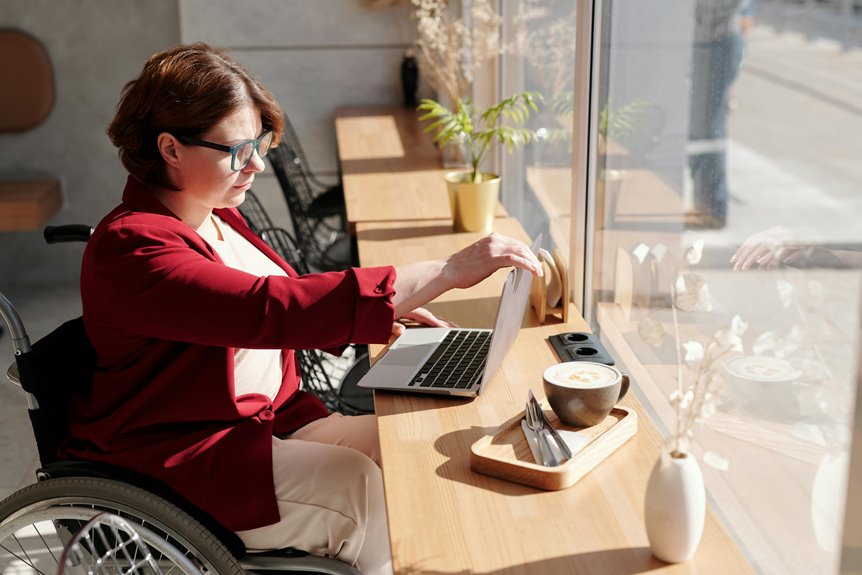
In today’s remote work landscape, understanding the legal requirements for accessibility, like Section 508 and WCAG, is essential for any employer. These regulations not only guarantee that all employees can access the necessary tools and information but also protect your organization from potential legal risks. But what does compliance really look like in practice, and how can you implement these standards effectively? Let’s explore these important aspects further.
Key Takeaways
- Section 508 mandates federal agencies to ensure electronic and information technology is accessible to individuals with disabilities in remote work environments.
- WCAG outlines principles for creating accessible digital content, including perceivable information and operable user interfaces for all users.
- Employers must provide accessible technology, training materials, and accommodations for applicants with disabilities during the hiring process.
- Compliance requires regular accessibility audits, user feedback, and continuous training on best practices for accessibility in remote work settings.
- Inaccessible tools can lead to reduced productivity, legal risks, and hindered participation among team members with diverse needs.
Understanding Accessibility in Remote Work
As remote work becomes the norm, understanding accessibility is essential for creating an inclusive environment. You need to recognize that accessibility isn’t just a legal requirement; it’s about ensuring everyone can participate fully.
Consider the diverse needs of your team—different abilities, technologies, and preferences. Evaluate your tools and platforms for features like screen reader compatibility or keyboard navigation. Make sure documents are easy to read, using clear language and proper formatting.
Recognize your team’s diverse needs by ensuring tools and documents are accessible and user-friendly for everyone.
Encourage open discussions about accessibility challenges and solutions within your team. By actively seeking feedback, you can identify barriers and address them effectively.
Ultimately, fostering an inclusive remote workspace boosts productivity and morale, allowing everyone to contribute their best work.
Overview of Section 508 of the Rehabilitation Act
Section 508 of the Rehabilitation Act guarantees that federal agencies make their electronic and information technology accessible to people with disabilities.
Understanding its key compliance requirements can help you create a more inclusive remote work environment.
Purpose of Section 508
When it comes to ensuring equal access to technology for individuals with disabilities, Section 508 of the Rehabilitation Act plays a fundamental role. This law mandates that federal agencies make their electronic and information technology accessible to people with disabilities, ensuring they can participate fully in society.
By establishing these requirements, Section 508 promotes an inclusive work environment, allowing everyone the opportunity to engage with digital resources. It empowers individuals with disabilities to access information, communicate effectively, and utilize technology without barriers.
In essence, Section 508 serves to bridge the gap between traditional and digital workplaces, fostering equal opportunities for all. Understanding its purpose helps you recognize the importance of accessibility in remote work settings.
Key Compliance Requirements
Understanding the key compliance requirements of Section 508 is essential for any organization aiming to create an accessible remote work environment.
This law mandates that all electronic and information technology be accessible to individuals with disabilities. You must guarantee that your websites, software, and online platforms are usable by everyone, including those who rely on assistive technologies.
Key requirements include providing text alternatives for non-text content, ensuring the functionality of all features through a keyboard, and making information clearly readable and navigable.
Additionally, you should conduct regular accessibility testing and provide training for your team.
Impact on Remote Work
The impact of Section 508 of the Rehabilitation Act on remote work extends beyond mere compliance; it shapes how organizations create inclusive digital environments. By ensuring that digital tools and resources are accessible, you foster a culture of belonging and support for all employees. This commitment can enhance collaboration and productivity.
| Before Section 508 | After Section 508 |
|---|---|
| Employees felt excluded | Everyone feels included |
| Many struggled with tech | Tech is user-friendly for all |
| Productivity suffered | Collaboration flourishes |
Embracing these changes not only meets legal requirements but also empowers diverse talent to thrive in remote work settings. You’re not just ticking boxes; you’re building a workplace where everyone can contribute and succeed.
Key Principles of the Web Content Accessibility Guidelines (WCAG)
When creating accessible content, you need to focus on the key principles of the Web Content Accessibility Guidelines (WCAG).
These principles—perceivable content, operable user interfaces, and understandable navigation—are crucial for ensuring everyone can engage with your material.
Let’s explore how each of these elements plays a crucial role in remote work accessibility.
Perceivable Content Requirements
As you navigate the world of remote work, guaranteeing that your content is perceivable is vital for making it accessible to everyone. This means providing text alternatives for non-text content, so users can understand images, videos, or audio.
Make certain your content is adaptable; it should work across various devices and screen sizes. Use clear and simple language to enhance understanding, and confirm that all information is easily visible and readable.
Color contrast is significant; text must stand out against its background. Additionally, consider audio and video content: captions and transcripts help individuals with hearing impairments.
Operable User Interfaces
Creating perceivable content is just one aspect of accessibility; guaranteeing that user interfaces are operable is equally important. You need to make certain that all users can interact with your digital products easily.
This means providing keyboard navigability, which allows users who can’t use a mouse to access all functions. Focus on timing and responsiveness as well; users shouldn’t be pressured by time limits when completing tasks.
Ascertain that users can easily identify and operate controls like buttons, links, and forms. Additionally, provide clear error messages and help options to guide users.
Understandable Navigation Standards
Ensuring your navigation is understandable is essential for creating an accessible remote work environment. Clear navigation helps users find information easily, which is crucial for productivity. To comply with WCAG standards, consider the following principles:
| Principle | Description |
|---|---|
| Consistency | Use the same navigation structure throughout. |
| Labels | Clearly label navigation items for clarity. |
| Predictability | Users should anticipate what happens upon interaction. |
| Feedback | Provide immediate feedback on navigation actions. |
Legal Obligations for Employers
While remote work offers flexibility, it also comes with specific legal obligations that employers must meet to guarantee accessibility for all employees.
You need to ascertain your virtual work environment complies with relevant laws and standards, such as Section 508 and WCAG.
Here are some key responsibilities to keep in mind:
- Provide accessible technology and tools for all employees
- Ensure training materials are available in accessible formats
- Maintain an inclusive hiring process that accommodates applicants with disabilities
- Regularly evaluate and update your digital content for compliance
- Foster a culture of accessibility by encouraging feedback from employees
The Importance of Digital Accessibility
Digital accessibility goes beyond mere compliance with legal obligations; it’s about fostering an inclusive environment where everyone can thrive.
By ensuring that digital content and tools are accessible, you empower all team members, including those with disabilities, to engage fully in remote work. This not only enhances productivity but also fosters a sense of belonging and respect within your organization.
When you prioritize accessibility, you encourage diverse perspectives that can lead to innovative solutions. Additionally, investing in accessible technology helps you attract a wider talent pool, boosting your workforce’s capabilities.
Ultimately, making digital spaces accessible isn’t just the right thing to do; it’s a smart business strategy that drives success for everyone involved.
Common Accessibility Barriers in Remote Work Environments
In remote work, you might face several accessibility barriers that hinder productivity.
Digital tool limitations, inaccessible communication platforms, and poorly designed workspaces can create significant challenges.
Recognizing these issues is the first step toward creating a more inclusive and effective work environment.
Digital Tool Limitations
As you navigate remote work, it’s vital to recognize the common accessibility barriers posed by various digital tools. Many of these limitations can hinder your productivity and engagement.
Here are some issues you might encounter:
- Incompatible screen readers with certain platforms
- Lack of keyboard navigation for essential functions
- Unclear color contrast that affects visibility
- Missing alternative text for images and graphics
- Video conferencing tools that don’t support captions
Addressing these barriers is fundamental for creating an inclusive work environment.
Inaccessible Communication Platforms
While remote work can enhance flexibility, using inaccessible communication platforms often creates significant barriers for team members. If your team relies on tools that aren’t designed with accessibility in mind, some members may struggle to participate effectively.
For instance, platforms lacking screen reader compatibility can exclude visually impaired users from essential conversations. Similarly, video conferencing tools that don’t offer captions can hinder those with hearing impairments. You might also encounter issues with color contrast or font size, making it difficult for individuals with visual sensitivities to engage.
To foster an inclusive environment, it’s important to choose communication tools that comply with accessibility standards like WCAG. This guarantees everyone can contribute and collaborate without unnecessary obstacles.
Remote Workspace Design Issues
Even though remote work offers numerous benefits, common design issues in home offices can hinder accessibility for many individuals.
It’s essential to recognize and address these barriers to create an inclusive environment. Here are some key design issues you might encounter:
- Poor lighting can lead to eye strain or fatigue.
- Inaccessible furniture may not accommodate diverse needs.
- Cluttered workspaces can create distractions and safety hazards.
- Inadequate technology setups can impede effective communication.
- Limited ergonomic design can result in discomfort and health issues.
Implementing Accessible Communication Tools
To guarantee effective collaboration in a remote work environment, you’ll want to implement accessible communication tools that cater to the diverse needs of all team members.
Start by choosing platforms that support screen readers and offer text-to-speech features. Incorporate video conferencing tools with closed captioning options to make certain everyone can follow along.
Utilize chat applications that allow for easy file sharing and integrate accessibility features, such as keyboard shortcuts. Make sure all visual content is accompanied by descriptive text for those with visual impairments.
Regularly provide training to your team on how to use these tools effectively, fostering an inclusive culture.
Assessing and Auditing Digital Accessibility
As you aim for an inclusive remote work environment, evaluating and auditing digital accessibility becomes essential. This process helps identify barriers and guarantees compliance with legal standards.
Here are some key steps to reflect on:
- Conduct user testing with employees who’ve disabilities to gather real feedback.
- Use automated accessibility tools to identify common issues quickly.
- Review your website and digital tools against WCAG guidelines for compliance.
- Incorporate manual testing, as some issues may not be caught by automated tools.
- Document findings and create an action plan for addressing any identified issues.
Training Employees on Accessibility Practices
While fostering an inclusive remote work environment, training employees on accessibility practices is essential in ensuring everyone can participate fully.
Start by introducing the principles of accessibility and the importance of compliance with regulations like Section 508 and WCAG. Provide real-life examples that illustrate the impact of accessible design on user experience.
Encourage your team to think critically about the tools and platforms they use daily. Offer interactive workshops to engage employees, allowing them to practice creating accessible content.
Don’t forget to share resources, such as guidelines and checklists, for ongoing support. Regular training sessions will keep accessibility at the forefront of your workplace culture, empowering everyone to contribute meaningfully and effectively.
Strategies for Ongoing Compliance and Improvement
Ensuring ongoing compliance and improvement in accessibility is essential for maintaining an inclusive remote work environment.
To achieve this, you can implement several effective strategies:
- Regular Accessibility Audits: Conduct audits to identify potential barriers and assess compliance with standards.
- User Feedback: Encourage employees to share their experiences and suggestions regarding accessibility tools and resources.
- Continuous Training: Offer regular training sessions to keep everyone informed about new accessibility practices and technologies.
- Update Policies: Regularly review and revise your accessibility policies to reflect current laws and best practices.
- Engage Experts: Collaborate with accessibility consultants to gain insights and recommendations for improvement.
Case Studies: Successful Accessibility Implementations
When companies prioritize accessibility in their remote work environments, they not only comply with legal standards but also foster a culture of inclusivity that benefits everyone.
For example, Company A implemented screen reader-friendly software, ensuring all employees could navigate internal platforms seamlessly. This move increased productivity and morale among team members with visual impairments.
Similarly, Company B adopted captioning services for meetings, making discussions accessible to deaf and hard-of-hearing employees. Feedback showed that this initiative improved overall communication and collaboration.
Company B’s use of captioning services transformed meetings, enhancing communication and collaboration for deaf and hard-of-hearing employees.
Ultimately, Company C trained staff on accessibility best practices, empowering them to create inclusive content.
These case studies illustrate that investing in accessibility not only meets compliance requirements but also enhances the work experience for all employees.
Resources for Enhancing Accessibility in the Workplace
To enhance accessibility in the workplace, you can tap into a variety of resources designed to support both employees and employers.
These tools not only help meet legal requirements but also foster an inclusive environment.
Consider exploring:
- Web Content Accessibility Guidelines (WCAG): Standards for improving web accessibility.
- ADA Compliance Resources: Guidance on meeting the Americans with Disabilities Act requirements.
- Assistive Technology: Tools like screen readers and voice recognition software.
- Accessibility Training Programs: Workshops that educate staff on best practices.
- Accessibility Audits: Professional evaluations to identify and address barriers.
Frequently Asked Questions
What Are the Penalties for Non-Compliance With Accessibility Laws?
If you don’t comply with accessibility laws, you might face significant penalties, including fines, lawsuits, and reputational damage. It’s essential to prioritize accessibility to avoid these consequences and create an inclusive environment for everyone.
How Do Accessibility Requirements Differ Internationally?
Accessibility requirements vary globally; some countries emphasize equal access laws more than others. You’ll find differing standards, enforcement levels, and cultural attitudes toward disability, which can affect how organizations implement accessibility measures in their operations.
Are There Specific Tools for Testing Accessibility Compliance?
Yes, there are specific tools you can use to test accessibility compliance. Tools like Axe, WAVE, and Lighthouse help you identify issues, ensuring your digital content is usable for everyone, regardless of their abilities.
Can Remote Workers Request Accommodations for Accessibility Needs?
Yes, you can request accommodations for accessibility needs. It’s important to communicate your requirements clearly to your employer. They should work with you to guarantee you have the necessary tools and support to perform effectively.
What Role Does Employee Feedback Play in Accessibility Improvements?
Employee feedback’s essential for accessibility improvements. When you share your experiences and suggestions, it helps identify barriers and drives necessary changes. Your voice leads to a more inclusive environment and enhances everyone’s work experience.