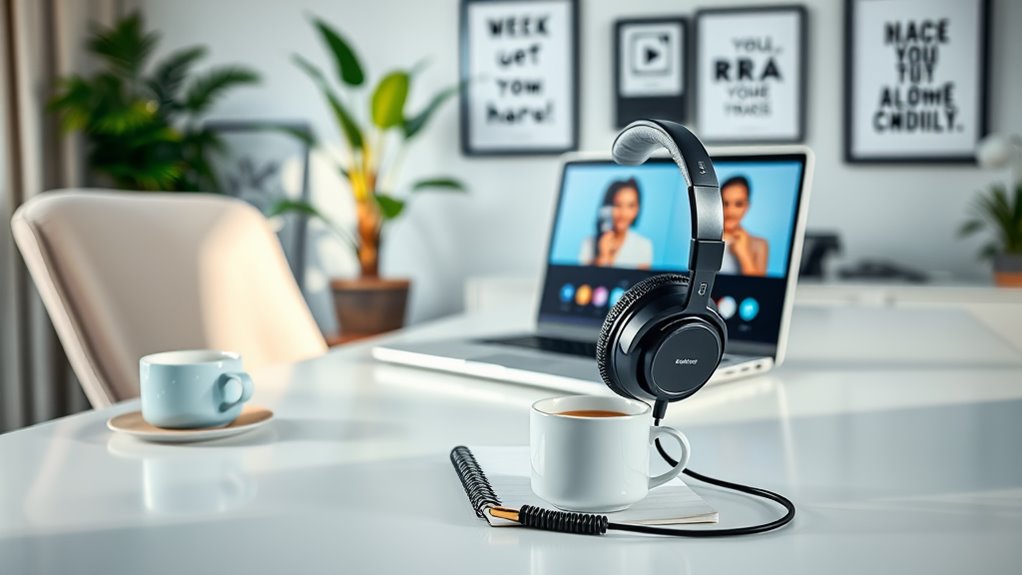
To master answering phone calls while working remotely, set up a quiet and professional environment with good lighting and a reliable internet connection. Choose a robust phone system that integrates well with your tools. Prepare by researching callers and asking relevant questions. Use active listening techniques to engage effectively. Maintain professionalism in your tone and language, especially during tough conversations. Follow up promptly to reinforce communication. There’s much more to explore to enhance your phone call skills.
Key Takeaways
- Create a distraction-free environment with good lighting and noise-cancelling headphones to enhance focus during calls.
- Prepare by researching caller information and formulating relevant questions to guide the conversation effectively.
- Utilize call management tools to schedule calls, screen unwanted callers, and ensure a smooth communication flow.
- Practice active listening by paraphrasing and confirming understanding to build rapport and convey professionalism.
- Follow up promptly after calls to reinforce communication, clarify any misunderstandings, and demonstrate reliability.
Setting Up the Right Environment for Phone Calls

Creating an ideal environment for phone calls is essential for effective communication in remote work. Start by selecting a quiet space where you won’t be interrupted. Close doors and use noise-cancelling headphones to block out distractions.
Make sure your background is professional and tidy, as it reflects your commitment. Good lighting is vital too; it not only helps you appear more engaged but also boosts your mood. Keep your phone charged and your internet connection stable to avoid disruptions.
If possible, use a dedicated work phone line for clarity. Finally, have a notepad handy to jot down important points during the call, ensuring you stay organized and focused. A well-set environment leads to more productive conversations.
Choosing the Best Phone System for Remote Work

When it comes to selecting the best phone system for remote work, you’ll want to contemplate both functionality and ease of use. Look for a system that integrates seamlessly with your existing tools, like email and calendars, to streamline your workflow.
Consider options that offer features such as call forwarding, voicemail-to-email, and conference calling, which can enhance communication with your team and clients. Additionally, prioritize reliability; you don’t want dropped calls or poor sound quality disrupting your conversations.
Explore features like call forwarding and conference calling to boost communication and ensure reliable connections for seamless conversations.
Don’t forget about scalability—choose a system that can grow with your business needs. Finally, evaluate customer support options; having help readily available can save you time and frustration when issues arise.
Choose wisely, and you’ll set yourself up for success.
Preparing for Calls: Research and Information Gathering

Before your call, take a moment to identify key information about the person or topic you’ll be discussing.
This helps you prepare relevant questions that can guide the conversation effectively.
A little research goes a long way in ensuring you make the most of your time on the call.
Identify Key Information
How can you guarantee your calls are productive and effective? Identifying key information beforehand is essential. By gathering relevant details about the caller and their needs, you’ll be prepared to engage meaningfully. Here’s a simple table to help you organize this information:
| Caller Name | Purpose of Call | Key Details |
|---|---|---|
| John Doe | Product Inquiry | Interested in pricing and features |
| Jane Smith | Support Request | Issues with software update |
| Mike Brown | Partnership Offer | Proposing collaboration terms |
| Lisa White | Feedback Session | Collecting customer experience insights |
| Tom Green | Follow-up Call | Checking on previous discussions |
With this framework, you’ll confidently navigate your calls, ensuring all necessary information is at your fingertips.
Prepare Relevant Questions
What questions should you ask to guarantee a productive conversation? Start by identifying the call’s purpose. Ask clarifying questions like, “What are the main goals for this call?” or “What specific issues should we address today?” This sets a clear agenda.
Next, inquire about any updates or changes since your last interaction. Questions such as, “Have there been recent developments we need to discuss?” help assure you’re on the same page.
Don’t forget to ask for feedback or input. Phrasing it as, “What are your thoughts on this approach?” fosters collaboration.
Finally, confirm the next steps by asking, “What should we do following this call?” Preparing these questions will lead to a more structured and effective dialogue.
Active Listening Techniques for Effective Communication
While you might think that speaking clearly is the key to effective communication, active listening often plays an even more essential role in remote work. By focusing on what the other person is saying, you can respond more thoughtfully and build stronger connections.
Start by eliminating distractions; put away your phone and close unnecessary tabs. Show you’re engaged by nodding or using verbal affirmations like “I see” or “Go on.” Paraphrasing what the caller says can also confirm you understood correctly and demonstrates your attentiveness.
Don’t interrupt; allow them to finish their thoughts. Finally, ask clarifying questions to deepen your understanding.
These techniques won’t only enhance your communication but also foster a more productive and collaborative remote working environment.
Maintaining Professionalism in Your Tone and Language
Effective communication isn’t just about listening; it also involves how you express yourself. When answering calls, your tone and language play an essential role in conveying professionalism. Speak clearly and confidently, ensuring your voice reflects enthusiasm and engagement.
Avoid slang or overly casual phrases; instead, use polite and respectful language. Remember to match your tone to the conversation’s context, whether it’s formal or more relaxed. If you’re unsure, err on the side of professionalism.
Additionally, be mindful of your pace; speaking too quickly can create misunderstandings, while a steady pace enhances clarity. Ultimately, maintaining a professional tone not only builds rapport but also reinforces your credibility in a remote work setting.
Managing Call Interruptions and Distractions
To guarantee your phone calls go smoothly, you need to create a quiet space free from distractions.
Setting clear boundaries with others in your home can help minimize interruptions during important conversations.
Additionally, using call management tools can streamline your communication and keep you focused.
Establishing a Quiet Space
Creating a quiet space for phone calls is essential, especially when working remotely. Start by choosing a dedicated area in your home that’s away from distractions. If possible, close doors and windows to minimize outside noise.
Consider using sound-absorbing materials, like rugs or curtains, to dampen echoes. Also, keep your workspace organized and free from clutter, which can help you focus. Inform others in your household about your call schedule, so they know not to interrupt.
If needed, use noise-canceling headphones to block out background sounds. Finally, test your space before important calls to guarantee it’s conducive to clear communication.
With these adjustments, you’ll create an environment that promotes professionalism and productivity during your phone conversations.
Setting Boundaries With Others
While you might’ve a quiet space set up for your calls, it’s just as important to establish boundaries with others in your household. Communicate your work hours clearly, so everyone knows when you’re unavailable. A simple sign on your door can signal that you’re in a meeting.
Encourage your family or roommates to respect this time by minimizing interruptions. Set specific times for breaks or check-ins, allowing you to stay connected without constant distractions. If possible, use headphones to help drown out background noise.
Finally, be firm but polite if someone interrupts; remind them you’re at work. By setting clear boundaries, you’ll create a more productive environment for yourself and maintain good relationships with those around you.
Using Call Management Tools
Although managing interruptions can be challenging, using call management tools can greatly enhance your remote work experience.
These tools help you focus on your tasks while ensuring that important calls aren’t missed. Here are four effective call management strategies:
- Voicemail Transcription: Get transcriptions of voicemails sent to your email, allowing you to prioritize responses without interrupting your workflow.
- Do Not Disturb Mode: Use this feature during deep work sessions to silence non-essential calls and notifications.
- Call Scheduling: Set specific times for calls to maintain a structured workday and minimize disruptions.
- Call Screening: Use screening options to filter out unwanted calls, ensuring you only engage with necessary contacts.
Implementing these strategies can help you create a more focused work environment.
Handling Difficult Conversations With Confidence
When you face a difficult conversation, approaching it with confidence can make all the difference in achieving a positive outcome. Start by preparing yourself. Know the key points you want to discuss and anticipate possible objections. This preparation helps you stay focused and composed.
During the call, maintain a calm tone and use active listening. Acknowledge the other person’s feelings, and don’t interrupt—this shows respect and builds rapport. If emotions run high, take a deep breath and pause before responding.
Use clear, concise language to express your perspective without being confrontational. Remember, your goal is to find common ground, not to win an argument. Confidence comes from clarity, so trust in your ability to navigate the conversation effectively.
Following Up After Phone Calls
Following up after phone calls is essential for maintaining clear communication and building relationships.
You’ll want to craft a concise follow-up message that reinforces key points and actions discussed.
Don’t forget to track the outcomes of your follow-ups to measure their effectiveness.
Importance of Timely Follow-Up
Timely follow-up after phone calls can make a significant difference in your professional relationships. It shows that you value the conversation and respect the other person’s time.
Here are four reasons why you should prioritize follow-ups:
- Reinforces Communication: It clarifies any misunderstandings and solidifies what was discussed.
- Builds Trust: Consistent follow-ups demonstrate your reliability and commitment.
- Keeps the Momentum: Following up keeps projects moving forward and prevents stagnation.
- Opens Opportunities: It may lead to new ideas, collaborations, or even future meetings.
Crafting a Follow-Up Message
Crafting a follow-up message after a phone call can greatly enhance your communication effectiveness.
Start by thanking the person for their time and summarizing key points discussed during the call. This shows you value the conversation and helps reinforce your understanding.
Be clear about any next steps or actions you plan to take, and invite them to share any additional thoughts or questions.
Keep your tone friendly but professional, and aim for brevity to respect their time.
Finally, include your contact information to make it easy for them to reach out.
A well-crafted follow-up not only strengthens your relationship but also demonstrates your commitment to effective communication in a remote work environment.
Tracking Follow-Up Outcomes
After a phone call, it’s essential to track the outcomes of your follow-up efforts. This helps you stay organized and guarantees that nothing falls through the cracks.
Here are some key steps to reflect on:
- Document Key Points: Write down what was discussed during the call to reference later.
- Set Reminders: Use calendar alerts to remind you of follow-up dates and actions.
- Categorize Outcomes: Label the results of your follow-ups, whether they’re successful, pending, or require further action.
- Review Regularly: Periodically assess your follow-ups to identify trends and improve your approach.
Leveraging Technology for Better Call Management
As you navigate the complexities of remote work, leveraging technology for better call management can greatly enhance your communication efficiency. Utilizing tools like VoIP systems, call scheduling apps, and CRM integrations can streamline your workflow and reduce stress. By automating call logs and reminders, you free up time to focus on what matters most.
Here’s a quick overview of useful technologies:
| Tool Type | Example | Benefit |
|---|---|---|
| VoIP System | Zoom, Skype | Cost-effective calling |
| Call Scheduling | Calendly, Doodle | Easy appointment setting |
| CRM Integration | Salesforce, HubSpot | Centralized customer info |
Embrace these technologies to enhance your professionalism and improve your remote communication experience.
Continuous Improvement: Seeking Feedback and Self-Reflection
To thrive in remote work, actively seeking feedback and engaging in self-reflection is essential for continuous improvement. By understanding how others perceive your phone call skills, you can identify areas for growth and enhance your effectiveness.
Here are some strategies to help you:
- Request Feedback: Regularly ask colleagues and clients for their thoughts on your communication style and clarity.
- Record Calls: Listen to your calls to pinpoint strengths and weaknesses in your approach.
- Set Goals: Establish specific improvement targets based on feedback and self-assessment.
- Reflect Regularly: Take time each week to evaluate your performance and adjust your techniques accordingly.
Implementing these practices will help you become a more confident and effective communicator in remote settings.
Frequently Asked Questions
How Can I Improve My Phone Etiquette for Remote Calls?
To improve your phone etiquette for remote calls, practice active listening, speak clearly, maintain a friendly tone, and avoid multitasking. It’s important to stay engaged and respectful, ensuring effective communication with your colleagues.
What Should I Do if I Miss an Important Call?
If you miss an important call, don’t panic. Check your voicemail for details, return the call promptly, and send a brief message acknowledging the missed connection. Staying proactive helps maintain good communication.
Is It Necessary to Use a Headset for Calls?
Using a headset for calls isn’t strictly necessary, but it enhances audio quality and clarity. You’ll reduce background noise, improve focus, and create a more professional atmosphere, making your conversations more effective and engaging.
How Can I Handle Background Noise During Calls?
To handle background noise during calls, try closing windows and doors, using noise-canceling software, or finding a quieter location. You can also use a headset with a microphone for clearer communication.
What Time Is Best for Scheduling Phone Calls?
The best time for scheduling phone calls is typically mid-morning or early afternoon. You’ll find people are more focused and less rushed, making it easier to have productive conversations without interruptions or distractions.