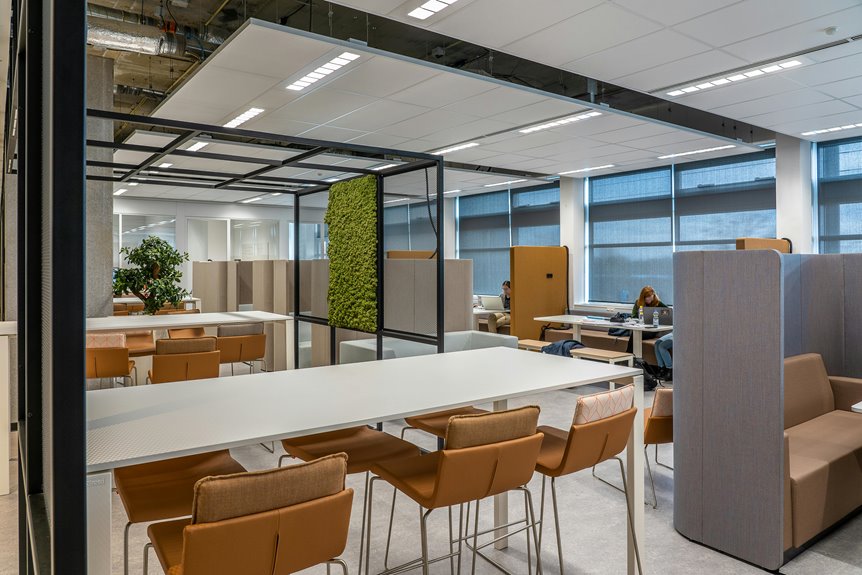
To maximize productivity at multiple workstations, you need ergonomic office furniture that prioritizes comfort and support. Adjustable desks let you switch between sitting and standing, boosting energy and focus. Choosing the right office chairs with lumbar support and proper armrests helps reduce fatigue. Modular furniture promotes collaboration, allowing you to create flexible spaces for teamwork. Implementing effective storage solutions keeps your workspace organized. Discover additional tips to enhance your office’s productivity and overall work environment.
Key Takeaways
- Utilize ergonomic furniture to promote healthy posture, reducing strain and enhancing comfort for multiple workstation users.
- Incorporate adjustable desks that allow switching between sitting and standing, boosting energy and productivity throughout the day.
- Implement modular furniture to create versatile spaces that adapt to different tasks and team collaborations, fostering creativity.
- Choose office chairs with adjustable features and lumbar support to accommodate various body types and minimize fatigue during long hours.
- Design organized workstations with effective storage solutions to reduce clutter, ensuring employees can focus on their tasks more efficiently.
The Importance of Ergonomics in Office Furniture
When you’re setting up multiple workstations, considering ergonomics is essential for maintaining comfort and productivity.
You’ll want to choose furniture that promotes a healthy posture, reducing the risk of strain and injury. Adjustable chairs with lumbar support can help you sit comfortably for long periods, while desks at the right height guarantee your arms rest naturally.
Monitor stands can elevate screens, preventing neck strain, and keyboard trays can keep your wrists aligned.
Remember to leave enough space for movement; cramped workstations can lead to discomfort and decreased focus.
Benefits of Adjustable Desks for Dynamic Work Environments
Adjustable desks offer a versatile solution for dynamic work environments, allowing you to easily switch between sitting and standing throughout the day.
Adjustable desks provide the flexibility to alternate between sitting and standing, enhancing comfort and productivity in any work environment.
This flexibility can lead to increased energy levels and improved focus, ultimately boosting your productivity.
Some key benefits include:
- Enhanced Comfort: You can adjust the desk height to match your preferences, reducing strain on your back and neck.
- Increased Movement: Standing encourages you to move more, promoting better circulation and reducing the risks associated with prolonged sitting.
- Customizable Workspaces: You can create a setup that suits your specific tasks, whether you’re collaborating with a team or working independently.
Creating Collaborative Spaces With Modular Furniture
When you think about office design, modular furniture offers incredible flexibility that can enhance team interaction.
By rearranging pieces to suit different needs, you can create spaces that optimize collaboration.
Let’s explore how these strategies can transform your work environment.
Flexibility in Design
Creating collaborative spaces with modular furniture allows you to adapt your office layout to evolving team needs and project requirements.
This flexibility not only enhances productivity but also encourages creativity and teamwork. With modular furniture, you can easily rearrange your workspace to suit various activities, making it ideal for dynamic environments.
- Reconfigurable seating: Move chairs and tables around to create intimate discussion areas or larger meeting spaces.
- Adjustable workstations: Tailor desk heights and configurations for both standing and sitting preferences, ensuring comfort for everyone.
- Integrated storage solutions: Utilize mobile storage units that can be relocated as your team’s needs change, keeping your space organized and efficient.
Embrace flexibility to foster a collaborative atmosphere that supports your team’s success.
Enhancing Team Interaction
Three essential elements of modular furniture can greatly enhance team interaction in the workplace.
First, versatility allows you to rearrange furniture quickly, adapting to your team’s dynamic needs. Whether you need a brainstorming session or a quick huddle, movable pieces create engaging environments.
Second, shared spaces foster collaboration. By incorporating communal tables and lounge areas, you encourage spontaneous discussions and idea sharing.
Finally, acoustic solutions within modular designs can minimize noise, creating a comfortable atmosphere for focused teamwork.
When you combine these elements, your workspace transforms into a hub of collaboration, boosting creativity and productivity.
Investing in modular furniture not only enhances interaction but also cultivates a sense of community among your team members, making your office a more vibrant place to work.
Space Optimization Strategies
To maximize the potential of your office, consider how modular furniture can transform your space into a hub of collaboration.
You can create flexible environments that adapt to your team’s changing needs, making it easier for everyone to work together efficiently.
Here are a few strategies to enhance your workspace:
- Use movable partitions to create temporary meeting areas, allowing for quick collaboration when needed.
- Incorporate multi-functional furniture, such as desks that can be adjusted for standing or sitting, promoting comfort and engagement.
- Designate casual zones with soft seating options where team members can gather informally, fostering creativity and open communication.
Choosing the Right Office Chairs for Comfort and Support
When you’re selecting office chairs for multiple workstations, comfort and support should be your top priorities since employees spend long hours sitting. A well-designed chair can boost productivity and reduce fatigue. Look for adjustable features and ergonomic designs that cater to various body types.
Here’s a quick comparison of key chair features:
| Feature | Importance |
|---|---|
| Lumbar Support | Prevents back pain |
| Seat Height | Guarantees feet are flat |
| Armrests | Reduces shoulder strain |
| Material | Breathable for comfort |
| Mobility | Enhances workspace flexibility |
Investing in quality chairs not only promotes health but also fosters a positive work environment, allowing your team to focus on their tasks efficiently.
Storage Solutions for Organized Workstations
While a comfortable chair is essential, effective storage solutions are equally important for maintaining organized workstations. Clutter can hinder productivity, so investing in the right storage options is key.
Consider these solutions to keep your space tidy:
- Desk organizers: Use trays, pen holders, and file compartments to keep essential items within reach.
- Shelving units: Install shelves above or beside your workstation to store books, binders, and decorative items, maximizing vertical space.
- Mobile carts: Utilize rolling carts for extra storage that can be easily moved around, perfect for shared workspaces.
Incorporating Technology in Office Furniture Design
As you design workstations, incorporating technology into your office furniture can greatly enhance both functionality and comfort.
Consider desks with built-in power outlets and USB ports, allowing easy access to charging devices without clutter. Integrated cable management systems keep wires organized and out of sight, promoting a cleaner workspace.
Adjustable height desks equipped with digital controls can cater to different working styles, promoting better posture and productivity.
Don’t forget about ergonomic chairs with tech features, like lumbar support adjustments or smart sensors that remind you to take breaks.
Frequently Asked Questions
How Do I Measure Space for Multiple Workstations?
To measure space for multiple workstations, start by determining the dimensions of each workstation. Then, consider the layout and necessary walking paths. Make certain you leave enough room for movement and accessibility between each station.
What Materials Are Best for Durable Office Furniture?
When choosing materials for durable office furniture, consider high-quality wood, metal, and laminate. These materials resist wear and tear, ensuring longevity. You’ll appreciate furniture that withstands daily use while maintaining a professional appearance.
How Can I Personalize My Workstation Efficiently?
To personalize your workstation efficiently, choose decor that reflects your style, add functional accessories like organizers, and adjust furniture for comfort. Incorporate plants or artwork to create a space that inspires creativity and boosts productivity.
What Is the Average Lifespan of Office Furniture?
The average lifespan of office furniture varies, but you can generally expect it to last anywhere from 5 to 15 years. Factors like material quality, usage, and maintenance greatly influence this duration.
How Do I Maintain My Office Furniture?
To maintain your office furniture, regularly clean surfaces with appropriate products, avoid harsh chemicals, and check for wear. Tighten screws and joints as needed, and consider professional cleaning for upholstery to keep everything looking fresh.