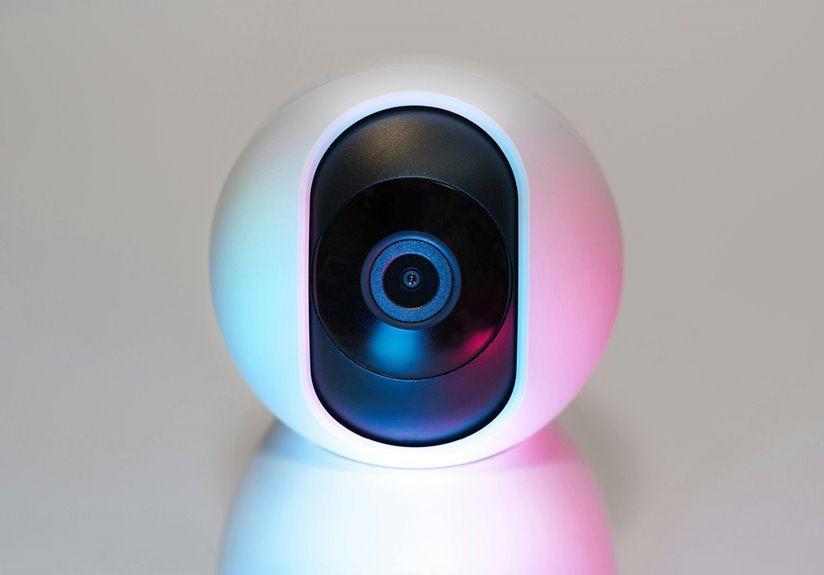
For freelancers seeking secure webcam options, the Logitech C920S with its built-in privacy shutter, Razer Kiyo Pro known for low-light performance, and Microsoft LifeCam Studio with reliable privacy features are top picks. Don’t overlook budget-friendly alternatives like the AUSDOM AF640. Look for models with encryption, firmware updates, and strong user reviews. By prioritizing security in your webcam choice, you’ll protect your privacy and professionalism. Discover additional tips on enhancing your webcam safety next!
Key Takeaways
- Logitech C920S features a 1080p resolution and a built-in privacy shutter for enhanced security.
- Razer Kiyo Pro offers excellent low-light performance with robust security design for freelancers.
- Microsoft LifeCam Studio provides high-definition video and reliable privacy features for added protection.
- AUSDOM AF640 is a budget-friendly option that balances decent security features with quality performance.
- Prioritize webcams with physical privacy shutters and encryption to ensure data protection during use.
Importance of Webcam Security for Freelancers
As you navigate the freelance world, ensuring your webcam security is essential to protecting your privacy and professional integrity. A compromised webcam can lead to unauthorized access, exposing your personal life and sensitive information.
Freelancers often work from home, where the lines between professional and personal spaces blur, making it important to safeguard both. Malicious hackers can exploit unsecured webcams, potentially leading to reputation damage or financial loss.
By prioritizing webcam security, you not only protect yourself but also maintain trust with clients and colleagues. Remember, the digital landscape is filled with risks, and taking proactive steps to secure your webcam is a critical aspect of your freelance career.
Stay vigilant, and your professional image will remain intact.
Features to Look for in a Secure Webcam
When choosing a secure webcam, it’s essential to contemplate several key features that enhance both your privacy and security.
First, look for models with a physical privacy shutter or lens cover, allowing you to block the camera when not in use.
Next, make sure the webcam uses encryption to protect data transmission; this helps keep your video feed private.
Consider webcams with built-in security features like two-factor authentication, which adds an extra layer of protection.
Additionally, opt for models that receive regular firmware updates, as these updates often patch vulnerabilities.
Finally, check for user reviews on the webcam’s security performance, as real-world feedback can provide valuable insights into its reliability.
Choose wisely to safeguard your online presence!
Top Secure Webcam Models for Freelancers
Finding the right secure webcam can greatly enhance your freelance work while keeping your privacy intact.
Consider the Logitech C920S, known for its 1080p resolution and built-in privacy shutter. If you need something more advanced, the Razer Kiyo Pro offers excellent low-light performance and a robust security design.
The Microsoft LifeCam Studio is another solid choice, delivering high-definition video and a reliable privacy feature. For a budget-friendly option, check out the AUSDOM AF640, which still provides decent security and quality.
Each of these models prioritizes your safety without compromising on picture quality. By choosing one of these secure webcams, you can focus on your projects without worrying about unwanted intrusions.
Comparing Security Features of Popular Webcams
Choosing the right webcam involves more than just video quality; security features play an essential role in protecting your privacy.
When comparing popular webcams, consider these key security features:
- Built-in Privacy Shutter: This allows you to physically block the camera when not in use, ensuring no one can spy on you.
- Encryption Options: Look for models that offer end-to-end encryption, which protects your video feed from potential eavesdroppers.
- Secure Connection: Check if the webcam uses a secure USB connection or Wi-Fi protocols, minimizing the risk of hacking during your calls.
Tips for Enhancing Webcam Security at Home
Enhancing your webcam security at home is essential for protecting your privacy. Start by covering your webcam when it’s not in use; a simple sticker or webcam cover does the trick.
Always keep your software updated to patch vulnerabilities. Use strong, unique passwords for your devices and accounts, and enable two-factor authentication whenever possible.
Be cautious about granting apps access to your webcam; only allow permissions when absolutely necessary. Consider using a firewall to block unauthorized access to your network.
Finally, regularly check for any suspicious activity on your devices, and disconnect your webcam when you’re not using it.
With these steps, you’ll greatly reduce the risk of unwanted surveillance. Stay proactive and vigilant!
Frequently Asked Questions
Can I Use a Smartphone as a Secure Webcam Alternative?
Yes, you can use a smartphone as a secure webcam alternative. Just guarantee you install trustworthy apps, enable necessary security settings, and keep your device updated to protect against potential vulnerabilities while streaming or video conferencing.
How Often Should I Update My Webcam’s Firmware?
You should update your webcam’s firmware regularly, preferably every few months or whenever a new update is released. This helps protect against vulnerabilities and guarantees peak performance, keeping your video quality high and secure.
Are Built-In Laptop Webcams Secure Enough for Freelancers?
Built-in laptop webcams aren’t always secure enough for freelancers. They can be vulnerable to hacks and malware. You should consider external webcams with better security features, plus always keep your software updated for maximum protection.
How Can I Physically Cover My Webcam When Not in Use?
When your webcam’s taking a break, consider using a simple sticker or a sliding cover. These little guardians help guarantee your privacy, letting you focus on what matters without any unwelcome surprises lurking behind the lens.
What Are the Risks of Using Cheaper Webcams?
Using cheaper webcams can expose you to significant risks. They often lack strong security features, making it easier for hackers to access your camera. You might unknowingly compromise your privacy and sensitive information by using them.