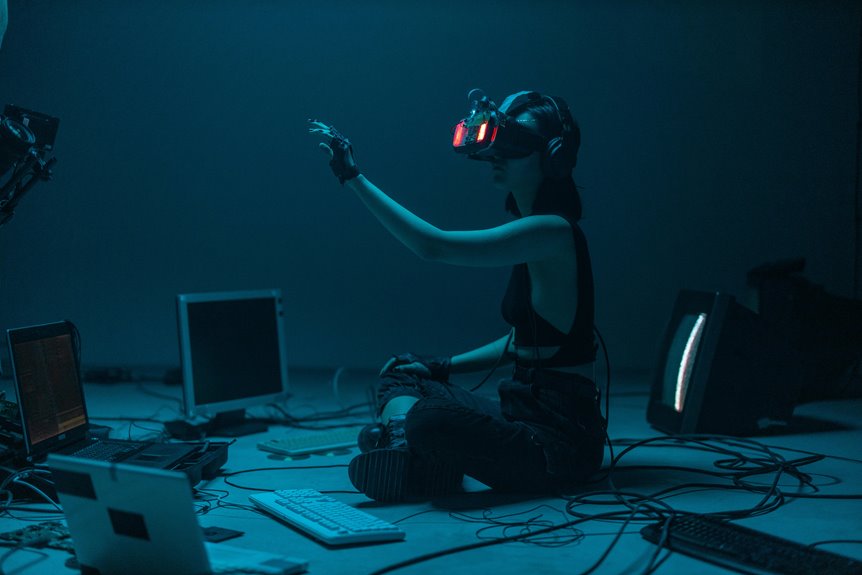
Cybersickness can be a frustrating hurdle in VR work environments, affecting productivity and comfort. You might experience discomfort from motion sickness, but understanding the causes can help. By exploring effective strategies to minimize these symptoms, you can create a more enjoyable VR experience. Let’s examine how hardware choices and workspace design play a critical role in overcoming this challenge. What innovative solutions are on the horizon that could change the game?
Key Takeaways
- Optimize frame rates and reduce latency in VR systems to minimize visual disconnect and discomfort.
- Take regular breaks every 20 to 30 minutes to alleviate symptoms and prevent fatigue.
- Gradually increase VR session duration and complexity to build comfort and reduce disorientation.
- Create a spacious play area and use ergonomic furniture to enhance comfort and safety during use.
- Invest in high-quality hardware with low latency and good positional tracking to improve overall VR experience.
Understanding Cybersickness: Causes and Symptoms
As you immerse yourself in the world of virtual reality, it’s essential to understand cybersickness, which can disrupt your immersive experience.
Cybersickness arises when there’s a disconnect between what you see in the virtual environment and your body’s physical sensations. Common causes include low frame rates, latency, and unrealistic motion cues.
Symptoms often mimic motion sickness, including dizziness, nausea, and headaches. You might also experience disorientation or eye strain, especially after prolonged use.
Symptoms may resemble motion sickness, with dizziness, nausea, and headaches, alongside potential disorientation and eye strain during extended use.
Recognizing these symptoms early can help you address them effectively. By understanding the causes of cybersickness, you can better prepare yourself for potential challenges, ensuring a smoother and more enjoyable VR experience.
Awareness is the first step toward overcoming this modern discomfort.
Tips for Reducing Cybersickness in VR
To enjoy your VR experience without feeling queasy, you can take some simple steps to reduce cybersickness.
Start by optimizing the frame rate and adjusting your field of view for comfort.
Remember to take regular breaks to help your body adjust and stay relaxed.
Optimize Frame Rate
A smooth frame rate is essential for an immersive VR experience. When your frame rate dips, you’re more likely to feel disoriented or nauseous. Here are some tips to help you optimize your frame rate:
| Setting | Recommendation | Impact on Experience |
|---|---|---|
| Graphics Quality | Lower if needed | Increases performance |
| Resolution | Balance for clarity | Affects visual comfort |
| Background Apps | Close unnecessary ones | Frees up resources |
| Hardware Check | Confirm drivers updated | Improves compatibility |
Adjust Field of View
Adjusting your field of view (FOV) can greatly enhance your VR experience and help reduce symptoms of cybersickness. A wider FOV often immerses you in the virtual environment, making it feel more natural.
However, if the FOV is too wide, it can cause discomfort. Experiment with different settings to find what feels right for you. Many VR applications allow you to customize this setting, so take advantage of that.
Additionally, consider your headset’s specifications, as some devices might’ve limitations on FOV adjustments. If you notice any discomfort while using a particular FOV setting, don’t hesitate to make quick adjustments.
Finding the perfect balance is key to enjoying a smoother and more comfortable VR experience.
Take Regular Breaks
Even if you’re fully immersed in a fascinating virtual world, taking regular breaks is crucial for minimizing cybersickness. Your brain and body need a moment to reset, especially after extended VR sessions.
Aim for a break every 20 to 30 minutes; during this time, step away from the headset, stretch, and hydrate. This simple practice helps reduce eye strain and physical discomfort, allowing you to return to the experience refreshed.
It’s also a great opportunity to check your surroundings and verify you’re in a safe space. Listen to your body—if you start feeling dizzy or nauseous, don’t hesitate to take a longer break.
The Role of Hardware in Minimizing Discomfort
While many factors contribute to cybersickness in virtual reality, hardware choices play an important role in reducing discomfort. When selecting a VR headset, opt for models with high refresh rates and low latency. These features create smoother visuals, which can help minimize motion sickness.
Additionally, consider headsets with built-in positional tracking; this enhances your sense of presence and reduces disorientation. The weight and comfort of the headset are vital too—choose lightweight options with adjustable straps to prevent fatigue during extended use.
Finally, pay attention to the display resolution; sharper visuals can reduce eye strain, making your experience more enjoyable. Investing in quality hardware can greatly enhance your VR experience and help you stay comfortable while immersed in virtual environments.
Designing an Ergonomic VR Workspace
Choosing the right hardware is just the beginning; creating an ergonomic VR workspace is equally important for enhancing comfort and reducing cybersickness.
Start by ensuring your play area is spacious and free from obstacles. A comfortable chair with proper lumbar support is essential, especially for longer sessions.
Position your headset to fit snugly without causing pressure points. Adjust the height of your monitors and peripherals to maintain a neutral wrist position and reduce strain.
Lighting matters too; opt for soft, indirect light to minimize glare on your screens.
Finally, take regular breaks to stretch and refresh your eyes. Designing a thoughtful workspace can greatly enhance your VR experience, making it both enjoyable and sustainable.
Gradual Exposure Techniques for Adaptation
To effectively adapt to virtual reality and reduce the risk of cybersickness, you can employ gradual exposure techniques that help your body acclimate to the immersive environment.
Start by limiting your VR sessions to just a few minutes, focusing on simple tasks. As you become more comfortable, gradually increase the duration and complexity of your activities.
Begin with short VR sessions centered on simple tasks, then progressively extend both time and complexity as you gain comfort.
Take regular breaks to prevent fatigue and allow your body to reset. You might also try using a mix of stationary and dynamic experiences, helping your brain adjust to different motion cues.
Additionally, familiarize yourself with the specific VR environment before diving in, as this can enhance your sense of control and reduce disorientation.
With consistent practice, your adaptation to VR will become smoother and more enjoyable.
Future Trends in VR Technology and Cybersickness Solutions
As you adapt to VR through gradual exposure techniques, it’s exciting to look ahead at emerging trends aimed at further reducing cybersickness. Innovations in VR technology are making experiences more comfortable and immersive.
Here are some key trends you might find intriguing:
- Advanced Motion Tracking: Enhanced tracking systems will synchronize your movements more accurately, minimizing disorientation.
- Adaptive Environments: VR settings will adjust in real-time to your comfort level, ensuring a smoother experience.
- Biofeedback Integration: Wearable devices can monitor your physiological responses, allowing the system to adapt based on your stress levels.
These advancements promise to create a more enjoyable VR environment, helping you overcome cybersickness and fully engage with your virtual experiences.
Embrace these trends and enhance your VR journey!
Frequently Asked Questions
Can Children Experience Cybersickness in VR Environments?
Yes, children can experience cybersickness in VR environments. Their developing senses and perceptions might make them more susceptible. It’s crucial to monitor their reactions and adjust experiences to guarantee comfort and enjoyment during VR activities.
Are There Specific VR Activities That Increase the Risk of Cybersickness?
Certain VR activities, like fast-paced games or experiences with rapid motion, can increase your risk of cybersickness. If you’re prone to discomfort, try slower, more stable experiences to help reduce symptoms during your VR sessions.
How Does Age Affect Susceptibility to Cybersickness?
Age affects susceptibility to cybersickness markedly. Younger users often adapt better to virtual environments, while older individuals may experience heightened discomfort. You should consider age when designing VR experiences to minimize adverse effects and improve user comfort.
Can Taking Breaks Help Alleviate Ongoing Symptoms of Cybersickness?
Taking breaks can notably alleviate your ongoing symptoms of cybersickness. By stepping away from the screen, you allow your mind and body to reset, reducing discomfort and helping you regain focus for a more enjoyable experience.
Is There a Link Between Cybersickness and Motion Sickness in Real Life?
Yes, there’s a link between cybersickness and real-life motion sickness. Both involve sensory conflicts, where your brain receives mixed signals from what you see and feel, leading to discomfort and nausea in both situations.