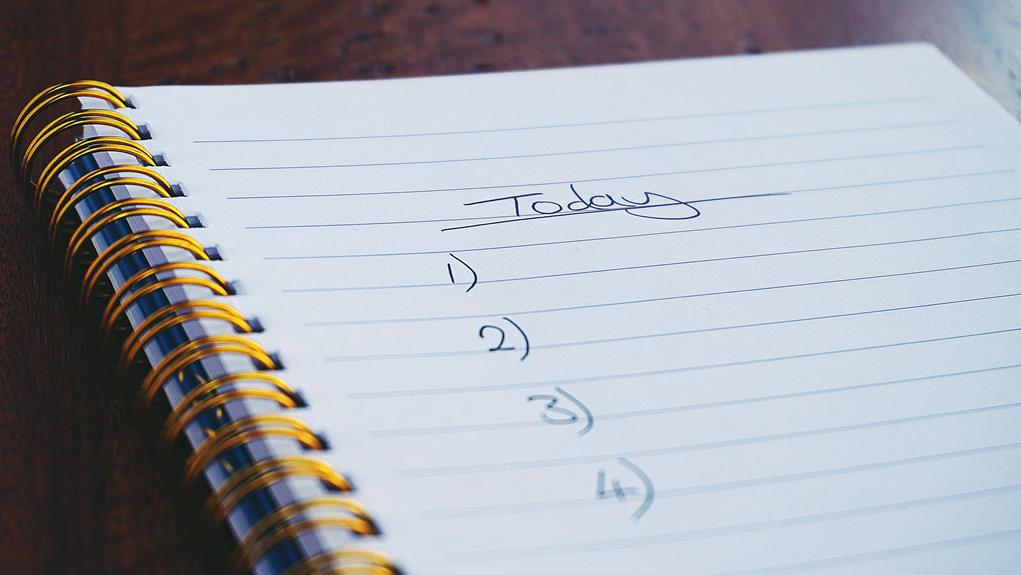
Did you know that 41% of people still prefer using paper to-do lists over digital ones? It's a surprising statistic, considering how prevalent digital tools are in our daily lives.
But when it comes to managing your home office tasks, the choice between paper and digital to-do lists isn't just about personal preference. There are practical considerations and productivity benefits to weigh on both sides.
So, which one is best for your home office? Let's explore the pros and cons to help you make an informed decision.
Key Takeaways
- Paper to-do lists offer a tangible and visually organized approach to task management.
- Digital to-do lists provide real-time updates, integration with other tools, and customization options for increased productivity.
- When choosing between paper and digital, consider personal preference, ease of use, and alignment with work habits and goals.
- To maximize efficiency with paper lists, break tasks into manageable steps, prioritize tasks, and regularly update and review the list. For digital lists, assign priorities, collaborate with others, utilize time management tools, set deadlines, and avoid procrastination.
Benefits of Paper To-Do Lists
If you prefer a tangible and visually organized approach to managing your tasks, using a paper to-do list can provide a sense of satisfaction and clarity to your home office routine. There's something about the act of physically writing down tasks that can be incredibly satisfying and help boost productivity. The act of handwriting has been shown to have cognitive benefits, such as increased focus and memory retention. When you physically write down your tasks, it can help to reinforce them in your mind, making you more likely to remember and accomplish them.
In addition to the cognitive benefits, the physical organization of a paper to-do list can have a visual appeal that's hard to replicate digitally. Being able to see your tasks laid out in front of you can provide a clearer sense of what needs to be done and when. This visual organization can help you prioritize your tasks and stay focused on what needs to be accomplished, without the distractions that can come with digital interfaces.
Advantages of Digital To-Do Lists
Digital to-do lists offer flexibility and convenience for organizing and managing your tasks efficiently. With the myriad of productivity apps available, you can easily find one that suits your digital organization needs.
Here are some advantages of using digital to-do lists:
- Real-time Updates: Easily update and access your to-do list from anywhere using your smartphone, tablet, or computer. This means that as your day unfolds, you can make changes to your tasks and priorities in real-time. No more waiting until you're back at your desk to make adjustments.
- Integration with Other Tools: Many digital to-do list apps integrate with other tools such as calendars, email, and project management platforms. This integration allows for a seamless flow of information, making it easier to stay on top of your tasks and deadlines.
- Customization and Reminders: Digital to-do lists often offer customization options such as setting reminders, deadlines, and color-coding tasks. These features can help you stay organized and motivated, as well as reduce the chances of missing important deadlines.
Using digital to-do lists can significantly boost your productivity and efficiency, allowing you to focus on completing tasks rather than managing them. The convenience of having all your tasks in one place and the ability to access and update them on-the-go makes digital to-do lists a valuable tool for anyone looking to optimize their workflow.
Considerations for Choosing Your To-Do List
When selecting a to-do list for your home office, it's important to consider your specific needs and preferences to ensure it aligns with your workflow and helps you stay organized.
One of the first considerations is whether you prefer a paper or digital to-do list. Some people find that the physical act of writing down tasks on paper helps them remember and prioritize better, while others enjoy the convenience and accessibility of digital to-do lists. Reflect on your personal preferences and habits to determine which format would best suit your work style.
Another crucial consideration is the flexibility and ease of use offered by each option. With a paper to-do list, you have the freedom to customize the layout and design based on your unique needs. On the other hand, digital to-do lists often come with features such as reminders, cross-platform syncing, and the ability to easily reorganize tasks. Think about the features that would support your productivity and overall workflow.
It's also essential to assess your comfort level with technology. If you're accustomed to using digital tools and find them intuitive, a digital to-do list may seamlessly integrate into your work routine. Conversely, if you prefer the tactile experience of physically checking off tasks, a paper to-do list might be your preferred choice.
Ultimately, your to-do list should complement your work habits and help you achieve your goals efficiently.
Tips for Maximizing Paper To-Do List Efficiency
Considering your preference for a paper to-do list, let's explore effective tips for maximizing its efficiency and helping you stay organized in your home office.
When it comes to maximizing the efficiency of your paper to-do list, it's important to consider paper organization and time management. Here are some tips to help you make the most of your paper to-do list:
- Keep it Simple: Simplify your to-do list by breaking tasks into manageable steps. This will help prevent feeling overwhelmed and make it easier to tackle each item on your list.
- Prioritize Tasks: Use symbols or numbers to prioritize tasks on your to-do list. This will help you focus on the most important and time-sensitive tasks first, ensuring that you make the most of your workday.
- Regular Updates: Set aside time at the beginning and end of each day to update and review your to-do list. This will help you stay on track and ensure that you're making progress on your tasks.
Strategies for Optimizing Digital To-Do Lists
Opt for a digital to-do list if you find yourself juggling multiple tasks and needing a more flexible and accessible organization system. When it comes to optimizing digital to-do lists, task prioritization and time management are key.
One effective strategy is to use features that allow you to assign priorities to tasks, helping you focus on what needs to be done first. This can prevent feeling overwhelmed and ensure that important tasks are completed in a timely manner.
Another valuable aspect of digital to-do lists is the ability to collaborate and share tasks. If you work with a team or have a partner, this feature can be incredibly useful. It allows for seamless coordination and delegation of tasks, ensuring that everyone is on the same page and working towards common goals. This can be especially beneficial for home office setups where multiple individuals are involved in various projects.
Furthermore, take advantage of the time management tools that many digital to-do lists offer. These tools can help you estimate the time required for each task, set deadlines, and even track the time spent on specific activities. By utilizing these features, you can better allocate your time, avoid procrastination, and improve overall productivity.
Frequently Asked Questions
How Can I Integrate My Paper or Digital To-Do List With Other Productivity Tools or Apps?
You can integrate your paper or digital to-do list with other productivity tools or apps by prioritizing tasks, setting deadlines, and using time-tracking tools. Digital offers convenience, while paper allows for a more tactile experience.
Are There Any Specific Strategies for Managing Long-Term Projects or Goals With a To-Do List?
When managing long-term projects or goals, time management and project planning are crucial. Set clear goals, break them into tasks, and track your progress. Use your to-do list to stay organized and focused.
What Are Some Common Pitfalls to Avoid When Using a Paper or Digital To-Do List?
When using a to-do list, common pitfalls to avoid include poor time management, getting distracted, and feeling overwhelmed. It's important to stay focused, prioritize tasks, and regularly review your list to ensure productivity.
How Can I Prioritize Tasks Effectively Using a To-Do List?
Feeling overwhelmed by tasks? Start by jotting down everything on your list. Then, assign a priority level to each task based on deadlines, importance, and urgency. Utilize time management to master effective prioritization.
Are There Any Recommended Techniques for Organizing and Categorizing Tasks on a To-Do List?
To manage your time effectively, categorize tasks based on urgency and importance. Use a digital to-do list to easily organize and prioritize. Set specific timeframes for each task to stay focused and on track.