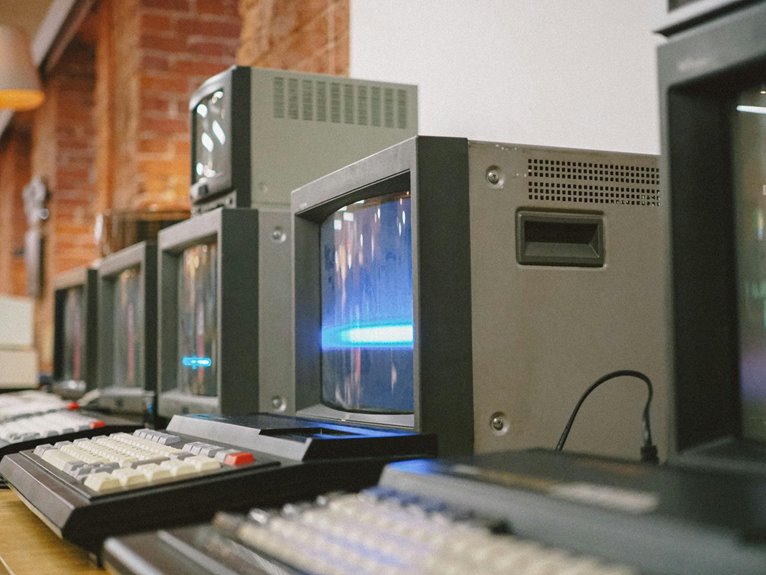
Imagine your home office equipped with sleek devices and software that seamlessly work together. Now picture those tools slowing down, creating frustration and inefficiency. Planning for technology obsolescence isn’t just about replacing old equipment; it’s about anticipating changes and staying ahead of the curve. Understanding the signs of aging technology can help you maintain productivity and security. But where do you start? Let’s explore the essential steps to guarantee your home office remains efficient and effective.
Key Takeaways
- Regularly assess hardware and software performance to identify signs of obsolescence, ensuring timely upgrades to maintain efficiency.
- Allocate a budget for future technology investments, setting aside funds for necessary upgrades and replacements.
- Stay informed about emerging technologies and trends to adapt your home office setup proactively.
- Implement cloud solutions for scalable resources, enhanced collaboration, and automatic software updates to improve productivity and security.
- Employ best practices for data security, including backups and responsible disposal of old equipment to protect privacy and minimize environmental impact.
Understanding Technology Obsolescence
As technology evolves rapidly, understanding technology obsolescence becomes essential for businesses and individuals alike.
You need to recognize that obsolescence refers to the process when technology is no longer effective or relevant. This can happen due to advancements in newer technologies, changes in consumer needs, or even shifts in industry standards.
Staying informed about these shifts helps you make proactive decisions regarding your equipment and software. It’s vital to assess the lifespan of your devices and software regularly, ensuring they meet your current demands.
Signs Your Equipment Is Becoming Obsolete
You might notice your equipment slowing down or struggling to keep up with newer software.
If you’re facing compatibility issues more often, it’s a clear sign that your technology is nearing its end.
Recognizing these signs early can help you plan for a smooth changeover to updated tools.
Performance Slowing Down
When your equipment starts to lag during routine tasks, it’s often a sign that it’s becoming obsolete. You might notice slow boot times, applications freezing, or an overall sluggish response while multitasking.
These delays can disrupt your workflow and lead to frustration. If you’re frequently waiting for your device to catch up, it’s time to take action. Regular updates and maintenance can help temporarily, but if performance issues persist, consider whether your hardware can support newer software demands.
Additionally, if your equipment struggles with tasks it once handled effortlessly, that’s a clear indicator of age. Staying aware of these signs will help you plan for replacements before your productivity takes a significant hit.
Don’t wait until it’s too late!
Compatibility Issues Arising
Compatibility issues often signal that your equipment is nearing the end of its useful life. When you notice your software updates don’t align with your hardware, or certain applications refuse to run, it’s a clear red flag.
You might find yourself struggling to connect new devices or peripherals to your existing setup. If your operating system can’t support the latest programs or security features, it’s time to reassess your equipment.
Additionally, if you’re constantly troubleshooting connections or experiencing errors, these are signs that compatibility gaps are widening. Ignoring these issues can hinder your productivity and lead to data security risks.
Keep an eye on these signs to guarantee your home office remains efficient and effective.
The Importance of Regular Hardware Upgrades
As technology rapidly evolves, regular hardware upgrades become essential to maintaining peak performance and security in your systems. Outdated hardware can slow down your processes, creating frustration and inefficiencies. By upgrading components like your RAM, storage, and graphics card, you guarantee your setup can handle demanding applications and multitasking, enhancing your productivity.
Moreover, older hardware may lack essential security features, making your systems vulnerable to cyber threats. Regular upgrades help close these gaps, safeguarding your sensitive information.
Don’t forget compatibility—upgrading your hardware keeps you in sync with the latest software, preventing potential conflicts. Embrace a proactive approach to hardware upgrades, and you’ll enjoy a smoother, more reliable home office experience.
Software Updates: Keeping Your Tools Relevant
Keeping your software up to date is essential for maintaining the effectiveness of your tools.
Regular updates not only patch security vulnerabilities but also enhance functionality.
Automating this process can save you time and guarantee you never miss an important upgrade.
Importance of Regular Updates
While you might think your software is fine for now, regular updates are vital for maintaining its relevance and effectiveness. Updates not only enhance performance but also patch security vulnerabilities that could leave your system exposed. By keeping your software current, you guarantee compatibility with other tools and improve functionality.
Here’s a quick overview of the benefits of regular updates:
| Benefit | Description | Frequency |
|---|---|---|
| Security Enhancements | Protect against new threats | As released |
| Performance Boosts | Improve speed and efficiency | Regularly |
| New Features | Access the latest tools and capabilities | As available |
Ignoring updates can lead to obsolescence, making it imperative to prioritize them in your home office setup.
Automating Update Processes
To guarantee your software remains up-to-date without constant manual intervention, automating update processes is a smart move. Most operating systems and applications offer built-in options to handle updates automatically. By enabling these features, you guarantee that security patches and new features are installed as soon as they’re available, reducing the risk of vulnerabilities.
Additionally, consider using tools like package managers for software that doesn’t have automatic updates. These can streamline the process across multiple programs, saving you time and hassle.
Don’t forget to schedule regular checks to confirm that automation is functioning correctly. By taking these steps, you’ll maintain a more efficient home office, keeping your tools relevant and your workflow uninterrupted.
Budgeting for Future Technology Investments
As technology continues to evolve at a rapid pace, it’s vital to allocate a portion of your budget specifically for future technology investments. By doing this, you guarantee you’re prepared for upgrades and replacements when necessary.
Start by evaluating your current tech and identifying areas that may need enhancement or replacement. Consider setting aside a percentage of your monthly income or a fixed amount for these future costs.
Keep an eye on emerging trends and technologies that could benefit your home office. This proactive approach not only helps you stay competitive but also minimizes the financial shock of unexpected expenses.
Regularly review and adjust your budget to align with your evolving tech needs, guaranteeing you’re always ready for what’s next.
Creating a Technology Replacement Schedule
Allocating funds for future technology investments lays the groundwork for creating a technology replacement schedule.
First, assess the lifespan of your current devices, noting when each item is likely to become outdated. Typically, computers last around three to five years, while peripherals like printers may last longer.
Assess the lifespan of your devices and note when they may become outdated to plan for timely replacements.
Next, prioritize devices based on their significance to your workflow. For example, if your laptop is critical for daily tasks, plan for its replacement sooner.
Create a timeline that aligns with your budget, setting aside funds each month. Regularly review and adjust this schedule based on technology advances or changes in your work needs.
The Role of Cloud Solutions in Modern Workspaces
In today’s fast-paced work environment, cloud solutions offer you the scalability and flexibility to adapt to changing business needs.
You can enhance collaboration among your team with powerful tools that are easily accessible from anywhere.
Plus, with built-in security and data backup, you can rest assured that your information is safe and secure.
Scalability and Flexibility
While many businesses face the challenges of rapid technological changes, cloud solutions offer a way to embrace scalability and flexibility in modern workspaces.
By leveraging the cloud, you can easily adapt to your growing needs without investing heavily in hardware. Here are four key benefits of cloud solutions:
- Cost Efficiency: Pay only for the resources you use, reducing overhead expenses.
- On-Demand Resources: Scale up or down instantly based on your project requirements.
- Remote Accessibility: Access your files and applications from anywhere, enhancing your work-life balance.
- Automatic Updates: Stay current with the latest software versions and security features without manual intervention.
Integrating cloud solutions into your home office can greatly enhance your adaptability and efficiency.
Enhanced Collaboration Tools
Cloud solutions also revolutionize how teams collaborate, making it easier than ever to connect and share ideas regardless of location.
With tools like video conferencing, instant messaging, and shared document editing, you can foster a dynamic work environment that enhances productivity. You’ll find that real-time collaboration boosts creativity, allowing everyone to contribute seamlessly.
Plus, integrating these tools into your home office setup means you can adapt quickly to changing team needs. Whether you’re brainstorming a project or conducting a remote meeting, cloud solutions guarantee you have the resources at your fingertips.
Security and Data Backup
As businesses increasingly rely on digital tools, ensuring security and data backup becomes essential in modern workspaces.
Cloud solutions are a key player in this process, offering robust protection and easy access to your data. Here are four reasons to contemplate cloud solutions for your home office:
- Automatic Backups: Cloud services often provide automated backups, reducing the risk of data loss.
- Data Encryption: Most cloud providers encrypt your data, adding an extra layer of security against unauthorized access.
- Scalability: You can easily scale your storage needs as your business grows without investing in new hardware.
- Accessibility: Access your files from anywhere, making remote work seamless and efficient.
Embracing cloud solutions can greatly enhance your workspace’s security posture and reliability.
Evaluating Your Current Home Office Setup
How effectively does your current home office setup support your productivity? Take a moment to assess your workspace.
Are your tools and technology easily accessible? Consider your desk arrangement, lighting, and comfort level. A cluttered desk can distract you, so keep essential items within reach while minimizing distractions.
Evaluate your technology too; is your computer fast enough for your tasks? Are you using software that meets your needs? Check if your internet connection is stable and reliable.
Look at your ergonomic setup—are you comfortable during long hours of work? If you find areas lacking, jot down improvements.
Identifying Essential vs. Non-Essential Technology
While evaluating your home office technology, it’s vital to distinguish between what you truly need and what merely adds clutter. Identifying important technology can streamline your workspace and improve productivity.
Start by examining your daily tasks and consider what tools genuinely support them. Here’s a quick list to guide you:
- Computer or Laptop: Your primary tool for work, important for most tasks.
- High-Speed Internet Connection: Essential for efficient communication and file transfers.
- Printer/Scanner: Necessary if you frequently deal with paperwork or documents.
- Ergonomic Accessories: Items like a keyboard or chair that enhance comfort and prevent strain.
Sustainable Practices for Disposing of Old Equipment
When you’re ready to part with old technology, opting for sustainable disposal methods not only minimizes environmental impact but also supports responsible recycling practices.
Start by checking if your devices are still functional; consider donating or selling them. Many local organizations and schools appreciate working tech.
If your equipment’s beyond repair, look for e-waste recycling programs in your area. These facilities guarantee hazardous materials are handled safely.
Some retailers also offer take-back programs, allowing you to return old devices when purchasing new ones.
Remember to wipe your data before disposal to protect your privacy.
Staying Informed About Industry Trends
What’s the best way to keep your business ahead in a rapidly changing tech landscape? Staying informed about industry trends is essential.
Here are four effective strategies to help you stay updated:
- Subscribe to Industry Newsletters: Regularly read newsletters from trusted sources to get the latest insights delivered straight to your inbox.
- Follow Influential Blogs and Podcasts: Engage with content from thought leaders who discuss emerging technologies and trends.
- Attend Webinars and Conferences: Participate in online events to gain knowledge and network with industry experts.
- Join Professional Online Communities: Connect with peers on platforms like LinkedIn or specialized forums to share experiences and insights.
Building a Network for Technology Support and Advice
As you navigate the complexities of technology, building a strong network for support and advice can be invaluable.
Start by connecting with colleagues who share your tech interests; they can offer insights and recommendations. Joining online forums or social media groups dedicated to tech can also provide a wealth of knowledge and resources.
Don’t hesitate to reach out to local tech meetups or workshops where you can learn from experts and peers alike. Consider establishing relationships with IT professionals who can offer guidance and troubleshooting tips when you face challenges.
Frequently Asked Questions
How Can I Extend the Life of My Current Technology?
To extend your tech’s life, treat it like a vintage car. Regularly clean, update software, and guarantee proper ventilation. Avoid overloading and invest in quality accessories. These steps keep your devices running smoothly longer.
What Are Signs That I Need to Replace My Software?
You’ll know it’s time to replace your software when it crashes frequently, lacks updates, or no longer supports your operating system. Also, if you’re experiencing security vulnerabilities, it’s essential to make the change quickly.
Are There Warranties for Home Office Technology?
Yes, there are warranties for home office technology. Most manufacturers offer limited warranties covering defects and malfunctions. Always read the fine print to understand what’s included and how long the coverage lasts before purchasing your equipment.
How Do I Choose the Right Technology for My Needs?
Choosing the right technology’s like picking the perfect tool for a craft. Start by evaluating your needs, consider compatibility, and prioritize reliability. Research options, read reviews, and don’t hesitate to ask for recommendations before deciding.
Can I Upgrade Individual Components Instead of Replacing Everything?
Yes, you can upgrade individual components instead of replacing everything. Focus on evaluating which parts are outdated or underperforming, then choose compatible upgrades that enhance your system’s performance without the need for an entirely new setup.