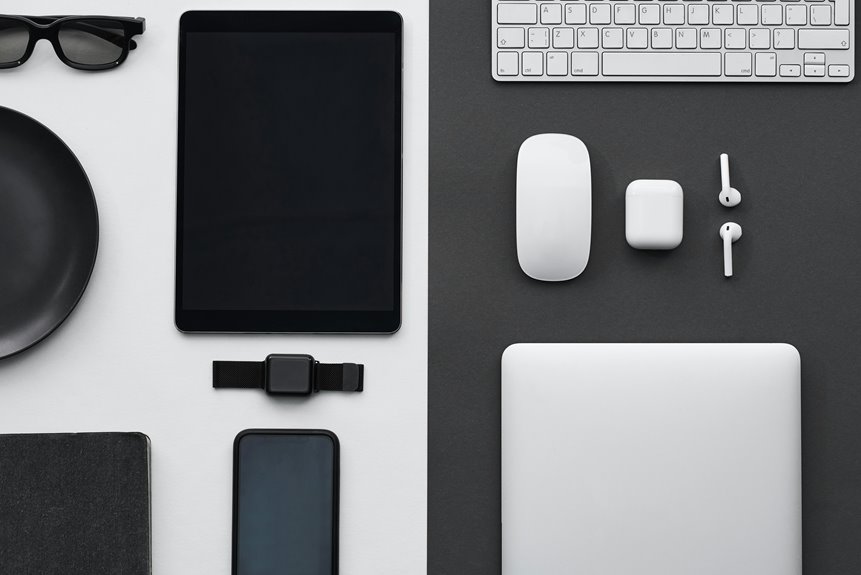
To enhance your work-from-home setup, consider investing in quiet tech gadgets like noise-canceling headphones, silent mechanical keyboards, and acoustic panels for soundproofing. These tools help minimize distractions and create a calm workspace. A quiet desktop fan will keep you cool without noise, while a mute button can guarantee professionalism during video calls. Sound machines can provide soothing background noise, perfect for maintaining focus. Want to know more about optimizing your workspace? Keep exploring for additional tips!
Key Takeaways
- Noise-canceling headphones create a personal sound bubble, enhancing focus and minimizing distractions during work-from-home sessions.
- Silent mechanical keyboards provide tactile feedback without loud clicks, ensuring a quieter typing experience and improved workflow.
- Acoustic panels effectively absorb sound, reducing echoes and outside noise, leading to a more comfortable and productive environment.
- Quiet desktop fans maintain airflow silently, helping you stay cool without distracting noise while working.
- A mute button for video calls ensures instant silence, maintaining professionalism and minimizing background interruptions during virtual meetings.
Noise-Canceling Headphones
When you’re trying to focus during a busy work-from-home day, noise-canceling headphones can be a game changer. They create a personal sound bubble, blocking out distractions from kids, pets, or loud neighbors.
With the right pair, you’ll dive deep into your work without interruptions. Many options come with adjustable noise cancellation levels, so you can choose how much outside noise to filter out.
Plus, they often include built-in microphones for clear calls, making it easy to collaborate with teammates. Comfort is key, too; look for lightweight designs that don’t cause fatigue during long hours.
Investing in quality noise-canceling headphones can boost your productivity, helping you maintain focus and achieve your work goals.
Silent Mechanical Keyboards
Although typing can often create a distracting clatter, silent mechanical keyboards offer a solution that allows you to work efficiently without disturbing others.
These keyboards use specialized switches designed to minimize noise while still providing the satisfying tactile feedback you love. When you type, you’ll notice the difference—no more loud clicks interrupting your flow or bothering your housemates.
Many models come with customizable backlighting, so you can add a personal touch to your workspace.
Plus, their durability guarantees they’ll last for years, making them a smart investment.
Whether you’re writing reports or coding, a silent mechanical keyboard can enhance your WFH experience, helping you maintain focus and productivity without the noise.
Acoustic Panels for Soundproofing
If you’re looking to create a quieter workspace, acoustic panels can be a game changer. These panels absorb sound, reducing echoes and minimizing distractions from outside noise. You can easily mount them on walls or ceilings, tailoring their placement to fit your room’s layout.
Choosing the right material and design can enhance both aesthetics and functionality. Consider fabric-wrapped panels for a stylish touch, or go for foam options for maximum sound absorption.
Not only will they improve your focus during calls and meetings, but they’ll also create a more comfortable environment overall.
Quiet Desktop Fans
If you’re looking for a way to stay cool while working from home, quiet desktop fans are a game changer.
These fans not only operate silently but also come with impressive energy efficiency ratings, helping you save on bills.
You’ll appreciate the comfort they provide without the distraction of noise.
Silent Operation Features
When you’re working from home, a quiet environment can greatly boost your focus and productivity. One essential gadget in achieving this is a desktop fan designed for silent operation.
These fans help maintain comfort without the distracting noise that traditional fans often create.
Look for features like:
- Brushless motors that minimize sound levels
- Noise reduction technology to enhance quietness
- Variable speed settings for personalized airflow without added noise
- Vibration-dampening materials to reduce operational sounds
- Compact designs that fit seamlessly into your workspace
Investing in a quiet desktop fan guarantees you stay cool and focused, allowing you to concentrate on your tasks without interruptions.
Say goodbye to noisy distractions and hello to a serene work atmosphere.
Energy Efficiency Ratings
Energy efficiency is an essential factor to take into consideration when selecting a quiet desktop fan for your workspace. You want a fan that cools efficiently without hiking up your energy bills.
Look for models with Energy Star ratings; they’ve been certified for their low energy consumption. Check the wattage as well—lower wattage often means better efficiency.
Some fans even come with smart features, allowing you to adjust settings based on your room temperature, further enhancing energy savings.
Don’t forget to consider the fan’s lifespan; longer-lasting models can save you money over time too.
Mute Button for Video Calls
When you’re in the middle of a video call, having a mute button at your fingertips can be a game changer.
This instant silence feature is designed for ease of use, ensuring you can quickly silence background noise with just a click.
Plus, it’s compatible with most devices, making it a must-have for your work-from-home setup.
Instant Silence Feature
Although video calls have become essential for remote work, they can quickly turn chaotic with unexpected interruptions. That’s where the instant silence feature comes in handy. With a quick tap of a button, you can mute yourself, ensuring your colleagues only hear what’s necessary.
Here’s what you can expect from this handy feature:
- Immediate silence: Cut out background noise in an instant.
- Distraction-free environment: Focus solely on the meeting without interruptions.
- Professionalism: Maintain a polished image, even with kids or pets around.
- Convenience: Easily accessible for quick muting when needed.
- Peace of mind: Enjoy the confidence that you won’t disrupt the flow of conversation.
This feature can truly enhance your video call experience.
User-Friendly Design
A well-placed mute button can make all the difference during video calls, allowing you to manage interruptions with ease. You’ll appreciate how a user-friendly design puts this essential feature right at your fingertips, letting you mute or unmute quickly without fumbling around.
Whether you’re in a meeting or catching up with colleagues, having this functionality accessible guarantees you maintain professionalism and focus. Many gadgets incorporate intuitive controls, so you won’t waste time searching for the right button.
Plus, the tactile feedback on these buttons helps confirm your action, reducing the chance of accidental unmuting. This thoughtful design element enhances your WFH experience, keeping distractions at bay while you stay engaged with your team.
Compatibility With Devices
User-friendly designs also prioritize compatibility with various devices, guaranteeing your mute button works seamlessly across platforms.
Whether you’re on a laptop, tablet, or smartphone, having a reliable mute function is essential for smooth video calls. When selecting your tech gadgets, consider compatibility features that enhance your remote work experience:
- Universal Integration: Works with major video conferencing apps like Zoom, Teams, and Skype.
- Cross-Device Functionality: Easily connects to Windows, macOS, iOS, and Android devices.
- Bluetooth Connectivity: Allows for wireless use without tangled cords.
- Easy Setup: Plug-and-play options get you started without hassle.
- Firmware Updates: Regular updates keep your device compatible with new software versions.
These features guarantee you stay connected and focused during those important meetings.
Sound Machines for White Noise
Sound machines can be a game-changer for creating a conducive work-from-home environment. They help drown out distracting noises, allowing you to focus on your tasks. By generating soothing white noise or nature sounds, these devices can mask unwanted background chatter, traffic, or even household sounds.
You’ll find it easier to concentrate when you create a consistent auditory backdrop. Many sound machines come with customizable settings, so you can choose the volume and type of sound that works best for you. Some even have timer features, letting you control when the noise stops.
Investing in a sound machine might just be the boost you need to enhance your productivity and maintain a calm, focused workspace. Try one out and see the difference!
Frequently Asked Questions
How Do I Choose the Right Noise-Canceling Headphones?
To choose the right noise-canceling headphones, consider sound quality, comfort, battery life, and intended use. Try them on if possible, read reviews, and compare features to find the perfect fit for your needs.
Are Silent Mechanical Keyboards Compatible With All Operating Systems?
Yes, silent mechanical keyboards are generally compatible with all operating systems, including Windows, macOS, and Linux. Just check the manufacturer’s specifications to guarantee full functionality and any necessary drivers for your specific system.
Can Acoustic Panels Be Easily Installed by a Beginner?
Yes, you can easily install acoustic panels as a beginner. Just follow the instructions, gather the necessary tools, and prepare your space. You’ll enhance sound quality in no time, making your environment more pleasant.
What Size Desktop Fan Is Best for a Small Workspace?
For a small workspace, a 12 to 14-inch desktop fan works best. It provides adequate airflow without taking up too much space. You’ll enjoy a comfortable environment while keeping your area clutter-free and efficient.
How Do Sound Machines Compare to White Noise Apps?
Sound machines provide consistent, soothing sounds that mask noise effectively, while white noise apps offer flexibility and portability. You’ll find sound machines ideal for home use, but apps are great for on-the-go situations.