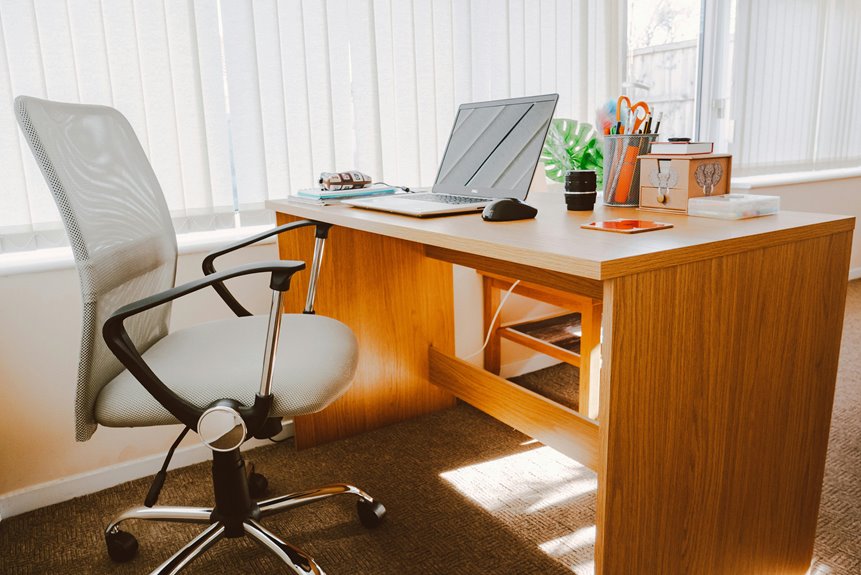
To create a quiet workstation, pick a location away from distractions and guarantee good lighting. Invest in ergonomic furniture that supports your posture, like a comfortable chair and an adjustable desk. Incorporate sound-absorbing materials like acoustic panels or heavy curtains to minimize noise. Keep your workspace organized by decluttering and using storage solutions. Finally, establish boundaries to reduce interruptions and control distractions. You’ll find even more tips and tricks for a perfect setup ahead.
Key Takeaways
- Choose a secluded location with minimal foot traffic and good natural light to enhance focus and mood.
- Invest in ergonomic furniture, including a supportive chair and an appropriately sized desk for optimal posture.
- Incorporate sound-absorbing materials like acoustic panels, heavy curtains, and rugs to reduce noise levels.
- Organize your workspace by decluttering and using storage solutions to keep essential items accessible yet tidy.
- Minimize distractions by setting boundaries with others, turning off notifications, and using noise-canceling headphones.
Choosing the Right Location
When you choose the right location for your quiet workstation, it’s crucial to take into account both your environment and personal preferences.
Look for a spot away from high-traffic areas, as distractions can hinder your productivity. Consider natural light; a well-lit space can boost your mood and focus.
If you prefer a more secluded area, a corner of a room or a spare room can provide the peace you need. Also, think about noise levels—if your home tends to be noisy, noise-canceling headphones or soft background music might help.
Finally, make sure your workstation is easily accessible but not a thoroughfare, allowing you to concentrate without interruptions. Creating a comfortable, quiet space can greatly enhance your work experience.
Selecting Ergonomic Furniture
Creating a quiet workstation isn’t just about the location; the furniture you choose plays a significant role in your comfort and productivity.
Start with an ergonomic chair that supports your lower back and encourages good posture. Look for adjustable features so you can find the perfect fit.
Next, invest in a desk at the right height—your elbows should be at a 90-degree angle while typing. A sit-stand desk can also be a great option, allowing you to alternate between sitting and standing.
Don’t forget accessories like a keyboard tray and monitor riser to enhance your setup further.
Prioritize these elements to create a comfortable, focused workspace that enhances your efficiency while minimizing distractions.
Incorporating Sound-Absorbing Materials
To enhance your quiet workstation, incorporating sound-absorbing materials is essential for minimizing distractions and fostering concentration.
Start by adding acoustic panels to your walls; they help absorb sound waves and reduce noise levels considerably. You can also consider using heavy curtains or soundproof blinds to dampen outside noise.
Rugs or carpets can provide additional sound insulation, especially in hard-floored spaces. If you’re using shelves, fill them with books or decorative items; they’ll act as barriers to sound.
Don’t overlook your workstation accessories—desk mats made of soft materials can also help.
Organizing Your Workspace
A well-organized workspace is essential for maintaining focus and boosting productivity. Start by decluttering your desk. Remove unnecessary items and only keep what you need, like your computer, notepad, and essential tools. Use trays or drawers to store supplies, keeping everything within reach but out of sight.
Next, group similar items together. For instance, keep all your writing tools in one container and tech gadgets in another. This way, you won’t waste time searching for things.
Group similar items together to streamline your workspace and save time searching for essentials.
Additionally, consider a cable management system to avoid tangles and distractions.
Finally, personalize your space with a few inspiring items, but don’t overdo it. A clean, organized workspace not only looks good but also enhances your ability to concentrate and work efficiently.
Enhancing Focus With Minimal Distractions
Distractions can derail even the most focused individuals, so it’s essential to minimize them in your workspace. Start by decluttering your desk; keep only the essentials within reach. Use organizers to maintain order and reduce visual chaos.
Consider noise-canceling headphones or soft background music to drown out disruptive sounds. Establish clear boundaries with family or roommates about your work hours to limit interruptions. Set up a dedicated workspace, ideally in a quiet area, to create a mental association between that space and productivity.
Turn off non-essential notifications on your devices, and use apps that block distracting websites during work hours. With these strategies, you’ll create an environment that fosters deep concentration and enhances your overall focus.
Frequently Asked Questions
How Can I Reduce Background Noise From Neighbors?
To reduce background noise from neighbors, you can use soundproofing materials, play white noise, or rearrange your furniture. Consider adding rugs, curtains, and acoustic panels to absorb sound and create a more peaceful environment.
What Are the Best Plants for Sound Absorption?
To absorb sound, consider adding peace lilies, snake plants, or rubber plants to your space. These plants not only enhance your decor but also help dampen noise, creating a more peaceful environment for you.
Can I Use Headphones for a Quieter Environment?
Yes, you can use headphones to create a quieter environment. They block out external noise, helping you concentrate. Just make sure they’re comfortable and have good sound isolation for the best experience while working.
How Do I Maintain a Quiet Workspace With Kids at Home?
To maintain a quiet workspace with kids at home, you can designate specific quiet hours, use noise-canceling headphones, create a separate play area for them, and establish clear boundaries to minimize distractions effectively.
What Are Effective Ways to Manage Electronic Device Noise?
To manage electronic device noise, you can use noise-canceling headphones, adjust device settings for lower volume, or utilize soundproofing materials. Creating a schedule for device usage can also help minimize distractions during important tasks.