
For your well-being while working remotely, consider using self-healing apps like Headspace for meditation, Daylio for mood tracking, and MyFitnessPal to maintain physical health. Apps like Calm and Insight Timer offer guided relaxation and community support. You can enhance productivity with breathing exercises and mindfulness techniques, too. These tools can effectively boost your mental clarity and emotional awareness. There’s even more you can explore to improve your remote work experience.
Key Takeaways
- Headspace and Calm provide guided meditations and sleep stories to reduce stress and enhance relaxation for remote workers.
- Daylio and Moodfit allow emotional tracking to help remote workers identify patterns and triggers for better self-awareness.
- MyFitnessPal and Nike Training Club promote physical well-being by tracking nutrition and providing diverse workout options for an active lifestyle.
- Social networking apps like Meetup and Focusmate facilitate community building and accountability, combating isolation among remote workers.
- Incorporate mindfulness and relaxation techniques, such as deep breathing and guided imagery, to enhance overall well-being during remote work.
The Importance of Self-Healing in Remote Work

As remote work becomes the norm, prioritizing self-healing is essential for maintaining both your mental and physical well-being.
Without the daily interactions that come from a traditional office, you might feel isolated and overwhelmed. It’s important to recognize these feelings and take proactive steps to address them.
Engaging in self-healing practices, such as mindfulness and relaxation techniques, can help reduce stress and enhance your focus. Regular breaks are also critical; they allow your mind to recharge and prevent burnout.
By setting aside time for self-care, you’re not just boosting your productivity, but also nurturing your overall health. Remember, investing in your well-being is a key part of being a successful remote worker.
Don’t underestimate the power of self-healing in your daily routine.
Top Meditation Apps for Mental Clarity
To enhance your mental clarity while working remotely, integrating meditation apps into your daily routine can be a game changer.
Integrating meditation apps into your daily routine can significantly boost your mental clarity while working remotely.
These apps help you focus, reduce stress, and improve overall well-being. Here are four top meditation apps to evaluate:
- Headspace – Offers guided meditations tailored to various needs, making it user-friendly for beginners.
- Calm – Features soothing sounds and sleep stories, perfect for unwinding after a long workday.
- Insight Timer – Provides a vast library of free meditations from experienced teachers, catering to diverse preferences.
- 10% Happier – Focuses on mindfulness and practical meditation techniques, ideal for skeptics.
Experiment with these apps to find the one that resonates with you, boosting your mental clarity and enhancing your remote work experience.
Mood Tracking: Apps to Monitor Your Emotions
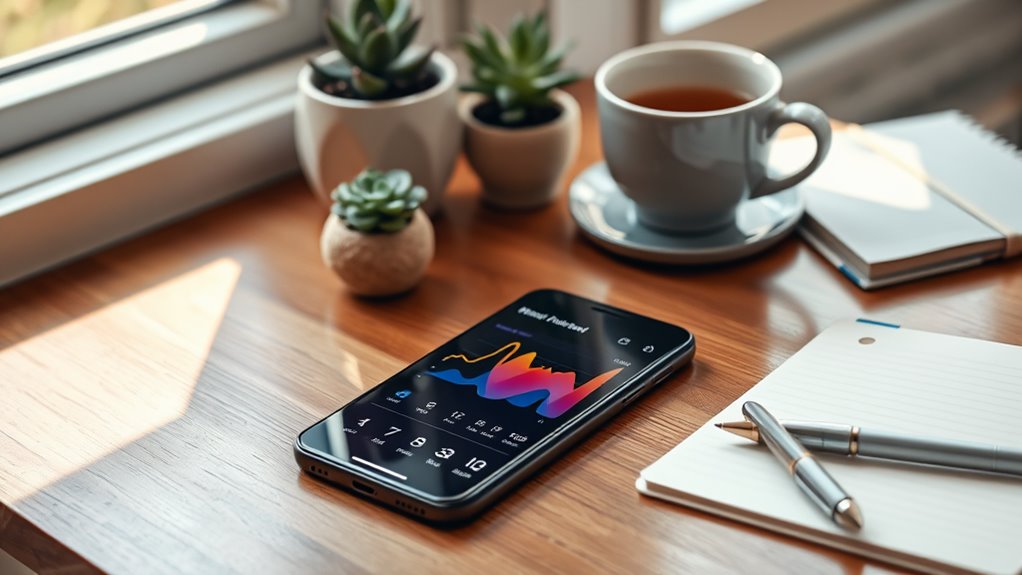
While working remotely, it’s easy to overlook your emotional well-being amidst the daily grind. Mood tracking apps can help you stay in tune with your feelings, making it easier to identify patterns and triggers. By logging your emotions daily, you can gain insights into your mental state and recognize when you need a break or some self-care.
Apps like Daylio and Moodfit allow you to rate your mood, jot down notes, and analyze trends over time. These tools provide visual representations of your emotional journey, empowering you to take proactive steps toward improvement.
With consistent use, you’ll not only enhance your self-awareness but also cultivate a healthier work-life balance, ultimately boosting your overall well-being.
Stress Management Tools to Enhance Productivity
Managing stress is essential for maintaining productivity, especially when working remotely.
Mindfulness and meditation apps can help you stay centered, while effective time management techniques keep your tasks organized.
Mindfulness and Meditation Apps
How can mindfulness and meditation apps transform your workday? These tools help you stay focused, reduce stress, and enhance your overall well-being.
By incorporating short sessions into your routine, you can experience significant benefits, including:
- Improved Focus: Regular practice helps clear your mind, making it easier to concentrate on tasks.
- Stress Reduction: Mindfulness techniques can calm your mind, reducing anxiety and tension.
- Enhanced Creativity: A relaxed mind fosters new ideas and innovative solutions.
- Better Emotional Regulation: You’ll learn to respond to stressors with greater calmness and clarity.
Integrating these apps into your daily workflow can lead to a more productive and fulfilling remote work experience.
Embrace the power of mindfulness and see the positive impact it can have!
Time Management Techniques
To boost your productivity and reduce stress, mastering effective time management techniques is essential. Start by prioritizing tasks using the Eisenhower Matrix, which helps you distinguish between what’s urgent and important.
Set specific time blocks for focused work sessions, utilizing the Pomodoro Technique—25 minutes of work followed by a 5-minute break. This keeps your mind fresh and engaged.
Don’t forget to limit distractions; consider apps that block social media during work hours. At the end of each day, review what you accomplished and adjust your plan for tomorrow.
Guided Relaxation and Breathing Exercises
Many remote workers find themselves overwhelmed by the demands of their daily tasks, leaving little room for relaxation. Incorporating guided relaxation and breathing exercises into your routine can greatly enhance your well-being.
These practices help reduce stress and improve focus, making your workday more manageable. Consider trying out these methods:
- Deep Breathing: Spend five minutes focusing on your breath, inhaling deeply through your nose and exhaling slowly.
- Progressive Muscle Relaxation: Tense and relax different muscle groups to release physical tension.
- Mindful Meditation: Set aside time to sit quietly and observe your thoughts without judgment.
- Guided Imagery: Use apps that lead you through peaceful visualizations, promoting relaxation and mental clarity.
Make these exercises a part of your daily routine for a more balanced work life.
Journaling Apps for Reflection and Growth
Journaling can be a powerful tool for your personal reflection and growth, helping you process thoughts and emotions.
With a variety of apps available, you can find one that fits your style and needs.
Let’s explore the benefits of journaling, some top apps, and tips to make the most of your writing experience.
Benefits of Journaling
While you might think of journaling as just putting pen to paper, it’s actually a powerful tool for reflection and personal growth. By regularly jotting down your thoughts, you can reveal numerous benefits that enhance your well-being as a remote worker.
Here are four key advantages:
- Clarity: Writing helps you organize your thoughts, making it easier to understand your feelings and priorities.
- Stress Relief: Putting your worries on paper can alleviate anxiety, providing a safe space for emotional expression.
- Self-Discovery: Journaling fosters deeper insights into your behaviors and motivations, encouraging personal development.
- Goal Setting: Documenting your aspirations keeps you accountable and motivated to achieve your targets.
Incorporating journaling into your routine can truly transform your mindset and productivity.
Top Journaling Apps
Finding the right tools can enhance your journaling experience and support your journey of reflection and growth. Here are some top journaling apps you might consider:
| App Name | Key Features |
|---|---|
| Day One | Photo integration, reminders |
| Journey | Mood tracking, prompts |
| Penzu | Private journal, email entries |
These apps offer unique features to help you document your thoughts, feelings, and experiences. Day One’s photo integration allows you to capture moments visually, while Journey provides mood tracking to understand emotional patterns. Penzu emphasizes privacy, making it perfect for those who want a secure space for their reflections. Explore these options to find the one that resonates with you!
Tips for Effective Journaling
Effective journaling can transform your reflections into meaningful insights, especially when you use the right app. Here are some tips to enhance your journaling experience:
- Set a Routine: Dedicate a specific time each day to write, making it a habit.
- Be Honest: Write freely without self-judgment. Authenticity fosters deeper insights.
- Use Prompts: If you’re stuck, prompts can kickstart your thinking and keep your writing flowing.
- Review Regularly: Look back at previous entries to identify patterns, growth, and areas for improvement.
Mindfulness and Focus Enhancement Tools
As you navigate the challenges of remote work, incorporating mindfulness and focus enhancement tools can greatly boost your productivity and well-being.
Apps like Headspace or Calm offer guided meditations that help you center your thoughts, reducing stress and improving focus. You might also try Forest, which encourages you to stay off your phone while you work, allowing you to cultivate concentration.
Additionally, Todoist can help you organize tasks, keeping your mind clear and focused on what truly matters.
Remember to schedule short breaks using the Pomodoro technique—this can enhance your focus while allowing time for mindfulness.
Physical Well-Being: Fitness and Movement Apps
While remote work offers flexibility, it can also lead to a more sedentary lifestyle if you’re not careful.
To stay active and enhance your physical well-being, consider these fitness and movement apps:
- MyFitnessPal – Track your nutrition and exercise to stay accountable.
- Nike Training Club – Access a variety of workouts tailored to your fitness level.
- FitOn – Join live and on-demand workout classes with friends or solo.
- 7 Minute Workout – Fit quick, effective workouts into your busy schedule.
Incorporating these apps into your daily routine can help you break away from your desk and promote a healthier lifestyle.
Sleep Improvement Apps for Better Rest
Finding the right balance between physical activity and restful sleep is key to staying productive as a remote worker. Sleep improvement apps can help you establish healthier sleep habits, ensuring you wake up refreshed. Here are some popular options:
| App Name | Features | Price |
|---|---|---|
| Sleep Cycle | Smart alarm, sleep tracking | Free/Premium |
| Calm | Sleep stories, meditation | Free/Premium |
| Headspace | Sleep sounds, mindfulness | Free/Premium |
| Pzizz | Sleep music, power naps | Free/Premium |
| Sleepio | Personalized sleep programs | Free Trial |
Try integrating one of these apps into your routine. You’ll likely notice improvements in your sleep quality, which can lead to enhanced focus and productivity during your workday.
Building a Supportive Community Through Apps
Though working remotely offers flexibility, it can also lead to feelings of isolation. Connecting with others through apps can help create a supportive community.
Working remotely provides freedom, but it can also foster isolation; leveraging apps can help build a nurturing community.
Here are four types of apps you should consider:
- Social Networking: Platforms like Meetup or Bumble BFF allow you to find local groups and meet new people with shared interests.
- Virtual Co-Working: Apps such as Focusmate connect you with a partner to work alongside, boosting accountability and motivation.
- Wellness Communities: Join wellness-focused platforms like Headspace or Insight Timer, where you can engage in group meditation or wellness challenges.
- Interest-Based Groups: Use Reddit or Discord to find communities that align with your hobbies, sparking conversations and friendships.
Building connections is crucial for your mental well-being!
Frequently Asked Questions
Can Self-Healing Apps Improve Work-Life Balance for Remote Workers?
Yes, self-healing apps can definitely improve your work-life balance. They help you manage stress, set boundaries, and prioritize self-care. By incorporating these tools, you’ll find it easier to maintain harmony between work and personal life.
Are There Free Self-Healing Apps Available for Beginners?
Yes, there are several free self-healing apps available for beginners. You can explore options like Insight Timer or Smiling Mind, which offer guided meditations and mindfulness exercises to support your journey toward better mental well-being.
How Often Should I Use Self-Healing Apps for Best Results?
You should use self-healing apps daily for best results. Consistency helps reinforce positive habits and promotes a deeper understanding of your emotional needs. Even a few minutes each day can make a significant difference.
Do Self-Healing Apps Offer Personalized Experiences for Users?
Yes, self-healing apps often offer personalized experiences tailored to your needs. They analyze your preferences and behaviors, adapting content and recommendations to help you effectively manage stress and enhance your overall well-being.
Can I Use Multiple Self-Healing Apps Simultaneously?
Yes, you can use multiple self-healing apps simultaneously. They can complement each other, providing varied techniques and insights. Just be mindful of your time and energy, ensuring you don’t feel overwhelmed by the experience.