
Transform your home office setup with Thanksgiving Zoom backgrounds that radiate festive charm. Consider cozy autumn vibes with rich colors and rustic decor. For a nostalgic touch, use traditional Thanksgiving scenes featuring harvest tables and warm fireplaces. You can also incorporate playful, whimsical designs to spark joy, or opt for nature-inspired backdrops that evoke peace. Personalized touches, like family photos or festive banners, add character. Keep exploring to find the perfect background that fits your style!
Key Takeaways
- Choose cozy autumn vibes with warm colors and seasonal decor for a welcoming Zoom background.
- Incorporate traditional Thanksgiving scenes featuring harvest tables and nostalgic fall landscapes to evoke festive spirit.
- Add playful and whimsical designs with cartoon turkeys and dancing pumpkins to create a fun atmosphere.
- Opt for nature-inspired backdrops showcasing serene forests or colorful foliage to inspire gratitude and calmness.
- Personalize your setup with family photos and festive banners to enhance connection during virtual gatherings.
Cozy Autumn Vibes
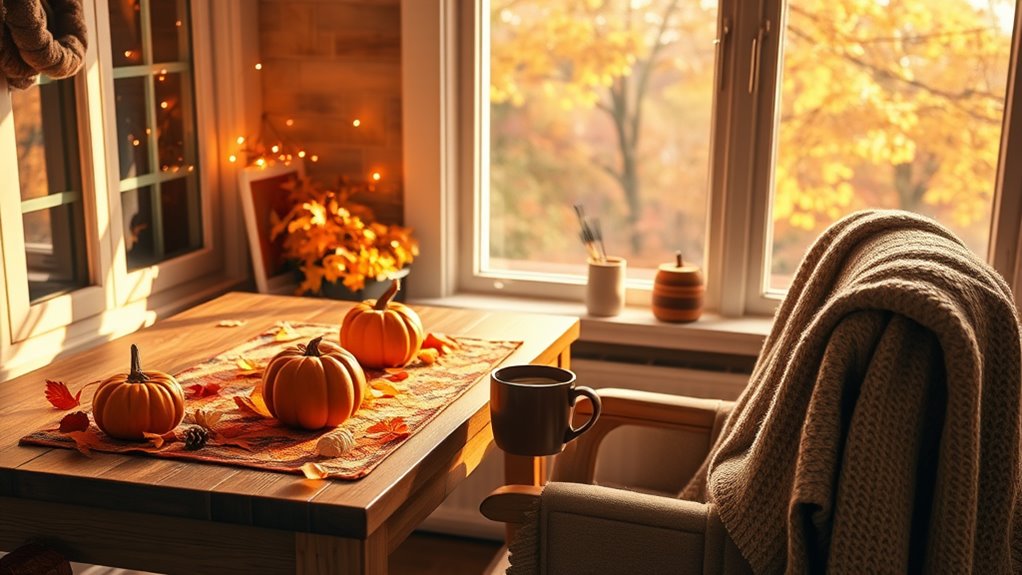
As the leaves change and temperatures drop, you can create a warm atmosphere for your Thanksgiving Zoom call with cozy autumn vibes.
Start by selecting a backdrop that features rich oranges, deep reds, and earthy browns. You could opt for images of a rustic fireplace or a table set with seasonal decor.
Choose a backdrop of warm autumn hues like rich oranges and deep reds, featuring rustic elements for a cozy vibe.
Enhance your space with soft, warm lighting to mimic the glow of autumn sunsets. Consider adding some fall-themed props, like mini pumpkins or a cozy throw blanket draped over your chair.
A scented candle in the background can also evoke those comforting, seasonal scents.
With these simple touches, you’ll set the perfect scene for connection, making everyone feel right at home, even from afar.
Traditional Thanksgiving Scenes
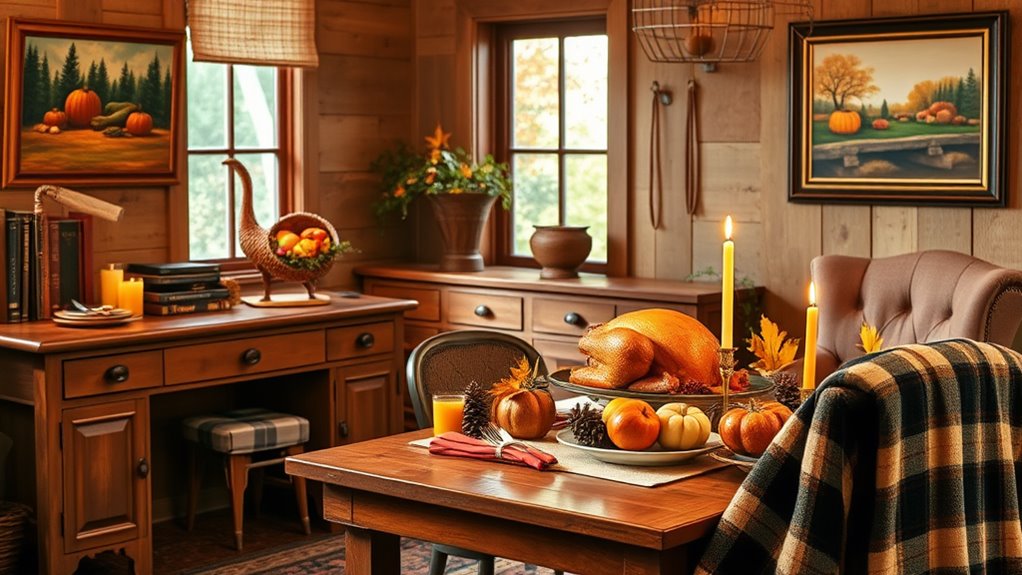
Creating a warm, inviting atmosphere for your Thanksgiving Zoom call can also include traditional scenes that celebrate the holiday’s rich history.
Think about incorporating backgrounds that evoke nostalgia and the essence of Thanksgiving. These images can transport you and your guests to a simpler time, enhancing the spirit of the gathering.
Consider these traditional Thanksgiving scene ideas for your background:
- A classic harvest table laden with a turkey, pies, and seasonal veggies.
- A picturesque autumn landscape featuring colorful foliage, pumpkins, and a rustic barn.
- A cozy fireplace adorned with fall decorations, like cornucopias and candles.
With these backgrounds, you’ll not only set the mood but also create an engaging virtual experience for everyone involved.
Playful and Whimsical Designs

While traditional scenes evoke nostalgia, playful and whimsical designs can add a fun twist to your Thanksgiving Zoom background. Imagine your colleagues’ delight when they see a cartoon turkey wearing sunglasses or a pumpkin doing a happy dance behind you.
These lighthearted visuals can spark laughter and create a relaxed atmosphere during virtual gatherings. You could also opt for a colorful autumn landscape filled with smiling animals preparing for the feast.
Think of quirky illustrations that blend the spirit of Thanksgiving with playful elements. By choosing a design that reflects your fun personality, you’ll keep everyone engaged and entertained.
Nature-Inspired Backdrops
If you want to bring the beauty of the outdoors into your virtual Thanksgiving gathering, nature-inspired backdrops are the perfect choice.
These serene settings not only enhance your home office but also create a warm, inviting atmosphere for your guests. Imagine sharing your gratitude surrounded by lush forests, tranquil lakes, or vibrant autumn leaves.
Enhance your virtual Thanksgiving with nature-inspired backdrops that create a warm and inviting atmosphere for gratitude and connection.
Consider these ideas for your backdrop:
- Crisp Autumn Foliage: Capture the essence of fall with colorful leaves that evoke the season’s spirit.
- Mountain Views: A breathtaking mountain landscape can inspire awe and conversation.
- Peaceful Forest: A serene forest scene adds a calming touch to your meeting, making everyone feel relaxed.
Choose a backdrop that resonates with you, and enjoy a cozy, nature-filled Thanksgiving!
Personalized Touches for Your Setup
Adding personalized touches to your Thanksgiving setup can make your virtual gathering feel more special and engaging. Start by incorporating family photos into your background; this sparks conversation and adds a warm, familiar vibe.
You could also display a festive banner with your family’s name or a fun Thanksgiving message. Consider placing a few seasonal decorations on your desk, like mini pumpkins or autumn leaves, to enhance the holiday spirit.
Don’t forget about your attire! Wearing a Thanksgiving-themed sweater or accessory can showcase your festive spirit.
Finally, if you’re sharing recipes, have a digital slideshow of your favorite dishes ready to share. These small details create a cozy atmosphere, making everyone feel more connected despite the distance.
Frequently Asked Questions
How Do I Change My Zoom Background During a Meeting?
To change your Zoom background during a meeting, click the arrow next to “Stop Video,” select “Choose Virtual Background,” and pick or upload your desired image. It’s a simple way to personalize your meeting space!
Can I Use My Own Photos as Zoom Backgrounds?
Yes, you can use your own photos as Zoom backgrounds! Just go to your settings, select “Virtual Background,” then click the “+” icon to upload your favorite images. It’s a fun way to personalize your meetings!
What Resolution Is Best for Zoom Backgrounds?
For Zoom backgrounds, aim for a resolution of at least 1280×720 pixels. Higher resolutions, like 1920×1080, guarantee clearer images. It’ll enhance your video quality, making your background look professional and engaging.
Are There Any Copyright Issues With Using Images?
Yes, there can be copyright issues with using images. You should verify you have permission or use royalty-free images to avoid legal trouble. Always check licensing agreements before incorporating any image into your background.
How Do I Ensure My Background Looks Professional?
To guarantee your background looks professional, choose a clean, uncluttered space. Use good lighting and avoid distractions. If necessary, adjust your camera angle and consider a virtual background that complements your personal brand.