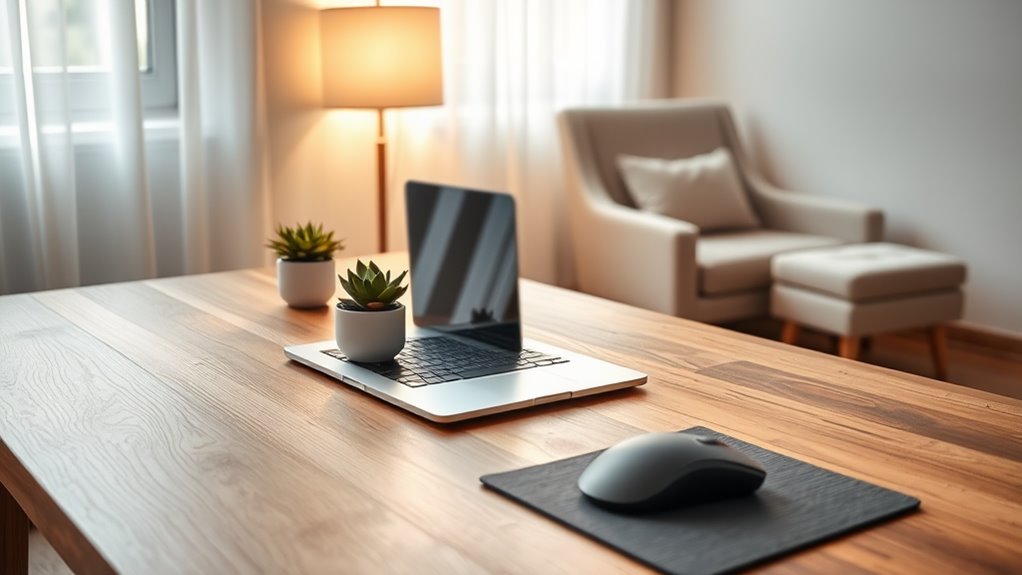
To work effectively from home, start by choosing a quiet, well-lit workspace with minimal distractions. Invest in ergonomic accessories like a comfortable chair and adjustable laptop stand to support good posture. Position your laptop at eye level and keep cables organized to reduce clutter. Use productivity tools to streamline your tasks and establish a routine to maintain focus. Personalize your space for motivation. Keep going to discover more tips that can elevate your work-from-home experience!
Key Takeaways
- Position your laptop screen at eye level to prevent neck strain and promote good posture while working.
- Use an ergonomic chair and accessories to support your back and reduce discomfort during long hours.
- Keep your workspace organized by managing cables and clutter to create a more efficient environment.
- Establish a consistent work routine with specific hours and scheduled breaks to maintain focus and productivity.
- Enhance your workspace lighting with natural or warm light to reduce eye strain and improve mood.
Choose the Right Workspace

When setting up your home office, the right workspace can make all the difference. Start by finding a quiet area with minimal distractions.
Look for a spot that’s well-lit, preferably near a window for natural light. This can boost your mood and productivity.
Make sure your desk is at a comfortable height, allowing you to work efficiently without straining. Keep your workspace organized; only have essentials at hand to avoid clutter.
Personalize it with a few motivating items, like a plant or a photo, to create a space that inspires you.
Finally, consider the background for video calls; a clean, professional look enhances your image during meetings.
Your workspace should energize and focus you, setting the stage for success.
Invest in Ergonomic Accessories

A well-chosen workspace lays the foundation for productivity, but investing in ergonomic accessories takes your setup to the next level.
These accessories not only enhance your comfort but also help prevent strain and fatigue during long work sessions.
Investing in ergonomic accessories boosts comfort and helps prevent strain during extended work hours.
Consider adding the following items to your workspace:
- Ergonomic chair: Supports your back and promotes good posture.
- Adjustable laptop stand: Elevates your screen to eye level, reducing neck strain.
- Keyboard and mouse: Opt for ergonomic designs that fit your hands comfortably.
- Footrest: Provides support for your feet, encouraging proper alignment.
- Wrist rest: Reduces pressure on your wrists while typing.
Optimize Your Laptop Position

To keep your body aligned and reduce discomfort, it’s essential to optimize your laptop position. Start by placing your laptop screen at eye level, so you don’t need to bend or strain your neck. Use a laptop stand or stack some books to achieve this height.
Your elbows should be at a 90-degree angle while typing, with your wrists straight and relaxed. Position your laptop about an arm’s length away to avoid eye strain.
If you find yourself leaning forward, consider adjusting your chair or the laptop height. Finally, remember to take short breaks to stretch and realign your posture throughout the day.
This simple adjustment can make a huge difference in your comfort and productivity.
Manage Cables and Clutter
Managing cables and clutter is essential for a productive workspace. You can use cable management solutions to keep everything organized, which helps maintain a minimalist desk setup.
A tidy environment not only looks better but also enhances your focus and efficiency.
Cable Management Solutions
While creating a comfortable work-from-home environment, tackling cable management can make a significant difference in reducing clutter and enhancing productivity.
By organizing your cables effectively, you’ll not only improve your workspace aesthetics but also prevent tangling and potential hazards. Here are some practical solutions to reflect upon:
- Cable Clips: Secure cables to your desk or wall to keep them in place.
- Cable Sleeves: Bundle multiple cables together for a neater appearance.
- Cable Trays: Install under your desk to hide unsightly cords.
- Velcro Straps: Use these to tie up loose cables and adjust lengths as needed.
- Cable Boxes: Store excess cables and power strips out of sight.
Implementing these solutions will help you maintain a tidy, efficient workspace.
Organize Your Workspace
Creating an organized workspace not only boosts your productivity but also enhances your overall work experience.
Start by managing your cables—use clips or ties to bundle them neatly and prevent tangles. Keep essential items within reach, like pens, notepads, and chargers, while storing less frequently used items in drawers or bins.
Consider investing in a cable box to hide away excess cords, keeping your desk visually appealing and clutter-free.
Regularly declutter your workspace; throw away any unnecessary papers and items that distract you. A clean space not only looks better but also helps you focus.
Finally, personalize your area with a few inspiring decorations, ensuring you enjoy your time at your desk while remaining productive.
Minimalist Desk Setup
A minimalist desk setup can transform your workspace into a serene environment that fosters focus and creativity.
By managing cables and clutter, you’ll create an inviting space that enhances productivity. Start by decluttering your desk and keeping only essentials within reach. Use cable management solutions to hide cords and maintain a clean look.
Consider these items for your minimalist setup:
- Cable organizers: Keep cords untangled and out of sight.
- Wireless devices: Reduce clutter by opting for wireless keyboards and mice.
- Desk drawers: Store away items that aren’t frequently used.
- Plants: Add a touch of nature without overwhelming your space.
- Minimalist decor: Choose one or two pieces that inspire you without creating visual chaos.
Embrace simplicity to elevate your work-from-home experience.
Enhance Your Internet Connection
To guarantee a smooth work-from-home experience, you’ll want to prioritize enhancing your internet connection. Start by checking your internet speed; a faster connection means less lag during video calls and downloads. If you’re experiencing issues, consider upgrading your plan or switching providers.
Next, position your router in a central location, away from obstructions. Using an Ethernet cable can also boost stability. Finally, limit the number of connected devices when you’re working to reduce bandwidth strain.
| Action | Effect |
|---|---|
| Check internet speed | Identify issues |
| Upgrade plan | Increase bandwidth |
| Centralize router | Improve signal strength |
| Use Ethernet cable | Enhance stability |
| Limit devices | Reduce congestion |
Utilize Productivity Tools
To boost your efficiency while working from home, it’s essential to utilize the right productivity tools.
Start by installing essential apps that streamline your tasks and help you manage your time effectively.
With the right techniques, you can stay organized and focused throughout your workday.
Essential Apps to Install
Installing the right apps can transform your work-from-home experience, boosting productivity and helping you stay organized.
With the right tools at your fingertips, you can streamline tasks, communicate effectively, and manage your projects with ease.
Here are five essential apps you should consider installing:
- Trello: For organizing tasks and projects visually.
- Slack: To enhance team communication and collaboration.
- Evernote: For taking notes and keeping your ideas in one place.
- Zoom: For seamless video conferencing and meetings.
- Todoist: To manage your to-do lists and prioritize tasks.
Time Management Techniques
Maximizing your productivity while working from home often relies on effective time management techniques. One way to enhance your efficiency is by utilizing productivity tools. These tools can help you organize tasks, set deadlines, and track progress.
Here’s a quick overview of some effective tools you might consider:
| Tool | Purpose |
|---|---|
| Todoist | Task management |
| Trello | Project organization |
| Pomodoro Timer | Focus and breaks |
| Google Calendar | Scheduling appointments |
| RescueTime | Time tracking |
Personalize Your Environment
While working from home can feel isolating, personalizing your environment can make it more inviting and conducive to productivity.
Personalizing your workspace can transform the isolation of working from home into an inviting and productive environment.
When you create a space that reflects your personality and preferences, you’ll likely feel more engaged and motivated.
Here are some ideas to customize your workspace:
- Incorporate plants: Adding greenery can boost your mood and air quality.
- Use inspiring artwork: Hang pieces that inspire creativity or evoke positive feelings.
- Choose a comfortable chair: Prioritize ergonomic furniture for better posture and comfort.
- Add personal touches: Display photos, souvenirs, or mementos that remind you of happy moments.
- Adjust lighting: Use warm or natural light to create a cozy atmosphere.
Personalizing your workspace helps you feel more at home and ready to tackle your tasks.
Establish a Routine
Creating a personalized workspace sets the stage for enhancing your productivity, but without a solid routine, it’s easy to lose focus.
To stay on track, carve out specific work hours that mimic a traditional office schedule. Start each day at the same time, and set clear goals for what you want to accomplish. Break your tasks into manageable chunks, and schedule short breaks to recharge.
During these breaks, step away from your laptop to stretch or grab a snack. This keeps your energy levels high.
Finally, end your workday at a consistent time to help you shift back to personal activities. Establishing this routine helps you maintain work-life balance and boosts your overall efficiency while working from home.
Frequently Asked Questions
What Are the Best Laptop Brands for Remote Work?
When choosing a laptop for remote work, consider brands like Dell, Apple, HP, and Lenovo. They offer reliability, excellent performance, and good customer support, ensuring you stay productive and connected during your work-from-home experience.
How Can I Reduce Eye Strain While Working?
To reduce eye strain while working, you should take regular breaks, adjust your screen brightness, use blue light filters, and maintain a comfortable distance from your screen. Remember to blink often to keep your eyes moist.
What Are Some Tips for Staying Motivated at Home?
Staying motivated at home can be challenging. Set clear goals, create a dedicated workspace, establish a routine, take regular breaks, and reward yourself for accomplishments. These strategies’ll help you maintain focus and productivity throughout your day.
How Can I Maintain Work-Life Balance While Remote Working?
To maintain work-life balance while remote working, set clear boundaries between work and personal time. Create a dedicated workspace, establish a routine, and prioritize breaks to recharge. Don’t forget to disconnect after work hours.
What Tools Can Help With Team Communication Remotely?
To enhance remote team communication, you can use tools like Slack for messaging, Zoom for video calls, and Trello for project management. These platforms keep everyone connected and organized, making collaboration seamless and efficient.